如何渲染平面图 — AI分步指南
要使用Roomagen渲染平面图,只需上传2D平面图,选择渲染风格和家具选项,然后下载3D渲染图 — 整个过程(包括首次学习)不到2分钟,无需3ds Max、Lumion或Twinmotion。
大多数在线平面图渲染教程都假设用户具备3ds Max、Revit或Lumion知识 — 包括建模墙壁、应用材质、设置灯光、配置渲染通道 — 并通过多个会话讲解40-80个手动步骤。即使看完教程,实际渲染每个平面图仍需5-10小时。Roomagen的工作流程只有三个步骤:上传、选择风格、下载。无需教程,因为没有什么需要学习 — AI会自动处理所有建模、灯光和材质决策。包括首次学习曲线在内,每次渲染的总时间不到2分钟,成本为$0.23–$0.40。
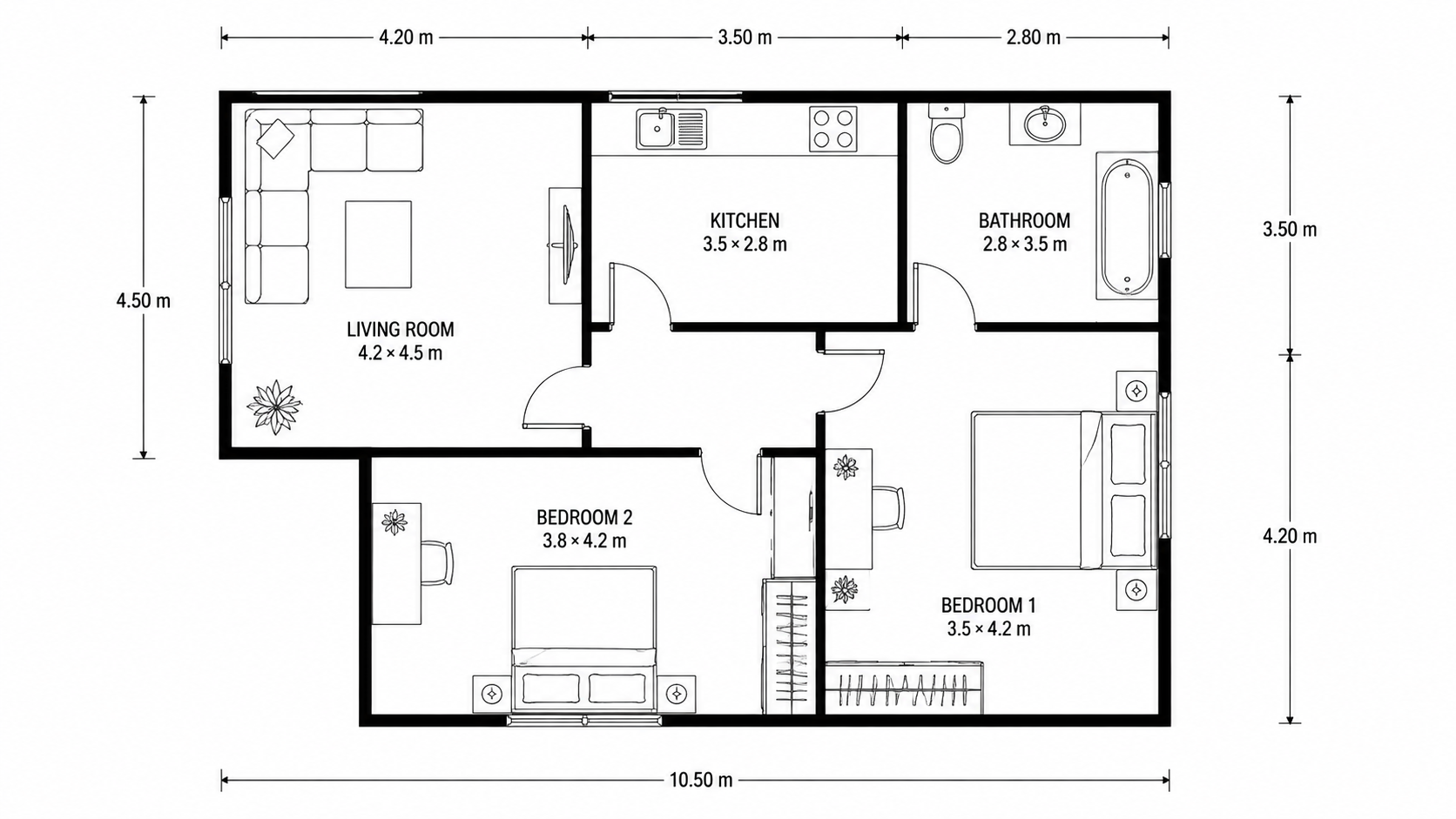
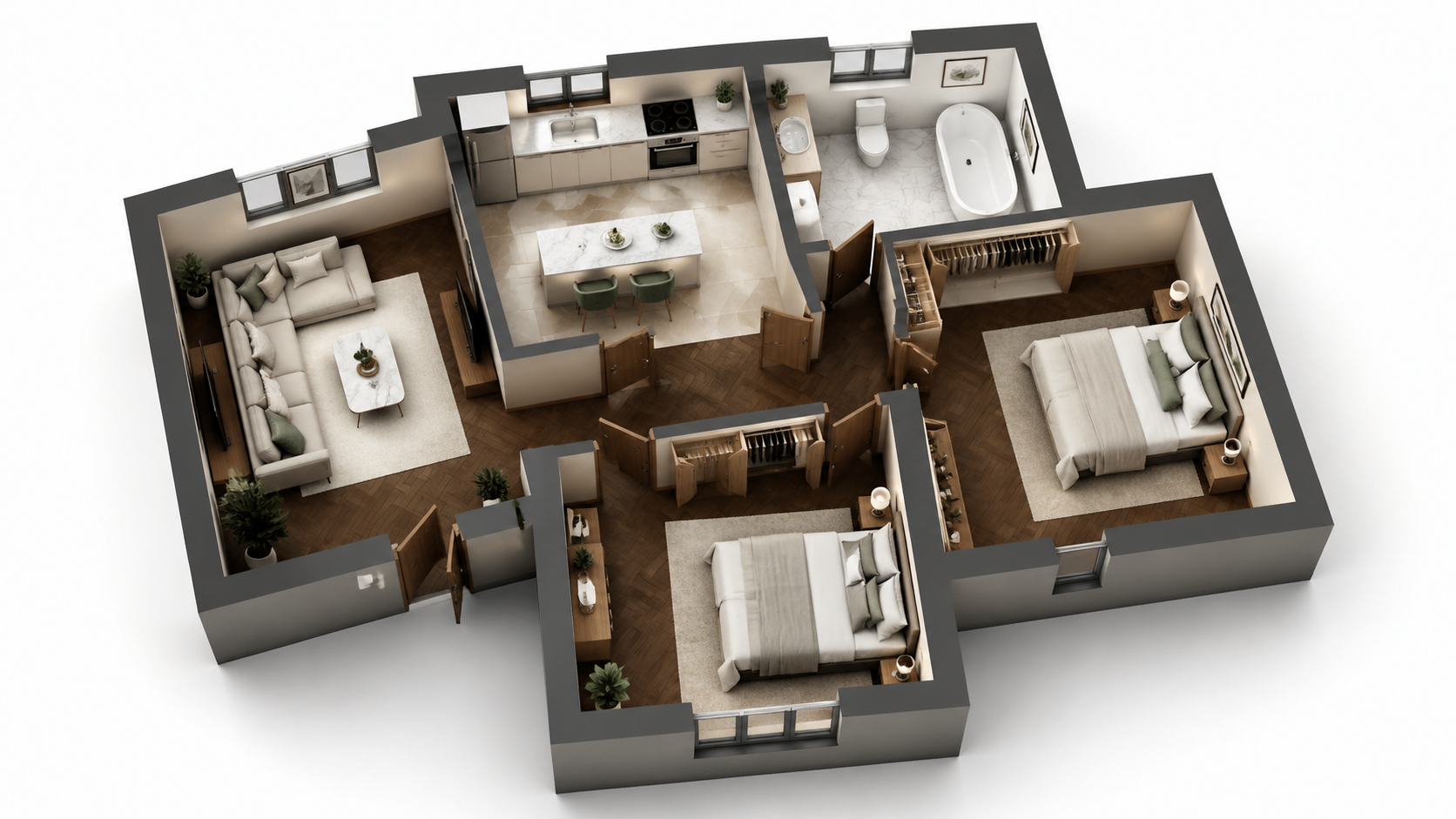
演示示例:“处理前”图片由 AI 为本网站生成,并非客户照片。
功能介绍
使用AI三步渲染任何平面图的分步指南。上传、选择风格、下载 — 首次学习工作流程在内,总时间不到2分钟。无需3ds Max或Lumion。
如何通过三个步骤渲染平面图?
三步工作流程 — 上传平面图、选择风格、下载渲染图 — 无需3ds Max或Lumion培训或3D背景知识
哪些平面图类型可以通过这种方式渲染?
首次用户在2分钟内完成渲染,包括从头学习界面 — 无需教程视频
为什么AI方法比Lumion或3ds Max更快?
AI自动处理3D建模、灯光、材质和后期制作 — 零手动工作或渲染队列管理
使用方法
三个简单步骤,即可获得专业效果
将照片拖放到此处
或浏览文件
上传照片
拖放您的照片,或浏览选择文件上传。Roomagen 支持 JPEG、PNG 和 WebP 文件,每个文件最大 50 MB。
AI处理
我们先进的AI分析您的图像并自动应用专业增强。您可以选择虚拟布置、图像增强、物品移除或日转黄昏等功能。
下载成果
预览转换后的图像,下载可用于房源、营销材料和社交媒体的高分辨率成果。高级方案无水印。
为什么选择Roomagen
步骤1 — 上传2D平面图
三步工作流程 — 上传平面图、选择风格、下载渲染图 — 无需3ds Max或Lumion培训或3D背景知识
步骤2 — 选择渲染风格和家具开关
首次用户在2分钟内完成渲染,包括从头学习界面 — 无需教程视频
步骤3 — 下载3D渲染图
AI自动处理3D建模、灯光、材质和后期制作 — 零手动工作或渲染队列管理
适合谁使用?
首次用户
搜索“如何渲染平面图”并被3ds Max或Lumion教程所困扰 — Roomagen将工作流程简化为上传、选择、下载,无需任何3D知识。
工作流程培训师
无需昂贵的Lumion或3ds Max培训课程即可教授团队成员平面图渲染 — Roomagen可在5分钟内让新用户上手,没有软件学习曲线。
教程追随者
想要一个清晰的分步流程以获得可重复的结果 — Roomagen只有三个步骤,每次渲染都具有一致的质量。
3ds Max和Lumion教程需要学习3D建模、材质、灯光和后期制作 — 通常需要40-100小时的培训才能产出可接受的结果。培训后,每个平面图的渲染仍需5-10小时。Roomagen无需任何培训;首次渲染在2分钟内完成,成本为$0.23–$0.40。
| Roomagen AI | 3ds Max / Lumion 教程 | 3D设计师外包 | |
|---|---|---|---|
| 所需步骤 | 3(上传、风格、下载) | 40–80个手动步骤 | 简报 + 等待 + 修改 |
| 首次渲染前的培训时间 | 0分钟 | 40–100小时 | 无(设计师已受训) |
| 每次渲染时间 | 90秒 | 培训后5–10小时 | 3–7天 |
| 软件成本 | 每月$12–$79 | 每年$249–$1,800 Adobe/Autodesk | 买家无成本 |
| 每次渲染成本 | $0.23–$0.40 | 边际成本$0 + 5–10小时人工 | $200–$800 |
常见问题
您需要了解的关于Roomagen的一切
登录Roomagen,点击“Floor Plan Visualize”,然后上传2D平面图。支持的格式:JPEG、PNG 或 WebP,最大 50 MB;PDF 或 HEIC 文件请先转换为 JPEG 或 PNG。平面图可以是照片、扫描件或任何来源的数字导出文件。
提供四种风格 — 用于房源的写实营销风格、用于示意性演示的建筑草图风格、用于温馨宣传册的风格化营销风格、以及用于高级作品集印刷的编辑单色风格。对于MLS房源,写实营销风格是最安全的选择。
带家具的用于布置好的房源渲染图和宣传册;不带家具的用于买家希望设想自己的家具,或当建筑本身是卖点时。两种版本总共只需$0.58 — 买家喜欢以两种方式查看同一个房间。
不需要。AI会自动检测房间、墙壁、门窗。无需预处理、遮罩或标注。只需按原样上传平面图即可。
上传:2-10秒。AI渲染:60-90秒。下载:即时。从开始到获得完成的3D渲染图总共不到2分钟。相比之下,在Lumion或3ds Max中获得相同输出需要5-10小时。
首先使用Roomagen Sketch to Floor Plan转换草图,然后可视化数字输出。从草图到3D渲染图的端到端过程总共不到4分钟。
使用不同的风格重新渲染,或上传更高质量的源平面图。每次渲染消耗2积分($0.23–$0.40)。AI的准确性会随着更清晰的源平面图而提高 — 清晰的标签、明确的墙壁、可见的门。
可以。更改风格或家具开关并重新渲染。每次渲染消耗2积分。大多数用户只需渲染一次即可立即获得所需结果。
下载渲染图像,并通过电子邮件或您现有的客户门户分享。输出是标准的JPG/PNG格式,与所有电子邮件客户端、CRM和演示工具兼容。
首次渲染包含在免费入门积分中。之后,每次渲染消耗2积分($0.23–$0.40)。入门计划(每月$12,60积分)支持30次渲染。
探索相关工具
发现更多AI驱动的专业工具
平面图可视化 — AI 不到一分钟将2D平面图渲染成3D效果图
使用 AI 将2D平面图可视化为3D效果图。提供照片级真实感、建筑草图、风格化和单色风格,可选择带家具或不带家具,在90秒内输出,每次渲染费用为0.23-0.40美元——无需 3ds Max、Lumion 或 Twinmotion。
了解更多在线平面图渲染器 — 基于浏览器的3D,无需安装
使用 AI 在浏览器中在线渲染平面图。无需 3ds Max、Lumion、Twinmotion,无需安装 — 上传 2D 平面图,在任何设备上90秒内获得 3D 渲染图,费用为0.23–0.40美元。
了解更多3D平面图渲染工具 — 适用于各种物业类型的AI可视化
由AI驱动的3D平面图渲染工具。在90秒内为任何物业类型提供照片级真实感、素描、风格化、单色输出。在95%的平面图渲染用例中,可替代3ds Max($1,800/年)、Lumion($1,499/年)和Twinmotion($249/年)。
了解更多专业2D和3D平面图 — AI不到一分钟生成
将草图、扫描件或旧图纸变成清晰的 2D 平面图或 3D 视图。可保留或去除尺寸和房间名称,并从四种绘图风格中选择一种。
了解更多平面图着色 — AI 不到一分钟为黑白平面图上色
使用 AI 为黑白平面图着色。四种设计师调色板,自动检测房间,90 秒内即可为房地产、建筑和室内设计输出成果——无需 Photoshop 或设计技能。
了解更多