AI Exterior Additions — Fences, Walls, Driveways, Garages & More
Roomagen Exterior Additions adds a fence, wall, driveway, path, retaining wall or building, such as an ADU or garage, to a property photo, or replaces the existing one: 18 types, usually in under a minute, at 2 credits per image.
A new fence, driveway or garage changes how a property is used and how buyers picture it, but building one is a large commitment: contractor quotes, often a permit, and weeks of work depending on the structure and the weather. Buyers viewing a property without one cannot easily picture how a privacy fence, a paver driveway or a carport would sit with the home's architecture and lot layout. Roomagen AI renders any of 18 exterior addition types onto your existing property photo, as a new addition or in place of the one already there, in under 90 seconds at 2 credits per image.
No credit card required. Results usually in under a minute.
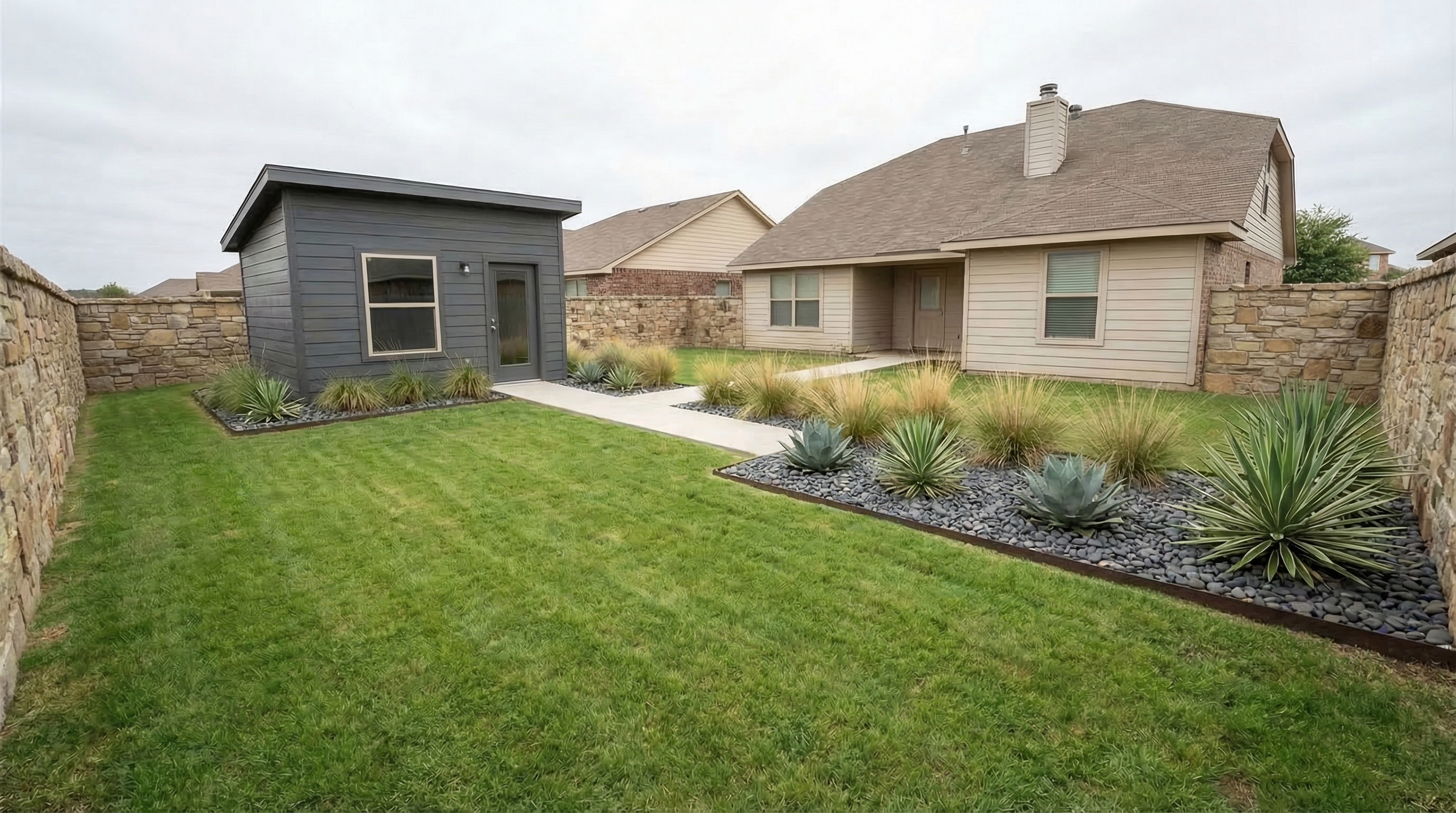
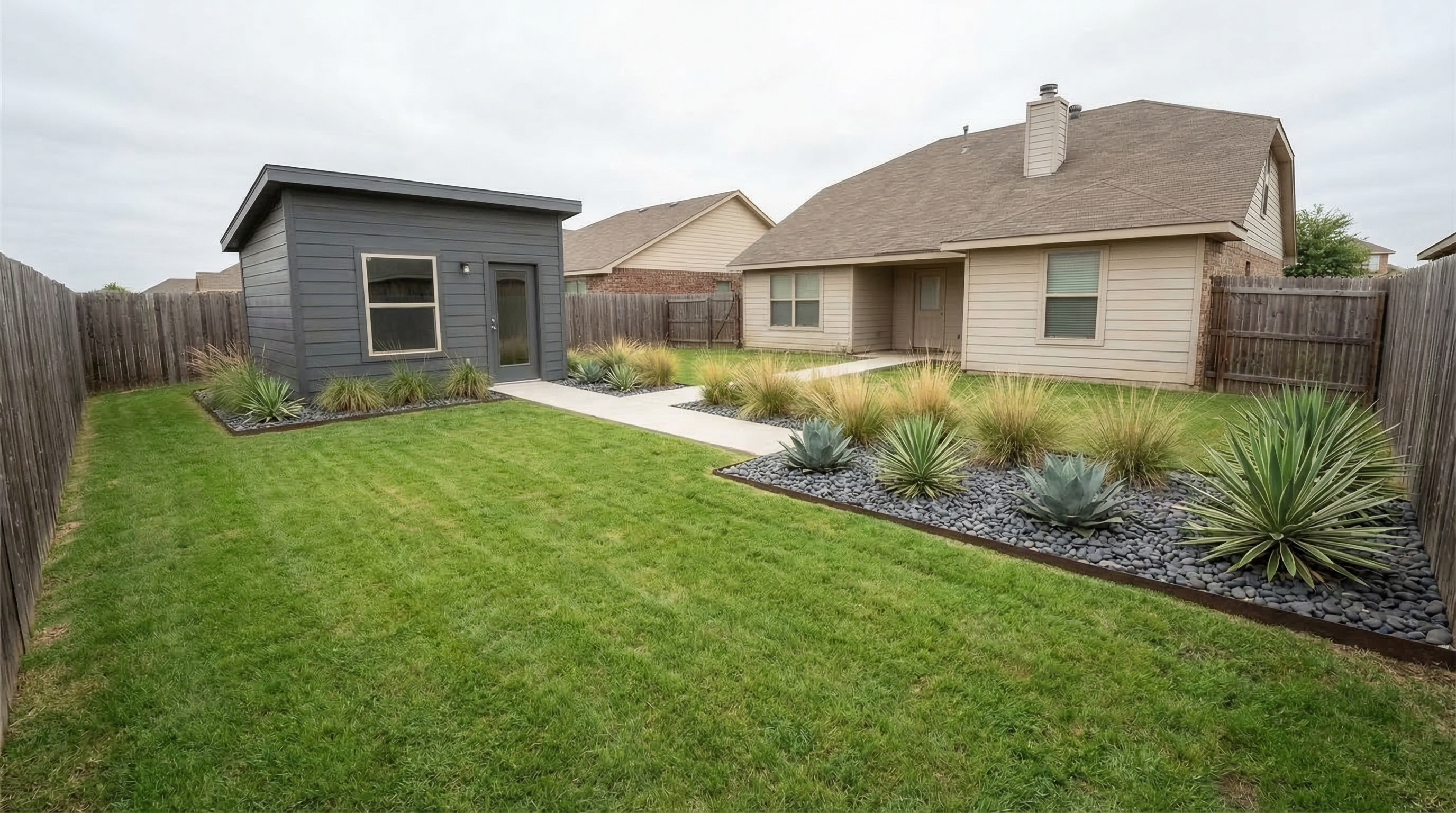
Demo example: the “Before” image was created with AI for this site; it is not a customer photo.
Features
Add fences, walls, driveways, paths, retaining walls, garages, carports, sheds, greenhouses or an ADU to a property photo: 18 types in 3 groups, as a new addition or replacing the existing one. Usually under a minute, 2 credits per image.
18 Addition Types in 3 Groups
18 addition types in 3 groups: fencing & walls (8), hardscape (5) and buildings (5)
Add a New One or Replace the Existing One
Add a new one, or replace the fence, driveway or building already in the photo
Photorealistic Exterior Addition Rendering in Under 90 Seconds
Photorealistic material textures, shadow casting, and perspective alignment
How It Works
Get professional results in three simple steps
Drop your photos here
or browse files
Upload Your Photos
Upload an exterior photo in JPEG, PNG, or WebP format showing the area where you want the addition. The AI analyzes available space, existing structures, terrain grade, and the home's architectural style.
AI Processing
Choose a group (Fencing & Walls, Hardscape or Buildings), then one of its types, and whether to add a new one or replace the existing one. The AI renders the selected structure at appropriate scale with correct perspective alignment, material textures, shadow casting, and integration with the existing exterior.
Download Results
Download your exterior addition visualization, usually in under a minute. Compare different addition types by reprocessing the same photo: each rendering costs 2 credits.
Why Choose Roomagen
Fencing & Walls
Privacy, vinyl, wrought-iron and modern metal fences, plus concrete-block, stone, stucco and brick walls.
Hardscape
Paver, concrete and cobblestone driveways, walkways and garden paths, and retaining walls.
Buildings
ADU or guest house, garage, carport, shed and greenhouse, built in materials that match the home.
Who Is It For?
Real Estate Agents
Show a property's potential by adding a privacy fence, a new driveway, a garage or an ADU to listing photos. Buyers can picture the upgrade before they visit; label the images as concepts where your market requires it.
Contractors & Builders
Show clients the fence, wall, driveway or garage you are quoting on a photo of their own property. A proposal built on the homeowner's own exterior photo is easier to discuss than a verbal description or a generic portfolio image.
Homeowners
Compare exterior addition options on a photo of your own property before you build. Test a vinyl fence against a stone wall, or see how a carport or a garden shed would sit next to the house.
Common Use Cases
Listing Enhancement with Outdoor Potential
Add a privacy fence, a paver driveway or a garage to listing photos to show buyers what the property could look like.
Contractor Proposal Visualization
Include photorealistic exterior addition renderings in construction proposals showing the exact structure on the client's actual property.
Homeowner Addition Comparison
Test multiple exterior addition types on the same property photo at 2 credits per rendering.
Unlike physical exterior construction, which needs a contractor quote, often a permit and weeks of building, Roomagen previews all 18 exterior addition types on your actual property photo before any financial commitment. Architect plans and 3D rendering services add design fees and weeks of lead time before anything is built. Roomagen processes at 2 credits per image on your existing exterior photo in under 90 seconds.
| Roomagen | Physical Exterior Construction | |
|---|---|---|
| Cost | $0.23–0.40 per image | Varies by project (contractor quote) |
| Turnaround | Under 90 seconds | 1–8 weeks |
| Addition options | 18 types, 2 credits per run | One structure per project |
| Design iterations | Unlimited at 2 credits each | Design fees for each plan |
| Permits | None needed | Required for most structures |
| Style matching | Auto-matched to property | Depends on contractor |
| Risk | No construction risk: visual preview only | Budget overruns, weather delays |
Technical Specifications
- Supported formats
- JPEG, PNG, WebP
- Max file size
- 50 MB
- Output resolution
- HD / Ultra HD (Pro & Business)
- Addition types
- 18 in 3 groups: fencing & walls (8), hardscape (5), buildings (5)
- Style matching
- Auto-matched to existing property architecture
- Processing time
- Usually under a minute
- AI model
- Gemini AI
- Credit cost
- 2 credits per image
Pricing
| Plan | Price | Credits/mo | Per Image | Resolution |
|---|---|---|---|---|
| Free | $0 | 6 (one-time) | Free | — |
| Starter | $12/mo | 60 | $0.40 | 2K |
| Pro | $29/mo | 200 | $0.29 | 2K or 4K (4 credits) |
| Business | $79/mo | 700 | $0.23 | 2K or 4K (4 credits) |
Per-image cost = 2 credits. Annual plans reduce cost by ~17%. Credit packages: 60/$19, 180/$45, 360/$79.
Frequently Asked Questions
Everything you need to know about Roomagen
18 types in 3 groups: Fencing & walls (privacy, vinyl, wrought-iron and modern metal fences; concrete-block, stone, stucco and brick walls), Hardscape (paver, concrete or cobblestone driveway, walkway or path, retaining wall) and Buildings (ADU, garage, carport, shed, greenhouse).
Each rendering costs 2 credits per image, which equals $0.23-$0.40 depending on your plan. The free plan includes 6 one-time credits for 3 renderings.
An exterior addition rendering is usually ready in under a minute, whichever of the 18 types you choose. Each one costs 2 credits per image, and the credits for a failed generation are refunded automatically.
The AI analyzes your home's architectural style, roofing material, color palette, and exterior finishes. The rendered addition uses compatible materials, proportions, and design language for a cohesive appearance.
No. Pergolas, gazebos, patio covers, decks, outdoor kitchens, fire pits and hot tubs are in Outdoor Living, a separate tool at the same 2 credits per image. Exterior Additions covers fences and walls, hardscape and buildings.
Upload a photo showing the area where you want the carport. The AI renders a covered parking structure with roof style and support columns that coordinate with the home's existing architectural details.
Choose Fencing & Walls, then one of 8 types, from a wooden privacy fence to a brick wall. The AI places it on the property at a realistic scale, with posts, caps and shadows that match the photo's light.
Yes. Under Hardscape, choose a paver, concrete or cobblestone driveway, a walkway or path, or a retaining wall. If the photo already has a driveway, choose Replace the existing one and the old surface is rebuilt in the new material.
Yes. Under Buildings, choose ADU / guest house, garage, carport, shed or greenhouse. The AI renders the building on the lot at a realistic scale, with a roofline and materials that match the home.
You choose. Add a new one keeps everything already there; Replace the existing one removes the old fence, wall, driveway or building and builds your choice in its place. Pools, pergolas, decks and patios are kept either way.
Explore Related Tools
Discover more AI-powered tools to enhance your visual content
Render Exterior Structures - ADU, Garage & Outbuilding Visualization
Render exterior structures like ADUs, garages, carports, sheds and greenhouses, plus fences, walls and driveways. Show buyers or investors the property's potential.
Learn moreOutdoor Living Design — Pergola, Patio, Fire Pit & 7 More Structures
Design outdoor living spaces with 10 structure types — pergola, gazebo, patio cover, deck, patio, outdoor kitchen, fire pit, outdoor fireplace, hot tub, and sunroom. Add a new structure or renovate an existing one, and compare options at 2 credits per image.
Learn moreExterior Home Rendering & Visualization
Create photorealistic exterior renders showing home improvements, new construction, or facade transformations.
Learn moreVirtual Landscaping Design
Virtually landscape any outdoor space with plants, trees, gardens, and features. Boost curb appeal for properties, hotels, resorts, and commercial spaces without breaking ground.
Learn moreVirtual Pool Addition & Design
Visualize a pool on your backyard photo with 10 pool shapes and 8 deck materials, or convert an existing pool to a new design. Compare rectangular, freeform, infinity-edge, lap, plunge, kidney, L-shaped, round, figure-8 and kiddie pools side by side.
Learn moreAI Driveway & Walkway Design — Pavers, Concrete, Cobblestone & Retaining Walls
Design driveways, walkways, and retaining walls with 5 hardscape options — paver driveway, concrete driveway, cobblestone driveway, walkway path, and retaining wall. Replace existing surfaces or add new ones using the hasExisting toggle. AI renders each option onto your property photo in under 90 seconds at 2 credits per image.
Learn more