AI Photo Enhancement — Professional Quality in Seconds
Roomagen Image Enhancement is an AI-powered one-click photo editing tool that automatically applies HDR processing, color correction, sharpening, and lens distortion fixes to any photo. Used by real estate agents, hotel managers, e-commerce sellers, photographers, and interior designers, the tool produces professionally enhanced images with balanced exposure and accurate colors. Processing takes under 90 seconds using 2 credits per image ($0.23–$0.40 depending on plan), with a free plan offering 6 credits.
Most photos taken with smartphones suffer from underexposure, color casts, lens distortion, and insufficient sharpness — whether they are property listings, hotel room photos, product images, or interior design portfolio shots. Poor-quality images directly correlate with lower click-through rates, fewer inquiries, and reduced conversions across every industry. Studies suggest that professionally photographed listings and product pages generate significantly more engagement than those with amateur photos. Hiring a professional photo editor costs $50–$100 per hour with 10–15 minutes needed per image, and finding an editor who understands specific photography requirements adds another layer of difficulty. Learning Lightroom or Photoshop requires weeks of practice before producing consistent results. Roomagen applies HDR processing, color correction, sharpening, and lens distortion fixes simultaneously in a single automated pass, delivering professional results in under 90 seconds with no editing expertise required.
No credit card required. Results in 30 seconds.

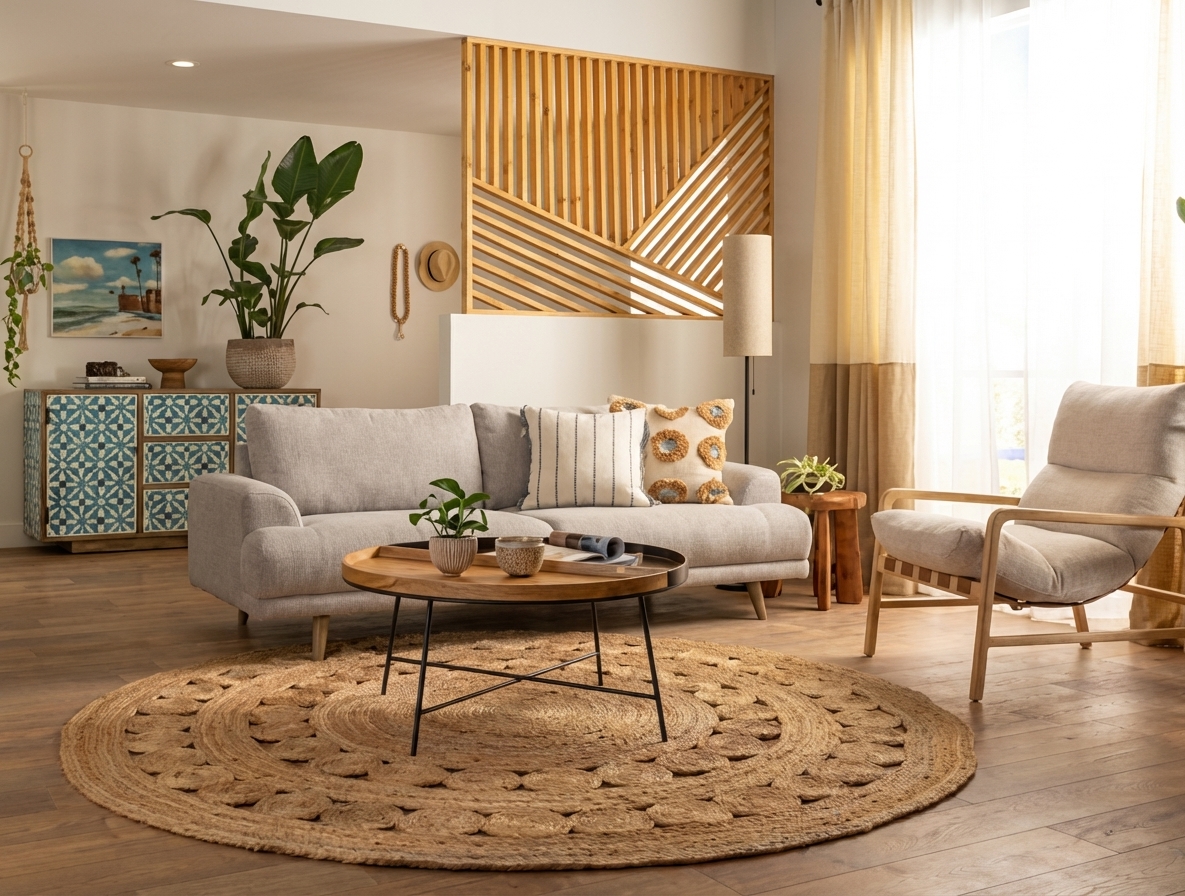
Features
Enhance any photo automatically with AI. HDR processing, color correction, lens fix, and professional-grade adjustments in seconds — for property listings, hotel rooms, product shots, and more.
Professional HDR Processing
One-click HDR, color correction, and sharpening in seconds
Automatic Color Correction
Balances exposure across bright windows and dark interiors
Lens Distortion Fix
Delivers consistent professional-standard results photo after photo
How It Works
Get professional results in three simple steps
Drop your photos here
or browse files
Upload Your Photos
Simply drag and drop your photos or browse to upload. We support all major image formats including JPG, PNG, and RAW files up to 50MB each.
Upload any property photo in JPEG, PNG, or WebP format (up to 50 MB). The AI accepts both interior and exterior shots from any camera — smartphones, point-and-shoot cameras, and professional DSLRs all produce excellent results. The system analyzes the image to identify specific issues: underexposure, color temperature imbalance, lens barrel distortion, chromatic aberration, and areas lacking sharpness. Each detected issue is mapped and queued for correction in the automated enhancement pipeline.
AI Processing
Our advanced AI analyzes your images and applies professional enhancements automatically. Choose from virtual staging, enhancement, object removal, or day-to-dusk conversion.
Select an intensity level: light applies subtle corrections that preserve the original photo's character while fixing obvious flaws — ideal for photos that are almost right. Medium provides balanced enhancement suitable for most real estate listings, correcting exposure, white balance, and sharpness to a professional standard. Heavy applies maximum correction designed for significantly underexposed, color-shifted, or heavily distorted photos that need substantial improvement. The AI applies all corrections — HDR processing, color balancing, sharpening, and lens distortion fix — simultaneously in one pass.
Download Results
Preview your transformed images and download high-resolution results ready for listings, marketing materials, social media, and more. No watermarks on premium plans.
Download your enhanced photo in under 90 seconds. The output preserves the original composition and framing exactly — no elements are added, removed, or repositioned. Only lighting, color accuracy, sharpness, and lens geometry are corrected. To enhance a full photo set, upload photos consecutively — each image is processed individually at 1 credit per image. Results are delivered in JPEG format at your plan's resolution (1K for Free/Starter, 2K for Pro, 4K for Business).
Why Choose Roomagen
Brightness & Exposure Optimization
One-click HDR, color correction, and sharpening in seconds
White Balance Correction
Balances exposure across bright windows and dark interiors
Sharpness Enhancement
Delivers consistent professional-standard results photo after photo
Who Is It For?
Real Estate & Hospitality
Transform smartphone listing and booking platform photos into professional-quality images that drive more views and inquiries.
E-commerce & Product Photography
Enhance product photos with consistent color accuracy, balanced exposure, and sharp detail for online marketplaces and catalogs.
Photographers & Designers
Speed up post-processing workflow with one-click professional enhancement across real estate, hospitality, and commercial photography projects.
Common Use Cases
Smartphone Listing Photos
Upload smartphone-shot listing photos and enhance them to compete with professionally photographed properties. The AI corrects exposure, white balance, lens distortion, and sharpness in one automated pass, producing professional-standard images in under 90 seconds. Most smartphone photos benefit dramatically from the medium intensity setting, which bridges the gap between amateur and professional photography.
Batch Property Enhancement
Enhance an entire property photo set with consistent adjustments for uniform quality across all listing images. Process 20–30 photos for a single listing at 1 credit each, ensuring consistent color grading and exposure regardless of room lighting conditions or time of day when individual photos were taken. Total processing time for a full property set is under 5 minutes.
Portfolio Consistency
Photographers and agents can run all portfolio images through the same enhancement pipeline for a cohesive visual standard across their entire body of work. The AI applies consistent color grading and exposure correction regardless of when or where photos were taken, different cameras used, or varying lighting conditions encountered.
Social Media Quick Prep
Quickly enhance property photos before posting to Instagram, Facebook, or listing platforms. The one-click process takes under 90 seconds per image, making it practical for same-day social media posting immediately after an open house or property visit. Enhanced photos consistently receive higher engagement than unedited smartphone shots.
Open House Same-Day Photos
Enhance smartphone photos taken during an open house and have listing-quality images ready before the event ends. The 10-second processing time means you can enhance 20 photos in under 4 minutes, uploading them to MLS or social media while buyers are still touring the property.
MLS Compliance Upgrade
Quickly bring substandard photos up to MLS platform quality requirements. Many MLS systems flag or reject photos with poor exposure, heavy color casts, or visible lens distortion. Run photos through medium or heavy enhancement to meet platform standards without reshooting.
Professional photo editors charge $50–$100 or more per hour and spend 10–15 minutes per image on manual adjustments, with quality varying between editors and sessions. Adobe Lightroom and Photoshop subscriptions cost $10–$55 per month and require significant learning investment before producing consistent results — each image still needs 10–15 minutes of manual adjustment. Batch editing applications offer limited automation but are not optimized for specific use cases like interior photography exposure balancing and architectural line correction. Roomagen enhances any photo for 2 credits ($0.23–$0.40 depending on plan) in under 90 seconds, applying HDR, color correction, sharpening, and lens fix in a single automated pass with zero editing knowledge required.
| Roomagen | Manual Editing (Lightroom/Photoshop) | |
|---|---|---|
| Cost per image | $0.23–$0.40 | $50–$100+/hour editor |
| Turnaround time | Under 90 seconds | 10–15 minutes per photo |
| Skill required | None | Professional editing expertise |
| Consistency | Automatic across all photos | Varies by editor/session |
| Includes | HDR + color + sharpening + lens fix | Each adjustment separate |
| Batch capability | Unlimited | Time-consuming per image |
Technical Specifications
- Supported formats
- JPEG, PNG, WebP
- Max file size
- 50 MB
- Output resolution
- HD / Ultra HD (Pro & Business)
- Enhancement levels
- 3 (light, medium, heavy)
- Included adjustments
- HDR processing, color correction, sharpening, lens distortion fix
- Processing time
- Under 90 seconds
- AI model
- Gemini AI
- Credit cost
- 1 credit per image
Pricing
| Plan | Price | Credits/mo | Per Image | Resolution |
|---|---|---|---|---|
| Free | $0 | 6 (one-time) | Free | HD |
| Starter | $12/mo | 60 | $0.40 | HD |
| Pro | $29/mo | 200 | $0.29 | Ultra HD |
| Business | $79/mo | 700 | $0.23 | Ultra HD |
Per-image cost = 2 credits. Annual plans reduce cost by ~17%. Credit packages: 60/$19, 180/$45, 360/$79.
Frequently Asked Questions
Everything you need to know about Roomagen
Explore Related Tools
Discover more AI-powered tools to enhance your visual content
HDR Photo Editor — Professional Exposure in Seconds
Professional HDR editing for interior and exterior photos. Recover window views, balance lighting, and create magazine-quality images for property listings, hotel rooms, and commercial spaces.
Learn moreAI Sky Replacement — Perfect Skies for Any Exterior Photo
Replace overcast or bland skies with stunning blue skies or dramatic sunsets. AI-powered sky replacement that looks completely natural — for property listings, hotels, commercial buildings, and any exterior photo.
Learn moreAI Image Upscaling - Increase Resolution
Upscale low-resolution real estate photos to print-quality resolution. AI enhancement increases image size while adding detail and sharpness.
Learn moreAI Image Straightening & Perspective Correction
Fix tilted horizons, converging verticals and wide-angle lens distortion in real estate photos. One-click AI correction for MLS-ready listings. Free to try.
Learn moreDay to Dusk Photo Editing & Conversion
Convert daytime exterior photos to stunning twilight images. Add warm interior lights and dramatic dusk skies that captivate buyers.
Learn more