AI Object & Item Removal from Photos
Roomagen Item Removal is an AI-powered object erasing tool that removes one or more specific unwanted items from photos while preserving the rest of the scene. Used by real estate agents, hotel managers, e-commerce sellers, photographers, and content creators, the output is the same scene minus the selected objects, with the background seamlessly reconstructed. Processing takes 10-20 seconds using 2 credits per image ($0.23–$0.40 depending on plan), with a free plan offering 6 credits.
Unwanted items in photographs — personal belongings, clutter, construction debris, branded signage, temporary equipment — create visual distractions that reduce viewer interest and lower perceived quality across every industry. Cluttered photos receive 30-40% fewer clicks than clean, professionally composed alternatives. Professional photo retouching services charge $25-75 per image for object removal with 1-3 day turnaround, and complex removals cost more per edit. For occupied spaces — rental units, hotel rooms during turnover, or retail locations — physically removing items for every photo session is often impractical. Roomagen AI removes unwanted items from photographs in under 90 seconds for 1 credit, intelligently reconstructing the surface behind removed objects using surrounding visual context to produce clean, professional images.
No credit card required. Results in 30 seconds.
Features
Remove unwanted objects, clutter, and distractions from any photo. AI intelligently fills backgrounds for clean, professional images — for property listings, hotel rooms, product shots, and portfolio photos.
Remove Clutter Instantly
Removes any object and fills background with context-aware AI
Clean Up Listing Photos
Handles complex removals like reflections and shadows automatically
Intelligent Background Fill
Supports both interior and exterior object elimination
How It Works
Get professional results in three simple steps
Drop your photos here
or browse files
Upload Your Photos
Simply drag and drop your photos or browse to upload. We support all major image formats including JPG, PNG, and RAW files up to 50MB each.
Upload a property photo in JPEG, PNG, or WebP format (up to 50 MB). The tool works with both interior and exterior shots from any camera type. The AI scans the entire image to identify objects that appear removable — distinguishing between items like trash cans, personal belongings, and temporary objects versus permanent structural elements like walls, doors, and built-in features. Well-lit photos with clear object boundaries produce the cleanest removal results, as the AI needs to precisely define where the object ends and the background begins.
AI Processing
Our advanced AI analyzes your images and applies professional enhancements automatically. Choose from virtual staging, enhancement, object removal, or day-to-dusk conversion.
The AI automatically detects and removes unwanted items from the scene using context-aware inpainting technology. For each removed object, the AI analyzes the surrounding environment — wall texture, floor pattern, landscape elements, lighting direction, and perspective — to generate a seamless reconstruction of the background surface. Small objects like cups, keys, and cables are filled with simple texture continuation. Larger objects like cars or furniture require more complex reconstruction, blending multiple texture sources from the surrounding area to produce a natural-looking result.
Download Results
Preview your transformed images and download high-resolution results ready for listings, marketing materials, social media, and more. No watermarks on premium plans.
Download your cleaned photo in under 15 seconds. The inpainting produces seamless results where removed objects are replaced with matching wall, floor, landscape, or surface patterns that blend naturally with the surrounding environment. For photos with multiple distracting objects, you can process the output image again to remove additional items at 1 credit per pass. Results are most convincing when the background behind the removed object is relatively uniform — complex backgrounds with many different textures may show subtle artifacts upon close inspection. Multiple items can be removed from a single photograph in one processing pass, maximizing efficiency.
Why Choose Roomagen
Furniture Removal
Removes any object and fills background with context-aware AI
Personal Item Removal
Handles complex removals like reflections and shadows automatically
Outdoor Object Removal
Supports both interior and exterior object elimination
Who Is It For?
Real Estate & Hospitality
Remove distracting objects from listing and booking platform photos to present spaces in their cleanest, most appealing state.
E-commerce & Product Photography
Clean up product shots by removing background clutter, props, or unwanted reflections for marketplace-ready images.
Photographers & Content Creators
Quickly edit out unwanted elements from portfolio photos, social media content, and client deliverables.
Common Use Cases
Personal Item Removal for Listings
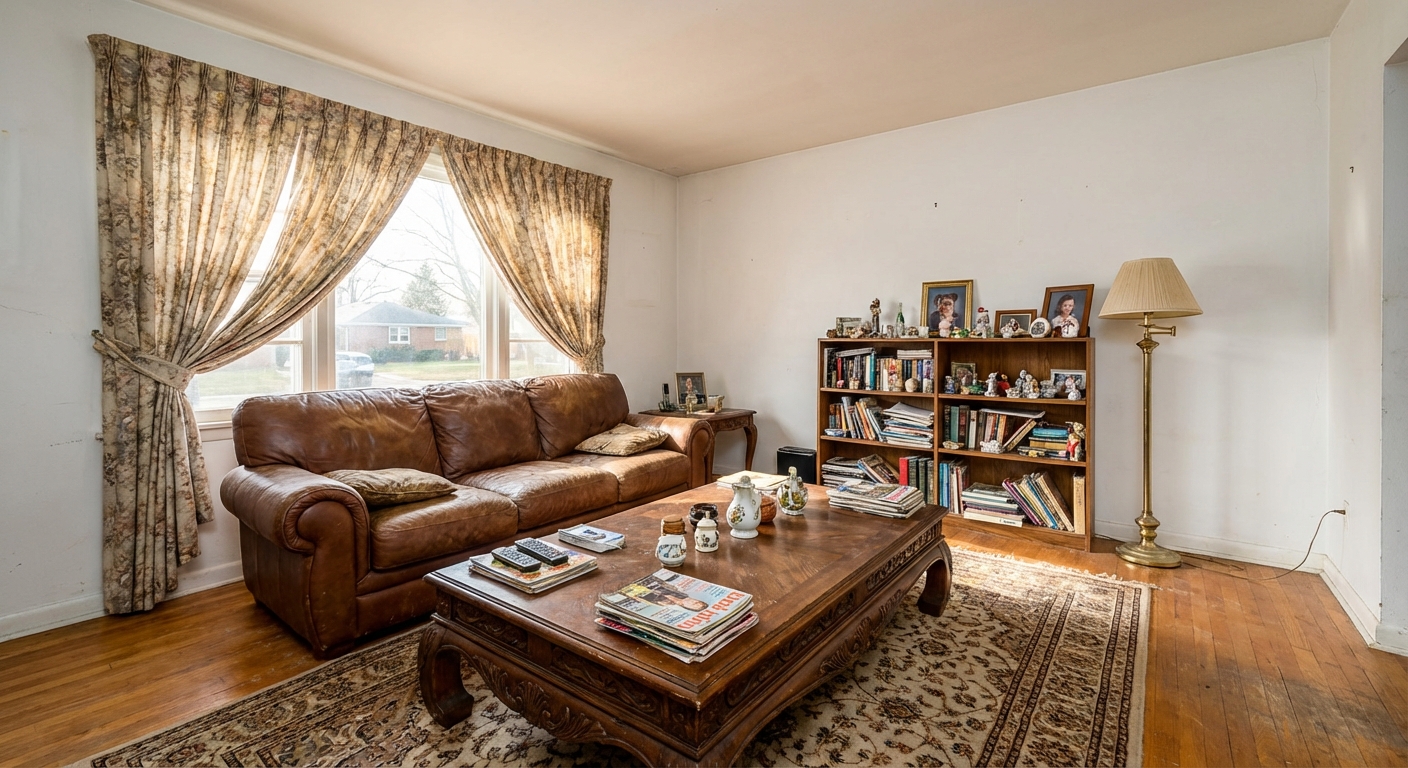
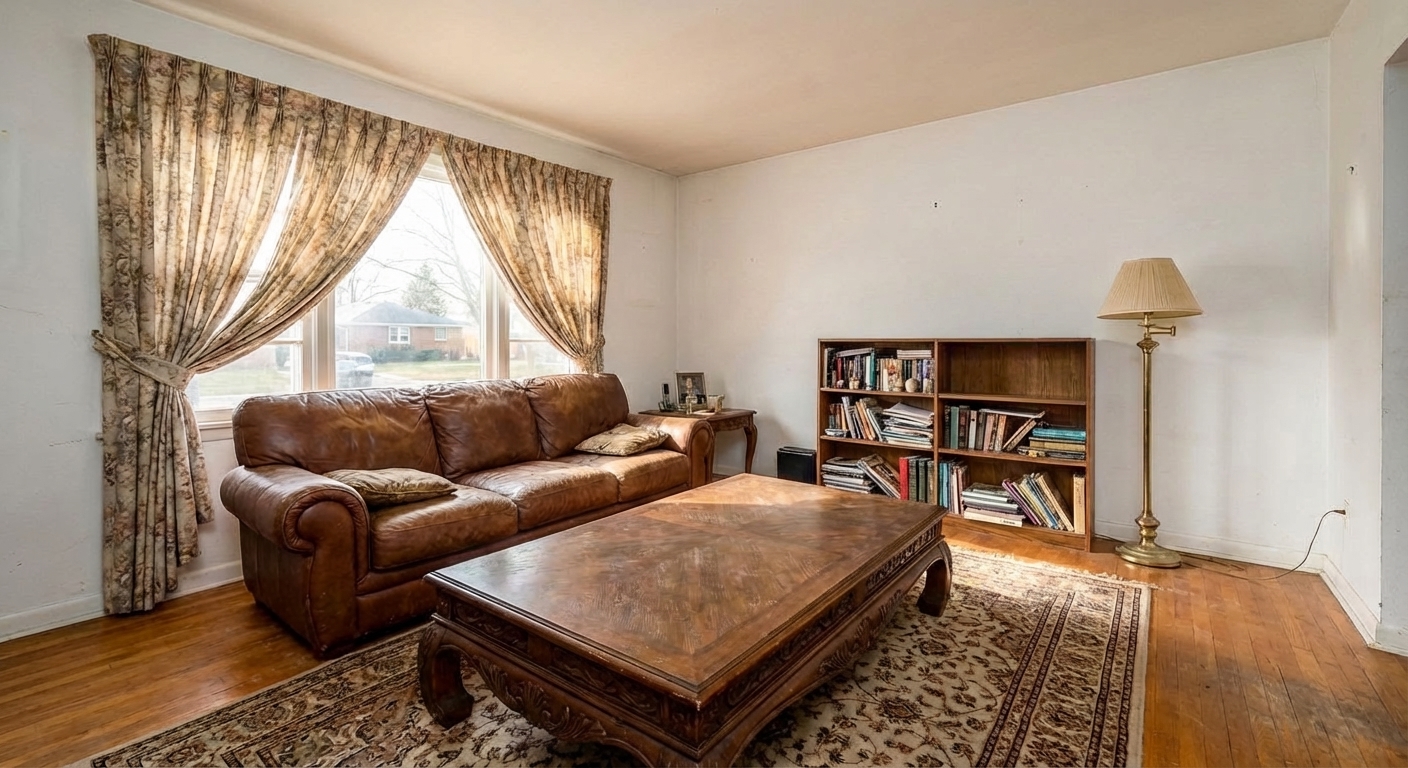
Remove personal belongings — family photos, toiletries, pet items — from listing photos to depersonalize the space. The AI fills removed areas with contextually appropriate background.
Unwanted Object Cleanup
Remove trash cans, garden hoses, parked cars, or other distracting objects from property photos. The AI reconstructs the background seamlessly behind removed items.
Distraction Elimination
Remove visual distractions that draw attention away from the property — power lines in exterior shots, construction equipment, or neighboring property elements.
Pre-Staging Cleanup
Remove specific items before applying Virtual Staging or other tools. Item Removal is more targeted than Empty Your Space — remove just what you don’t want while keeping the rest.
Construction Site Cleanup
Construction materials, dumpsters, scaffolding, or portable toilets near a property create negative visual impressions in listing photos. Digitally remove these temporary construction elements to show the property in its intended environment. Particularly useful for new developments where nearby lots are still under construction during the marketing phase.
Neighbor Property Cleanup
A neighbor's cluttered yard, old vehicles, overflowing trash bins, or unmaintained landscaping visible in your listing photos negatively impacts buyer perception of the neighborhood. Remove these elements from the visible portion of the photo to present the property's surroundings in the best possible light without requiring any cooperation from neighbors.
Professional photo retouching services charge $25-75 per image for object removal with 1-3 day turnaround — complex multi-object removals cost more per edit and may require multiple revision rounds. DIY removal using Photoshop’s Content-Aware Fill requires advanced editing skills and 15-30 minutes per image with frequently visible artifacts. Mobile apps offering one-tap removal produce inconsistent results with ghosting and color mismatches. Roomagen removes unwanted items for 1 credit in under 90 seconds with AI-powered surface reconstruction that analyzes surrounding context for seamless, artifact-free results.
| Roomagen | Photoshop Clone/Heal | |
|---|---|---|
| Cost | $0.23–$0.40 | $50–$100+/hour editor |
| Time | Under 15 seconds | 15–30 minutes per item |
| Skill required | None | Advanced Photoshop skills |
| Detection | AI auto-detects items | Manual selection required |
| Fill quality | Context-aware inpainting | Visible clone artifacts |
| Background rebuild | Automatic | Manual reconstruction |
Technical Specifications
- Supported formats
- JPEG, PNG, WebP
- Max file size
- 50 MB
- Output resolution
- HD / Ultra HD (Pro & Business)
- Detection
- AI auto-detects removable items
- Fill method
- Context-aware inpainting
- Processing time
- Under 15 seconds
- AI model
- Gemini AI
- Credit cost
- 1 credit per image
Pricing
| Plan | Price | Credits/mo | Per Image | Resolution |
|---|---|---|---|---|
| Free | $0 | 6 (one-time) | Free | HD |
| Starter | $12/mo | 60 | $0.40 | HD |
| Pro | $29/mo | 200 | $0.29 | Ultra HD |
| Business | $79/mo | 700 | $0.23 | Ultra HD |
Per-image cost = 2 credits. Annual plans reduce cost by ~17%. Credit packages: 60/$19, 180/$45, 360/$79.
Frequently Asked Questions
Everything you need to know about Roomagen
Explore Related Tools
Discover more AI-powered tools to enhance your visual content
Virtual Decluttering Service
Virtually declutter messy rooms for cleaner photos. Remove excess furniture, countertop clutter, and visual distractions instantly — for listings, hotel rooms, and commercial spaces.
Learn moreAI Empty Room — Remove All Furniture From a Photo in 30 Seconds
Clear any furnished room for virtual restaging, renovation previews or tenant turnover. Reconstructs walls and floors behind furniture. 6 free credits included.
Learn moreVirtual Pool Removal
Virtually remove pools from backyard photos to show buyers who prefer pool-free properties. Convert pool areas to lawn, patio, garden, natural landscape, deck terrace, gravel zen garden, or auto-blended surface.
Learn moreAI Photo Enhancement — Professional Quality in Seconds
Enhance any photo automatically with AI. HDR processing, color correction, lens fix, and professional-grade adjustments in seconds — for property listings, hotel rooms, product shots, and more.
Learn moreFree AI Virtual Staging — Stage Any Empty Room in 30 Seconds
Stage vacant listings with AI in 30 seconds. 14 design styles, MLS-ready photos, used by realtors and photographers. 6 free credits, no credit card required.
Learn more