
Sketch to Floor Plan — Convert Hand-Drawn and Old Plans to Digital Format
Roomagen Sketch to Floor Plan is an AI digitization tool that converts photos of hand-drawn sketches, napkin drawings, and rough layouts into clean, professional digital floor plans — used by architects, designers, agents, and homeowners for space planning and documentation.
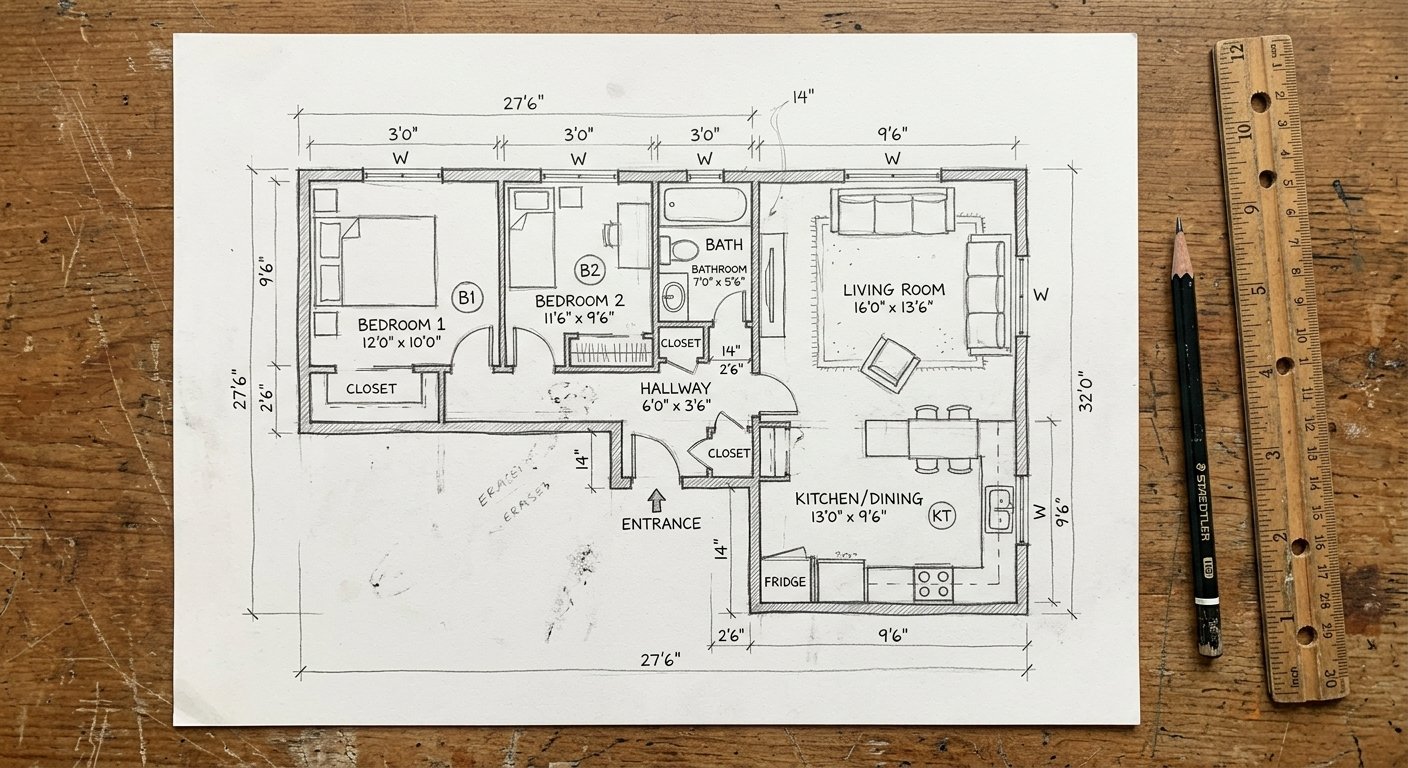
Hand-drawn floor plans and paper sketches are still the fastest way to capture initial layout ideas — architects sketch on napkins, homeowners draw on graph paper, agents receive hand-drawn plans from sellers. But these sketches are unprofessional for presentations, impossible to share digitally, and cannot be edited or measured precisely. Professional CAD digitization costs $50–$200 per floor plan and takes 1–5 days. Learning CAD software (AutoCAD, SketchUp) requires weeks of training. Roomagen converts any photographed sketch into a clean digital floor plan in under 90 seconds for 2 credits.
No credit card required. Results usually in under a minute.
Features
Turn a photo of a rough hand sketch or old paper plan into a clean 2D floor plan with AI, usually in under a minute. 6 free credits when you sign up.
How Does AI Convert Hand-Drawn Sketches to Digital Floor Plans?
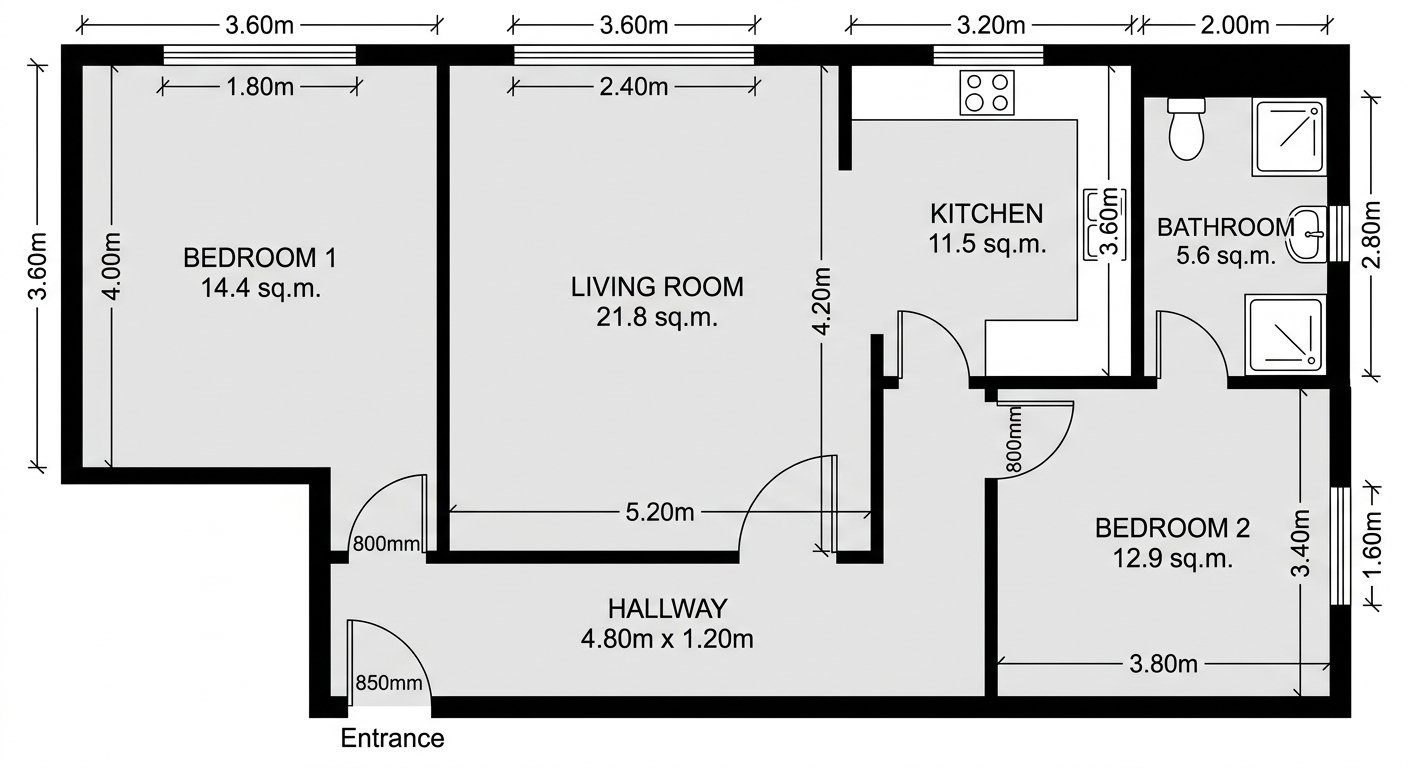
Convert any hand-drawn sketch, paper blueprint, or rough layout into a clean digital floor plan
What Types of Sketches Can Be Digitized?
AI interprets walls, doors, windows, and room labels from imperfect hand-drawings
Why Digitize Paper Floor Plans with AI?
Under 90 seconds per conversion — replacing hours of manual CAD redrawing
How It Works
Get professional results in three simple steps
Drop your photos here
or browse files
Upload Your Photos
Drag and drop your photos or browse to upload them. Roomagen accepts JPEG, PNG and WebP files up to 50 MB each.
AI Processing
Our advanced AI analyzes your images and applies professional enhancements automatically. Choose from virtual staging, enhancement, object removal, or day-to-dusk conversion.
Download Results
Preview your transformed images and download high-resolution results ready for listings, marketing materials, social media, and more. No watermarks on premium plans.
Why Choose Roomagen
Napkin Sketches to Professional Blueprints
Convert any hand-drawn sketch, paper blueprint, or rough layout into a clean digital floor plan
Paper Plans to Editable Digital Layouts
AI interprets walls, doors, windows, and room labels from imperfect hand-drawings
Digitization Without CAD Software
Under 90 seconds per conversion — replacing hours of manual CAD redrawing
Who Is It For?
Architects & Designers
Digitize napkin sketches and preliminary layouts into clean floor plans for client presentations — skip the manual CAD redrawing step entirely.
Real Estate Agents
Convert hand-drawn seller plans and old paper blueprints into professional digital floor plans for property listings and marketing materials.
Homeowners & Renovators
Turn your graph-paper room sketches into proper digital floor plans for renovation planning, contractor communication, and permit applications.
CAD drafting services charge $50–$200 per floor plan with 1–5 day turnaround. Self-service tools like RoomSketcher require manual redrawing from scratch (1–3 hours per plan). Freelance CAD operators on Upwork charge $30–$100 with 2–7 day delivery. Roomagen digitizes any photographed sketch into a professional floor plan for 2 credits ($0.23–$0.40) in under 90 seconds.
| Roomagen AI | CAD Drafting Service | DIY Floor Plan Software | |
|---|---|---|---|
| Cost | $0.23–$0.40 per plan | $50–$200 per plan | $0–$99/year + hours of work |
| Turnaround | Under 90 seconds | 1–5 days | 1–3 hours manual drawing |
| Skill required | None — upload a photo | None — outsourced | CAD/software training |
| Input | Photo of any sketch | Detailed measurements | Manual room-by-room entry |
| Output quality | Professional digital plan | Professional CAD drawing | Varies by user skill |
| Revisions | Unlimited at 2 credits | $25–$50 per revision | Self-service but time-consuming |
Frequently Asked Questions
Everything you need to know about Roomagen
Any hand-drawn floor plan: napkin sketches, graph paper layouts, whiteboard drawings, old paper blueprints, notebook doodles, or rough pencil layouts. The AI interprets walls, doors, windows, and room labels from your drawing.
The AI follows the room layout and proportions of your sketch, but it redraws everything, so check the result. Measurements you write on the sketch are kept by default but redrawn, not copied, and unreadable ones are left out. Accuracy depends on how clear and detailed the sketch is.
Not perfectly, but clearer sketches produce better results. Use straight-ish lines for walls, mark doors with arcs, and label rooms if possible. The AI handles imperfect hand-drawing well but cannot interpret extremely messy or overlapping lines.
Yes. Photograph or scan old paper blueprints and upload them. The AI extracts the floor plan layout and generates a clean digital version. Works with faded, yellowed, or partially damaged documents.
Roomagen generates high-resolution digital floor plan images with clean lines, room labels, and professional formatting. Output is immediately usable in presentations, listings, and documents.
Under 90 seconds per sketch. Upload a photo of your hand-drawn plan and receive a clean digital floor plan. Each conversion uses 2 credits ($0.23–$0.40).
Yes. Upload each floor sketch separately to get individual digital floor plans. Combine them in your presentation or listing to show the complete property layout.
Dramatically. Manual CAD redrawing takes 1–3 hours per floor plan and requires software expertise. Roomagen digitizes the same sketch in under 90 seconds with zero CAD knowledge needed.
The digital output is a clean image. If you need editable vector files with measurements, the Roomagen output serves as an excellent reference for CAD operators, reducing their work by 80%.
Each conversion uses 2 credits. Roomagen plans: FREE (6 credits), STARTER $12/mo (60 credits), PRO $29/mo (200 credits), BUSINESS $79/mo (700 credits). Per-image cost: $0.23–$0.40.
Browse the Full Collection
Every room, style, and use case in this tool family — each with its own dedicated tool.
Sketch Conversion(6)
Sketch Audience(4)
Pricing Guide(2)
Explore Related Tools
Discover more AI-powered tools to enhance your visual content
Floor Plan AI — Turn a Sketch, Scan or Old Plan into a 2D or 3D Floor Plan
Turn a sketch, scan or old plan into a clean 2D floor plan or a 3D view. Keep or remove measurements and room names, and pick one of four drawing styles.
Learn moreFloor Plan to 3D — AI Dollhouse View Generator for Any 2D Plan
Convert a 2D floor plan into a furnished 3D dollhouse view with AI: an isometric image showing layout, furniture placement and flow, for listings and proposals.
Learn moreVirtual Staging for Apartments and Homes Still Under Construction
Marketing images of rooms still under construction: AI turns site photos with framing, pipes or drywall into finished, furnished interiors in under 90 seconds.
Learn more