
Render Exterior Structures - ADU, Garage & Outbuilding Visualization
Roomagen Render Exterior Structures adds an ADU, garage, carport, shed or greenhouse, or a fence, wall or driveway, to a property photo in a style that matches the home. Results usually take under a minute, at 2 credits per image.
Exterior structures like garages, carports, sheds and ADUs significantly increase both the functionality and market value of a property, but physical construction costs $5,000-50,000+ depending on structure type and size, requires weeks to months of construction time, building permits, engineering approvals, and contractor coordination. Buyers looking at properties with empty backyards or bare side yards cannot visualize what structures could be built there or how they would complement the existing home's architecture and lifestyle. Choosing the wrong structure type, size, or position can disrupt the property's visual harmony, block natural light, or conflict with local setback and zoning requirements. Architectural design services add $1,000-5,000 in professional fees before any construction begins, with additional revision costs for design changes. Roomagen AI adds exterior structures to your existing property photographs — garages, carports, sheds, greenhouses and ADUs, plus fences, walls and hardscape — rendered photorealistically to match the home's architectural style, all at 2 credits per image.
No credit card required. Results usually in under a minute.
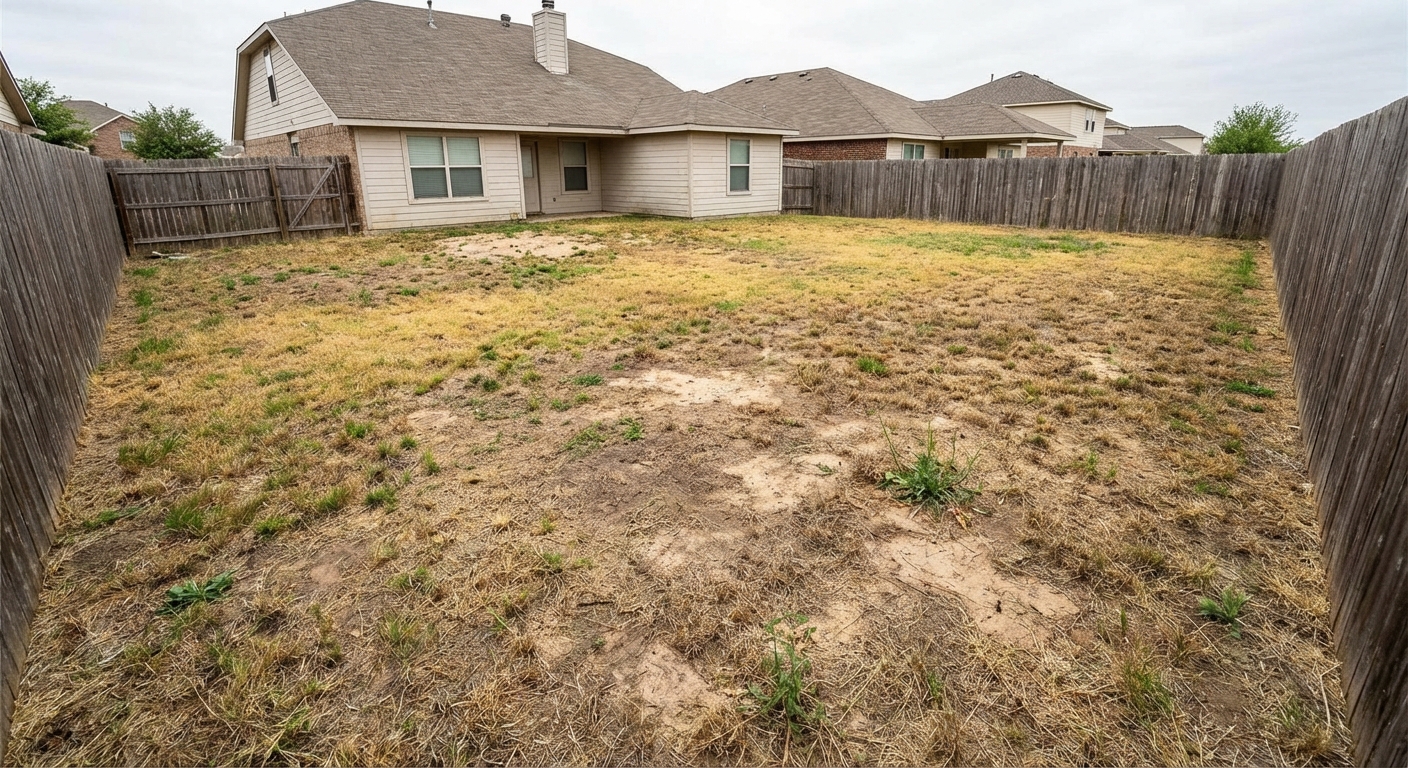
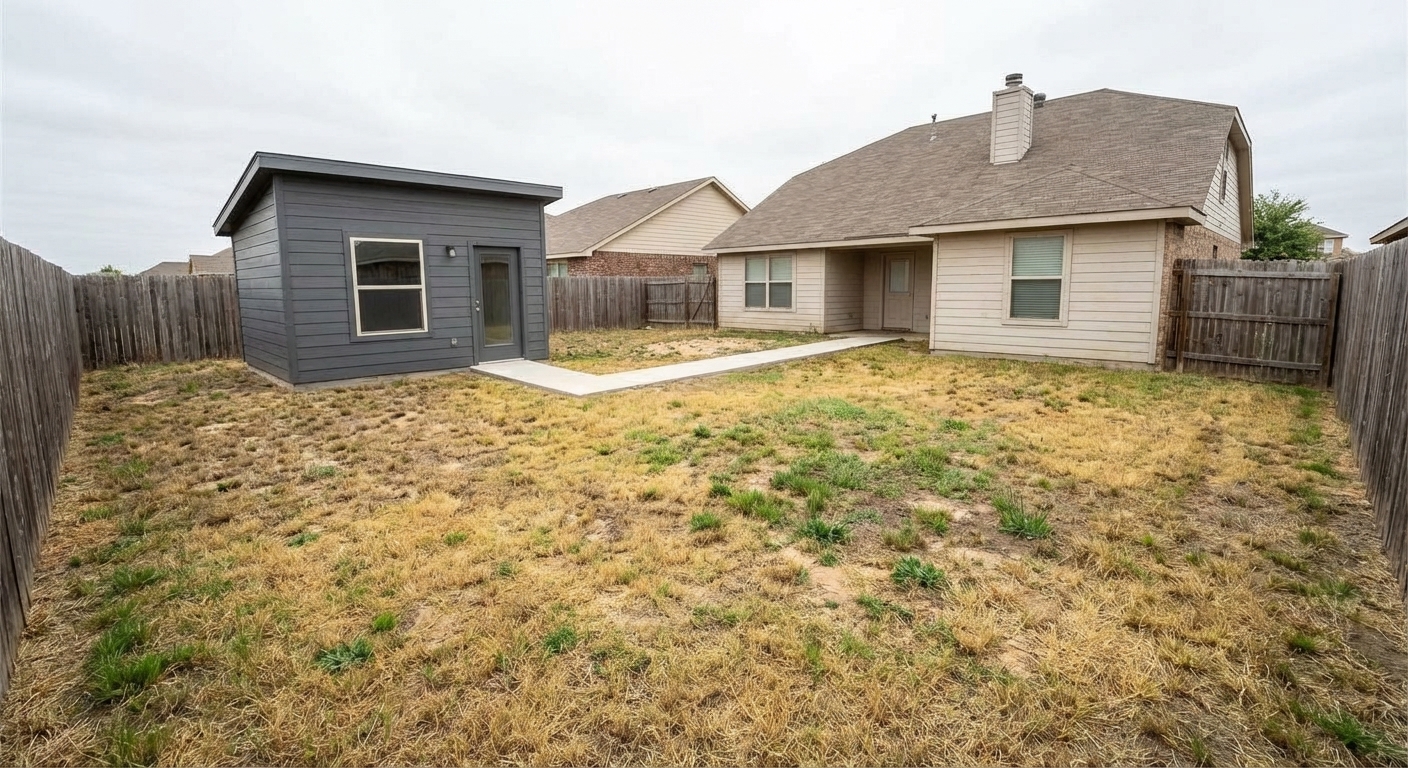
Demo example: the “Before” image was created with AI for this site; it is not a customer photo.
Features
Render exterior structures like ADUs, garages, carports, sheds and greenhouses, plus fences, walls and driveways. Show buyers or investors the property's potential.
Add New Buildings to the Lot
Renders ADUs, garages, carports, sheds and greenhouses onto existing property photos
ADU & Garage Renders
Matches architectural style and materials of the main structure
New Construction Preview
Helps investors visualize expansion ROI before purchasing
How It Works
Get professional results in three simple steps
Drop your photos here
or browse files
Upload Your Photos
Upload an exterior photo in JPEG, PNG, or WebP format (up to 50 MB) — front facade, backyard, or side yard. The AI analyzes existing structures, terrain conditions, and available open spaces. The home's architectural style is identified (modern, traditional, craftsman, colonial, Mediterranean, and others) so that any new structure is rendered in compatible materials and proportions. Property boundary awareness and spacing relationships with existing structures are considered for realistic placement.
AI Processing
Choose what to add — a building (ADU, garage, carport, shed or greenhouse), a fence or wall, or hardscape. There is no free-text field in this tool; for a change in your own words, use the Design Companion chat. The AI renders the selected structure in materials and style compatible with the existing home architecture — roof line matching, color coordination, and proportional scale consistency aim to make the addition look like a natural extension of the property rather than an afterthought.
Download Results
Download your structure visualization, usually in under a minute. The photorealistic output includes accurate shadow casting, material texture detail, roof perspective alignment, and natural integration with surrounding landscape. Compare different structure types by reprocessing the same photo with different selections. The visualizations serve architectural presentations, construction planning discussions, and listing marketing showing the property's expansion potential to prospective buyers.
Why Choose Roomagen
ADU Visualization
An ADU or guest house rendered on the lot, with a roofline and materials that match the main home.
New Garage Renders
A garage or carport rendered at a realistic scale on the lot, in materials that match the home's exterior.
Carport, Shed & Greenhouse Concepts
A carport, garden shed or greenhouse placed at a realistic scale, at 2 credits per render; fences, walls and driveways work the same way.
Who Is It For?
Real Estate Agents
Showcase a property's expansion potential to investors and growing families by rendering ADUs and additions onto listing photos.
Interior Designers
Collaborate with architects by providing quick exterior addition concepts before detailed plans are drafted.
Property Managers
Demonstrate rental income potential by visualizing ADU additions on investment properties for prospective buyers.
Common Use Cases
ADU Addition Preview
Visualize an accessory dwelling unit on your property. The AI renders a structure that matches the existing home’s architectural style and materials.
Fence or Driveway Visualization
See how a new fence, wall or driveway would look around the home. Compare different types at 2 credits each. For decks and pergolas, use Outdoor Living.
Shed or Greenhouse Planning
Preview a garden shed or a greenhouse before you buy a kit or call a builder. The AI matches the building to the home's materials and places it at a realistic scale.
Buyer Value-Add Showcase
Show listing buyers what improvements are possible — a garage, carport, or ADU addition. Include the rendering alongside current photos to highlight development potential.
Driveway and Path Refresh
Replace a worn driveway with pavers, concrete or cobblestone, or add a walkway or a retaining wall, and show owners or buyers the result on the actual photo. Choose Replace the existing one so the old surface is rebuilt in the new material.
Garage Addition Visualization
For properties without a garage, visualize a garage addition that matches the home's architectural style and proportions. Garage presence is a critical factor for many buyers — showing a garage addition vision with accurate architectural matching helps buyers understand the property's potential and may significantly expand the interested buyer pool for properties currently lacking covered parking.
Unlike committing to physical construction costing thousands and taking weeks, Roomagen previews exterior structures on your actual property photo in under a minute. Physical construction costs vary widely — pergola $3,000-8,000, garage $15,000-40,000, covered porch $10,000-30,000 — all requiring building permits, engineering approval, and weeks of construction disruption. Architect and engineer design services cost $1,000-5,000 plus weeks of CAD work and client revision rounds before construction can begin. DIY 3D rendering using software like SketchUp requires modeling skills, produces non-photorealistic output, and has a steep learning curve that makes it impractical for one-time visualization needs. Roomagen processes at 2 credits per image on your existing exterior photo with AI structure rendering in under 90 seconds, supporting 18 structure types for quick visual comparison.
| Roomagen | Architect Rendering | |
|---|---|---|
| Cost | $0.23–$0.40 | $500–$5,000 |
| Turnaround | Under 90 seconds | Days to weeks |
| Structure options | 18 types, 2 credits per run | Custom design only |
| Revisions | Re-run for 2 credits | Additional design fees |
| Style matching | Auto-matched to property | Depends on architect |
| Pre-planning use | Concept visualization in under a minute | Formal design process |
Technical Specifications
- Supported formats
- JPEG, PNG, WebP
- Max file size
- 50 MB
- Output resolution
- HD / Ultra HD (Pro & Business)
- Structure types
- Buildings (ADU, garage, carport, shed, greenhouse), fences and walls, hardscape
- Style matching
- Auto-matched to existing property architecture
- Processing time
- Usually under a minute
- AI model
- Gemini AI
- Credit cost
- 2 credits per image
Pricing
| Plan | Price | Credits/mo | Per Image | Resolution |
|---|---|---|---|---|
| Free | $0 | 6 (one-time) | Free | — |
| Starter | $12/mo | 60 | $0.40 | 2K |
| Pro | $29/mo | 200 | $0.29 | 2K or 4K (4 credits) |
| Business | $79/mo | 700 | $0.23 | 2K or 4K (4 credits) |
Per-image cost = 2 credits. Annual plans reduce cost by ~17%. Credit packages: 60/$19, 180/$45, 360/$79.
Frequently Asked Questions
Everything you need to know about Roomagen
Roomagen renders buildings (ADU or guest house, garage, carport, shed and greenhouse), fences and walls, and hardscape such as driveways, paths and retaining walls. Each addition is matched to the existing home's architectural style and materials for a cohesive result.
No. You upload a photo of the property and pick the type of addition; the AI places it. Plans and sketches are not used, and there is no free-text field.
Showing expansion potential through rendered additions increases perceived property value for investors and growing families. Roomagen helps buyers see the full development opportunity, often leading to higher offers.
Roomagen produces photorealistic renders that match the existing home's siding, roofing, and architectural details. The AI ensures new structures blend naturally with the property's current appearance.
Yes. Upload a photo of the backyard and choose ADU / guest house; the AI places it at a realistic scale in the yard. You cannot pick the exact spot, so use the result to judge style and size before you talk to an architect.
Each render is usually ready in under a minute and costs 2 credits per image. To compare options, run the same photo again with a different structure type, or choose to replace the existing one.
Roomagen allows you to generate several versions of the same property with different structure additions. Compare a garage, an ADU or a carport side by side to determine the best investment.
Within the same types, yes: fences, walls, paving, carports and sheds on commercial lots. The tool does not add building wings or extensions, and it is tuned for residential-scale structures.
Roomagen accepts JPEG, PNG and WebP photos up to 50 MB; RAW files are not accepted. Results download as JPEG files.
Render Exterior Structures adds a building, fence, wall or driveway to a property photo, or replaces the existing one. Exterior Rendering changes the materials of the house itself, such as siding, roofing or windows. Use the first to add or replace a structure and the second to restyle the house.
Browse the Full Collection
Every room, style, and use case in this tool family — each with its own dedicated tool.
Exterior & Landscaping(1)
Explore Related Tools
Discover more AI-powered tools to enhance your visual content
Exterior Home Rendering & Visualization
Create photorealistic exterior renders showing home improvements, new construction, or facade transformations.
Learn moreAI Interior Rendering — Finished Rooms From Construction Photos
Turn photos of unfinished interiors into finished, furnished room images for new construction, renovations or design reviews. Pick the room type and one of 13 styles.
Learn moreVirtual Pool Addition & Design
Visualize a pool on your backyard photo with 10 pool shapes and 8 deck materials, or convert an existing pool to a new design. Compare rectangular, freeform, infinity-edge, lap, plunge, kidney, L-shaped, round, figure-8 and kiddie pools side by side.
Learn moreVirtual Hardscaping Design
Visualize hardscape improvements including patios, decks, driveways, walkways, and retaining walls before construction.
Learn more3D Floor Plans with Furniture
Create stunning 3D floor plans with realistic furniture and finishes. Help viewers visualize the entire layout in three dimensions — for real estate, architecture, interior design, and hospitality.
Learn moreOutdoor Living Design — Pergola, Patio, Fire Pit & 7 More Structures
Design outdoor living spaces with 10 structure types — pergola, gazebo, patio cover, deck, patio, outdoor kitchen, fire pit, outdoor fireplace, hot tub, and sunroom. Add a new structure or renovate an existing one, and compare options at 2 credits per image.
Learn moreAI ADU, Garage, Shed & Carport Addition — 5 Backyard Structure Types
Visualize backyard buildings with 5 structure types — ADU (accessory dwelling unit), garage, carport, shed, and greenhouse. Add new structures or renovate existing ones using the hasExisting toggle. AI renders each building onto your property photo in under 90 seconds at 2 credits per image.
Learn more