
Day to Dusk Photo Editing
Roomagen Day to Dusk is an AI photo editing tool that turns daytime exterior and interior photos into golden hour, dusk or night versions with warm window glow, with the hour set on a 24-hour slider.
Evening photos make rooms look lived-in, but a real dusk shoot means a second visit, a short window of light and every lamp switched on by hand, and the twilight editing services we checked price exterior photos only. Day to Dusk edits the daytime room photo you already have, usually in under a minute, and you choose the hour.
No credit card required. An exterior photo takes about 40–65 seconds, a room about 25–45.
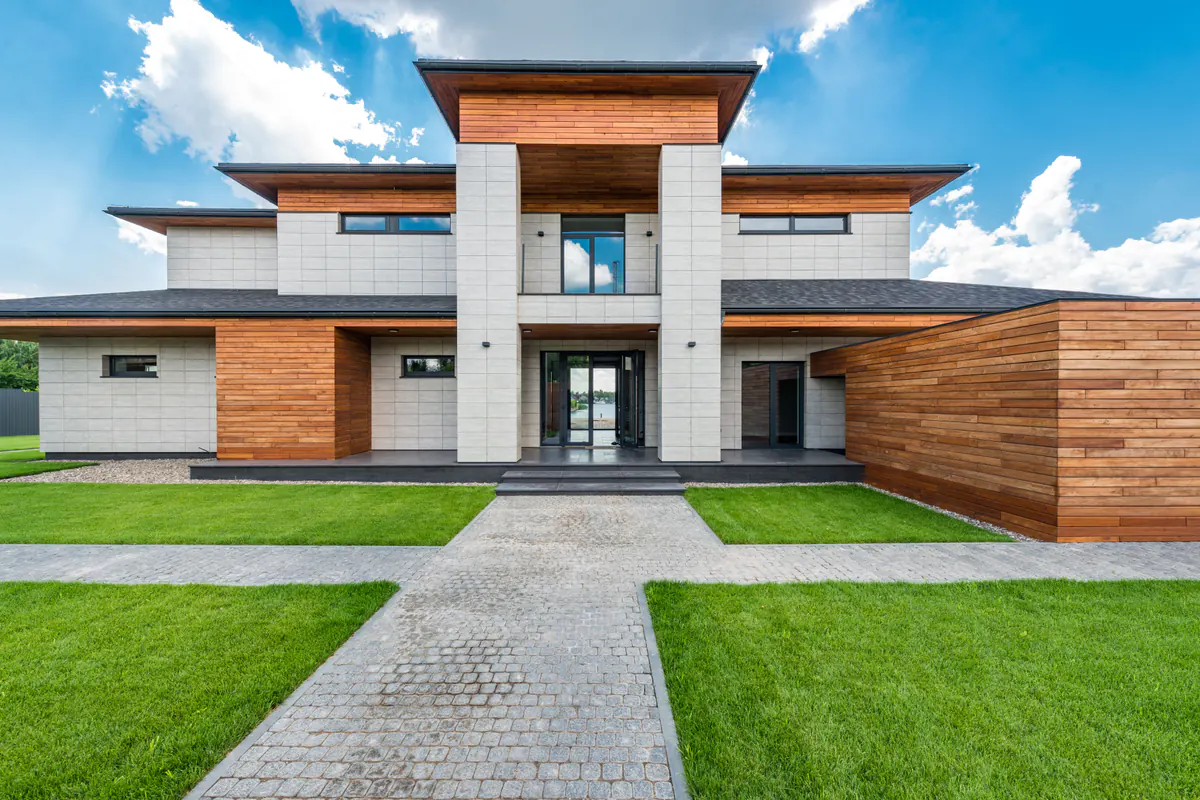
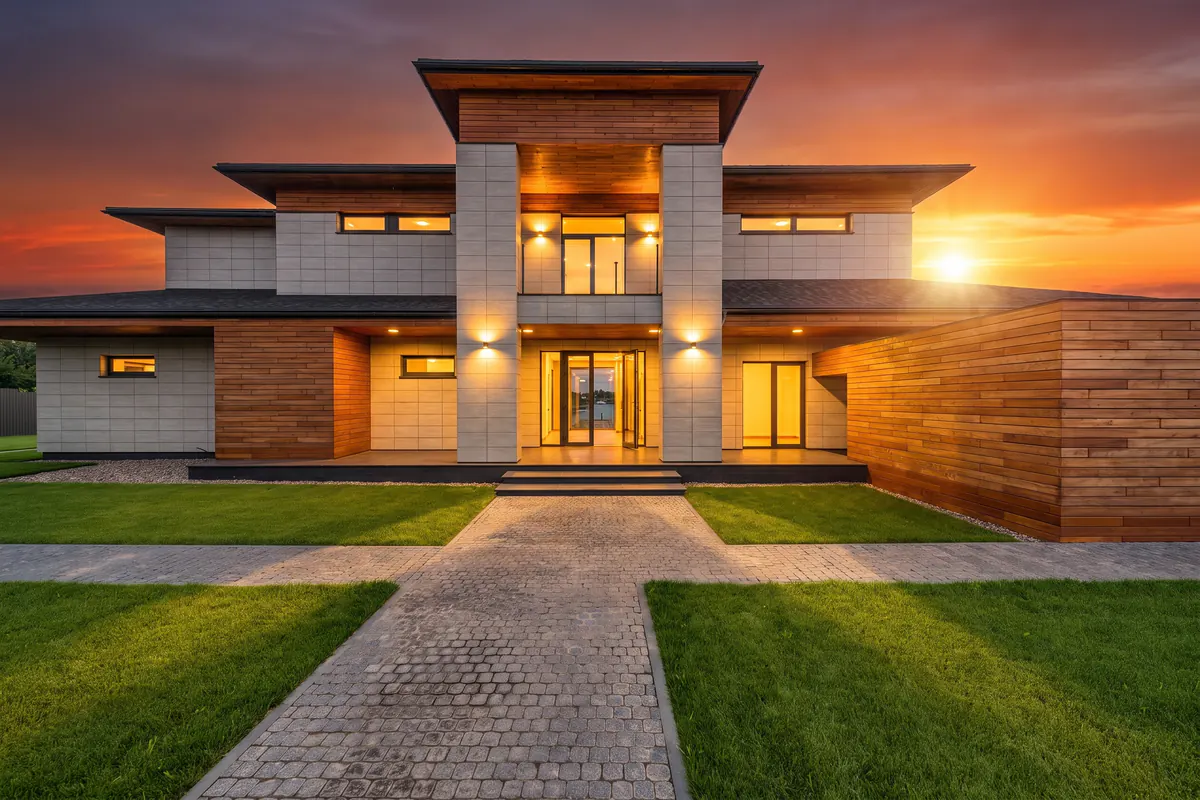
Day to night photo examples
The villa at the top of the page was edited with Day to Dusk Exterior at 19:00 and the house front at 17:00; the kitchen and the living room were edited with Day to Dusk at 22:00. Drag the handle, or focus it and use the arrow keys, to compare each original with its edit.
An apartment building and the same villa at 17:00 are on the virtual twilight photo editing page.
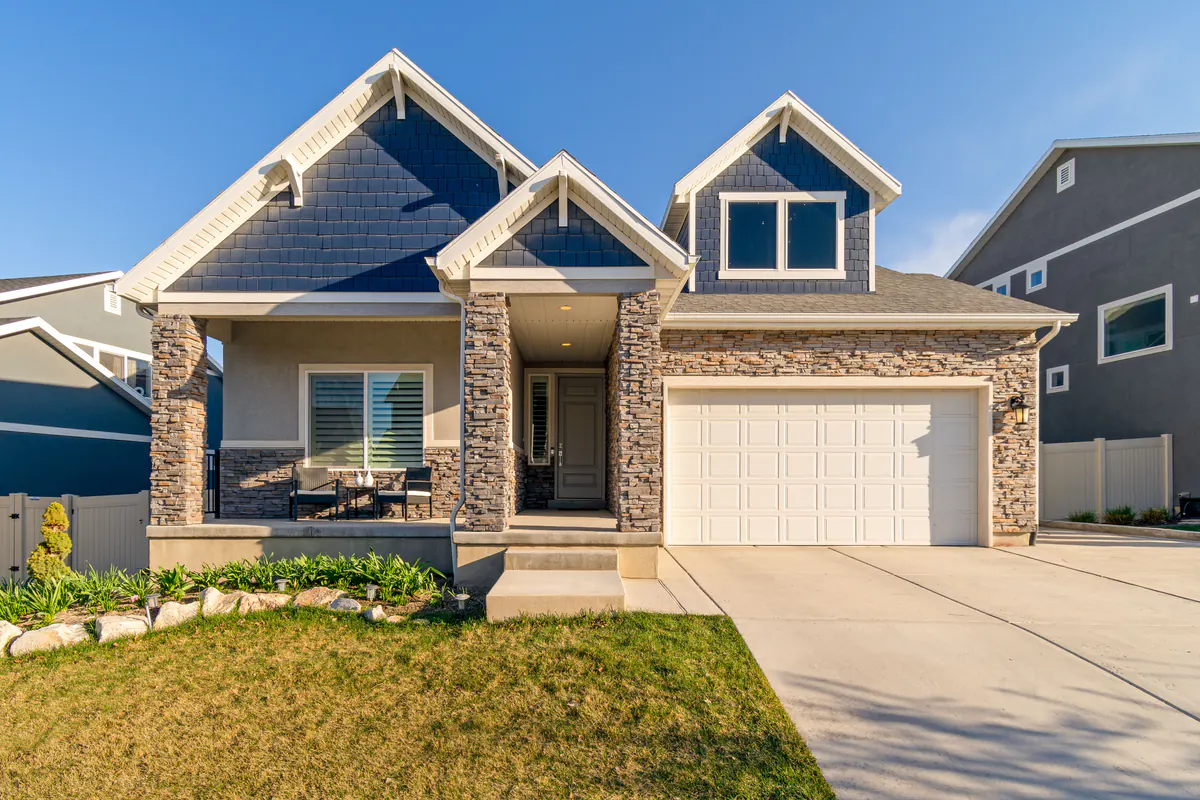
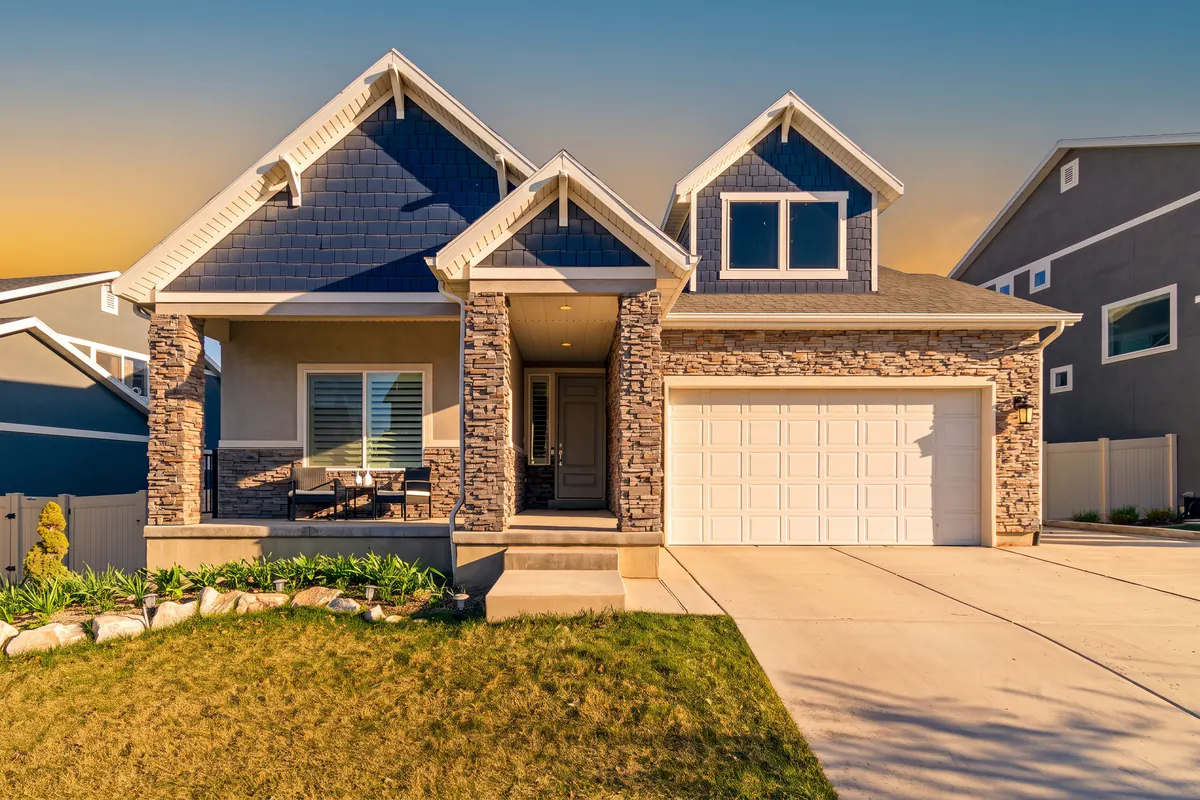
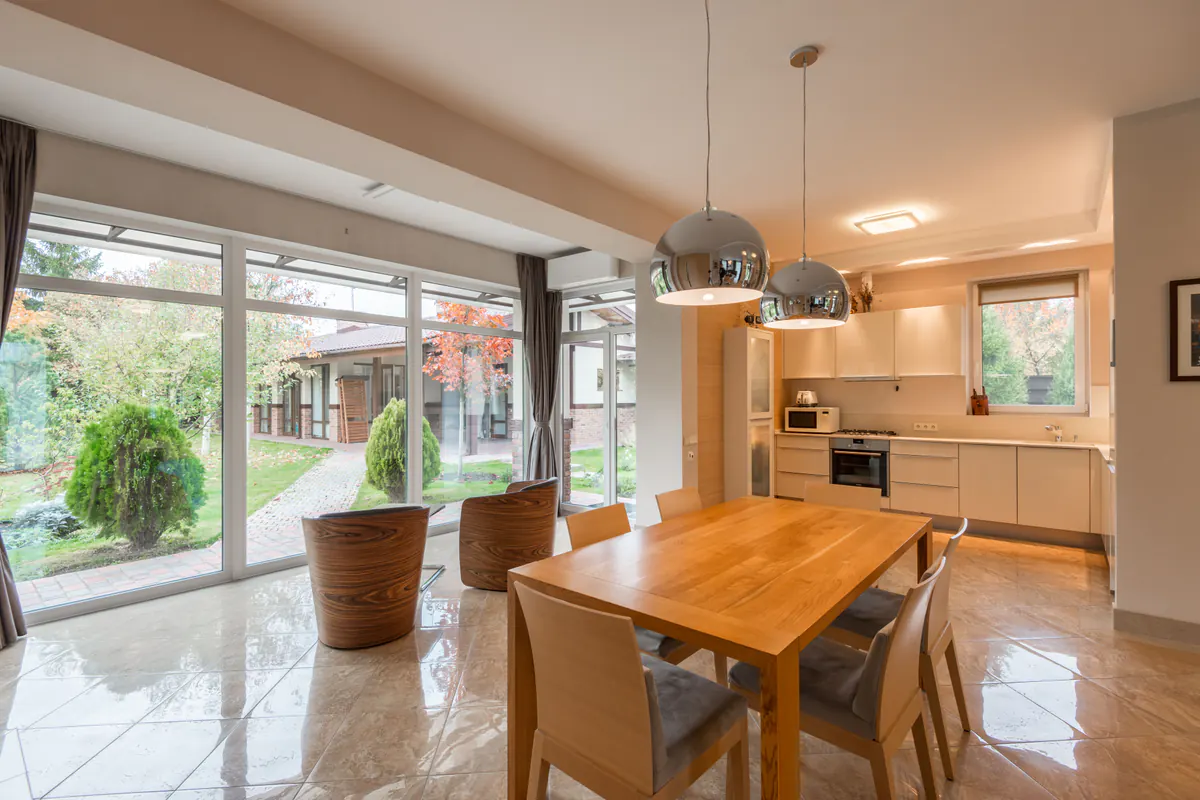
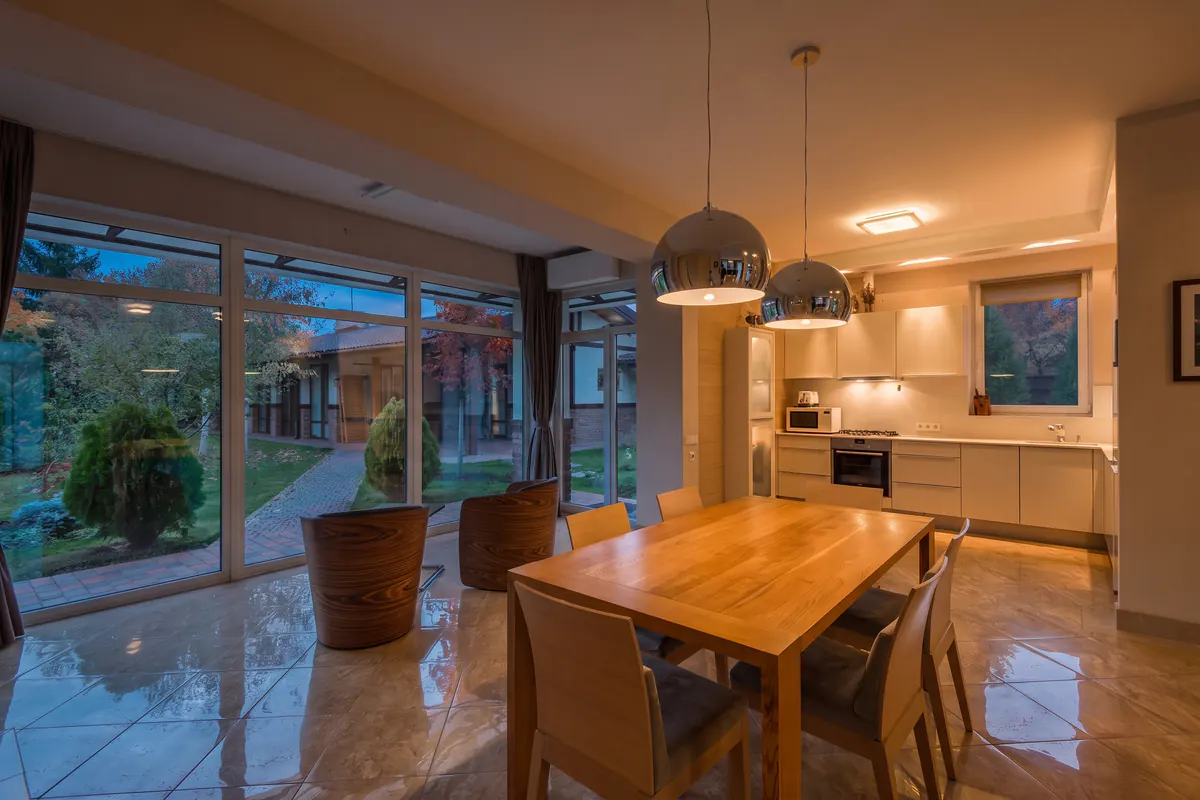
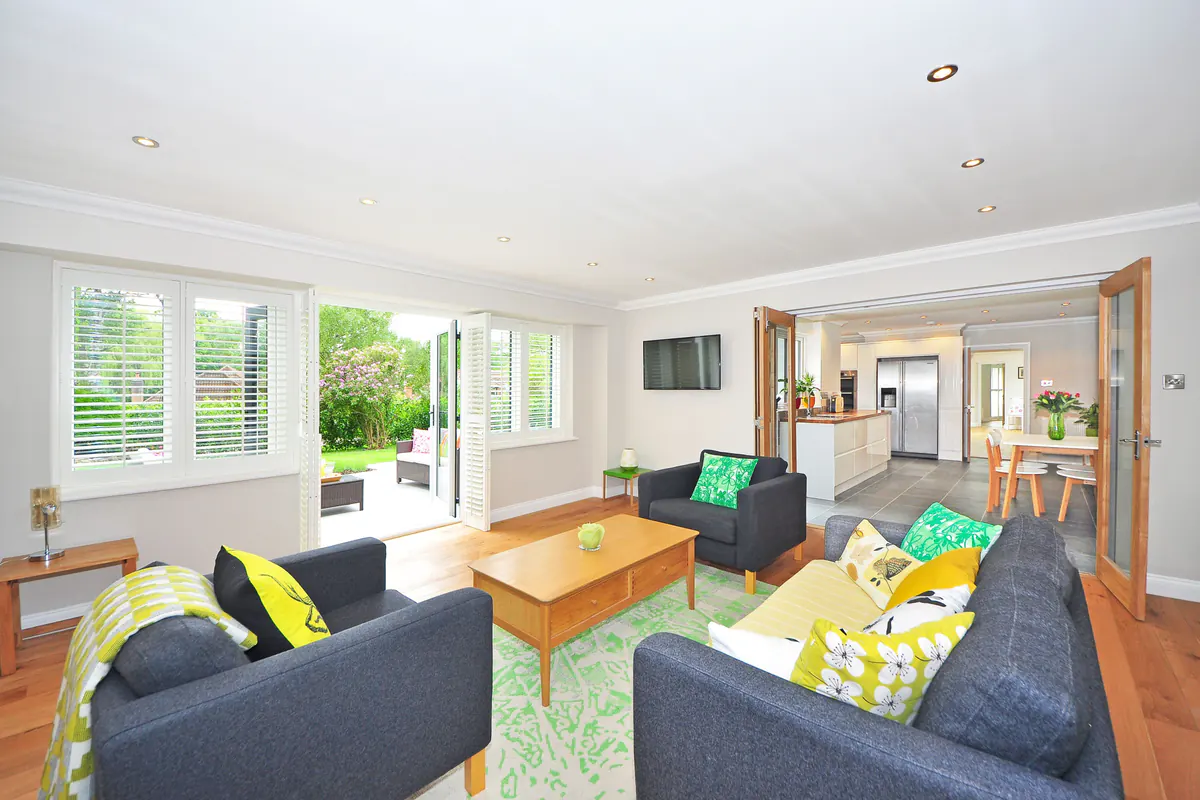
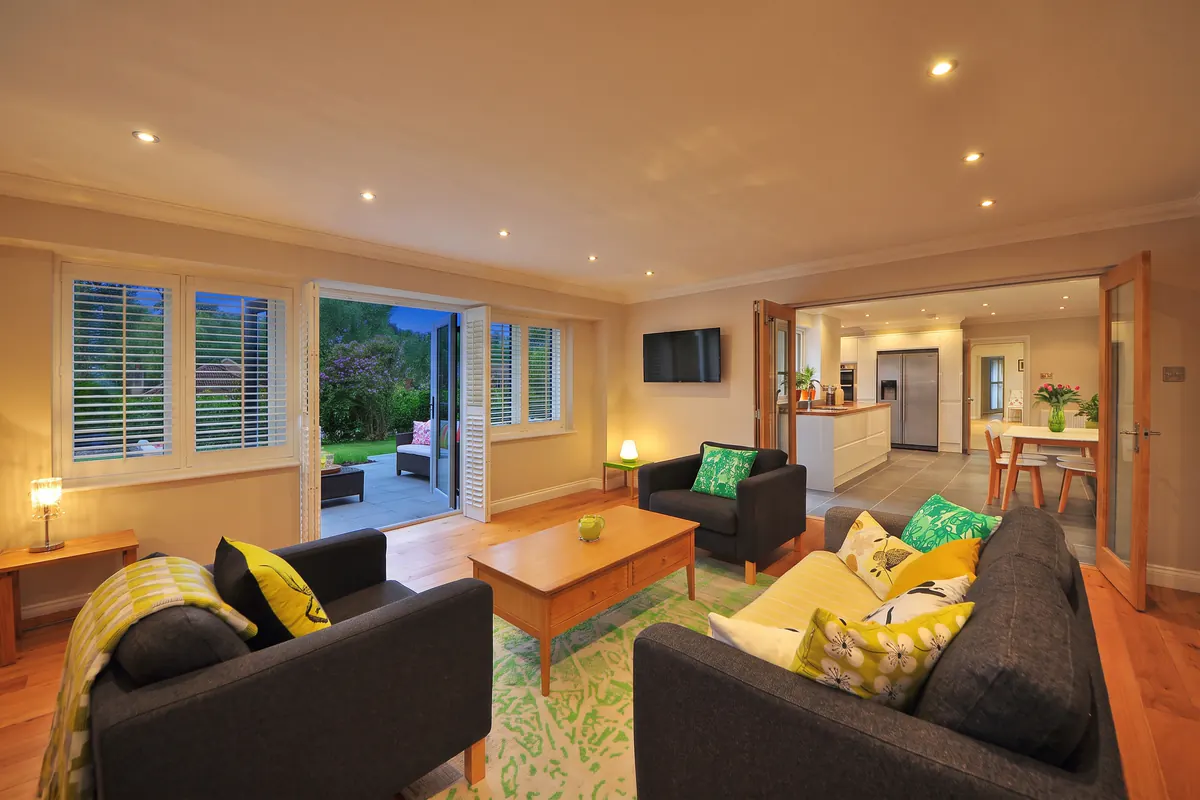
These examples use licensed stock photos from Pexels, not client photos. They were made on a paid plan at 2K, without a watermark, and are shown as the tool returned them, only resized for the web. On the free plan, every edit carries a watermark. Results are generated by AI, so compare every edit with the original before you publish a listing.
Features
Turn a daytime exterior or room photo into a sunset, dusk or night photo with warm window glow. Pick the hour on a 24-hour slider; 2 credits per photo.
Day to night photos on a 24-hour slider
Set any hour from 0 to 23 or tap a preset: golden hour at 17:00, dusk at 19:00 and night at 22:00. The room tool turns each hour into one of nine light settings, from pre-dawn to late evening.
Evening interiors with the room's own lamps on
Lamps, pendants and ceiling lights already in the photo are switched on for the chosen hour. The tool is told not to add fixtures, but outputs are generated, so check each edit for lights the room does not have.
The view through the window follows the hour
Say whether the room has windows. With windows, keep the view or pick one of eight window views and a season, and the sky outside follows the hour; without them, the hour shows through the room's own lighting.
How It Works
Get professional results in three simple steps
Drop your photos here
or browse files
Upload Your Photos
Upload a daytime room photo as JPEG, PNG or WebP. Building fronts, gardens and pools go through Day to Dusk Exterior; floor plans, drawings and portraits are not supported.
AI Processing
Set the hour on the slider, say whether the room has windows and optionally pick the window view and season. A room photo usually takes 25–45 seconds.
Download Results
Compare the edit with the original before you download it. If the light or a detail is off, run it again or try another hour; each run uses 2 credits. Keep the original file for listing disclosure.
Why Choose Roomagen
2 credits per photo
That is $0.23–$0.40 per 2K photo on monthly plans; 4K on Pro and Business uses 4 credits. If a run fails, its credits are returned.
Batch a whole listing
Starter batches up to 3 photos, Pro 7 and Business 20. All photos in a batch share the hour; the windows answer, view and season can differ per room.
Check before you publish
Outputs are AI-generated, so details can shift and extra lights can appear. Compare each edit with the original and label edited photos where your MLS requires it.
Who Is It For?
Real Estate Agents
Add a dusk or night photo to a listing from the daytime set you already have, without booking a return visit at sunset.
Real Estate Photographers
Offer day to dusk edits as an add-on without a second shoot; Business accounts can batch 20 photos per run.
Short-Term Rental Hosts and Hotels
Show rooms in their evening mood, with the lamps on and dusk in the windows, for booking pages and social posts.
Common Use Cases
An evening photo of the main living space
Pick the strongest daytime photo of the living room or open-plan kitchen and set 19:00 for dusk in the windows or 22:00 for night. Compare the edit with the original, then add it to the listing next to the daytime version.
Evening rooms for rental and hotel pages
Set 19:00 for dusk light in the windows or 22:00 for a night scene with the room's own lamps on. Answer the windows question honestly, so a room without windows stays windowless and the hour shows through its lighting.
Golden hour for rooms that face the sunset
17:00 asks for low, warm sunlight across the floor and walls and a gold-toned sky in the windows. It suits living rooms and bedrooms where a darker dusk would hide finishes and furniture.
One evening across a whole listing
On paid plans, upload up to 3, 7 or 20 photos in one batch. Every photo gets the same hour, while the windows answer, view and season can be set per room, so the set reads as one evening.
Unlike a twilight shoot, which needs a return visit in a short window of light, or a twilight editing service, which prices exterior photos at $3.95 to $5 with 12–24 hour delivery, Roomagen edits the daytime room photo you already have for $0.23–$0.40 and lets you pick the hour. The trade-off: every AI edit needs a check against the original.
Day to dusk photo editing: AI, editing service or twilight shoot
| Roomagen (AI) | Twilight editing service | Twilight photo shoot | |
|---|---|---|---|
| Price | $0.23–$0.40 per photo (2 credits at 2K, monthly plans) | No published price for rooms; exterior day to dusk is $3.95–$5 per photo | $150–$600 per property for an exterior twilight session (editing-company estimates) |
| Turnaround | About 25–45 seconds per room photo | 12–24 hours (exterior services) | A booked dusk slot; bad weather can mean a second visit |
| Time of day | Any hour on a 0–23 slider, rendered as 9 light settings; try another hour for 2 credits | A dusk look agreed with the editor; changes go through revisions | Only the light on the evening of the shoot |
| Lights | The AI switches on lamps already in the photo; check for added lights | A retoucher adds the glow by hand | The photographer switches on and balances the real lights |
| What you get | An AI-generated edit to check against the original | A manual edit by a retoucher | Real photos taken at dusk |
Prices checked 2026-09-25 on each provider's public page. The three twilight editing services we checked sell day to dusk for exterior photos and list no price for rooms: Imagelife $3.95 (12-hour delivery, ground-level exteriors only), BoxBrownie US$5.00 (24 hours) and Phixer from $5 (12–24 hours). Shoot: estimates published by two editing companies, AgentUp ($200–$600 per property) and Fotober ($150–$500 sunset surcharge). Roomagen: 2 credits on the $12, $29 and $79 monthly plans.
Technical Specifications
- Tools
- Day to Dusk (rooms); Day to Dusk Exterior (buildings)
- Time of day
- Slider 0–23, presets 06:00, 08:00, 12:00, 17:00, 19:00, 22:00; rooms get 9 light settings, exteriors 6
- Room options
- Windows yes/no; keep the view or pick 1 of 8 views; season
- Exterior options
- Season (optional)
- Input
- Daytime photo as JPEG, PNG or WebP
- Output
- 2K; 4K on Pro and Business
- Credit cost
- 2 credits at 2K, 4 credits at 4K
- Typical time
- Rooms 25–45 s, exteriors 40–65 s
- Batch
- Up to 3 / 7 / 20 photos (Starter / Pro / Business)
Pricing
| Plan | Price | Credits/mo | Per Image | Resolution |
|---|---|---|---|---|
| Free | $0 | 6 (one-time) | Free | — |
| Starter | $12/mo | 60 | $0.40 | 2K |
| Pro | $29/mo | 200 | $0.29 | 2K or 4K (4 credits) |
| Business | $79/mo | 700 | $0.23 | 2K or 4K (4 credits) |
Per-image cost = 2 credits. Annual plans reduce cost by ~17%. Credit packages: 60/$19, 180/$45, 360/$79.
Frequently Asked Questions
Everything you need to know about Roomagen
Day to dusk photo editing turns a daylight photo into an evening version with a dusk or night sky, softer shadows and warm light from lamps and windows. Roomagen's Day to Dusk tool does this with AI for rooms, and you choose the hour on a 24-hour slider.
Day to Dusk makes day to night photos as well as dusk ones. The slider covers every hour from 0 to 23, and the room tool turns each hour into one of nine light settings, such as pre-dawn, golden hour, dusk and evening. Presets include night at 22:00.
Yes. The Day to Dusk tool is built for rooms: you say whether the room has windows, then optionally pick a window view and season. Lamps and ceiling lights already in the photo are switched on for the chosen hour, and the view through the glass follows the same time.
Day to Dusk handles rooms and asks about windows, window views and season. Day to Dusk Exterior handles building fronts, gardens and pools: it first analyzes the scene to plan the light, then relights the sky, facade and windows, which is why it takes a little longer.
Each photo uses 2 credits at 2K, which is $0.23–$0.40 on the $12, $29 and $79 monthly plans, and 4K on Pro or Business uses 4. New accounts get 6 free credits for 3 watermarked photos.
Interior photos usually finish in about 25 to 45 seconds. Exterior photos take about 40 to 65 seconds, because the exterior tool analyzes the scene before it edits. If a photo cannot be processed, the credits for that run are returned to your account.
AI day to dusk edits can change details or add lights. Day to Dusk for rooms is told to keep furniture and architecture and not to add fixtures; Day to Dusk Exterior has no such rule. Every output is generated, so check each edit against the original before publishing.
A sharp, well-exposed daytime photo of a real room or building, shot at eye level with straight verticals, works best. Rooms with visible lamps or ceiling lights give the tool light sources to switch on. Floor plans, drawings and portraits are not supported.
Yes, on paid plans. Batch processing takes up to 3 photos per run on Starter, 7 on Pro and 20 on Business, and each photo uses 2 credits. All photos in a batch share the chosen hour, so the set looks like one evening.
Often, yes. A dusk conversion is a digitally altered image, and many MLS boards require altered listing photos to be labeled. Check your board's current policy before publishing, label the edited photo as your board asks and keep the original file.
Explore Related Tools
Discover more AI-powered tools to enhance your visual content
Virtual Twilight Photo Editing for Exteriors
Virtual twilight for real estate: turn a daytime exterior into a sunset or dusk photo in about a minute. Pick the hour; 2 credits, $0.23–$0.40 per photo.
Learn moreAI Sky Replacement — New Skies for Exterior Photos
Replace overcast or bland skies with stunning blue skies or dramatic sunsets. AI-powered sky replacement that looks completely natural — for property listings, hotels, commercial buildings, and any exterior photo.
Learn moreHDR Photo Editor — Balanced Exposure in Under a Minute
Professional HDR editing for interior and exterior photos. Recover window views, balance lighting, and create magazine-quality images for property listings, hotel rooms, and commercial spaces.
Learn moreAI Photo Enhancement — Professional-Looking Results in Under a Minute
Enhance any photo automatically with AI. HDR processing, color correction, lens fix, and professional-grade adjustments, usually in under a minute — for property listings, hotel rooms, product shots, and more.
Learn moreVirtual Landscaping Design
Virtually landscape any outdoor space with plants, trees, gardens, and features. Boost curb appeal for properties, hotels, resorts, and commercial spaces without breaking ground.
Learn more