
Kitchen Virtual Staging — AI Design Visualization for Real Estate
Roomagen Kitchen Virtual Staging is an AI tool that enhances empty kitchen photos by adding dining furniture, countertop accessories, pendant lighting, textiles, and decor across 13 design styles, creating warm, functional kitchen images for real estate listings.
Empty kitchens photograph as cold, clinical spaces — bare countertops and empty floors fail to convey the warmth and functionality buyers expect from the heart of a home. Physical kitchen staging requires dining sets, countertop accessories, and coordinated decor costing $500–$1,500. Roomagen adds kitchen-appropriate styling in under 90 seconds for 2 credits.
No credit card required. 6 free credits included.
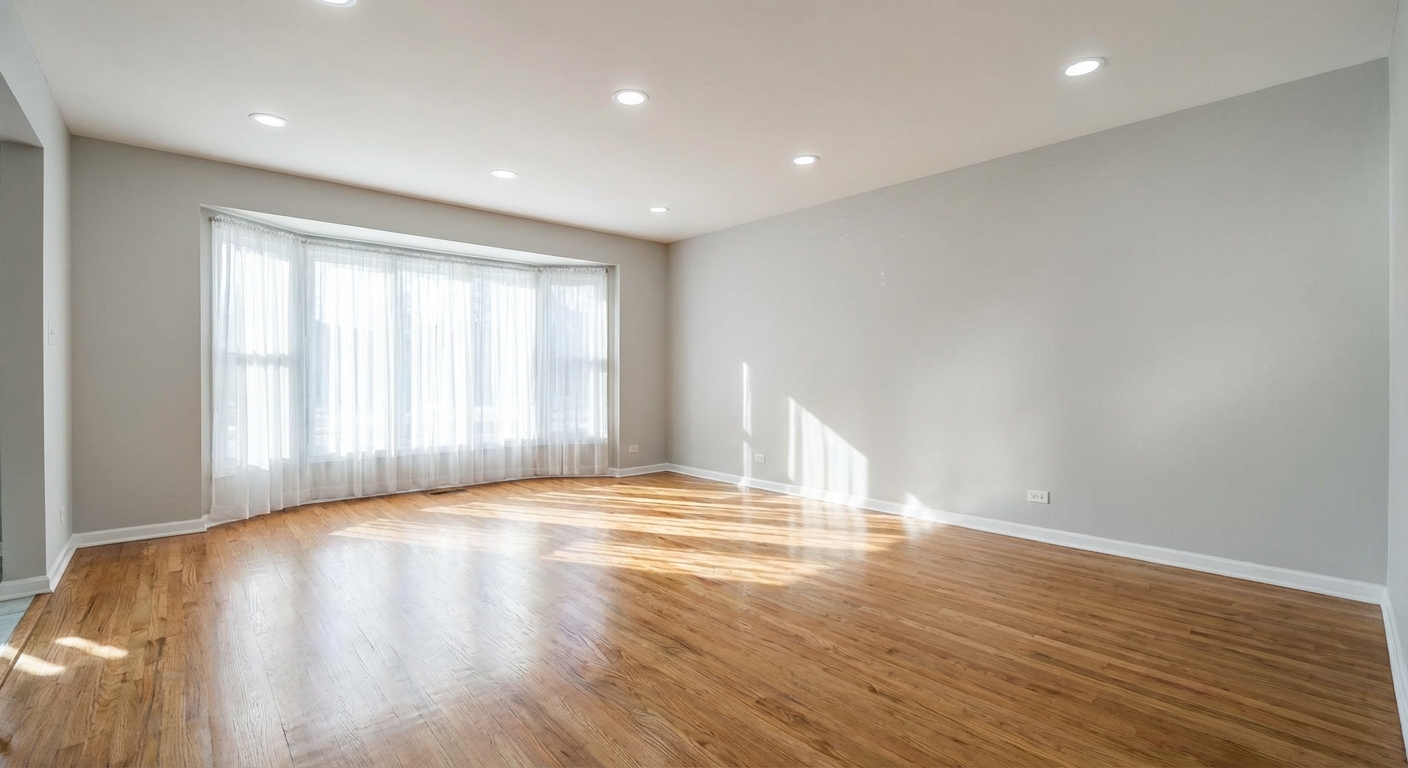
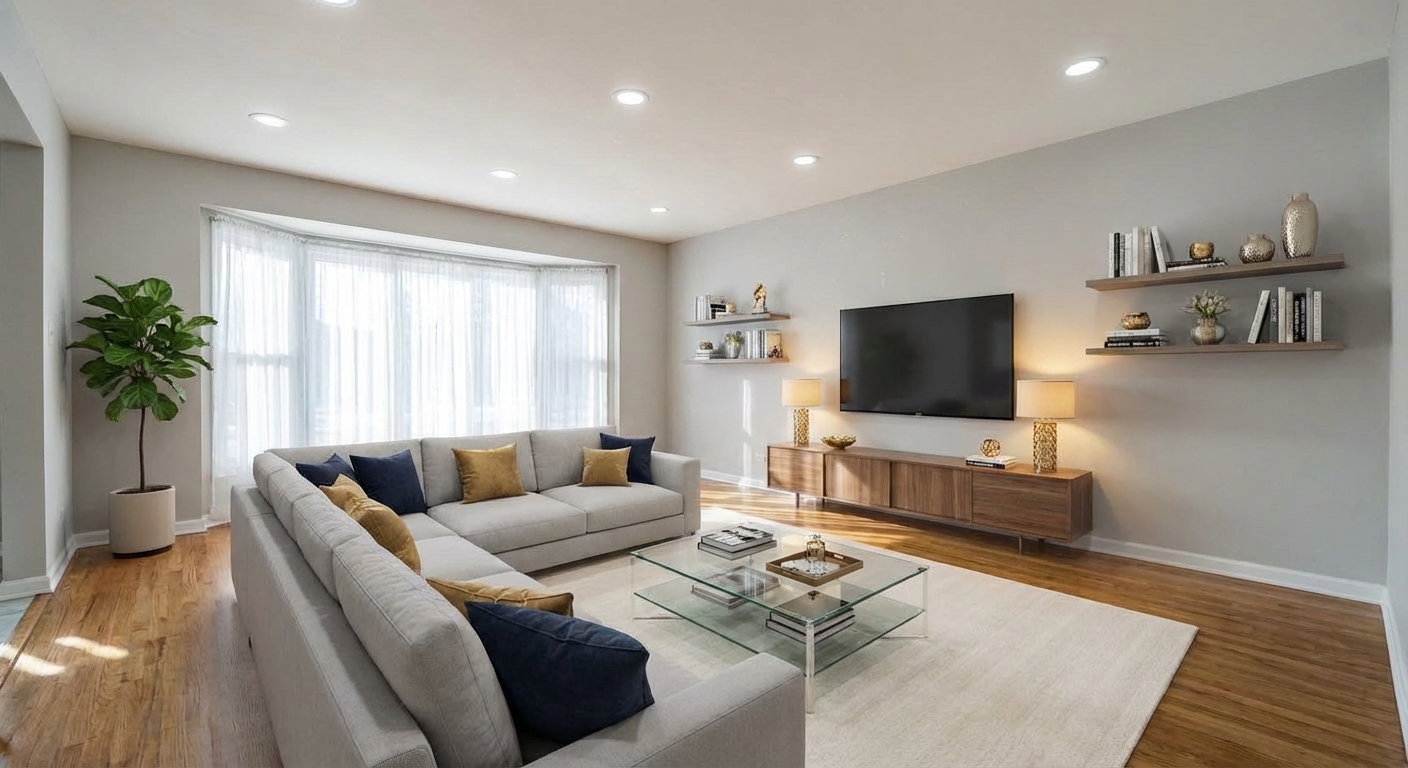
Demo example: the “Before” image was created with AI for this site; it is not a customer photo.
Features
Stage empty kitchens with AI — add dining tables, bar stools, countertop accessories, pendant lights, and decor. 13 styles from modern to farmhouse. Under 90 seconds, $0.23–$0.40 per image.
How Does AI Stage an Empty Kitchen Space?
Preserves existing cabinets, countertops, and appliances — only adds movable accessories and furniture
What Kitchen Elements Can Virtual Staging Add?
Recognizes galley, L-shaped, U-shaped, and open-plan kitchen layouts automatically
Why Kitchen Photos Drive Real Estate Decisions?
Adds dining furniture, countertop styling, pendant lights, and decor for warm, lived-in kitchen photos
How It Works
Get professional results in three simple steps
Drop your photos here
or browse files
Upload Your Photos
Drag and drop your photos or browse to upload them. Roomagen accepts JPEG, PNG and WebP files up to 50 MB each.
AI Processing
Our advanced AI analyzes your images and applies professional enhancements automatically. Choose from virtual staging, enhancement, object removal, or day-to-dusk conversion.
Download Results
Preview your transformed images and download high-resolution results ready for listings, marketing materials, social media, and more. No watermarks on premium plans.
Why Choose Roomagen
Countertop Accessories and Appliance Styling
Preserves existing cabinets, countertops, and appliances — only adds movable accessories and furniture
Dining Area Integration Within Kitchen Spaces
Recognizes galley, L-shaped, U-shaped, and open-plan kitchen layouts automatically
Lighting and Decor That Make Kitchens Feel Lived-In
Adds dining furniture, countertop styling, pendant lights, and decor for warm, lived-in kitchen photos
Who Is It For?
Real Estate Agents
Style vacant kitchen photos with dining tables, accessories, and decor to make the most important room in the house feel inviting and functional.
Property Developers
Showcase model kitchens in new construction projects before furniture arrives, helping buyers visualize daily life in the space.
Kitchen Designers
Present completed kitchen renovations with styled accessories and dining areas to demonstrate the full potential of a remodeled space.
Physical kitchen staging requires $500–$1,500 for dining furniture, countertop accessories, and decorative elements — plus the risk of damaging existing cabinetry during setup. Roomagen styles a kitchen for 2 credits ($0.23–$0.40) in under 90 seconds, preserving all existing cabinets, countertops, and appliances while adding warmth through accessories and dining furniture.
| Roomagen | Physical Staging | |
|---|---|---|
| Cost per kitchen | $0.23–$0.40 (2 credits) | $500–$1,500 |
| Turnaround | Under 90 seconds | 2–5 days |
| Preserves existing fixtures | Designed to — check cabinets and appliances | Risk of damage during setup |
| Style options | 13 styles, 2 credits per run | Limited to rental inventory |
| Dining furniture included | Yes — tables, bar stools | Extra cost for dining sets |
| Countertop styling | Included automatically | Purchased or rented separately |
Frequently Asked Questions
Everything you need to know about Roomagen
Kitchen staging adds dining tables with chairs or bar stools, countertop accessories like coffee makers and cutting boards, pendant lights, kitchen textiles, wall art, herb plants, and decorative elements. Existing cabinets and appliances are preserved.
It is not meant to. Cabinetry, countertops, backsplash, sink, faucet and built-in appliances are meant to stay as they are while staging adds movable accessories and dining furniture; compare the fixtures with your original before you publish.
Yes. If the kitchen has space, the AI places a dining table with chairs or bar stools at an island. Table size is scaled to available floor area, ensuring realistic proportions and traffic flow.
Farmhouse, modern, and coastal are the most requested kitchen styles. Farmhouse adds rustic warmth with wood and textiles, modern provides clean minimalism, and coastal brings light, airy colors with natural textures.
Absolutely. New construction kitchens often photograph as sterile showrooms. Virtual staging adds warmth through countertop styling, pendant lighting, and a dining area that helps buyers envision daily cooking and entertaining.
The AI recognizes galley, L-shaped, U-shaped, and open-plan kitchen layouts. Furniture placement adapts to available space, keeping traffic paths clear and accessories proportional to counter area.
Yes. Manual furniture selection lets you choose specific items. Add only countertop accessories, a small rug, and wall art — skip the dining table if the kitchen does not have room for one.
Yes. The AI detects existing appliances (refrigerator, stove, dishwasher) and treats them as fixed elements. Staging adds only movable items around existing fixtures without obscuring or modifying them.
Roomagen renders accurate material textures — stainless steel reflections, ceramic tile sheen, wood grain on cutting boards — with lighting consistent with the room's natural and artificial light sources.
Each kitchen staging uses 2 credits ($0.23–$0.40 depending on plan). Free plan includes 6 credits for 3 kitchen stagings. No subscription required to start.
Part of
Free AI Virtual StagingMore From This Family
- Virtual Staging for Living Rooms
- Bedroom Virtual Staging
- Dining Room Virtual Staging
- Bathroom Virtual Staging
- Home Office Virtual Staging
- Kids Room Virtual Staging
- Studio Apartment Virtual Staging
- Modern Living Room Virtual Staging
- Scandinavian Living Room Staging
- Farmhouse Living Room Staging
- Coastal Living Room Staging
- Minimalist Living Room Staging
Explore Related Tools
Discover more AI-powered tools to enhance your visual content
Free AI Virtual Staging — Stage Any Empty Room in Under a Minute
Stage vacant rooms with AI, usually in under a minute. 13 design styles, 15 room types, listing-ready photos for real estate, rentals and hospitality. 6 free credits, no credit card required.
Learn moreAI Empty Room — Remove All Furniture From a Photo in 30 Seconds
Clear any furnished room for virtual restaging, renovation previews or tenant turnover. Fills in walls and floors behind furniture. 6 free credits included.
Learn moreRedesign a Furnished Room With AI — 13 Styles, Usually Under a Minute
Restyle any furnished room without moving a thing. Modern, Scandinavian, farmhouse, luxury and 9 more styles. Used by interior designers and realtors. Free to try.
Learn moreVirtual Decluttering Service
Virtually declutter messy rooms for cleaner photos. Remove countertop clutter, scattered items and visual distractions while the furniture stays — for listings, hotel rooms, and commercial spaces.
Learn moreAI Object & Item Removal from Photos
Remove unwanted objects, clutter, and distractions from any photo. AI intelligently fills backgrounds for clean, professional images — for property listings, hotel rooms, product shots, and portfolio photos.
Learn more