AI Tools for Interior Designers — Concept Visualisation, Client Presentation & Moodboards
The Roomagen Interior Designers Toolkit is an AI-powered concept visualisation platform for professional interior designers. It lets designers show clients what their space could look like in multiple directions before the contract is signed, eliminating the early CAD render phase for pre-contract work. Used by freelance designers, boutique studios, and design firms to accelerate client closing, reduce pre-contract unpaid work, and build better visual moodboards.
Interior designers lose contracts when they cannot show the client a visual direction during the initial consultation. The traditional workflow requires 4–8 hours of CAD rendering per concept, making it uneconomical for unpaid pre-contract work. AI visualisation produces concept imagery from a phone photo in under 5 minutes, letting designers show direction instantly during the first meeting — improving close rates and reducing unpaid early-phase labour.
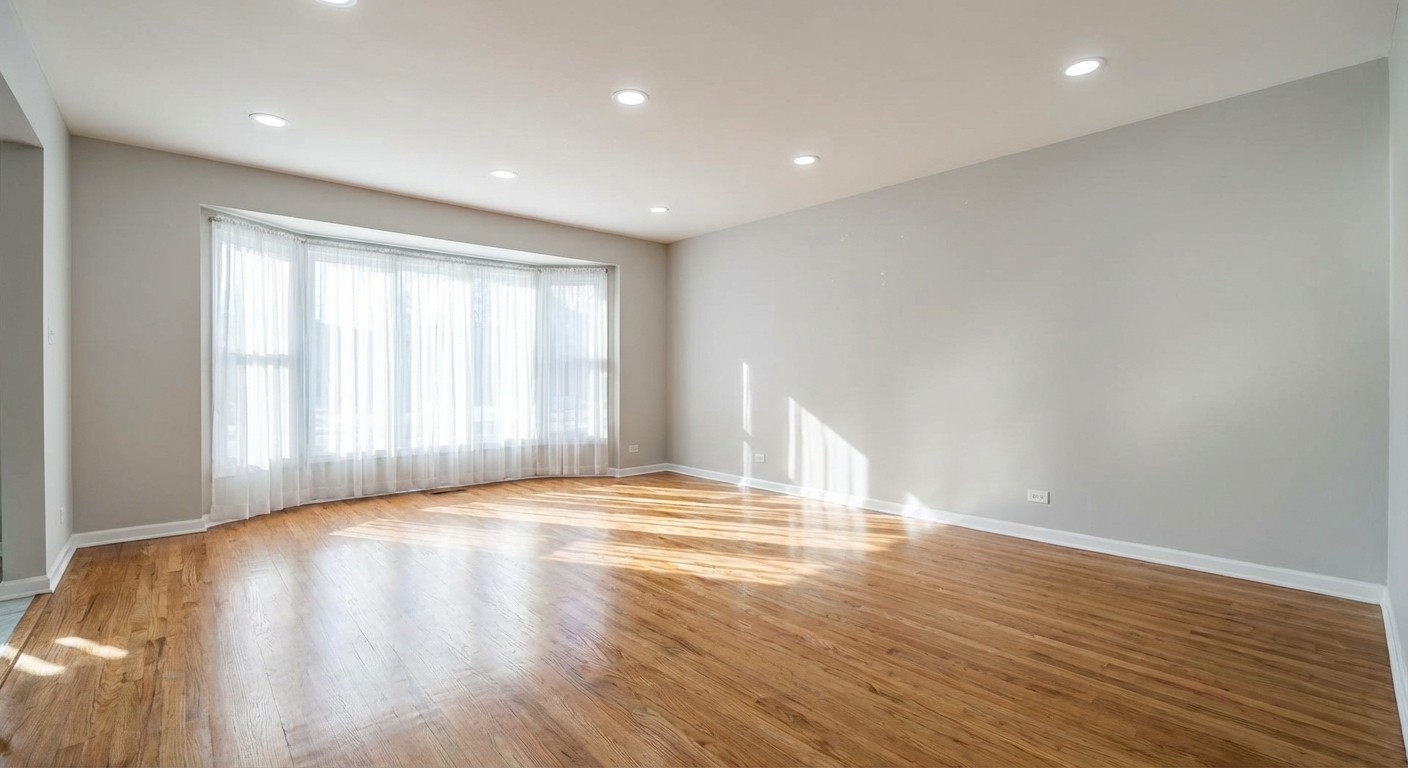
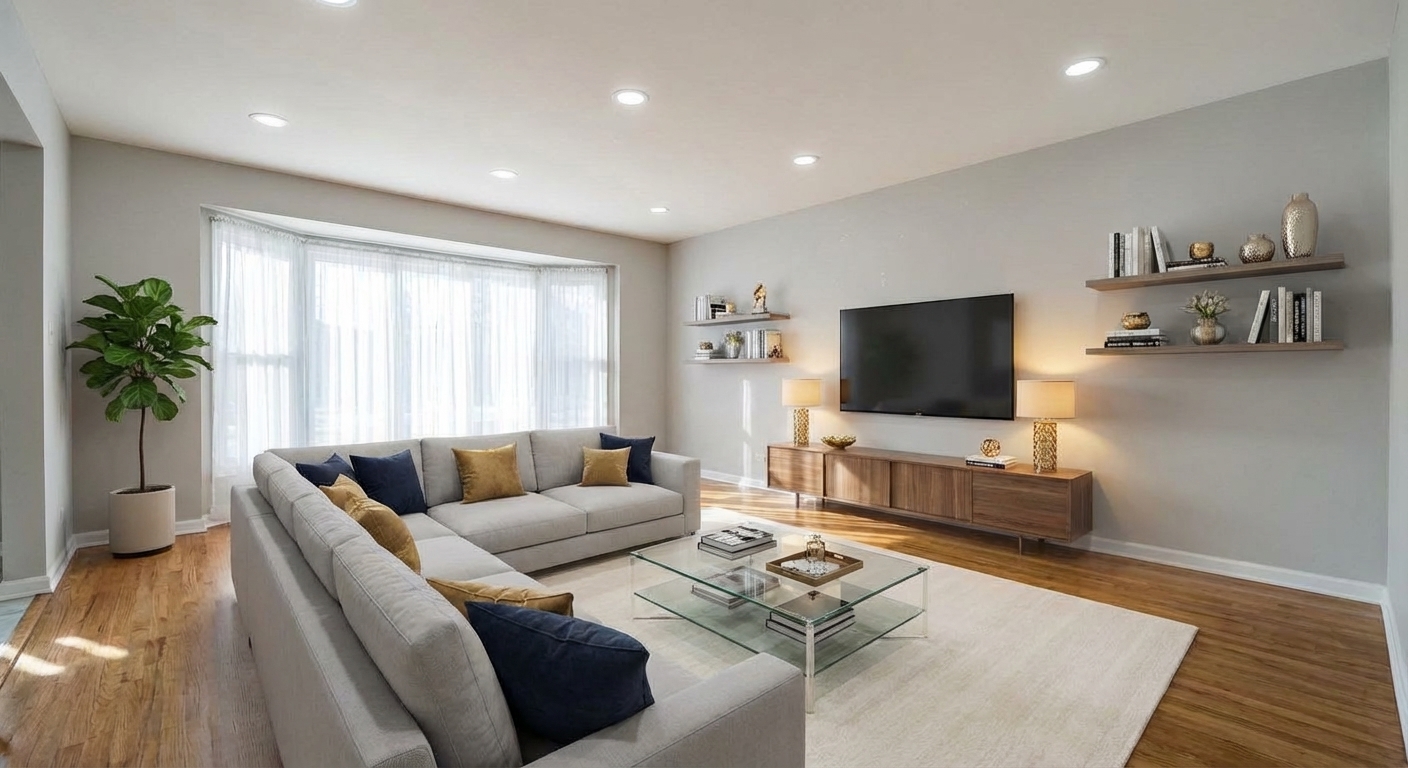
Demo example: the “Before” image was created with AI for this site; it is not a customer photo.
Features
AI toolkit for interior designers. Generate concept visualisations from client photos, test multiple design directions before committing to renders, close more contracts with visual presentations.
Where AI Fits Into a Professional Interior Design Workflow
Generate 3–4 design direction concepts from a single client room photo in under 5 minutes
The Toolkit for Freelance and Studio Designers
Close more design contracts by showing clients what their space could look like before they sign
Closing More Client Contracts With Visual Concepts
Test paint colours and flooring materials on client photos without physical samples
Pre-Contract Visualisation vs Final Deliverables
Skip the early CAD render cycle — go straight from brief to visual concept
Where Traditional CAD and 3D Still Win
Build moodboards with style-consistent room visualisations rather than stock imagery
Designers on the Impact on Their Business
Upload a photo, pick the options and download the edited image, usually in under a minute.
How It Works
Get professional results in three simple steps
Drop your photos here
or browse files
Upload Your Photos
Create a free account — 6 free credits covers 3 AI generations for initial testing.
AI Processing
For freelance designers, the Starter plan ($12/mo, 60 credits) typically covers pre-contract visualisation volume. For studios, the Pro plan ($29/mo, 200 credits).
Download Results
Initial client meeting workflow: client sends phone photo → you generate 3 concepts → present direction options → scope contract. Total time: 15–30 minutes vs 2–5 days of unpaid concept rendering.
Why Choose Roomagen
Virtual Staging for Concept Presentation
Generate 3–4 design direction concepts from a single client room photo in under 5 minutes
Redesign Furnished Rooms for Client Existing-Space Visualisation
Close more design contracts by showing clients what their space could look like before they sign
Sketch to Floor Plan for Concept-to-Layout
Test paint colours and flooring materials on client photos without physical samples
Wall Color Change for Paint Direction Tests
Skip the early CAD render cycle — go straight from brief to visual concept
Flooring Replacement for Material Decisions
Build moodboards with style-consistent room visualisations rather than stock imagery
Who Is It For?
Freelance Interior Designers
Show prospective clients what their space could look like in 3 different directions during the initial consultation. Close contracts faster and reduce time spent on unpaid pre-contract work.
Boutique Design Studios
Integrate AI visualisation into your client intake workflow. Consistent concept presentation across all designers, faster turnaround from brief to first concept review.
Design Consultants and Stylists
Provide style direction, paint colour recommendations, and material choices backed by visual mockups on the client's actual room photos. More convincing than swatches and moodboards alone.
Common Use Cases
Initial Client Consultation Visualisation
During the first client meeting, have them send a phone photo of the room they want designed. Generate 3 style directions (modern, Scandinavian, traditional) on the spot using Redesign Furnished Rooms. Discuss which direction resonates. Scope the project from there.
Paint and Material Decision Support
Client is deciding between two paint colours. Apply Wall Color Change on their actual room photo showing each colour. Send both versions. Client picks based on visual evidence rather than swatches alone.
Concept-to-Layout Exploration
Client has a hand-sketched room layout. Use Sketch to Floor Plan to convert the sketch to a clean 2D plan, then use Floor Plan to 3D for a rough 3D concept. Use this for the initial design review before committing to detailed CAD work.
Pre-Contract Moodboard Assembly
Build visual moodboards using AI-generated room renderings in your target style, not stock photos. Clients see the proposed direction on their own space, not someone else's. Differentiates your presentation from competing designers using generic Pinterest boards.
Material and Flooring Exploration
Use Flooring Replacement to show the client's room with 3 different flooring options (light oak, dark walnut, polished concrete). Helps material selection decisions when sample boards are hard to visualise in context.
Traditional concept rendering takes 4–8 hours of CAD time per variation at $50–$100/hr — $200–$800 of labour per concept. Most designers absorb this as unpaid pre-contract work, limiting how many concepts they can show. AI generates equivalent-quality concept imagery in 60 seconds at under $1 per variation, removing the cost barrier to showing multiple directions.
| Roomagen AI Concept | Traditional SketchUp/Render | |
|---|---|---|
| Time from brief to first visual | Under 5 minutes | 4–8 hours |
| Cost per concept | $0.50–$1.00 | $200–$500 in labour |
| Style iterations per client | Unlimited | Typically 1–2 |
| Uses client's actual room | Yes, from photo | Requires modelling from measurements |
| Final deliverable quality | Pre-contract review only | Presentation and construction |
| Skills required | Minutes to learn | Months of CAD training |
| Best use case | Pre-contract, moodboards, paint/material decisions | Final presentation, construction documents |
Technical Specifications
- Supported input formats
- JPEG, PNG, WebP (client phone photos work well)
- Max file size
- 50 MB
- Processing time
- 30–60 seconds per concept
- Style variations
- 13 presets; other styles through the Design Companion chat
- Material options
- Walls, floors, countertops, cabinetry, furniture
- Credits per visualisation
- 2
- Best use case
- Pre-contract concepts, client decision support, moodboards
Pricing
| Plan | Price | Credits/mo | Per Image | Resolution |
|---|---|---|---|---|
| Free | $0 | 6 (one-time) | Free | 2K first edit, then 1K |
| Starter | $12/mo | 60 | $0.40 | 2K |
| Pro | $29/mo | 200 | $0.29 | 2K or 4K (4 credits) |
| Business | $79/mo | 700 | $0.23 | 2K or 4K (4 credits) |
Per-image cost = 2 credits. Annual plans reduce cost by ~17%. Credit packages: 60/$19, 180/$45, 360/$79.
Frequently Asked Questions
Everything you need to know about Roomagen
No, and it is not designed to. AI visualisation is a pre-contract and concept tool — for client direction meetings, moodboards, and paint/material decisions. Final construction deliverables still require CAD. Think of AI as replacing the 4–8 hours of unpaid early-phase concept rendering, not your detail work.
Showing a client three style directions on their actual room during the first meeting helps them react to their own space. The client connects emotionally with their own space transformed rather than trying to imagine it from generic inspiration photos.
A phone photo taken in good natural light, camera held level, works fine. Ideal photos are shot from corner or doorway (showing most of the room), daytime with windows visible, and at least 1200px resolution. Most modern phones handle this without any coaching.
Yes. The toolkit handles residential interiors most smoothly but also works for small commercial spaces (restaurants, cafes, offices, boutique retail) and hospitality (hotel rooms, vacation rentals, boutique B&Bs).
Wall Color Change, Wall Treatment, Flooring Replacement, and Furniture Facelift all work for renovation-focused design. You can show clients what their kitchen would look like with new cabinets and flooring, or their living room with different paint, before they commit to physical changes.
Most designers do not charge for AI visualisation as a line item — it replaces unpaid pre-contract work that was always absorbed into the project fee. The ROI is in faster contract closing and fewer rejected concepts after expensive CAD work.
Single-room AI works best. For multi-room or open-concept spaces, break into individual photos per area and generate concepts per room. For whole-house projects, the AI tool is best used for the key room concepts; traditional CAD still handles the whole-house coordination.
Ask them to re-shoot in better conditions (daytime, natural light, camera level, corner angle). If that is not possible, use Image Enhancement first to improve the source, then run your visualisation. Poor source photos produce poor AI output.
Process each room individually. A typical 3-room residential consultation uses 6–12 credits (2 credits per visualisation × 3 rooms × 2–3 style variations). Well within the Starter plan budget.
Yes, in the Design Companion chat: the staging tool offers 13 preset styles and no free-text field, but the chat takes a detailed description of an era or cultural reference. More specific descriptions give more consistent results.
Explore Related Tools
Discover more AI-powered tools to enhance your visual content
Free AI Virtual Staging — Stage Any Empty Room in Under a Minute
Stage vacant rooms with AI, usually in under a minute. 13 design styles, 15 room types, listing-ready photos for real estate, rentals and hospitality. 6 free credits, no credit card required.
Learn moreRedesign a Furnished Room With AI — 13 Styles, Usually Under a Minute
Restyle any furnished room without moving a thing. Modern, Scandinavian, farmhouse, luxury and 9 more styles. Used by interior designers and realtors. Free to try.
Learn moreSwap Furniture & Objects
Swap specific furniture or objects in your photos. Replace an outdated couch with a modern one, or exchange any item while keeping the rest.
Learn moreVirtual Flooring Replacement
Preview new flooring virtually before renovation. See how hardwood, tile, carpet, or vinyl would look in any room.
Learn moreSketch to Floor Plan — Convert Hand Drawings to Digital in Under a Minute
Turn a rough hand sketch into a clean 2D floor plan with AI. For architects, designers and realtors who need fast layout visualisation. 6 free credits when you sign up.
Learn moreFloor Plan to 3D — AI Dollhouse View Generator
Convert 2D floor plans into isometric 3D dollhouse views with AI. Upload any floor plan and get a furnished 3D visualization showing room layouts, furniture placement, and spatial relationships — perfect for listings, presentations, and design proposals.
Learn more