
AI Interior Rendering — Finished Rooms From Construction Photos
Roomagen Interior Rendering turns a photo of an unfinished interior into a finished, furnished room in one of 13 styles. Each run costs 2 credits ($0.23–$0.40 per image on monthly plans) and usually takes under a minute.
Empty or under-construction spaces ask a lot of buyers' imagination — most people cannot picture bare concrete walls, exposed wiring and raw subfloors as a finished home. That gap slows sales of new and renovated properties, and interior designers face the same problem when clients must approve concepts from mood boards and samples. Professional interior rendering usually means building a 3D model, choosing furniture and materials and waiting days or weeks for each image. Roomagen starts from a photo of the actual space: choose the room type and one of 13 styles, and it returns a finished, furnished version of that room, usually in under a minute for 2 credits. The result is a visualization, so label it as one in marketing.
No credit card required. Results usually in under a minute.
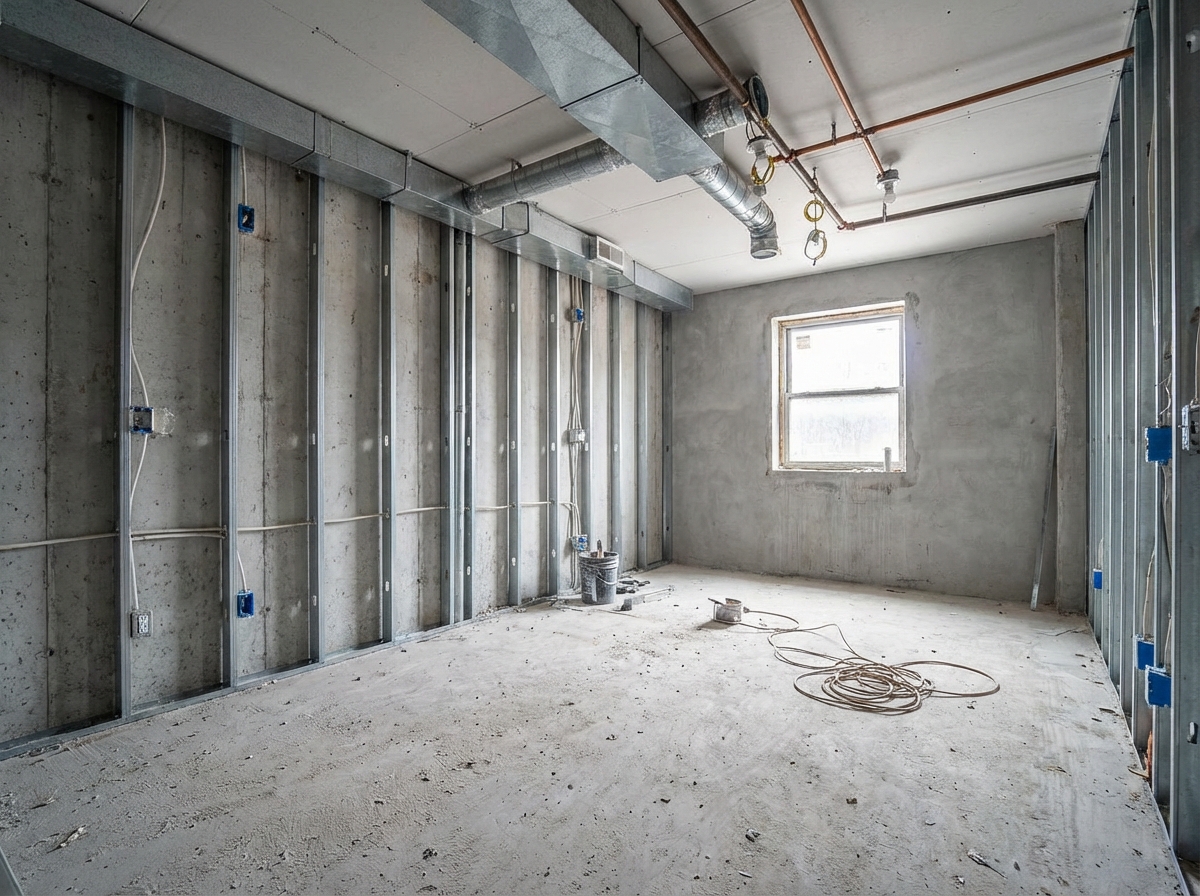
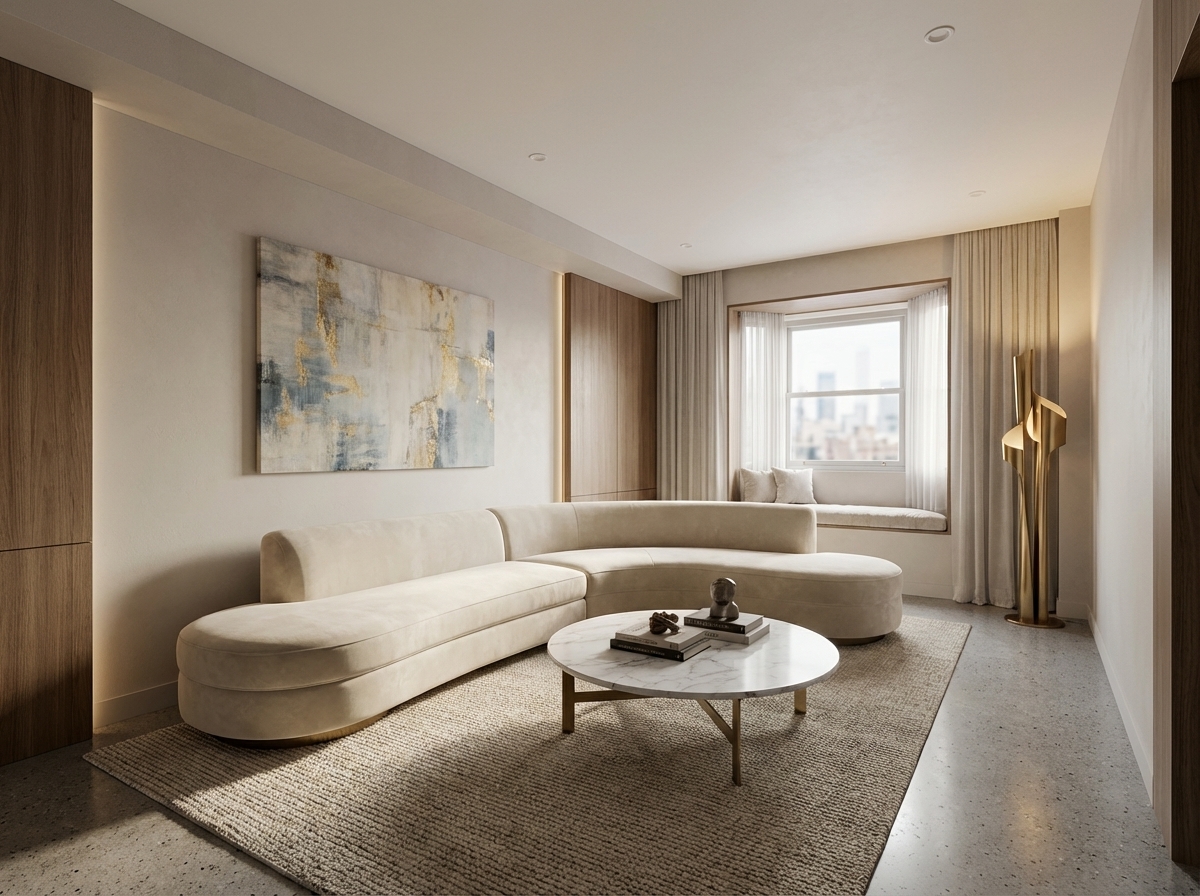
Demo example: the “Before” image was created with AI for this site; it is not a customer photo.
Features
Turn photos of unfinished interiors into finished, furnished room images for new construction, renovations or design reviews. Pick the room type and one of 13 styles.
Photorealistic Interior Visualizations
Turns photos of unfinished interiors into finished, furnished rooms
Pre-Construction Previews
15 room types and 13 interior styles to choose from
Design Concept Renders
Useful for pre-sales, renovation previews and design concept reviews
How It Works
Get professional results in three simple steps
Drop your photos here
or browse files
Upload Your Photos
Upload a photo of the room as it is now — under construction or bare — as a JPEG, PNG or WebP image up to 50 MB. The AI keeps the room's structure, including walls, windows, doors, columns and ceiling height, as well as the camera angle and the direction of the light. Well-lit photos taken from a corner show the most of the space.
AI Processing
Choose the room type — 15 options, from living room to garage — and one of 13 styles, such as Modern, Scandinavian, Japandi or Luxury. Let the AI choose the furniture or pick the pieces yourself. The AI then finishes the walls, floor and ceiling in that style, clears away construction debris and furnishes the room.
Download Results
Processing usually takes under a minute. The result is a JPEG of the same room, finished and furnished, at 2K — or 4K for 4 credits on Pro and Business. Run the same photo in other styles to compare directions, and label the images as visualizations when you use them in marketing.
Why Choose Roomagen
Living Space Renders
Turns photos of unfinished interiors into finished, furnished rooms
Kitchen Renders
15 room types and 13 interior styles to choose from
Bathroom Renders
Useful for pre-sales, renovation previews and design concept reviews
Who Is It For?
Real Estate Agents
Market pre-construction and under-construction units with finished interior images made from site photos, so buyers can picture the completed space.
Interior Designers
Show clients how a space could look finished, in one of 13 styles, before materials are chosen.
Property Managers
Show owners how a stripped-out unit will look once finished, using current site photos, to support budget approval.
Common Use Cases
Shell-to-Finished Visualization
Photograph an unfinished room — bare walls, raw floors, exposed services — and turn it into a finished, furnished view. Buyers see what the space could look like lived-in instead of a construction site.
Pre-Construction Marketing
Generate finished interior images from photos of units under construction. Developers can show furnished room views before handover — label them as visualizations in sales materials.
Design Client Presentation
Interior designers can show clients finished room images based on site photos. Test different styles — for example Modern, Scandinavian or Luxury — at 2 credits per variation.
Developer Sales Material
Create a library of interior renderings for each unit type in a development. Combine with 3D floor plans for a comprehensive pre-construction marketing package.
Pre-Construction Sales Material
Create interior visuals of units that are not finished yet. Generate finished-room images from raw construction photographs for sales materials, and label them as visualizations.
Design Concept Presentation
Interior designers and decorators can use AI rendering to quickly create concept visuals for client presentations. Try different design directions in minutes rather than days to get client feedback sooner.
Professional rendering services build a detailed 3D model of the space, select furniture and materials and set up lighting, with turnaround measured in days or weeks and fees per image and per revision. Desktop rendering software such as Lumion or V-Ray needs 3D modeling skills, capable hardware and hours of computation per image. Virtual Staging is related but different: it adds furniture to a finished room, while Interior Rendering finishes the room itself — walls, floors, ceiling and furniture. Roomagen renders a finished version of your site photo for 2 credits, usually in under a minute.
| Roomagen | Professional Interior Rendering | |
|---|---|---|
| Cost | $0.23–$0.40 | $300–$1,000 per room |
| Turnaround | Under 90 seconds | Days to weeks |
| Style options | 13 styles × 15 room types | Custom specification |
| Input needed | Photo of the unfinished room | 3D model required |
| Revisions | Rerun for 2 credits | Significant additional fees |
| Skill required | None | 3D modeling expertise |
Technical Specifications
- Supported formats
- JPEG, PNG, WebP
- Max file size
- 50 MB
- Output resolution
- HD / Ultra HD (Pro & Business)
- Render styles
- 13 (modern, scandinavian, minimalist, industrial, traditional, farmhouse, mid-century modern, coastal, luxury, bohemian, japandi, art deco, mediterranean)
- Room types
- 15 (living room, bedroom, kids room, studio, kitchen, dining room, home office, dressing room, laundry room, bathroom, hallway, entryway, balcony, terrace, garage)
- Output
- Finished room image in the photo's own framing
- Processing time
- Usually under a minute
- AI model
- Gemini AI
- Credit cost
- 2 credits per image
Pricing
| Plan | Price | Credits/mo | Per Image | Resolution |
|---|---|---|---|---|
| Free | $0 | 6 (one-time) | Free | — |
| Starter | $12/mo | 60 | $0.40 | 2K |
| Pro | $29/mo | 200 | $0.29 | 2K or 4K (4 credits) |
| Business | $79/mo | 700 | $0.23 | 2K or 4K (4 credits) |
Per-image cost = 2 credits. Annual plans reduce cost by ~17%. Credit packages: 60/$19, 180/$45, 360/$79.
Frequently Asked Questions
Everything you need to know about Roomagen
Interior Rendering starts from a photo of an unfinished room and finishes the whole space — walls, floors, ceiling and furniture. Virtual Staging adds furniture to a room that is already finished. Both work from photos of the real space.
They are photorealistic images, but they are AI visualizations of a possible finish, not photographs of the real result. Materials and lighting usually look natural; check details such as windows and fixtures, and label the images as renderings.
Not with this tool — it needs a photo of the actual room. To turn a 2D floor plan into a 3D view, use Floor Plan → 3D or Floor Plan → Visualize.
The AI chooses materials to fit the style you pick — wood, stone, tile, fabrics, metals and more. There is no material-by-material control in the wizard; to try a different look, run the photo in another style.
No. There is no lighting setting; the result keeps the direction of the light and the shadows in your photo. For an evening look, run the result through Day to Dusk.
Usually under a minute per image. Traditional rendering studios typically need days for comparable work.
Yes. Run the same photo in different styles at 2 credits each and compare the versions side by side with clients.
Yes. Renders are delivered as JPEG images that suit brochures, websites and social media; paid plans render at 2K, or 4K on Pro and Business. Label them as renderings, and check details at full size before printing large.
The room types are residential — from living room to garage — so offices, shops and restaurants are not a dedicated option. You can try a commercial space with the closest room type, but results vary more.
Developers marketing units under construction, agents selling unfinished properties, interior designers presenting concepts for new spaces, and owners renovating a stripped-out home.
Explore Related Tools
Discover more AI-powered tools to enhance your visual content
Exterior Home Rendering & Visualization
Create photorealistic exterior renders showing home improvements, new construction, or facade transformations.
Learn more3D Floor Plans with Furniture
Create stunning 3D floor plans with realistic furniture and finishes. Help viewers visualize the entire layout in three dimensions — for real estate, architecture, interior design, and hospitality.
Learn moreVirtual Renovation & Remodeling
Show clients renovation potential with virtual remodeling. Update kitchens, bathrooms, flooring, and finishes digitally before selling, leasing, or redesigning.
Learn moreRedesign a Furnished Room With AI — 13 Styles, Usually Under a Minute
Restyle any furnished room without moving a thing. Modern, Scandinavian, farmhouse, luxury and 9 more styles. Used by interior designers and realtors. Free to try.
Learn moreFree AI Virtual Staging — Stage Any Empty Room in Under a Minute
Stage vacant rooms with AI, usually in under a minute. 13 design styles, 15 room types, listing-ready photos for real estate, rentals and hospitality. 6 free credits, no credit card required.
Learn more