HDR Photo Editor — Balanced Exposure in Under a Minute
Roomagen HDR Photo Editing is an AI-powered exposure blending tool that balances bright windows against dark interiors using window-pull technology from a single exposure. Used by real estate agents, hotel managers, photographers, interior designers, and commercial property owners, the output reveals both interior detail and outdoor views in one balanced image. Processing takes under 90 seconds using 2 credits per image ($0.23–$0.40 depending on plan), with a free plan offering 6 credits.
Dynamic range limitation is the single biggest technical challenge in interior photography — cameras cannot simultaneously expose correctly for bright daylight streaming through windows and the darker interior of a room. The result is either blown-out white windows with no visible outdoor view, or a well-exposed window view with an unacceptably dark interior. This affects property listings, hotel room photos, restaurant interiors, and any space with windows. Traditional HDR solutions require a tripod, 3–5 bracketed exposures at different settings, and post-processing software expertise — equipment and skills that most professionals outside of photography do not have. Roomagen’s AI extracts the full tonal range from a single handheld photo, recovering window detail while brightening interiors in one automated pass.
No credit card required. Results usually in under a minute.
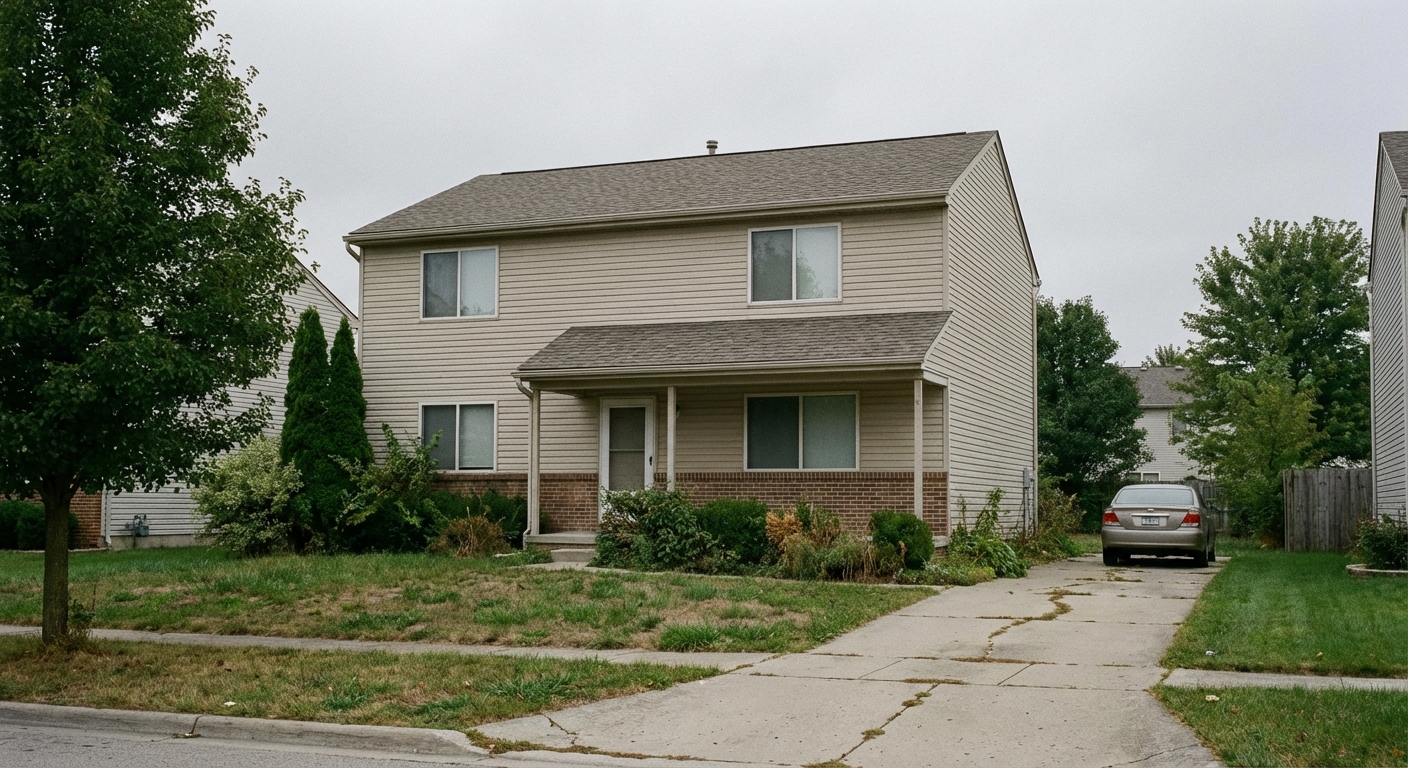
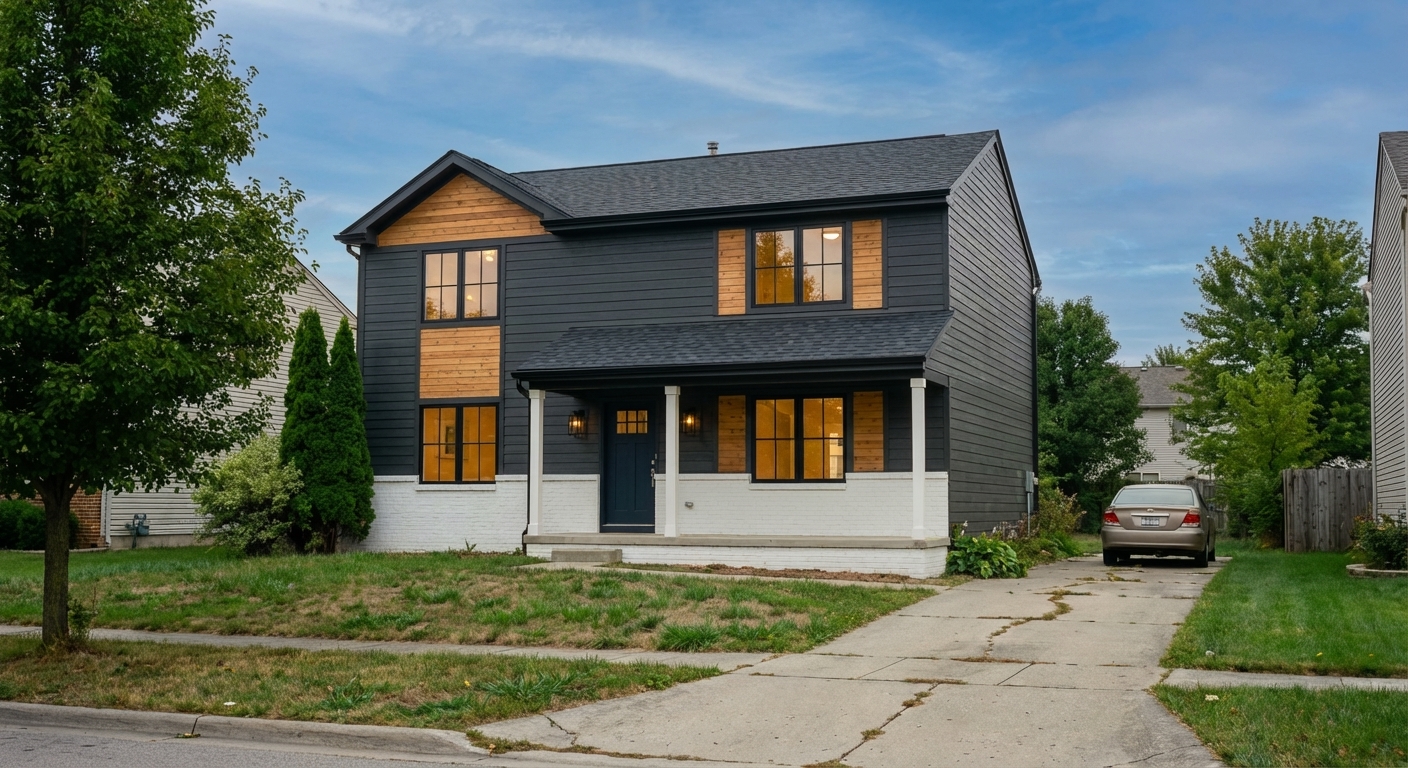
Features
Professional HDR editing for interior and exterior photos. Recover window views, balance lighting, and create magazine-quality images for property listings, hotel rooms, and commercial spaces.
Window Pull Technology
Recovers blown-out window views with window-pull technology
Interior-Exterior Balance
Creates natural HDR from single exposures without bracketing
Professional HDR Blending
Balances interior-exterior lighting for magazine-quality results
How It Works
Get professional results in three simple steps
Drop your photos here
or browse files
Upload Your Photos
Upload any interior or exterior property photo in JPEG, PNG, or WebP format (up to 50 MB). A single exposure is all that is needed — no bracketed shots, no tripod, no special camera settings required. The AI analyzes the entire image to map brightness zones, identifying overexposed areas (typically windows and skylights) and underexposed areas (typically room corners, under furniture, and shadow zones). This brightness map guides the selective tone adjustment that follows.
AI Processing
Select a strength level: subtle for photos that are nearly correct and need only minor exposure balancing, balanced for standard real estate interiors with typical window blow-out, or strong for challenging situations like very dark rooms or extreme window brightness. The AI applies window-pull technology — a technique that selectively recovers detail in overexposed window areas while simultaneously lifting shadow detail in the room interior. The result is a naturally balanced exposure that shows both the interior space and the outdoor view through windows.
Download Results
Download your HDR-processed image in under 90 seconds. The output reveals interior detail and outdoor views through windows in one naturally balanced image. Unlike early-generation HDR software that produced an artificial, over-saturated look, Roomagen's AI produces results that appear as naturally well-lit photographs. The processing maintains natural color relationships and avoids the haloing artifacts common in older HDR techniques.
Why Choose Roomagen
Single Exposure HDR
Recovers blown-out window views with window-pull technology
Bracket Blending
Creates natural HDR from single exposures without bracketing
Window View Recovery
Balances interior-exterior lighting for magazine-quality results
Who Is It For?
Real Estate & Hospitality
Produce magazine-quality interior photos with balanced exposure that show both room details and outdoor views through windows.
Photographers & Videographers
Eliminate HDR bracketing from your workflow — get professional exposure blending from a single shot in under a minute.
Interior Designers & Architects
Showcase project photos with accurate color rendering and balanced lighting that highlights design details throughout the space.
Common Use Cases
Window-Dark Interior Balance
Upload an interior photo where windows are blown out white and the room is too dark to see details. The AI recovers the outdoor view through windows while brightening interior details, producing a balanced image from a single exposure. This is the most common use case — virtually every interior photo taken during daytime benefits from HDR window-pull processing.
Bright Exterior Enhancement
Apply HDR processing to exterior property photos to bring out architectural details in shadows while controlling highlight areas. The balanced mode works well for most exterior shots, revealing texture in stone, brick, or siding that would otherwise be lost in shadow. Strong mode handles direct sunlight situations with extreme contrast.
Mixed-Lighting Room Correction
Rooms with multiple light sources — natural sunlight from windows combined with artificial overhead or lamp lighting — often have uneven exposure zones. HDR editing balances all lighting zones across the frame, revealing detail throughout the space without producing the overdone HDR look common in early-generation tone mapping software.
Twilight Interior Shots
Interior photos taken at dusk with both interior lights turned on and fading daylight through windows create competing light sources at different color temperatures. Strong HDR processing balances these competing sources, producing a warm and inviting image that showcases both the interior ambiance and the remaining outdoor view.
Agent Self-Photography
Real estate agents shooting their own listings encounter window-versus-interior balance as their most frequent photo problem. Upload a single handheld phone photo and get professional HDR results without needing a tripod, bracketed exposures, or editing software. The balanced mode handles most standard interior situations.
Renovation Progress Documentation
Construction and renovation photos are often taken in challenging lighting conditions — unfinished rooms with no artificial lighting, bright windows with no curtains, and mixed light sources. HDR editing balances these extremes so renovation progress is clearly visible in every corner of the frame.
Traditional HDR bracketing requires a tripod, 3–5 separate exposures, and specialized post-processing software — costing $100+ per session and 20+ minutes of editing per image. Lightroom’s HDR merge feature requires those same bracketed source files plus software expertise, with each merge taking 10–15 minutes. Professional interior photographers charge $200–$500 per session and consider window-view exposure a specialty skill. Roomagen produces professional HDR results from a single handheld photo for 2 credits ($0.23–$0.40 depending on plan) in under 90 seconds, with no tripod, no bracketing, and no post-processing knowledge required.
| Roomagen | Traditional HDR Bracketing | |
|---|---|---|
| Cost per image | $0.23–$0.40 | $100+/session photographer |
| Input required | Single photo | 3–5 bracketed exposures |
| Turnaround time | Under 90 seconds | 20+ minutes editing |
| Equipment | Any camera or phone | Tripod + manual exposure |
| Window-pull | Automatic | Manual masking in Photoshop |
| Consistency | Automatic | Varies by editor skill |
Technical Specifications
- Supported formats
- JPEG, PNG, WebP
- Max file size
- 50 MB
- Output resolution
- HD / Ultra HD (Pro & Business)
- Strength levels
- 3 (subtle, balanced, strong)
- Key technology
- Window-pull exposure blending from single image
- Processing time
- Under 90 seconds
- AI model
- Gemini AI
- Credit cost
- 2 credits per image
Pricing
| Plan | Price | Credits/mo | Per Image | Resolution |
|---|---|---|---|---|
| Free | $0 | 6 (one-time) | Free | 2K first edit, then 1K |
| Starter | $12/mo | 60 | $0.40 | 2K |
| Pro | $29/mo | 200 | $0.29 | 2K or 4K (4 credits) |
| Business | $79/mo | 700 | $0.23 | 2K or 4K (4 credits) |
Per-image cost = 2 credits. Annual plans reduce cost by ~17%. Credit packages: 60/$19, 180/$45, 360/$79.
Frequently Asked Questions
Everything you need to know about Roomagen
Roomagen HDR editing balances bright windows with darker interiors so both are clearly visible in one image. This high dynamic range processing reveals outdoor views while maintaining rich interior detail and color accuracy.
Roomagen creates professional HDR effects from single exposures without bracketing or a tripod. While multiple exposures can improve results, the AI extracts remarkable dynamic range from standard single-shot photos.
Roomagen uses natural HDR processing specifically trained on real estate photography to avoid the artificial look. The result is a balanced, professional image that looks naturally well-lit rather than digitally manipulated.
Roomagen's window pull technology recovers the outdoor view visible through blown-out windows in interior photos. This technique reveals trees, sky, and landscapes outside while keeping the interior properly exposed.
Roomagen significantly brightens underexposed rooms while maintaining natural color accuracy and texture detail. Even rooms photographed with minimal lighting are transformed into bright, welcoming spaces.
Roomagen's AI corrects color casts from mixed natural and artificial lighting sources. The result is consistent white balance across the entire image, eliminating yellow incandescent or green fluorescent tints.
Roomagen supports batch HDR processing for entire property photo sets with consistent results. This ensures uniform exposure and color grading across all images in a listing.
Roomagen processes each HDR image in under 90 seconds, making it practical to enhance a full property shoot photo by photo in a single session.
Roomagen applies HDR processing to exterior photos as well, balancing shadowed facades with bright skies. This is especially valuable for properties photographed during harsh midday sunlight.
Use Roomagen HDR Photo Editing when your main problem is blown-out windows or dark interiors that need advanced exposure blending and window-pull recovery. Use Image Enhancement when you need a general all-in-one improvement that covers color, sharpness, lens distortion, and basic exposure in one click. HDR Photo Editing is the specialist for interior-exterior lighting balance, while Image Enhancement is the generalist that improves overall photo quality across all conditions.
Explore Related Tools
Discover more AI-powered tools to enhance your visual content
AI Photo Enhancement — Professional-Looking Results in Under a Minute
Enhance any photo automatically with AI. HDR processing, color correction, lens fix, and professional-grade adjustments, usually in under a minute — for property listings, hotel rooms, product shots, and more.
Learn moreAI Sky Replacement — New Skies for Exterior Photos
Replace overcast or bland skies with stunning blue skies or dramatic sunsets. AI-powered sky replacement that looks completely natural — for property listings, hotels, commercial buildings, and any exterior photo.
Learn moreDay to Dusk Photo Editing
Turn a daytime exterior or room photo into a sunset, dusk or night photo with warm window glow. Pick the hour on a 24-hour slider; 2 credits per photo.
Learn moreAI Image Upscaling - Increase Resolution
Upscale low-resolution real estate photos to print-quality resolution. AI enhancement increases image size while adding detail and sharpness.
Learn moreFree AI Virtual Staging — Stage Any Empty Room in Under a Minute
Stage vacant rooms with AI, usually in under a minute. 13 design styles, 15 room types, listing-ready photos for real estate, rentals and hospitality. 6 free credits, no credit card required.
Learn more