
Sketch to Office Floor Plan — Digital Plans for Offices and Workspaces
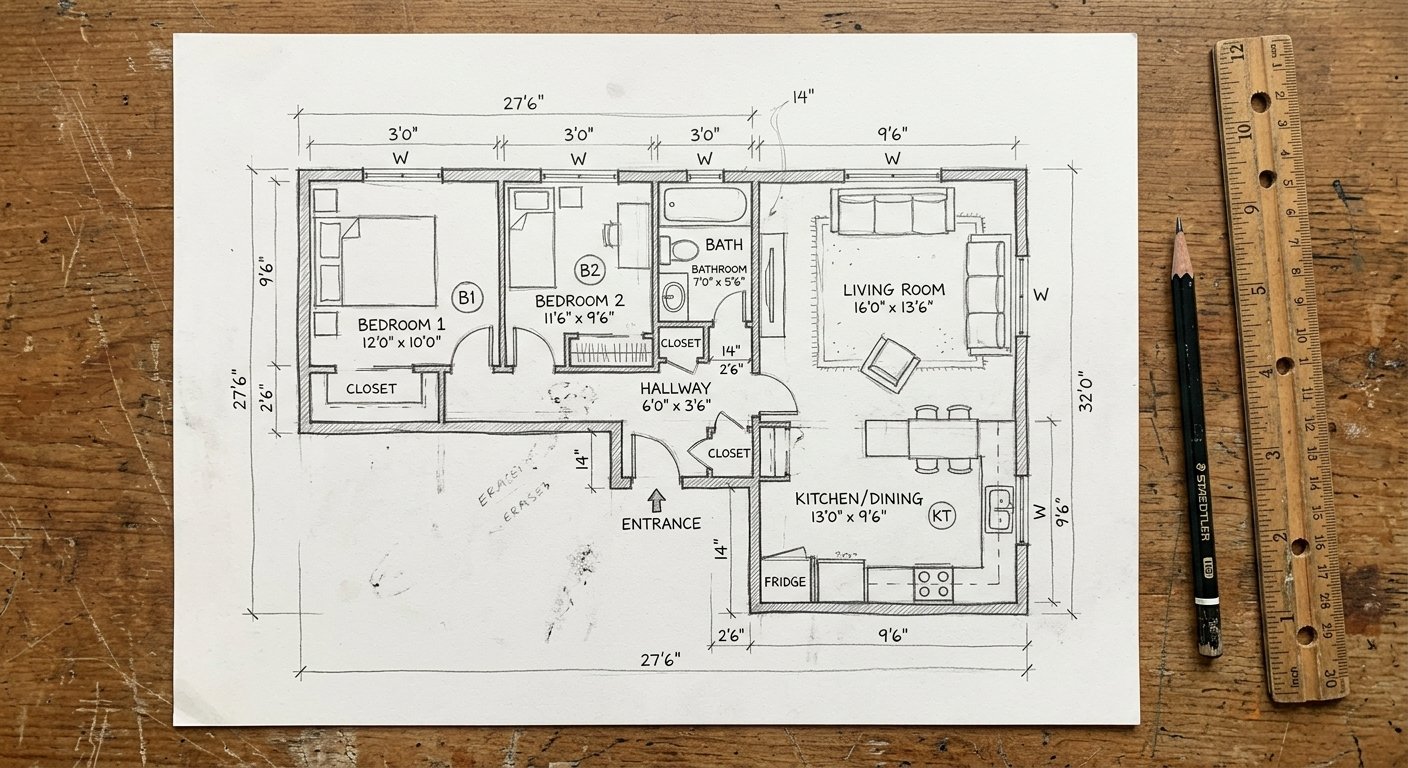
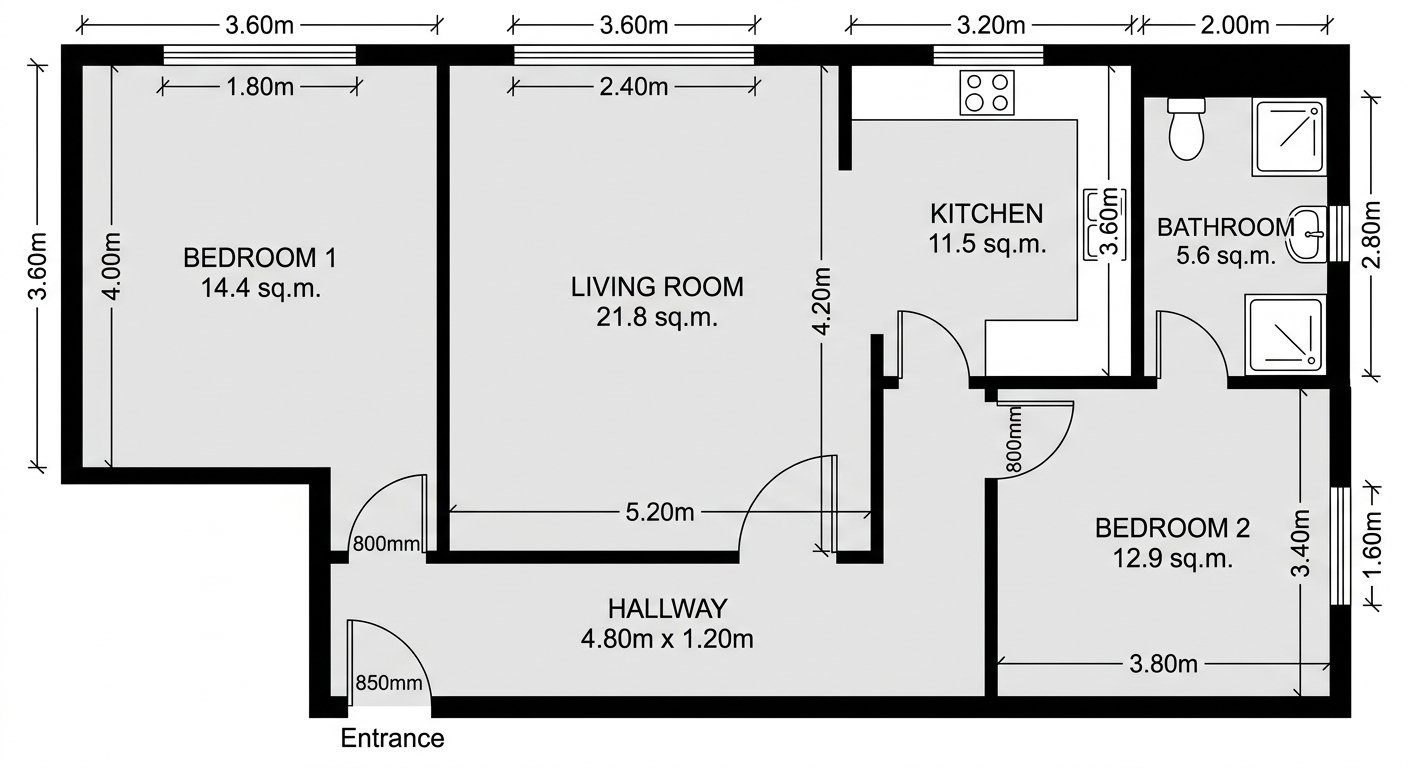
Roomagen Sketch to Office Floor Plan converts hand-drawn workspace layout sketches into clean digital plans showing desk zones, meeting rooms, kitchen areas, and private offices — used for space planning, lease evaluation, and office design.
Office space planning starts with sketches — on whiteboards during meetings, on paper during site visits, on napkins during lunch discussions. These raw layouts need to be digitized for stakeholder presentations, lease negotiations, and furniture ordering. Professional digitization costs $75–$250 per plan. Roomagen converts office sketches to digital plans for 2 credits, making every whiteboard brainstorm boardroom-ready.
Features
Convert a hand-drawn office layout into a clean digital floor plan with AI: desks, meeting rooms, kitchen and private offices, usually in under a minute.
How Does AI Convert Office Layout Sketches to Digital Plans?
Desk zones, meeting rooms, kitchen areas, and private offices digitized from hand sketches
What Office Elements Can Be Captured From Hand Drawings?
Open-plan and partitioned office layouts interpreted with professional output quality
Why Do Businesses Need Digital Office Floor Plans?
Space planning, lease evaluation, and facilities documentation in under a minute
How It Works
Get professional results in three simple steps
Drop your photos here
or browse files
Upload Your Photos
Drag and drop your photos or browse to upload them. Roomagen accepts JPEG, PNG and WebP files up to 50 MB each.
AI Processing
Our advanced AI analyzes your images and applies professional enhancements automatically. Choose from virtual staging, enhancement, object removal, or day-to-dusk conversion.
Download Results
Preview your transformed images and download high-resolution results ready for listings, marketing materials, social media, and more. No watermarks on premium plans.
Why Choose Roomagen
Desk Zones, Meeting Rooms, and Kitchen Areas Digitized
Desk zones, meeting rooms, kitchen areas, and private offices digitized from hand sketches
Open-Plan and Private Office Layouts Interpreted
Open-plan and partitioned office layouts interpreted with professional output quality
Space Planning and Lease Evaluation Made Professional
Space planning, lease evaluation, and facilities documentation in under a minute
Who Is It For?
Facilities Managers
Digitize office layout plans for documentation, emergency planning, and desk assignment management without CAD software.
Startup Founders
Sketch your ideal office layout and convert it to a professional plan for lease negotiations and furniture planning.
Commercial Leasing Agents
Create quick floor plans of office spaces for prospective tenants who need layout documentation for decision-making.
Commercial space planning digitization costs $75–$250 per plan with 2–5 day turnaround. Office planning software requires hours of manual input. Roomagen digitizes office sketches for $0.23–$0.40 in under 90 seconds.
| Roomagen AI | Commercial Digitization | AutoCAD Redraw | |
|---|---|---|---|
| Cost | $0.23–$0.40 per floor | $75–$250 per floor | $200–$500 (labor) |
| Turnaround | Under 90 seconds | 2–5 days | 4–8 hours |
| Skill required | Basic sketch ability | None — outsourced | CAD expertise |
| Update frequency | Re-sketch and digitize anytime | New order each time | Manual editing |
| 3D conversion ready | Yes — 2 additional credits | Separate service | Requires 3D modeling |
Frequently Asked Questions
Everything you need to know about Roomagen
Desk areas, meeting rooms, private offices, kitchen/break areas, reception, hallways, and bathroom locations. Label areas in your sketch for most accurate interpretation.
Yes. Draw desk zones as clusters or rows within open areas. The AI interprets open-plan arrangements and renders them as defined zones within the larger space.
Submit each floor as a separate sketch. The AI digitizes each floor independently — consistent style across all floors.
Yes. Sketch hot desk areas, private pods, phone booths, collaboration zones, and kitchen areas. The digital plan communicates the co-working concept to investors and members.
Include outer walls, interior partitions, door positions, and label each area (desks, meeting, kitchen). The more detail, the better the output. Reception desks and key fixtures help the AI understand the space.
Very. Sketch the prospective office space during a viewing and digitize it. Share the professional plan with your team for evaluation instead of describing the space verbally.
Yes. Use the digitized plan as input for Roomagen's Floor Plan to 3D tool. See your office layout with desks, chairs, and meeting tables in isometric 3D view.
The digital plan provides a base document for marking fire exits, extinguisher locations, and evacuation routes. Regulatory compliance often requires a current floor plan document.
When office layouts change, sketch the new arrangement and digitize it. Updated plans are generated in under 90 seconds, keeping documentation current without CAD software.
Each floor plan costs 2 credits ($0.23–$0.40). Digitize multi-floor office buildings for under $2 total.
Part of
Sketch to Floor PlanMore From This Family
- Sketch to House Floor Plan
- Sketch to Apartment Floor Plan
- Convert a Hand-Drawn Floor Plan to Digital
- Converting Old Plans to Digital Format
- Floor Plan from Photo
- Sketch to Floor Plan for Architects
- Sketch to Floor Plan for Real Estate
- Sketch to Floor Plan for Homeowners
- Sketch to Floor Plan for Interior Designers
- Floor Plan Digitization Cost
- Sketch to 3D Floor Plan
Explore Related Tools
Discover more AI-powered tools to enhance your visual content
Sketch to Floor Plan — Convert Hand-Drawn and Old Plans to Digital Format
Turn a photo of a rough hand sketch or old paper plan into a clean 2D floor plan with AI, usually in under a minute. 6 free credits when you sign up.
Learn moreFloor Plan AI — Turn a Sketch, Scan or Old Plan into a 2D or 3D Floor Plan
Turn a sketch, scan or old plan into a clean 2D floor plan or a 3D view. Keep or remove measurements and room names, and pick one of four drawing styles.
Learn more3D Office Floor Plan — Desks, Meeting Rooms and Circulation in 3D
Turn a 2D office floor plan into an isometric 3D view: desk layout, meeting rooms, collaboration zones and circulation, for leasing and space planning.
Learn moreFloor Plan to 3D — AI Dollhouse View Generator for Any 2D Plan
Convert a 2D floor plan into a furnished 3D dollhouse view with AI: an isometric image showing layout, furniture placement and flow, for listings and proposals.
Learn moreSketch to House Floor Plan — Hand-Drawn Home Layouts Made Digital
Convert a hand-drawn house floor plan into a clean digital plan with AI: bedrooms, bathrooms, kitchen, garage and outdoor areas, usually in under a minute.
Learn more