
Converting Old Plans to Digital Format — Large Blueprints Redrawn by AI
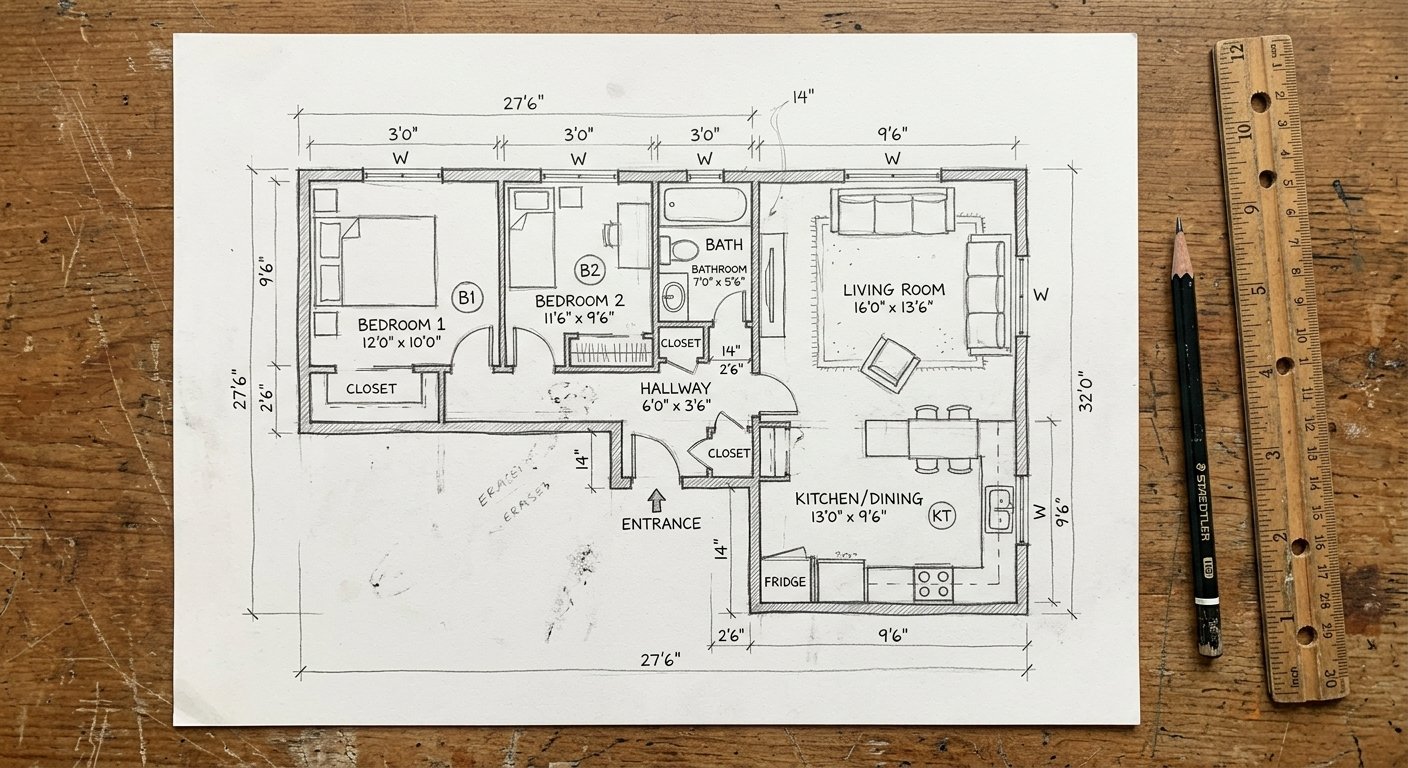
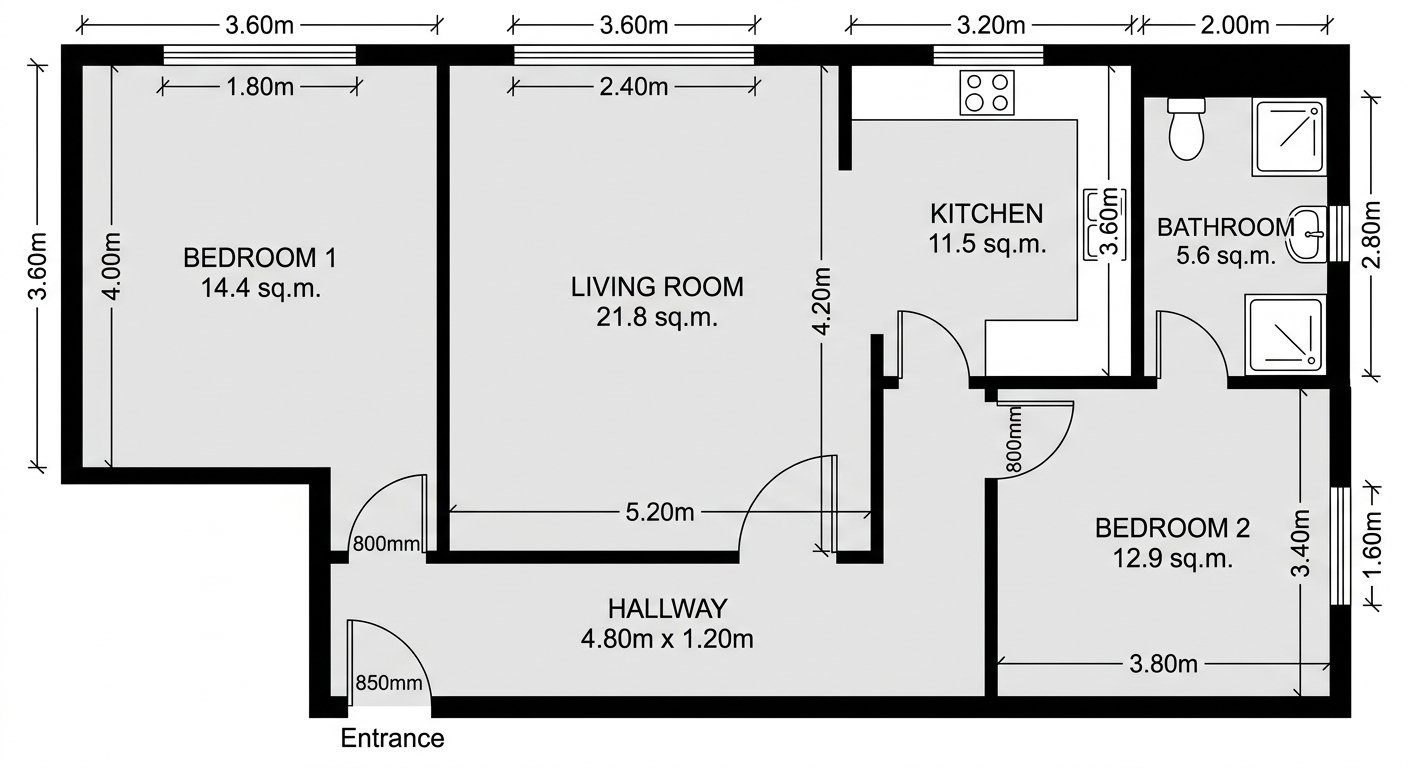
Roomagen Blueprint to Digital Floor Plan converts old paper blueprints — faded blue-line prints, yellowed documents, folded plans — into clean modern digital floor plans, restoring decades-old architectural documents to usable condition.
Millions of properties have floor plan documentation only as aging paper blueprints — blue-line prints from the 1950s–1990s, yellowed photocopies, and water-damaged originals. These documents deteriorate annually and cannot be shared electronically. Blueprint scanning preserves flaws; professional redrawing costs $100–$500 per sheet. Roomagen interprets and redraws old blueprints as clean modern digital plans for 2 credits, preserving architectural history affordably.
Features
Convert old paper blueprints, including faded blue-line prints and yellowed or damaged plans, into clean digital floor plans with AI, usually in under a minute.
How Does AI Convert Old Blueprints to Modern Digital Plans?
Faded blue-line prints, yellowed plans, and damaged documents converted to clean digital floor plans
What Blueprint Conditions Can the AI Handle?
AI interpretation that redraws — not just scans — producing modern, clean output from aging originals
Why Modernize Paper Blueprints Into Digital Format?
Archive-scale digitization at $0.23–$0.40 per blueprint for building departments and property managers
How It Works
Get professional results in three simple steps
Drop your photos here
or browse files
Upload Your Photos
Drag and drop your photos or browse to upload them. Roomagen accepts JPEG, PNG and WebP files up to 50 MB each.
AI Processing
Our advanced AI analyzes your images and applies professional enhancements automatically. Choose from virtual staging, enhancement, object removal, or day-to-dusk conversion.
Download Results
Preview your transformed images and download high-resolution results ready for listings, marketing materials, social media, and more. No watermarks on premium plans.
Why Choose Roomagen
Faded Blue-Line Prints to Crisp Digital Output
Faded blue-line prints, yellowed plans, and damaged documents converted to clean digital floor plans
Yellowed, Folded, and Damaged Prints Restored
AI interpretation that redraws — not just scans — producing modern, clean output from aging originals
Archived Blueprints Become Usable Assets Again
Archive-scale digitization at $0.23–$0.40 per blueprint for building departments and property managers
Who Is It For?
Historic Building Owners
Modernize original blueprints for renovation planning, historic preservation applications, and property documentation requirements.
Renovation Contractors
Convert existing building blueprints into clean digital plans before starting renovation work — understand the original layout clearly.
Municipal Archives
Digitize thousands of building blueprints in city archives — make them searchable and accessible for permit processing and historical research.
Blueprint redrawing services charge $100–$500 per sheet with 5–10 day turnaround. Large-format scanning costs $5–$25 per sheet but preserves all imperfections. Roomagen modernizes blueprints for $0.23–$0.40 per plan in under 90 seconds.
| Roomagen AI | Blueprint Redrawing Service | Large-Format Scanning | |
|---|---|---|---|
| Cost | $0.23–$0.40 per plan | $100–$500 per sheet | $5–$25 per sheet |
| Output | Clean modern digital plan | Professional CAD drawing | Photo of original (all flaws) |
| Faded print handling | AI interprets and redraws | Human interprets | Preserves fading as-is |
| Turnaround | Under 90 seconds | 5–10 days | 5 minutes per sheet |
| Archive scale | Thousands per month | Limited by staff | Hundreds per day |
Frequently Asked Questions
Everything you need to know about Roomagen
Yes. The AI is designed to interpret low-contrast blue-line prints, ammonia prints, and faded photocopies. As long as wall lines are visible in the photograph, the AI can extract and redraw the floor plan.
Partially damaged blueprints work if the majority of the floor plan is visible. Missing corners or torn sections will result in incomplete digitization for those areas. Intact sections are converted accurately.
Photograph the blueprint in sections if it is too large for one photo, or photograph from a distance to capture the entire sheet. Focus on the floor plan portion — title blocks and notes are not converted.
The AI preserves relative proportions but does not perform OCR on dimension text. If dimension annotations are clear in the blueprint, they may be interpreted. For critical measurements, verify against the original.
If the blueprint contains multiple views (floor plan, elevations, sections), photograph each view separately. The AI works best with one floor plan view per input image.
The AI is optimized for floor plan layouts. Detailed construction sections, mechanical drawings, and electrical plans are not supported — focus on floor plan views for best results.
Before renovating older buildings, contractors need clear floor plans. Blueprint digitization provides a clean base plan for marking up renovation changes without struggling to read faded originals.
Yes. Building departments with thousands of paper blueprints can digitize them at scale — $0.23–$0.40 per plan versus $100+ through professional services. Makes historical building records searchable.
Flatten the blueprint as much as possible before photographing. Some wrinkling is acceptable — the AI handles minor distortion. Severely creased plans may need flattening under weights first.
Each blueprint costs 2 credits ($0.23–$0.40). Digitize an entire building's blueprint set for under $5 — a fraction of professional redrawing costs.
Part of
Sketch to Floor PlanMore From This Family
- Sketch to House Floor Plan
- Sketch to Apartment Floor Plan
- Sketch to Office Floor Plan
- Convert a Hand-Drawn Floor Plan to Digital
- Floor Plan from Photo
- Sketch to Floor Plan for Architects
- Sketch to Floor Plan for Real Estate
- Sketch to Floor Plan for Homeowners
- Sketch to Floor Plan for Interior Designers
- Floor Plan Digitization Cost
- Sketch to 3D Floor Plan
Explore Related Tools
Discover more AI-powered tools to enhance your visual content
Sketch to Floor Plan — Convert Hand-Drawn and Old Plans to Digital Format
Turn a photo of a rough hand sketch or old paper plan into a clean 2D floor plan with AI, usually in under a minute. 6 free credits when you sign up.
Learn moreFloor Plan AI — Turn a Sketch, Scan or Old Plan into a 2D or 3D Floor Plan
Turn a sketch, scan or old plan into a clean 2D floor plan or a 3D view. Keep or remove measurements and room names, and pick one of four drawing styles.
Learn moreConvert a Hand-Drawn Floor Plan to Digital — Pencil, Pen or Whiteboard
Convert any hand-drawn floor plan, from pencil sketches and graph paper to whiteboard layouts, into a clean digital floor plan with AI in under 90 seconds.
Learn moreFloor Plan from Photo — You Can Upload Photos of Floorplans and Sketches
Photograph a paper floor plan, blueprint or hand sketch and AI redraws it as a clean digital floor plan, usually in under a minute. Not for room photos.
Learn moreFloor Plan to 3D — AI Dollhouse View Generator for Any 2D Plan
Convert a 2D floor plan into a furnished 3D dollhouse view with AI: an isometric image showing layout, furniture placement and flow, for listings and proposals.
Learn more