
Floor Plan from Photo — You Can Upload Photos of Floorplans and Sketches
Roomagen Floor Plan From Photo turns a photo of a paper floor plan, blueprint or hand sketch into a clean digital floor plan; it redraws drawings and does not measure rooms from interior photos.
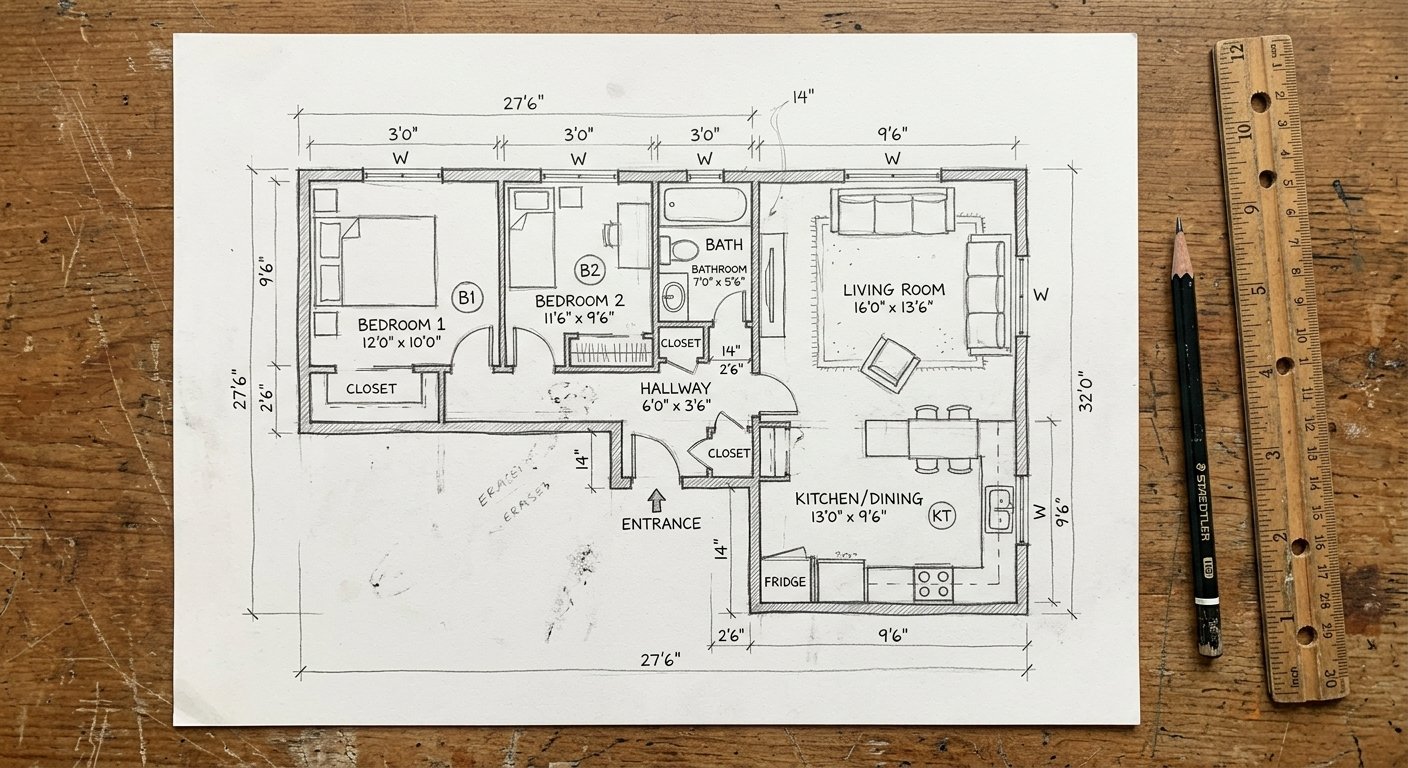
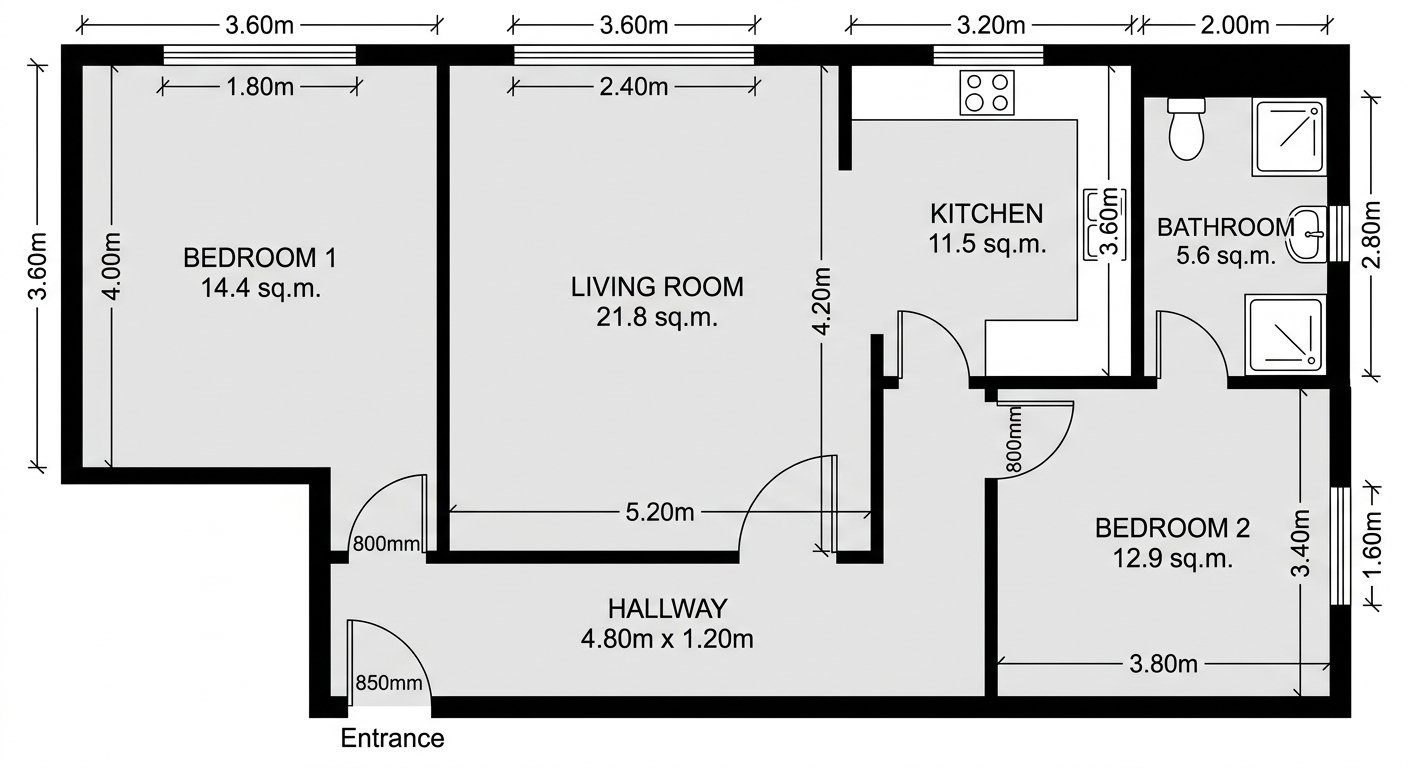
Many homes, offices and renovation projects only have a floor plan on paper: an old blueprint, a printed plan or a quick hand sketch. Redrawing it in drawing software takes time and skill, and a phone photo of the page looks messy when shared. Roomagen redraws a photo or scan of that paper plan, blueprint or sketch as a clean digital 2D floor plan for 2 credits, usually in under a minute. It does not work from room photos and does not measure rooms.
Features
Photograph a paper floor plan, blueprint or hand sketch and AI redraws it as a clean digital floor plan, usually in under a minute. Not for room photos.
How Does AI Create a Floor Plan From a Photo of Your Sketch?
Clean digital 2D floor plans redrawn from a photo or scan of your paper plan, blueprint or hand sketch
Which Floor Plans, Blueprints and Sketches Can You Upload?
Works with paper floor plans, blueprints and hand-drawn sketches — room photos and listing photos are not supported
Why Photograph a Paper Plan Instead of Redrawing It by Hand?
Quick layout starting point for property evaluation, furniture planning, and renovation discussions
How It Works
Get professional results in three simple steps
Drop your photos here
or browse files
Upload Your Photos
Drag and drop your photos or browse to upload them. Roomagen accepts JPEG, PNG and WebP files up to 50 MB each.
AI Processing
Our advanced AI analyzes your images and applies professional enhancements automatically. Choose from virtual staging, enhancement, object removal, or day-to-dusk conversion.
Download Results
Preview your transformed images and download high-resolution results ready for listings, marketing materials, social media, and more. No watermarks on premium plans.
Why Choose Roomagen
A Photo or Scan of Your Drawing, Redrawn as a Clean 2D Plan
Clean digital 2D floor plans redrawn from a photo or scan of your paper plan, blueprint or hand sketch
Paper Floor Plans, Blueprints and Hand-Drawn Sketches — Not Room Photos
Works with paper floor plans, blueprints and hand-drawn sketches — room photos and listing photos are not supported
No Manual Redrawing — A Digital Plan, Usually in Under a Minute
Quick layout starting point for property evaluation, furniture planning, and renovation discussions
Who Is It For?
Real Estate Agents
Turn an owner's old paper floor plan or a quick hand sketch into a clean digital plan you can add to the listing.
Contractors and Renovators
Turn quick on-site sketches into clean digital floor plans to share with clients and crews.
Homeowners Without Blueprints
Sketch your home by hand, photograph the sketch and get a clean digital floor plan for furniture planning and renovation discussions.
Laser measurement tools cost $50–$300 and require 30–90 minutes per property. Professional floor plan services charge $100–$300 with on-site visits. Roomagen redraws a photo or scan of your existing paper floor plan, blueprint or sketch as a clean digital plan for $0.23–$0.40 in under 90 seconds.
| Roomagen Photo-to-Plan | Laser Measurement | Professional Floor Plan Service | |
|---|---|---|---|
| Cost | $0.23–$0.40 | $50–$300 tool + time | $100–$300 per property |
| Accuracy | Follows your drawing | Precise dimensions | Precise — professional grade |
| Time | Under 90 seconds | 30–90 minutes per property | 1–3 days |
| Equipment needed | Photo or scan of your drawing | Laser measure tool | None — service visits |
| Best for | Digitizing paper plans, sketches | Renovation, precise planning | Listings, documentation |
Frequently Asked Questions
Everything you need to know about Roomagen
The digital plan follows the drawing you upload, so it is only as accurate as your paper floor plan, blueprint or sketch. The tool redraws what is on the page and does not measure rooms, so confirm key dimensions on site before renovation or building work.
Photograph the page from straight above in even light, with the whole drawing in frame and no strong shadows or glare. A flatbed scan also works. Dark, clear lines usually give a cleaner redraw than faint pencil marks.
No. The tool does not build floor plans from room photos or listing photos. It only redraws a floor plan that already exists on paper or as a sketch, so you need a photo or scan of that drawing.
One clear photo or scan of the whole drawing is enough. Make sure every wall and room you want redrawn is visible in that single image, since the tool redraws only what it can see on the page.
No, not in room photos: the tool does not look for doors or windows in pictures of real rooms. It only redraws what is already marked on your floor plan, blueprint or sketch, so mark doors and windows clearly before you take the photo.
Yes, if the whole apartment is drawn on one floor plan, blueprint or sketch. Photograph or scan that drawing and the tool redraws it as one digital plan. It cannot join photos of separate rooms into a plan.
As a starting point, yes. A clean digital copy of your paper plan or sketch is easier to share and discuss than a phone photo. The tool does not measure rooms, so verify critical measurements with a tape measure before work starts.
A laser measure gives exact dimensions of real rooms, while this tool does not measure anything: it redraws a floor plan, blueprint or sketch you already have. You can measure first, sketch the result, then turn that sketch into a clean digital plan here.
Accuracy comes mostly from your drawing. The tool redraws what is on the page and does not calculate dimensions, so draw the sketch roughly to scale and write known measurements clearly before you take the photo.
Each floor plan generation costs 2 credits ($0.23–$0.40). For that you get a clean digital 2D plan redrawn from a photo or scan of your paper floor plan, blueprint or sketch, usually in under a minute.
Part of
Sketch to Floor PlanMore From This Family
- Sketch to House Floor Plan
- Sketch to Apartment Floor Plan
- Sketch to Office Floor Plan
- Convert a Hand-Drawn Floor Plan to Digital
- Converting Old Plans to Digital Format
- Sketch to Floor Plan for Architects
- Sketch to Floor Plan for Real Estate
- Sketch to Floor Plan for Homeowners
- Sketch to Floor Plan for Interior Designers
- Floor Plan Digitization Cost
- Sketch to 3D Floor Plan
Explore Related Tools
Discover more AI-powered tools to enhance your visual content
Sketch to Floor Plan — Convert Hand-Drawn and Old Plans to Digital Format
Turn a photo of a rough hand sketch or old paper plan into a clean 2D floor plan with AI, usually in under a minute. 6 free credits when you sign up.
Learn moreFloor Plan AI — Turn a Sketch, Scan or Old Plan into a 2D or 3D Floor Plan
Turn a sketch, scan or old plan into a clean 2D floor plan or a 3D view. Keep or remove measurements and room names, and pick one of four drawing styles.
Learn moreConvert a Hand-Drawn Floor Plan to Digital — Pencil, Pen or Whiteboard
Convert any hand-drawn floor plan, from pencil sketches and graph paper to whiteboard layouts, into a clean digital floor plan with AI in under 90 seconds.
Learn moreConverting Old Plans to Digital Format — Large Blueprints Redrawn by AI
Convert old paper blueprints, including faded blue-line prints and yellowed or damaged plans, into clean digital floor plans with AI, usually in under a minute.
Learn moreFloor Plan to 3D — AI Dollhouse View Generator for Any 2D Plan
Convert a 2D floor plan into a furnished 3D dollhouse view with AI: an isometric image showing layout, furniture placement and flow, for listings and proposals.
Learn more