Floor Plan Render vs Lumion — AI Direct From 2D vs Lumion From 3D Model
Roomagen Floor Plan Render replaces Lumion for routine schematic and project milestone rendering at 90 seconds vs 2–6 hours after 3D model build, $0.29 vs $1,499/yr license — Lumion remains essential for real-time client walkthroughs and premium hand-tuned deliverables.
Lumion ($1,499/yr) is the leading real-time architectural rendering tool — load a 3D model from Revit, SketchUp, or 3ds Max, apply Lumion materials and lighting, render in 2–6 hours after the model is built. The model build itself takes 2–6 hours, total time per render typically 4–12 hours from concept to output. Lumion excels at real-time client walkthroughs (no render queue) and premium hand-tuned deliverables. For schematic phase, concept iteration, and routine project milestone visualization, the Revit-to-Lumion pipeline overhead is overkill. Roomagen renders directly from the 2D plan in 90 seconds — no 3D model build, no Lumion learning curve. Many firms use AI for routine 80% of rendering and reserve Lumion for premium 20% client-critical work plus real-time walkthroughs.
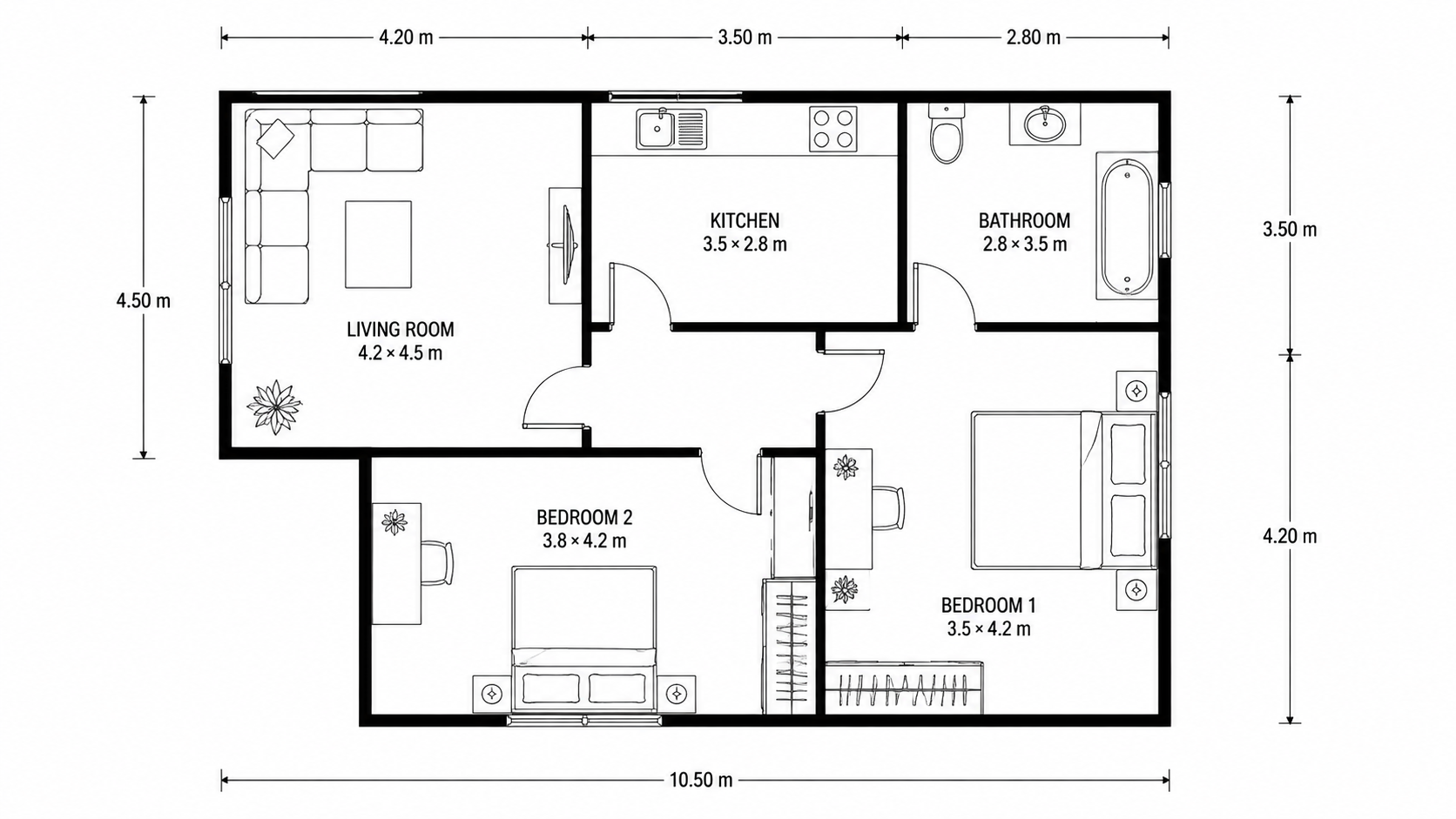
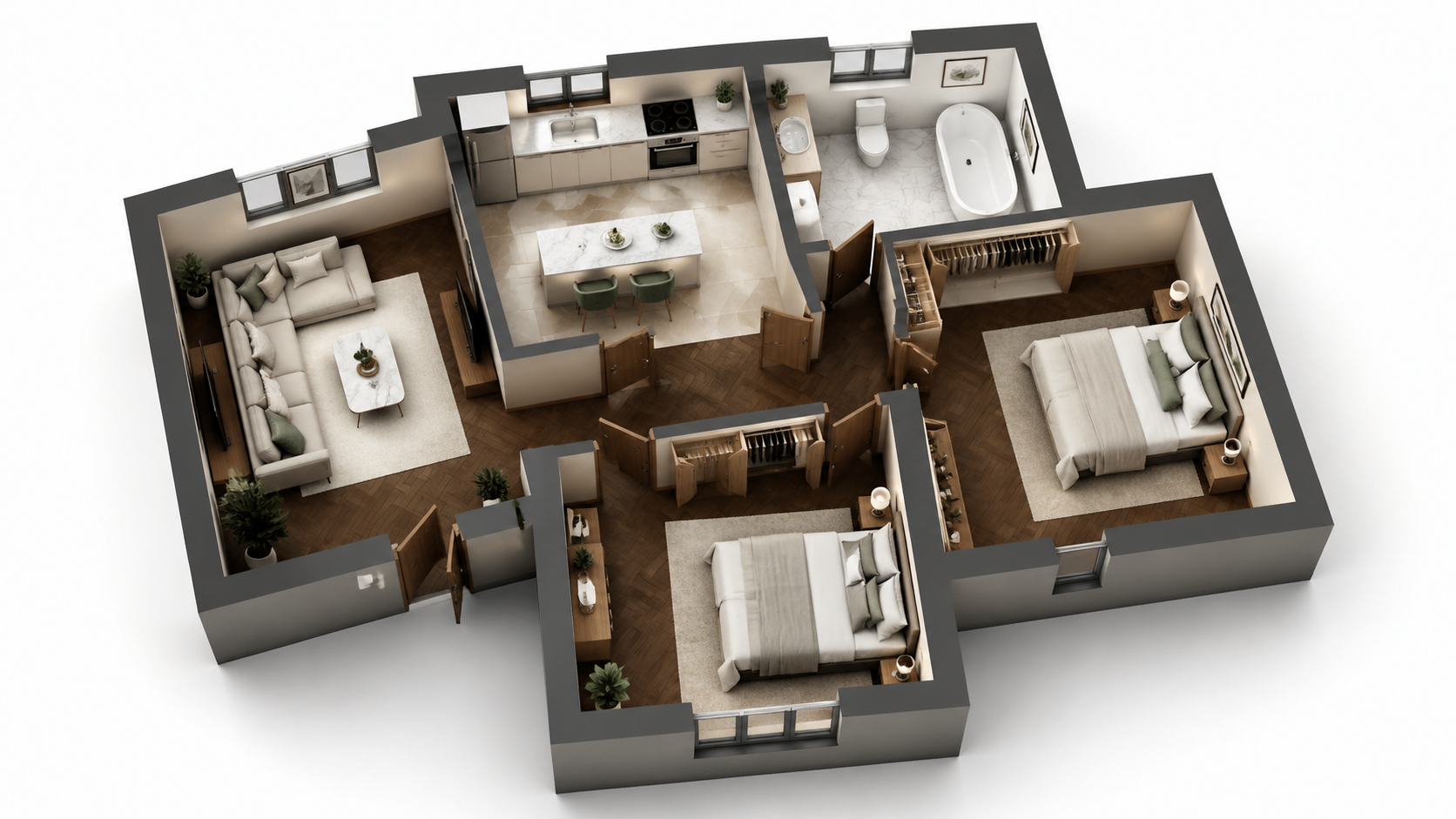
Demo example: the “Before” image was created with AI for this site; it is not a customer photo.
Features
Roomagen Floor Plan Render vs Lumion — head-to-head comparison. AI in 90 seconds direct from 2D plan vs Lumion requires 3D model first plus 2–6 hour render time, $1,499/yr license. AI wins for routine, Lumion wins for premium real-time presentations.
How Does Roomagen AI Compare to Lumion?
AI rendering in 90 seconds direct from 2D plan vs 4–12 hours total Lumion workflow (model build + render) — 80–500x speed difference
What Lumion Workflow Does AI Replace?
No Lumion install, no Revit-to-Lumion BIM pipeline, no $1,499/yr license — works in any browser at $0.23–$0.40 per render
When Does Lumion Still Win Versus AI Rendering?
Hybrid workflow option — AI for routine 80% of rendering, Lumion for premium 20% real-time walkthroughs and hand-tuned deliverables
How It Works
Get professional results in three simple steps
Drop your photos here
or browse files
Upload Your Photos
Drag and drop your photos or browse to upload them. Roomagen accepts JPEG, PNG and WebP files up to 50 MB each.
AI Processing
Our advanced AI analyzes your images and applies professional enhancements automatically. Choose from virtual staging, enhancement, object removal, or day-to-dusk conversion.
Download Results
Preview your transformed images and download high-resolution results ready for listings, marketing materials, social media, and more. No watermarks on premium plans.
Why Choose Roomagen
AI Rendering: 90 Seconds Direct From 2D Plan, $0.29
AI rendering in 90 seconds direct from 2D plan vs 4–12 hours total Lumion workflow (model build + render) — 80–500x speed difference
Lumion: 2–6 Hours After 3D Model + Render Time, $1,499/yr
No Lumion install, no Revit-to-Lumion BIM pipeline, no $1,499/yr license — works in any browser at $0.23–$0.40 per render
AI Wins for Schematic and Routine, Lumion Wins for Real-Time and Premium
Hybrid workflow option — AI for routine 80% of rendering, Lumion for premium 20% real-time walkthroughs and hand-tuned deliverables
Who Is It For?
Lumion Users Considering AI
Currently use Lumion for routine rendering. AI replaces routine work at fraction of time and cost. Reserve Lumion for real-time client walkthroughs and premium hand-tuned deliverables only.
Architecture Firm Principals (Software Strategy)
Reviewing $1,499/yr Lumion licenses across 4–10 designer seats — total annual spend $5,996–$14,990. AI rendering at $348–$948/yr replaces routine rendering. Reserve 1–2 Lumion seats for real-time walkthroughs.
BIM Coordinators Using Revit-to-Lumion
Coordinate Revit models for Lumion rendering. AI rendering replaces the Lumion step for schematic phase and routine milestones — coordination meetings happen with rendered context at zero render-queue time.
Lumion costs $1,499/yr per seat plus 2–6 hours per render after the 3D model is built (model build adds another 2–6 hours). Total time concept-to-output 4–12 hours per render. Roomagen renders directly from 2D plan in 90 seconds for $0.23–$0.40 — replaces Lumion for routine work, reserves Lumion for real-time walkthroughs and premium hand-tuned deliverables.
| Roomagen AI | Lumion | Hybrid Workflow | |
|---|---|---|---|
| License cost | $12–$79/month | $1,499/yr per seat | $29/mo + $1,499/yr |
| Time per render | 90 seconds (from 2D plan) | 4–12 hours (model + render) | 90 sec routine, 4–12 hr premium |
| Skill required | None | Lumion + Revit/SketchUp expertise | Lumion for premium only |
| Real-time walkthrough | No — static output | Yes — premium feature | Yes via Lumion |
| Best use case | Schematic, routine, milestones | Real-time walkthroughs, premium | Both — reserve Lumion for premium |
Frequently Asked Questions
Everything you need to know about Roomagen
For typical schematic phase, project milestone, and routine architectural visualization, yes — AI matches Lumion output for stakeholder communication. For premium hand-tuned deliverables and real-time client walkthroughs, Lumion exceeds AI. The 80/20 rule: AI matches Lumion for 80% of professional use cases.
Roomagen processes a render in 90 seconds direct from 2D plan. Lumion takes 2–6 hours per render after the 3D model is built (model build adds 2–6 hours), totaling 4–12 hours from concept to output. AI is 80–500x faster including model build time.
Yes — Lumion excels at real-time client walkthroughs (clients navigate the rendered space live during meetings) and premium hand-tuned deliverables with custom material assignments and lighting. AI rendering is static output, not interactive walkthroughs.
For most firms, partially. AI handles routine 80% of rendering (schematic, concept, routine milestones). Lumion handles premium 20% of work (real-time walkthroughs, premium client deliverables). Drop 50–75% of Lumion seats, keep 1–2 for premium work.
Continue using Revit for BIM coordination and technical drafting. Replace Revit-to-Lumion only for routine rendering — AI rendering accepts Revit plan PNG or JPEG exports directly. Reserve Revit-to-Lumion pipeline for premium client deliverables and real-time walkthroughs only.
Yes — AI rendering produces static images, not navigable 3D environments. For real-time client walkthroughs, Lumion or Enscape remain essential. Many firms use AI for routine static rendering and reserve Lumion or Enscape for real-time client meetings.
Yes — many architects use Roomagen for base rendering (90 seconds) for routine project milestones, then Lumion for premium client meetings and real-time walkthroughs. Hybrid workflow saves 60–80% of routine rendering time while maintaining premium client experience.
AI output is JPG/PNG, not 3D model — cannot be edited in Lumion as 3D scene. For premium hand-tuned deliverables in Lumion, build the 3D model in Revit/SketchUp and render in Lumion as before. AI is the alternative for routine plan rendering, not a Lumion-compatible asset.
Annual rendering of 100 plans: Lumion $1,499 + 200–600 hours labor (~$16K–$120K at firm rates) = $17,499–$121,499. Roomagen Pro: $348/yr for 100 plans. Total annual cost difference dramatic at any meaningful volume — typically 50–300x savings on routine plan rendering.
Lumion LiveSync with Revit/SketchUp is excellent for real-time design iteration during model development. AI rendering does not provide live sync — it renders the 2D plan image as a final visualization. Different use cases: LiveSync for live design iteration, AI for fast static visualization.
Part of
Floor Plan VisualizeMore From This Family
- Online Floor Plan Renderer
- How to Render a Floor Plan
- 3D Floor Plan Rendering Tool
- Visualize House Floor Plans
- Visualize Apartment Floor Plans
- Visualize Office Floor Plans
- Visualize Restaurant Floor Plans
- Visualize Hotel Floor Plans
- Visualize Retail Floor Plans
- Visualize Warehouse Floor Plans
- Visualize Clinic Floor Plans
- Visualize School Floor Plans
Explore Related Tools
Discover more AI-powered tools to enhance your visual content
Floor Plan Visualize — AI 3D Renders From 2D Plans in Under a Minute
Visualize 2D floor plans as 3D renders with AI. Photoreal, architectural sketch, stylized, and monochrome styles, furnished or unfurnished, output in under 90 seconds for $0.23–$0.40 per render — no 3ds Max, Lumion, or Twinmotion required.
Learn moreFloor Plan Render vs 3ds Max — AI in Under a Minute vs Hours of Modeling
Roomagen Floor Plan Render vs Autodesk 3ds Max — head-to-head comparison. AI in 90 seconds for $0.29 vs 5–10 hours of 3D modeling plus $2,150/yr 3ds Max + V-Ray license. Quality comparable for routine, 3ds Max wins for premium.
Learn moreFloor Plan Render vs Twinmotion — Static AI vs Real-Time 3D Walkthrough
Roomagen Floor Plan Render vs Twinmotion. AI static rendering in 90 seconds for $0.29 vs Twinmotion real-time 3D walkthrough requiring model + 2–4 hours, $249/yr license. Real-time matters for some cases; AI static wins for most.
Learn moreAI Floor Plan Render vs Manual — Hours of 3D Work vs Under a Minute
AI floor plan rendering vs manual 3D render service outsourcing. AI in 90 seconds for $0.29 vs render firms taking 3–7 days at $200–$800 per render. AI wins on speed, cost, and iteration; manual wins on brand customization.
Learn moreRevit Floor Plan Render — AI Rendering Without Lumion or Enscape
Revit floor plan rendering with AI. Export Revit plan view as a PNG or JPEG image, upload, get rendered visualization in 90 seconds — replaces Lumion or Enscape for schematic-phase rendering and saves $899–$1,499/yr per seat.
Learn more