Floor Plan Visualize for Architects — 3D Renders for Every Project Phase
Roomagen Floor Plan Visualize for architects covers schematic, concept, and presentation phase rendering in 90 seconds — frees Lumion and 3ds Max licenses for premium CD set work and reduces architect time on routine visualization by 80%+.
Architects spend significant time on rendering across project phases — schematic concept presentations, design development reviews, presentation milestones, competition entries, and CD set deliverables. Lumion ($1,499/yr) and 3ds Max ($1,800/yr) handle the premium hand-tuned work but require 3–8 hours per render after the model is built. Most early-phase work (schematic, concept) does not justify that time investment but still needs visualization. Roomagen renders schematic and concept phases in 90 seconds for $0.23–$0.40 — architects reserve Lumion or 3ds Max for client-critical CD set renders. The architect who renders concept phases in 90 seconds presents to clients faster, iterates more, and converts faster than competitors using Lumion for everything.
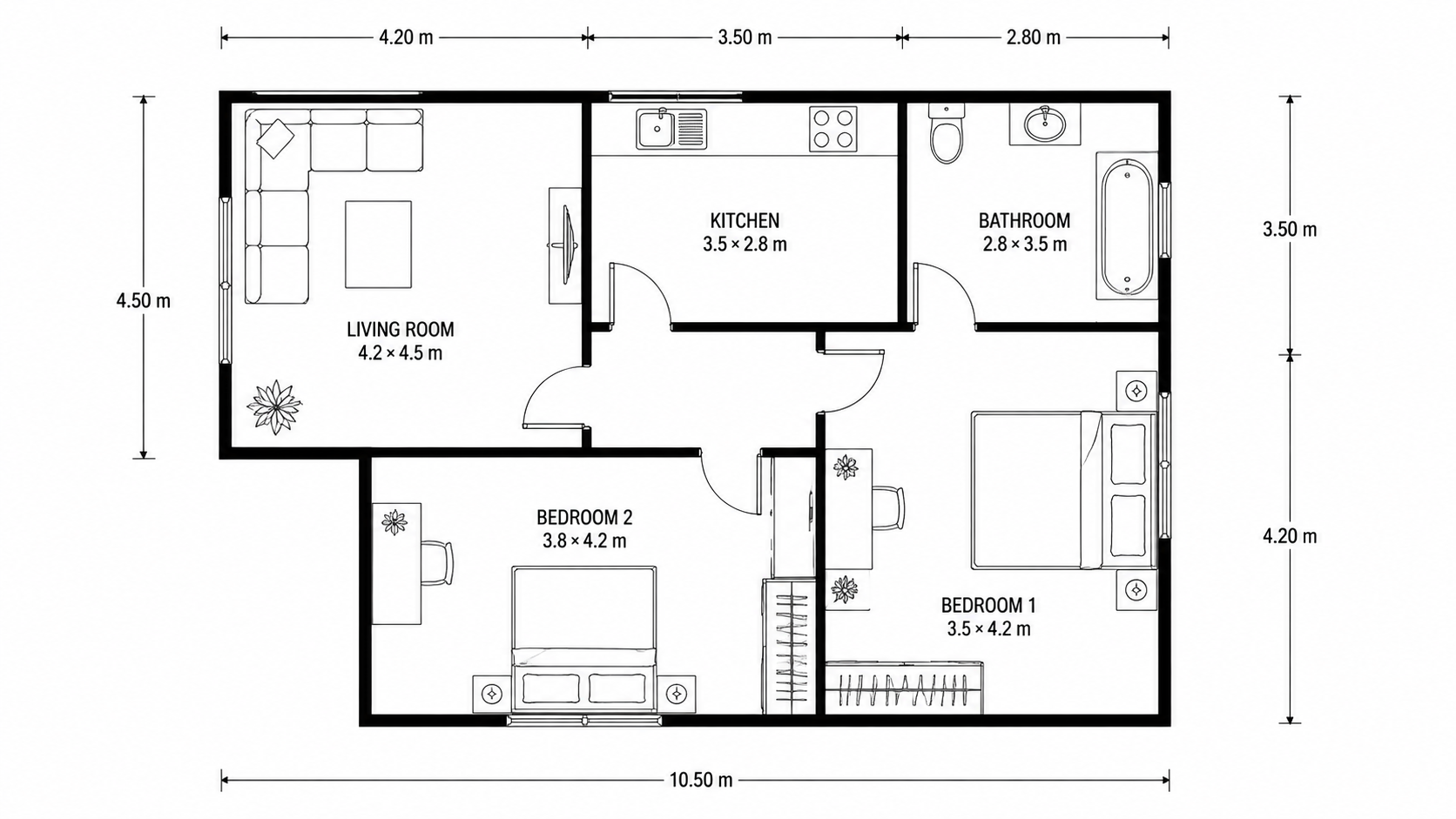
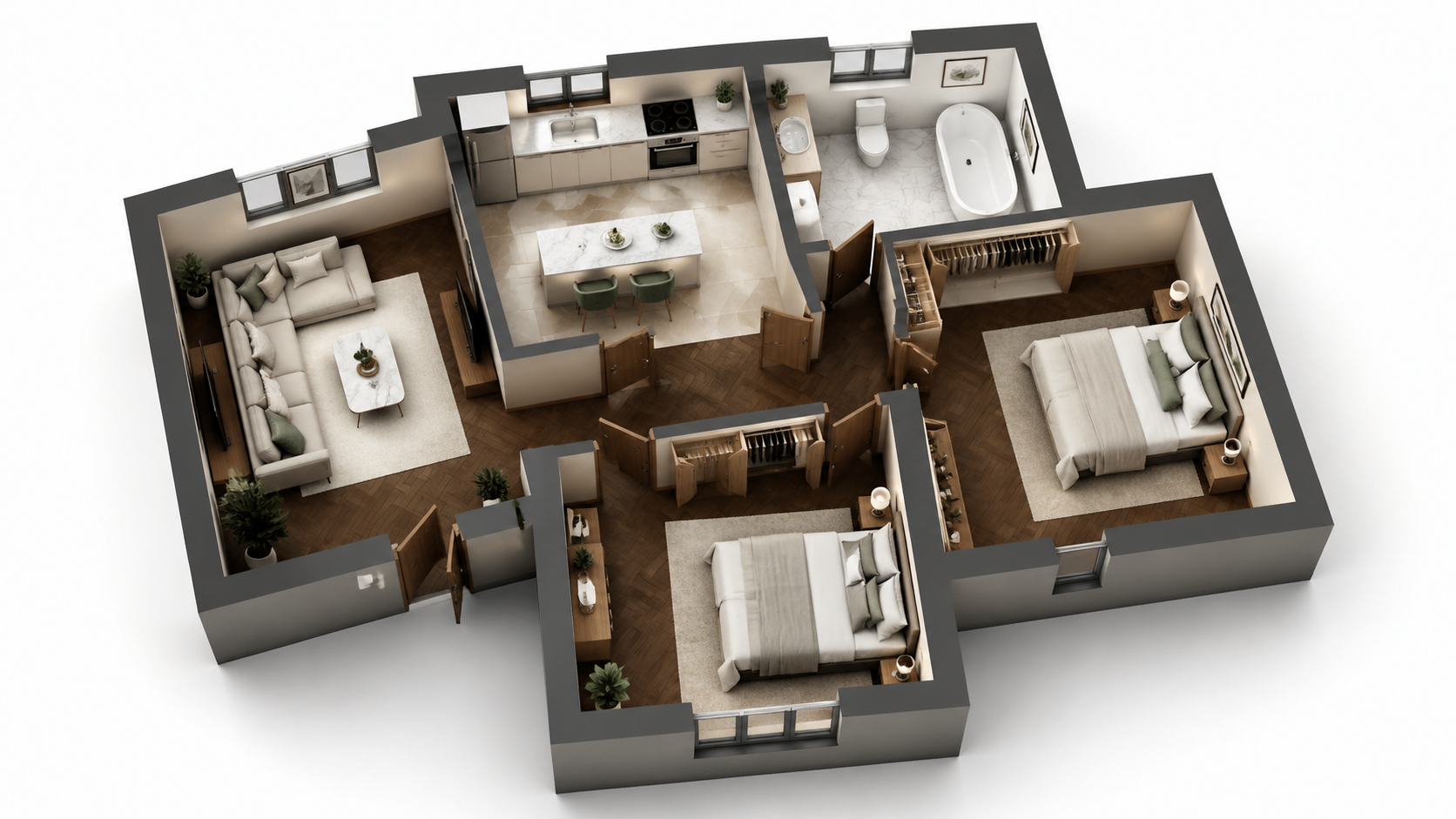
Demo example: the “Before” image was created with AI for this site; it is not a customer photo.
Features
Floor plan visualize built for architects. AI renders for schematic, concept, and presentation phases in 90 seconds — replaces 3–8 hours of Lumion or 3ds Max work for routine project visualization. $0.23–$0.40 per render.
How Do Architects Use AI Floor Plan Renders Across Project Phases?
Schematic and concept phase rendering in 90 seconds — frees Lumion and 3ds Max licenses for premium CD set work where they matter most
What Render Styles Suit Schematic, Concept, and Presentation Phases?
Architectural Sketch style ideal for schematic reviews where line-and-tone reads as appropriate for the project phase
Why Use AI Renders Instead of Lumion or 3ds Max for Concept Work?
Hybrid workflow with Revit and Lumion — AI for routine 80% of rendering, Lumion for premium 20% of CD set work, total time savings 60–80%
How It Works
Get professional results in three simple steps
Drop your photos here
or browse files
Upload Your Photos
Drag and drop your photos or browse to upload them. Roomagen accepts JPEG, PNG and WebP files up to 50 MB each.
AI Processing
Our advanced AI analyzes your images and applies professional enhancements automatically. Choose from virtual staging, enhancement, object removal, or day-to-dusk conversion.
Download Results
Preview your transformed images and download high-resolution results ready for listings, marketing materials, social media, and more. No watermarks on premium plans.
Why Choose Roomagen
Schematic Concept Renders in 90 Seconds vs Hours of Lumion
Schematic and concept phase rendering in 90 seconds — frees Lumion and 3ds Max licenses for premium CD set work where they matter most
Photoreal for Client Presentations, Sketch for Schematic Reviews
Architectural Sketch style ideal for schematic reviews where line-and-tone reads as appropriate for the project phase
Reserve Lumion / 3ds Max for CD Set Renders, Use AI for Everything Else
Hybrid workflow with Revit and Lumion — AI for routine 80% of rendering, Lumion for premium 20% of CD set work, total time savings 60–80%
Who Is It For?
Architecture Firm Principals
Free senior staff time from routine concept rendering — AI handles schematic and concept phase visualization, senior staff focus on design development and CD set work where their judgment matters most.
Schematic Design Architects
Render concept phase plans during initial client meetings without exporting to Lumion. 90-second rendering enables real-time iteration during client conversations — design intent communicated immediately.
Competition Entry Architects
Tight competition deadlines do not allow 3–8 hour Lumion renders for every iteration. AI rendering enables 10–20 iteration rounds per submission — find the strongest visual direction before final premium rendering.
Lumion ($1,499/yr) and 3ds Max ($1,800/yr) require 3–8 hours per render after the 3D model is built (which itself takes 2–6 hours). Roomagen renders directly from 2D plans in 90 seconds for $0.23–$0.40 — no model build, no render queue. Reserve professional tools for premium CD set work; use AI for schematic, concept, and presentation phases.
| Roomagen AI (Schematic/Concept) | Lumion / Twinmotion | 3ds Max + V-Ray | |
|---|---|---|---|
| Cost per render | $0.23–$0.40 | $249–$1,499/yr + 3–8 hr | $1,800/yr + 5–10 hr |
| Turnaround | Under 90 seconds | 3–8 hours after model | 5–10 hours after model |
| Architect time per render | < 2 min | 3–8 hours | 5–10 hours |
| Iteration rounds per project | 10–20 affordable | 1–3 per project realistic | 1–2 per project realistic |
| Best for | Schematic, concept, presentation | Design development, CD set | Premium CD set, competition |
Frequently Asked Questions
Everything you need to know about Roomagen
Use Roomagen for schematic and concept phase rendering — output 2D plan from Revit, render in Roomagen for client meetings. Reserve full Revit-to-Lumion pipeline for design development and CD set renders where the premium quality matters. Hybrid approach saves 60–80% of routine rendering time.
For schematic and concept phases, yes — the visualization quality is comparable for stakeholder communication purposes. For premium CD set work with brand-customized lighting and materials, Lumion exceeds AI. The 80/20 rule applies: AI handles the 80% routine work, Lumion handles the 20% premium.
Yes — and especially well. Competition timelines rarely allow Lumion render iteration cycles. AI rendering enables 10–20 iteration rounds per submission for $5–$10 total. Architects find the strongest visual direction with AI iteration, then commit Lumion time to the final submission render.
Yes. Render existing condition, schematic option A, schematic option B, design development version, CD set version — all in the same project. Use rendered comparisons in client presentations to show design evolution. Total cost across 5 renders: $1.15–$2.00.
Architectural Sketch for schematic and concept phases — clean line-and-tone reads as schematic visualization without overpromising photoreal finishes. Photoreal Marketing for design development and presentation milestones. Editorial Monochrome for premium portfolio prints and competition entries.
Yes. Export the 2D floor plan view from Revit, AutoCAD, or SketchUp as a PNG or JPEG image, then upload to Roomagen. The AI renders from the 2D plan view directly — no need to export 3D model formats or manage BIM-to-render pipeline.
Yes. Output is HD JPG/PNG suitable for firm websites, monograph books, project portfolios, and social media. Many firms use AI rendering for routine portfolio updates and reserve Lumion for marquee project documentation.
Schematic phase rendering in Lumion typically takes 4–8 hours per project (model build + render). AI rendering takes under 2 minutes including upload. For a firm with 12 active schematic-phase projects, that is 48–96 hours of senior staff time recovered weekly — roughly 1.5 senior staff equivalent.
Possibly. Many firms keep 1–2 Lumion seats for premium CD set renders and use AI for the rest. A firm with 6 Lumion seats ($8,994/yr) might drop to 2 seats ($2,998/yr) plus a Roomagen Business plan ($948/yr) — saving $5,228/yr while improving routine throughput.
Each render is 2 credits ($0.23–$0.40). A typical architecture firm with 20 active projects across phases spends $200–$500 monthly on AI rendering — replacing thousands of hours of Lumion staff time.
Part of
Floor Plan VisualizeMore From This Family
- Online Floor Plan Renderer
- How to Render a Floor Plan
- 3D Floor Plan Rendering Tool
- Visualize House Floor Plans
- Visualize Apartment Floor Plans
- Visualize Office Floor Plans
- Visualize Restaurant Floor Plans
- Visualize Hotel Floor Plans
- Visualize Retail Floor Plans
- Visualize Warehouse Floor Plans
- Visualize Clinic Floor Plans
- Visualize School Floor Plans
Explore Related Tools
Discover more AI-powered tools to enhance your visual content
Floor Plan Visualize — AI 3D Renders From 2D Plans in Under a Minute
Visualize 2D floor plans as 3D renders with AI. Photoreal, architectural sketch, stylized, and monochrome styles, furnished or unfurnished, output in under 90 seconds for $0.23–$0.40 per render — no 3ds Max, Lumion, or Twinmotion required.
Learn moreSchematic Design Floor Plan Render — RIBA Stage 2 / AIA SD Visualization
Schematic design floor plan rendering — AI visualization for RIBA Stage 2 / AIA SD phase in 90 seconds. Sketch-style aesthetic appropriate for schematic stakeholder reviews where photoreal would overpromise finishes.
Learn moreConcept Design Floor Plan Render — Pre-Schematic Visualization for Early Reviews
Concept design floor plan rendering — AI visualization for pre-schematic concept phase in 90 seconds. Sketch-style aesthetic appropriate for earliest-stage concept reviews before detailed schematic drawing begins.
Learn morePresentation Floor Plan Render — Client Milestone Visualizations
Presentation floor plan rendering — AI visualization for client presentation milestones in 90 seconds. Photoreal aesthetic appropriate for design development and CD set reviews where finishes are decided.
Learn moreRevit Floor Plan Render — AI Rendering Without Lumion or Enscape
Revit floor plan rendering with AI. Export Revit plan view as a PNG or JPEG image, upload, get rendered visualization in 90 seconds — replaces Lumion or Enscape for schematic-phase rendering and saves $899–$1,499/yr per seat.
Learn more