Floor Plan Colorize for Homeowners — Renovation, Family, and Resale
Roomagen Floor Plan Colorize for homeowners costs $0.23–$0.40 per plan and handles renovation conversations, furniture planning, family layout discussions, and FSBO resale — no Photoshop or designer fees needed for one-off home projects.
Homeowners encounter floor plans during renovations, furniture purchases, family planning conversations, and FSBO resale prep. Black-and-white plans from architects or builders fail to communicate design intent to family members or contractors. Hiring a designer for $40–$200 to color a home plan does not justify the cost for personal use. Photoshop subscriptions ($240/yr) are absurd for a single-family floor plan project. Roomagen colorizes any home plan for $0.29 per plan — homeowners can colorize their plan once and use it across renovations, family conversations, FSBO listings, and family records.
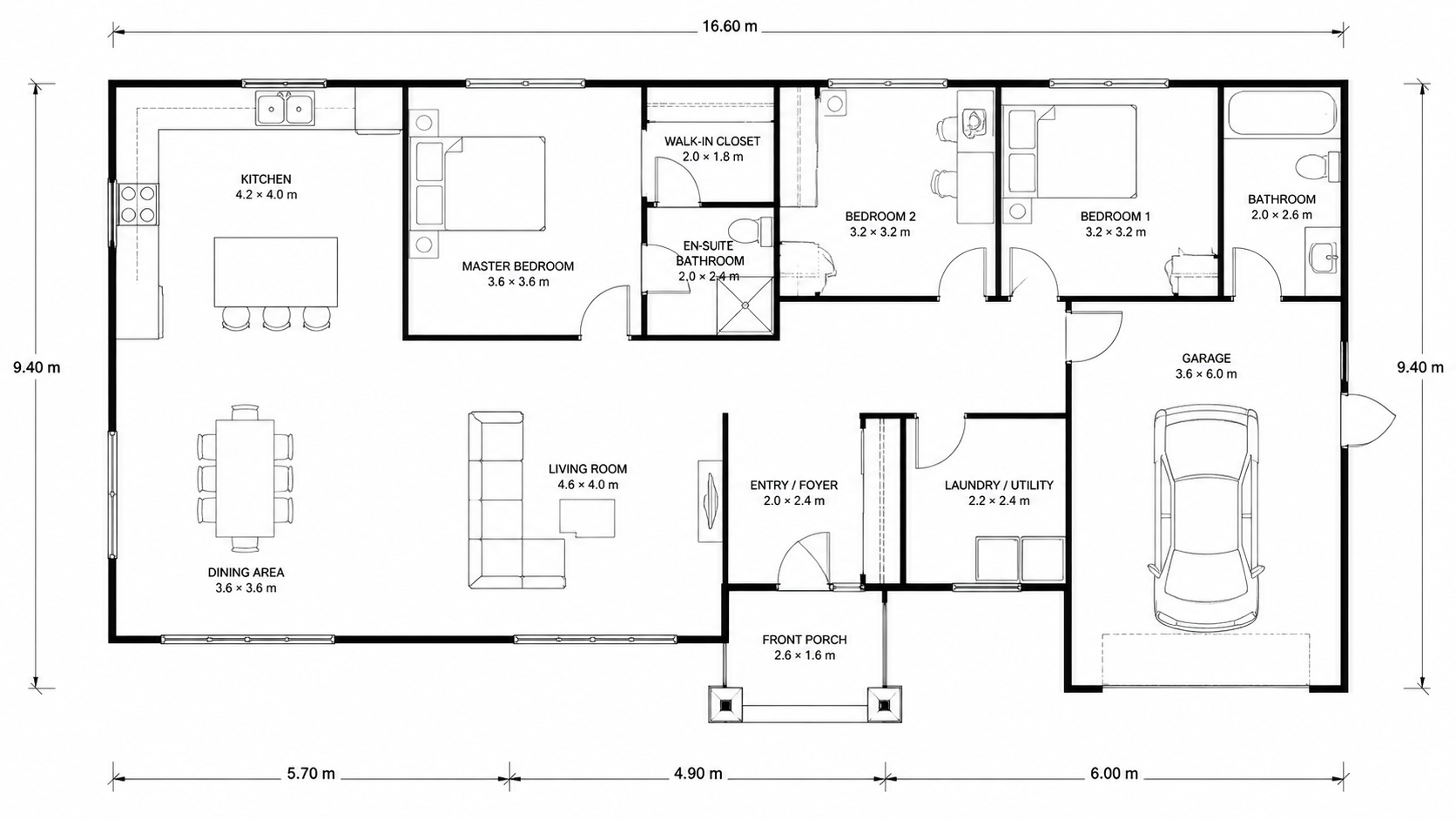
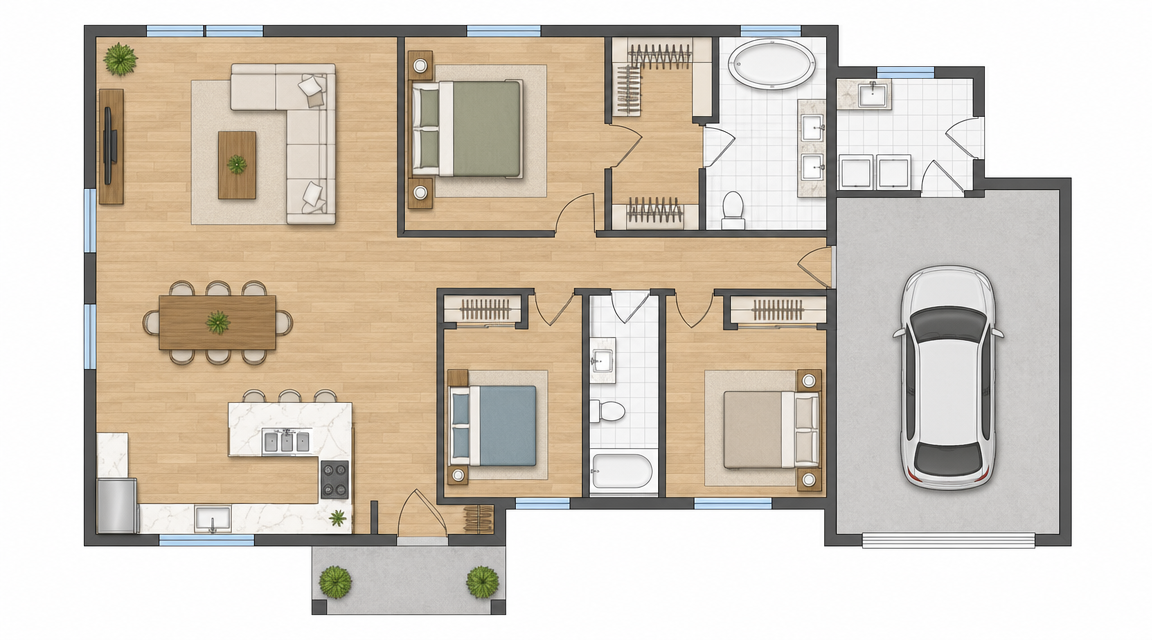
Demo example: the “Before” image was created with AI for this site; it is not a customer photo.
Features
Floor plan coloring for homeowners — renovation planning, furniture conversations, family documentation, and FSBO resale listings. $0.23–$0.40 per plan, no Photoshop or designer fees needed.
How Can Homeowners Use Floor Plan Coloring at Home?
Renovation conversations, furniture planning, FSBO resale, and family documentation — one tool, $0.29 per plan, no design skills needed
What Common Use Cases Justify the $0.29 Cost?
Side-by-side renovation comparisons (existing plan + proposed plan colorized separately) for clear scope discussions with contractors
Why Color Your Home's Floor Plan?
6 one-time free credits cover 3 plans — enough for many one-off homeowner projects (free results carry a watermark)
How It Works
Get professional results in three simple steps
Drop your photos here
or browse files
Upload Your Photos
Drag and drop your photos or browse to upload them. Roomagen accepts JPEG, PNG and WebP files up to 50 MB each.
AI Processing
Our advanced AI analyzes your images and applies professional enhancements automatically. Choose from virtual staging, enhancement, object removal, or day-to-dusk conversion.
Download Results
Preview your transformed images and download high-resolution results ready for listings, marketing materials, social media, and more. No watermarks on premium plans.
Why Choose Roomagen
Renovation Conversations With Contractors and Family
Renovation conversations, furniture planning, FSBO resale, and family documentation — one tool, $0.29 per plan, no design skills needed
Furniture Planning and Room Refresh Visualization
Side-by-side renovation comparisons (existing plan + proposed plan colorized separately) for clear scope discussions with contractors
FSBO Resale and Family Documentation
6 one-time free credits cover 3 plans — enough for many one-off homeowner projects (free results carry a watermark)
Who Is It For?
Homeowners Renovating
Show contractors, designers, and family members colored versions of the existing and proposed renovation plans. Discussions move faster when everyone visualizes the same layout.
Furniture Planners
Colorize the floor plan to plan furniture layout and room refreshes. Family members weigh in on the colored version more easily than on a line drawing.
FSBO Sellers
For-sale-by-owner sellers compete with agent-listed homes. Colored floor plans bring FSBO listings up to professional standard at $0.29 per plan instead of $40+ from a designer.
Hiring a designer to color a home floor plan costs $40–$200 — too expensive for personal use. Adobe Photoshop ($240/yr) is overkill for a single home plan. Roomagen costs $0.23–$0.40 per plan with free starter credits — economical for any homeowner.
| Roomagen for Homeowners | Hire a Designer | Photoshop Self-Service | |
|---|---|---|---|
| Cost per plan | $0.23–$0.40 (or 6 free credits) | $40–$200 | $240/yr Adobe license |
| Time to result | Under 2 minutes | 1–3 days back-and-forth | 45–90 min (with Photoshop skills) |
| Skill required | None | None — outsourced | Photoshop training |
| One-off project economics | 6 free credits cover 3 plans | Overkill cost for personal use | Subscription overkill |
| Family / contractor sharing | Standard JPG / PNG | Designer file format | Standard JPG / PNG |
Frequently Asked Questions
Everything you need to know about Roomagen
Renovation discussions with contractors, furniture planning with family, FSBO resale listings, and family documentation. A colored plan communicates layout faster than a black-and-white drawing in any conversation involving non-architects.
Roomagen offers 6 free starter credits — colorize 3 plans for free. After that, $0.29 per plan. Compared to $40–$200 from a designer or $240/yr for Photoshop, the math is obvious for any one-off home project.
Yes. Hand-drawn sketches work as input — first convert to a digital plan with Roomagen Sketch to Floor Plan, then colorize. End-to-end from napkin sketch to colored plan in under 4 minutes total.
Show contractors, designers, and family members colored versions of the existing layout and the proposed renovation. Side-by-side comparisons clarify scope and reveal design issues earlier in the project.
Yes. Colorize your room layout, then sketch furniture placements over the colored plan. Helps visualize whether a sofa or bed actually fits before buying. Reduces returns and decision regret.
For-sale-by-owner listings need to compete with agent-prepared listings. Colored floor plans signal that the seller invested in the listing presentation. Buyers spend more time on FSBO listings with colored plans than without.
None. Upload the plan, pick one of four palettes and the AI colors the plan; then download the result. To compare palettes, run it again with another one (2 credits each). Total time including learning the interface from zero is under 5 minutes.
Yes. The output is a standard JPEG image that you can email, text or share on any platform, and it looks the same on every device.
Yes. Many vacation rental owners colorize their property plans for guest communications and listing presentations. The investment pays off in differentiated bookings.
A single-floor home: $0.29. A two-story home with both floors colorized: $0.58. A renovation comparison (existing + proposed): $0.58. All within the free starter credits for first-time users.
Part of
Floor Plan ColorizeMore From This Family
- Online Floor Plan Colorizer
- How to Colorize a Floor Plan
- Free Floor Plan Coloring Tool
- Colorize House Floor Plans
- Colorize Apartment Floor Plans
- Colorize Office Floor Plans
- Colorize Restaurant Floor Plans
- Colorize Hotel Floor Plans
- Colorize Retail Floor Plans
- Colorize Clinic Floor Plans
- Colorize Warehouse Floor Plans
- Floor Plan Colorize for Real Estate Agents
Explore Related Tools
Discover more AI-powered tools to enhance your visual content
Floor Plan Colorize — AI Color for Black-and-White Plans in Under a Minute
Colorize black-and-white floor plans with AI. Four designer palettes, auto-detected rooms, output ready in under 90 seconds for real estate, architecture, and interior design — no Photoshop or design skills required.
Learn moreColorize House Floor Plans — AI Color for Residential Layouts
Colorize hand-drawn or digital house floor plans with AI. Multi-room residential layouts with bedrooms, kitchen, garage, and outdoor — color-coded, usually in under a minute, for MLS listings, architect presentations, or homeowner brochures.
Learn moreProfessional 2D & 3D Floor Plans — AI-Generated in Under a Minute
Turn a sketch, scan or old plan into a clean 2D floor plan or a 3D view. Keep or remove measurements and room names, and pick one of four drawing styles.
Learn moreFloor Plan to 3D — AI Dollhouse View Generator
Convert 2D floor plans into isometric 3D dollhouse views with AI. Upload any floor plan and get a furnished 3D visualization showing room layouts, furniture placement, and spatial relationships — perfect for listings, presentations, and design proposals.
Learn moreSketch to House Floor Plan — Hand-Drawn Home Layouts Digitized
Convert hand-drawn house floor plan sketches into clean digital plans with AI. Multi-room layouts with bedrooms, bathrooms, kitchen, garage, and outdoor areas — digitized from paper drawings, usually in under a minute.
Learn more