How to Colorize a Floor Plan — Step-by-Step Guide With AI
To colorize a floor plan with Roomagen, upload a black-and-white plan as an image, pick one of four designer palettes and download the result — usually under a minute per run.
Most floor plan colorizing tutorials online assume Photoshop knowledge — masking, layer modes, color fills, blend modes — and walk through 20–40 manual steps. Even after watching the tutorial, the actual coloring takes 45–90 minutes per plan. The Roomagen workflow has three steps: upload, pick palette, download. No tutorial needed because there is nothing to learn — the AI handles every coloring decision automatically. Total time including the first-time learning curve is under 2 minutes per plan at $0.23–$0.40.
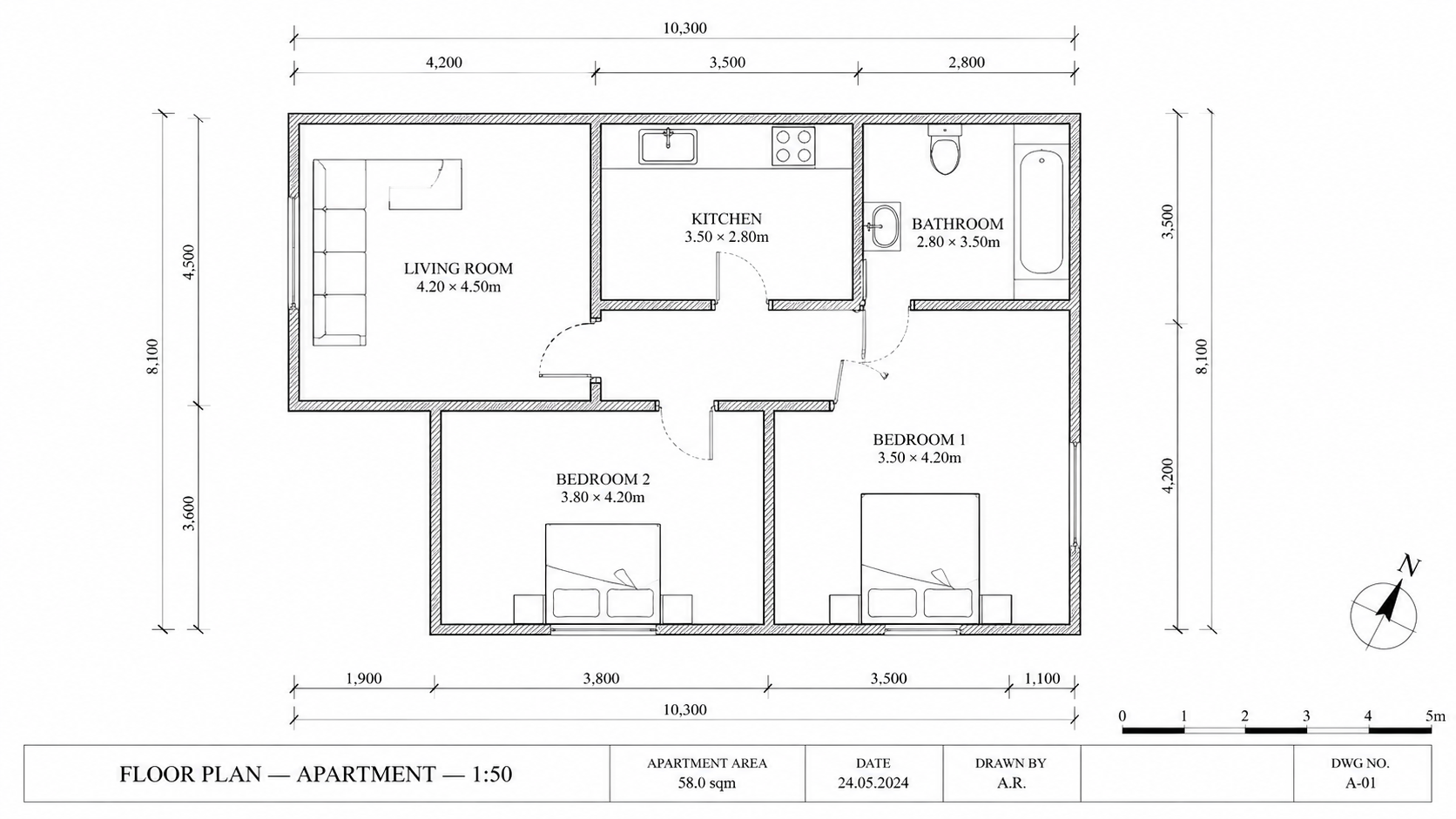
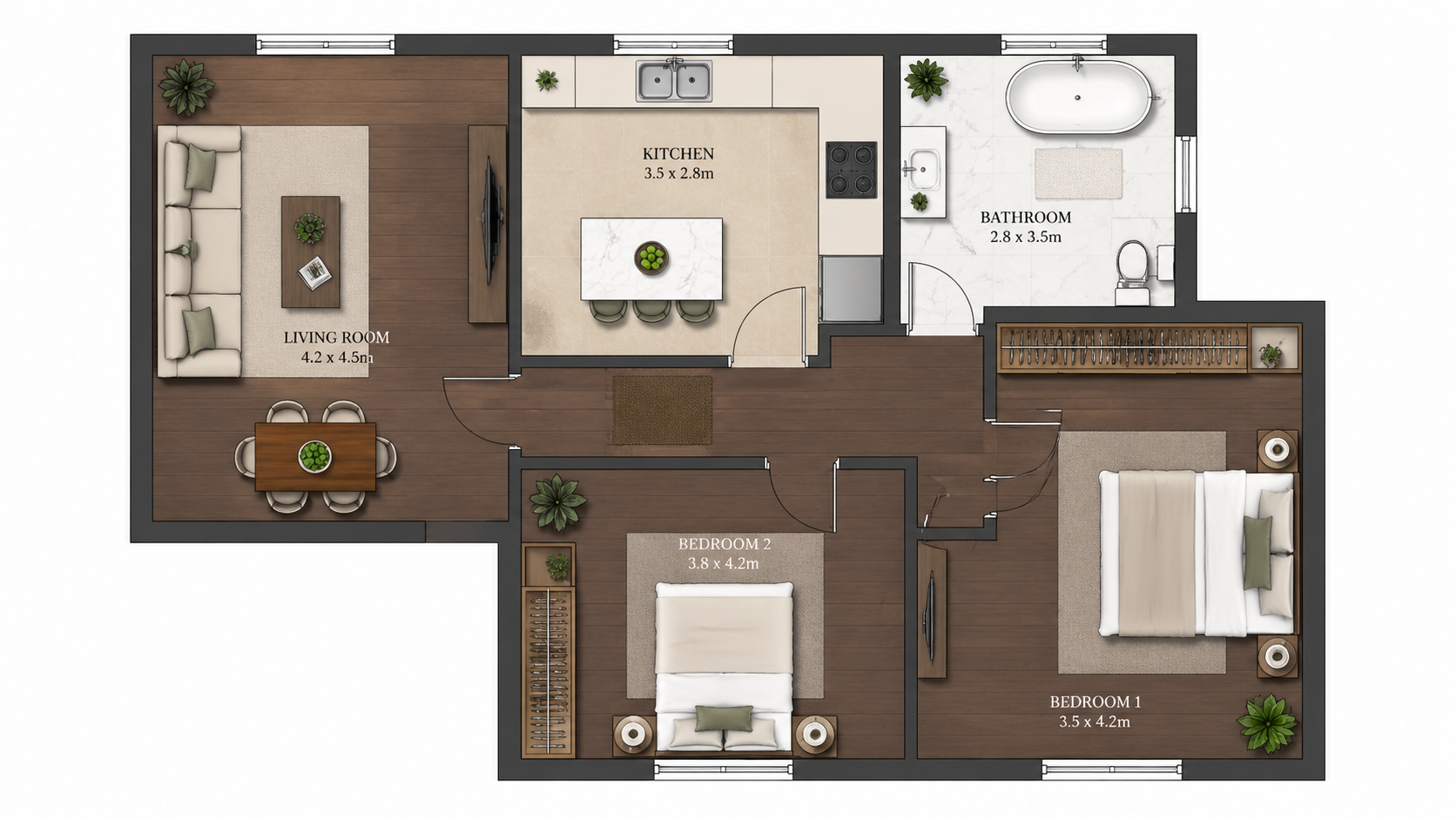
Demo example: the “Before” image was created with AI for this site; it is not a customer photo.
Features
Step-by-step guide to colorize any floor plan with AI in three steps. Upload, pick one of four palettes, download the colored plan — total time under 2 minutes including learning the workflow for the first time.
How Do You Colorize a Floor Plan in Three Steps?
Three-step workflow — upload plan, pick one of four palettes, download the colored plan — no Photoshop training or design background required
What Plan Types Can Be Colorized This Way?
First-time users complete a colorization in under 2 minutes including learning the interface from scratch
Why Is the AI Method Faster Than Photoshop?
AI handles room detection, color mapping, and palette application automatically — zero manual masking or selection work
How It Works
Get professional results in three simple steps
Drop your photos here
or browse files
Upload Your Photos
Drag and drop your photos or browse to upload them. Roomagen accepts JPEG, PNG and WebP files up to 50 MB each.
AI Processing
Our advanced AI analyzes your images and applies professional enhancements automatically. Choose from virtual staging, enhancement, object removal, or day-to-dusk conversion.
Download Results
Preview your transformed images and download high-resolution results ready for listings, marketing materials, social media, and more. No watermarks on premium plans.
Why Choose Roomagen
Step 1 — Upload the Black-and-White Plan
Three-step workflow — upload plan, pick one of four palettes, download the colored plan — no Photoshop training or design background required
Step 2 — Select a Designer Palette
First-time users complete a colorization in under 2 minutes including learning the interface from scratch
Step 3 — Download the Colored Plan
AI handles room detection, color mapping, and palette application automatically — zero manual masking or selection work
Who Is It For?
First-Time Users
Searching "how to colorize a floor plan" and overwhelmed by Photoshop tutorials — Roomagen reduces the workflow to upload, select, download with no design knowledge required.
Workflow Trainers
Teaching team members floor plan coloring without expensive Photoshop training — Roomagen onboards new users in 5 minutes with no software learning.
Tutorial Followers
Want a clear step-by-step process for repeatable results — Roomagen has exactly three steps with consistent quality across every plan.
Photoshop tutorials require learning masking, layer blending, and color theory — typically 4–10 hours of training before producing acceptable results. Per-plan coloring still takes 45–90 minutes after training. Roomagen requires zero training; first colorization takes under 2 minutes for $0.23–$0.40.
| Roomagen AI | Photoshop Tutorial | Designer Outsource | |
|---|---|---|---|
| Steps required | 3 (upload, palette, download) | 20–40 manual steps | Brief + wait + review |
| Time first plan | 2 minutes including learning | 4–10 hours training + 45–90 min | 1–3 days turnaround |
| Time subsequent plans | Under 2 minutes | 45–90 minutes manual | 1–3 days each |
| Skill required | None | Photoshop expertise | None — outsourced |
| Cost per plan | $0.23–$0.40 | $240/yr + design time | $40–$200 designer fee |
Frequently Asked Questions
Everything you need to know about Roomagen
Sign in to Roomagen, open Floor Plan → Colored and upload the black-and-white plan as a JPEG, PNG or WebP image of up to 50 MB — a photo, scan or image export. Convert PDF and HEIC files to JPEG or PNG first.
Pick one of four: Real Estate Pastel (the default), Studio Watercolor, Asian Compact or Nordic Mono. Each run produces one palette, so choose by audience — Real Estate Pastel is the usual choice for listings — and run another for 2 credits if you want to compare.
No. The AI detects rooms, walls, and labels automatically. No pre-processing, masking, or annotation needed. Just upload the plan as-is.
Upload takes a few seconds and AI processing usually under a minute; you can download the result as soon as it is ready. From start to one colored plan on your computer usually takes under 2 minutes. Each extra palette is another run of 2 credits.
Convert the sketch first using Roomagen Sketch to Floor Plan, then colorize the digital output. End-to-end from napkin sketch to colored plan in under 4 minutes total.
Run the plan again — with the same palette or another one — for 2 credits; each run produces one palette. The AI assigns colors from what it reads on the plan, so a room can occasionally get an unexpected color; keep the version that works best.
Yes. Each colorization is 2 credits ($0.23–$0.40). Re-upload the same plan with different palette preference for additional variations.
Download the colored image and email it or share it through your client portal. The output is a JPEG file, which every email client and CRM accepts.
The workflow is genuinely three steps — upload, select, download. A video would be 30 seconds. Read this FAQ section and you have everything needed.
First colorization is included with free starter credits. After that, each colorization costs 2 credits ($0.23–$0.40). The Starter plan ($12/month, 60 credits) supports 30 colorizations.
Part of
Floor Plan ColorizeMore From This Family
- Online Floor Plan Colorizer
- Free Floor Plan Coloring Tool
- Colorize House Floor Plans
- Colorize Apartment Floor Plans
- Colorize Office Floor Plans
- Colorize Restaurant Floor Plans
- Colorize Hotel Floor Plans
- Colorize Retail Floor Plans
- Colorize Clinic Floor Plans
- Colorize Warehouse Floor Plans
- Floor Plan Colorize for Real Estate Agents
- Floor Plan Colorize for Architects
Explore Related Tools
Discover more AI-powered tools to enhance your visual content
Floor Plan Colorize — AI Color for Black-and-White Plans in Under a Minute
Colorize black-and-white floor plans with AI. Four designer palettes, auto-detected rooms, output ready in under 90 seconds for real estate, architecture, and interior design — no Photoshop or design skills required.
Learn moreOnline Floor Plan Colorizer — Browser-Based AI, No Install Required
Colorize floor plans online in your browser with AI. No install, no Photoshop, no Adobe subscription — upload a black-and-white plan, get a colored plan in one of four palettes in under 90 seconds on any device.
Learn moreFree Floor Plan Coloring Tool — Try AI Colorize With Starter Credits
Colorize floor plans with AI using 6 free credits — enough for 3 plans, each in one of four palettes. Afterwards $0.23–$0.40 per plan on monthly plans, no hidden fees. Free results carry a watermark.
Learn moreProfessional 2D & 3D Floor Plans — AI-Generated in Under a Minute
Turn a sketch, scan or old plan into a clean 2D floor plan or a 3D view. Keep or remove measurements and room names, and pick one of four drawing styles.
Learn moreFloor Plan Visualize — AI 3D Renders From 2D Plans in Under a Minute
Visualize 2D floor plans as 3D renders with AI. Photoreal, architectural sketch, stylized, and monochrome styles, furnished or unfurnished, output in under 90 seconds for $0.23–$0.40 per render — no 3ds Max, Lumion, or Twinmotion required.
Learn more