Floor Plan Colorize for Architects — Schematic and CD Set Color
Roomagen Floor Plan Colorize for architects supports schematic design, concept review, CD set and marketing portfolio coloring — it colors CAD and BIM plan exports saved as JPEG or PNG images in one of four palettes, saving renderer or designer hours.
Architects produce floor plans in every project phase — schematic design, design development, construction documents, marketing portfolios. Coloring these plans for client presentations or marketing typically requires renderer hours ($75–$150/hr) or specialty plug-ins. Even principal architects color manually for early-phase reviews because rendering is too costly. Roomagen colorizes architectural plans in under 90 seconds for $0.23–$0.40 with palettes appropriate for each project phase. Schematic reviews accelerate; marketing portfolio updates become economical for every project.
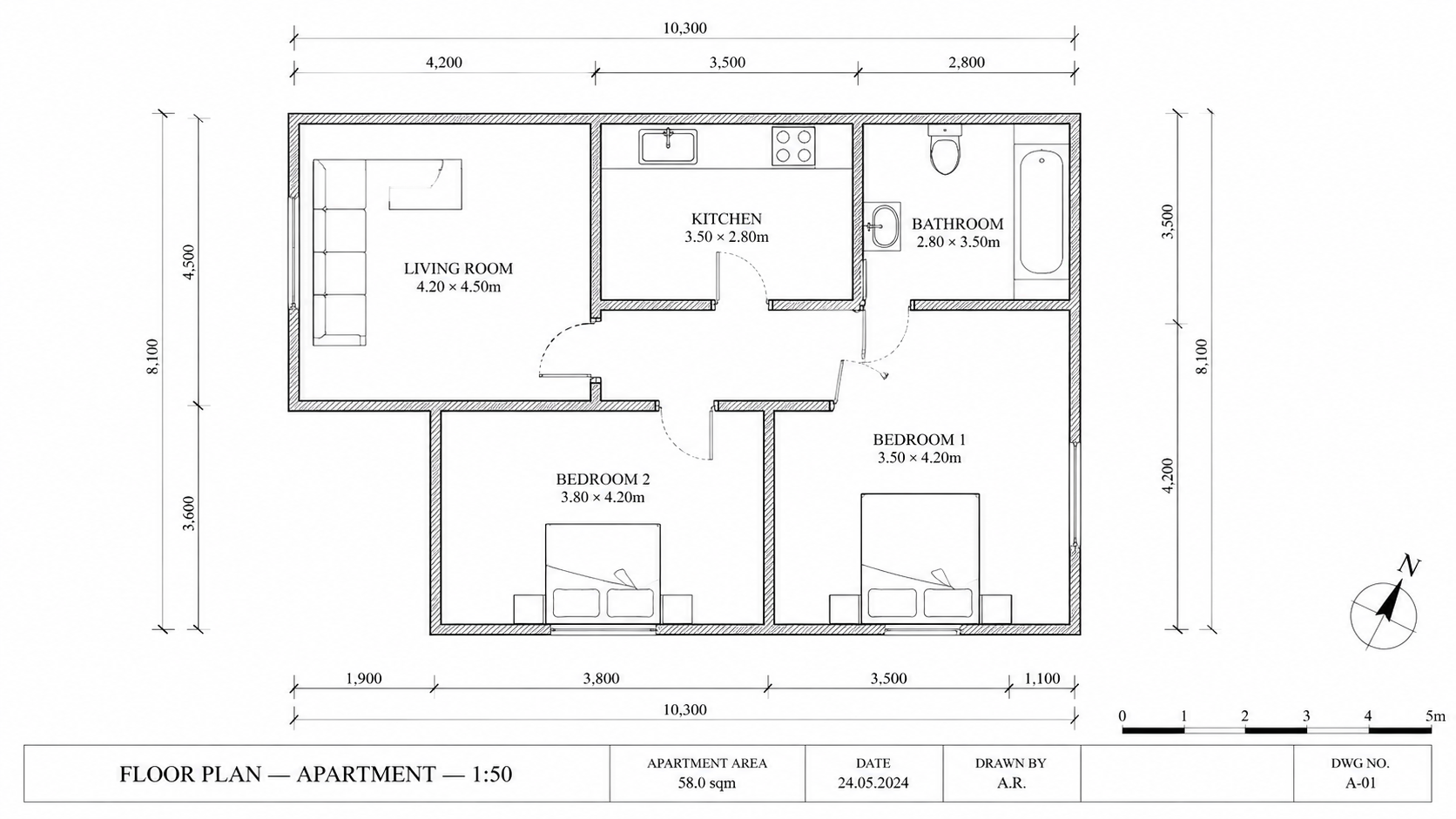
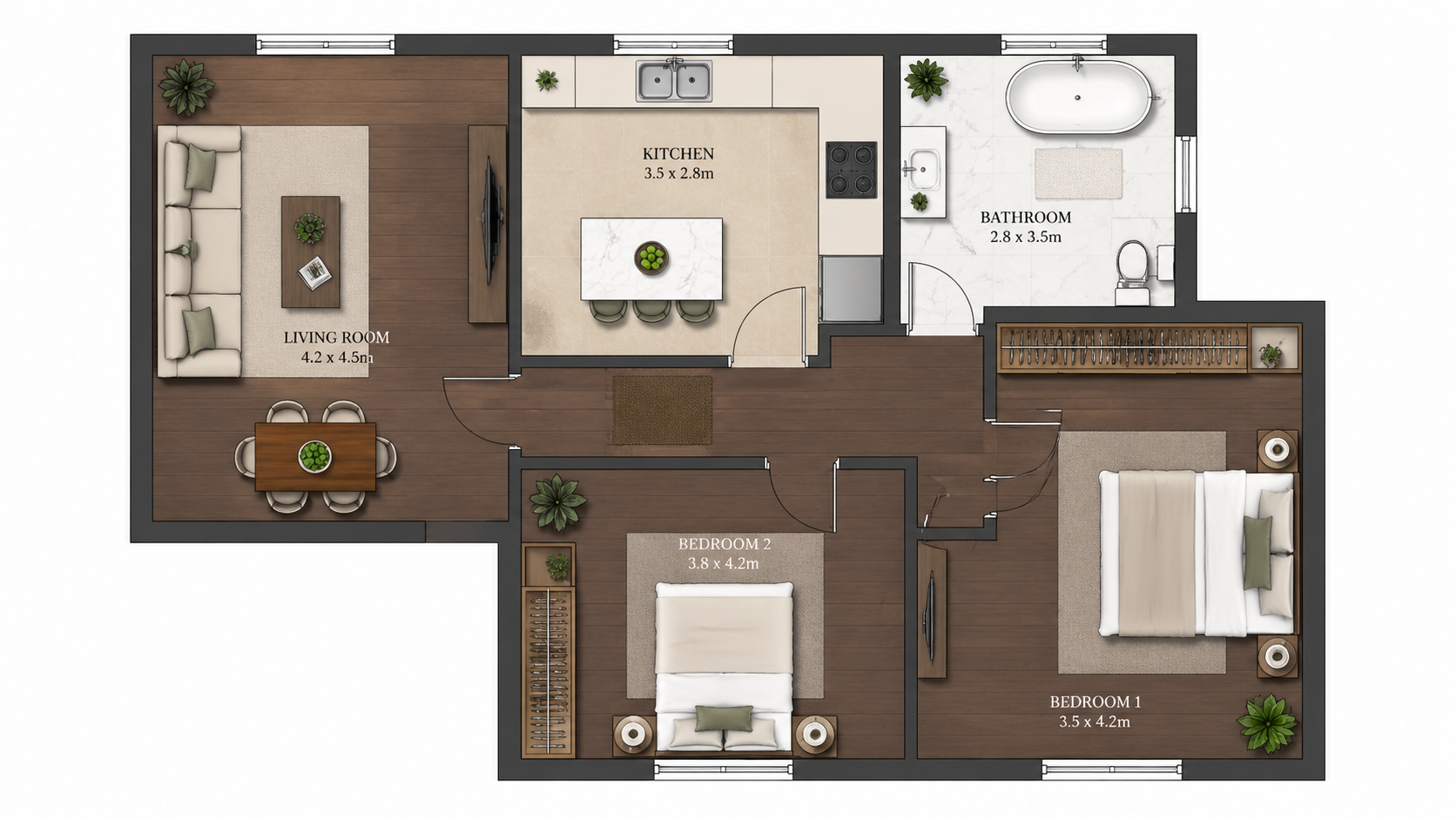
Demo example: the “Before” image was created with AI for this site; it is not a customer photo.
Features
Floor plan coloring for architects — schematic design, concept review, CD set and marketing portfolio coloring. Works with CAD and BIM plan exports saved as JPEG or PNG images. AI palettes save renderer hours.
How Does AI Coloring Fit Architectural Workflow Phases?
Schematic, CD set, and marketing portfolio plans colorized in under 90 seconds — saves renderer or designer hours per project
What CAD and Drawing Formats Work as Input?
Accepts CAD and BIM plan exports saved as JPEG or PNG (AutoCAD, Revit, ArchiCAD, SketchUp Pro) — fits existing architectural tooling
Why Use AI Coloring Over Manual Rendering for Schematic Phases?
Multi-specialty support — residential, commercial, healthcare, hospitality, institutional, industrial — one tool across all firm project types
How It Works
Get professional results in three simple steps
Drop your photos here
or browse files
Upload Your Photos
Drag and drop your photos or browse to upload them. Roomagen accepts JPEG, PNG and WebP files up to 50 MB each.
AI Processing
Our advanced AI analyzes your images and applies professional enhancements automatically. Choose from virtual staging, enhancement, object removal, or day-to-dusk conversion.
Download Results
Preview your transformed images and download high-resolution results ready for listings, marketing materials, social media, and more. No watermarks on premium plans.
Why Choose Roomagen
Schematic Design and Concept Review-Ready Color
Schematic, CD set, and marketing portfolio plans colorized in under 90 seconds — saves renderer or designer hours per project
CD Set Coloring for Permit Drawings and Owner Reviews
Accepts CAD and BIM plan exports saved as JPEG or PNG (AutoCAD, Revit, ArchiCAD, SketchUp Pro) — fits existing architectural tooling
Marketing Portfolios Without Renderer or Designer Hours
Multi-specialty support — residential, commercial, healthcare, hospitality, institutional, industrial — one tool across all firm project types
Who Is It For?
Schematic Design Architects
Colorize early-phase plans for client concept reviews — show four palette options to communicate design direction before committing to detailed renderings.
Construction Document Architects
Add color to CD set drawings for owner approval meetings and contractor coordination. Color reveals layout intent more clearly than line drawings during reviews.
Architectural Marketing Coordinators
Update firm portfolio with colored floor plans for every recent project. Per-project marketing budget includes colorization without designer fees or rendering hours.
Architectural rendering for schematic-phase coloring costs $75–$150/hour with 4–8 hours per plan. CAD plug-ins for coloring run $200–$500/yr plus learning curve. Roomagen colorizes plans for $0.23–$0.40 in 90 seconds — preserves architect time for design work, not rendering.
| Roomagen for Architects | Architectural Rendering | CAD Coloring Plug-ins | |
|---|---|---|---|
| Cost per plan | $0.23–$0.40 | $300–$1,200 rendering hours | $200–$500/yr + manual time |
| Turnaround | Under 90 seconds | 4–8 hours skilled work | 30–60 min per plan |
| Input formats | CAD/BIM export as JPEG or PNG | 3D model required | Native CAD only |
| Schematic phase fit | Ideal — multiple palette options | Overkill for early phase | CAD-bound |
| Multi-specialty | Residential, commercial, all | Specialist per type | CAD-tool dependent |
Frequently Asked Questions
Everything you need to know about Roomagen
Yes, as images. Export plan views from AutoCAD, Revit, ArchiCAD or SketchUp Pro as JPEG or PNG — PDF files are not accepted. The AI works from the image, not the underlying vector data, and redraws the linework as it colors it, so check dimensions and labels in the result.
No. The AI preserves all original drawing elements — wall lines, dimensions, annotations, callouts, room numbers. Color is added as a layer over the existing CAD output.
Permit submissions typically require the original CAD drawings. Use Roomagen colored versions for owner reviews, client presentations, and design coordination meetings — not as the primary permit deliverable.
Rendering tools (Lumion, Enscape, V-Ray) produce photorealistic 3D outputs requiring 4–8 hours and skilled operators. Roomagen produces colored 2D floor plans in 90 seconds — different deliverable for a different communication need.
Minimalist Nordic palette aligns with most architectural firm aesthetics. Watercolor palette suits hand-rendered traditions. Real Estate Pastel works for residential firm portfolios. Compare them on one of your own plans with the Free plan's 6 one-time credits.
Yes — residential, commercial, healthcare, hospitality, institutional, industrial. The AI adapts coloring logic to each property type. A multi-specialty firm uses one tool across all project types.
Yes. The output is a high-resolution JPG or PNG that places into InDesign at portfolio quality. Many firms use Roomagen colored plans as the primary plan visualization in their marketing materials.
Show clients four palette options during schematic design conversations. Decisions on color direction happen in the same meeting instead of a follow-up. Compresses concept review timeline significantly.
Not inside Roomagen: there are no team seats or shared libraries, and an account has a single login. Each team member can download results as JPEG files and share them through your usual project tools.
Pro plan ($29/month, 200 credits = 100 plans) suits firms producing 30–60 colored plans monthly. Business plan ($79/month, 700 credits = 350 plans) suits larger firms. Per-plan cost stays at $0.23–$0.40 regardless of plan tier.
Part of
Floor Plan ColorizeMore From This Family
- Online Floor Plan Colorizer
- How to Colorize a Floor Plan
- Free Floor Plan Coloring Tool
- Colorize House Floor Plans
- Colorize Apartment Floor Plans
- Colorize Office Floor Plans
- Colorize Restaurant Floor Plans
- Colorize Hotel Floor Plans
- Colorize Retail Floor Plans
- Colorize Clinic Floor Plans
- Colorize Warehouse Floor Plans
- Floor Plan Colorize for Real Estate Agents
Explore Related Tools
Discover more AI-powered tools to enhance your visual content
Floor Plan Colorize — AI Color for Black-and-White Plans in Under a Minute
Colorize black-and-white floor plans with AI. Four designer palettes, auto-detected rooms, output ready in under 90 seconds for real estate, architecture, and interior design — no Photoshop or design skills required.
Learn moreArchitectural Floor Plan Coloring — AI for CAD and BIM Workflows
AI architectural floor plan coloring for schematic design, design development, and CD set phases. Compatible with AutoCAD, Revit, ArchiCAD, and SketchUp Pro exports — owner reviews in 90 seconds for $0.29.
Learn moreCAD Floor Plan Colorize — AI Coloring for AutoCAD Plot Outputs
AI coloring for CAD plot outputs from AutoCAD and equivalent tools, exported as JPEG or PNG. Adds color in under 90 seconds without CAD plug-ins or hatching — check dimensions and annotations in the result.
Learn moreProfessional 2D & 3D Floor Plans — AI-Generated in Under a Minute
Turn a sketch, scan or old plan into a clean 2D floor plan or a 3D view. Keep or remove measurements and room names, and pick one of four drawing styles.
Learn moreFloor Plan to 3D — AI Dollhouse View Generator
Convert 2D floor plans into isometric 3D dollhouse views with AI. Upload any floor plan and get a furnished 3D visualization showing room layouts, furniture placement, and spatial relationships — perfect for listings, presentations, and design proposals.
Learn more