Online Floor Plan Colorizer — Browser-Based AI, No Install Required
Roomagen Online Floor Plan Colorizer runs entirely in the browser — upload a floor plan, AI colors it in one of four palettes in under 90 seconds, no software install or Adobe Creative Cloud subscription required.
Floor plan coloring traditionally requires Adobe Photoshop ($240/yr), AutoCAD ($1,865/yr), or specialty CAD plug-ins — none of which most agents, brokers, or homeowners own. Even Photoshop power users spend 45–90 minutes per plan. Roomagen runs in any modern browser on any device — Mac, Windows, iPad, Android — with no install. Upload a photographed floor plan, receive a colored plan in one of four palettes in under 90 seconds for $0.23–$0.40 per colorization. Same result, zero software cost, zero learning curve.
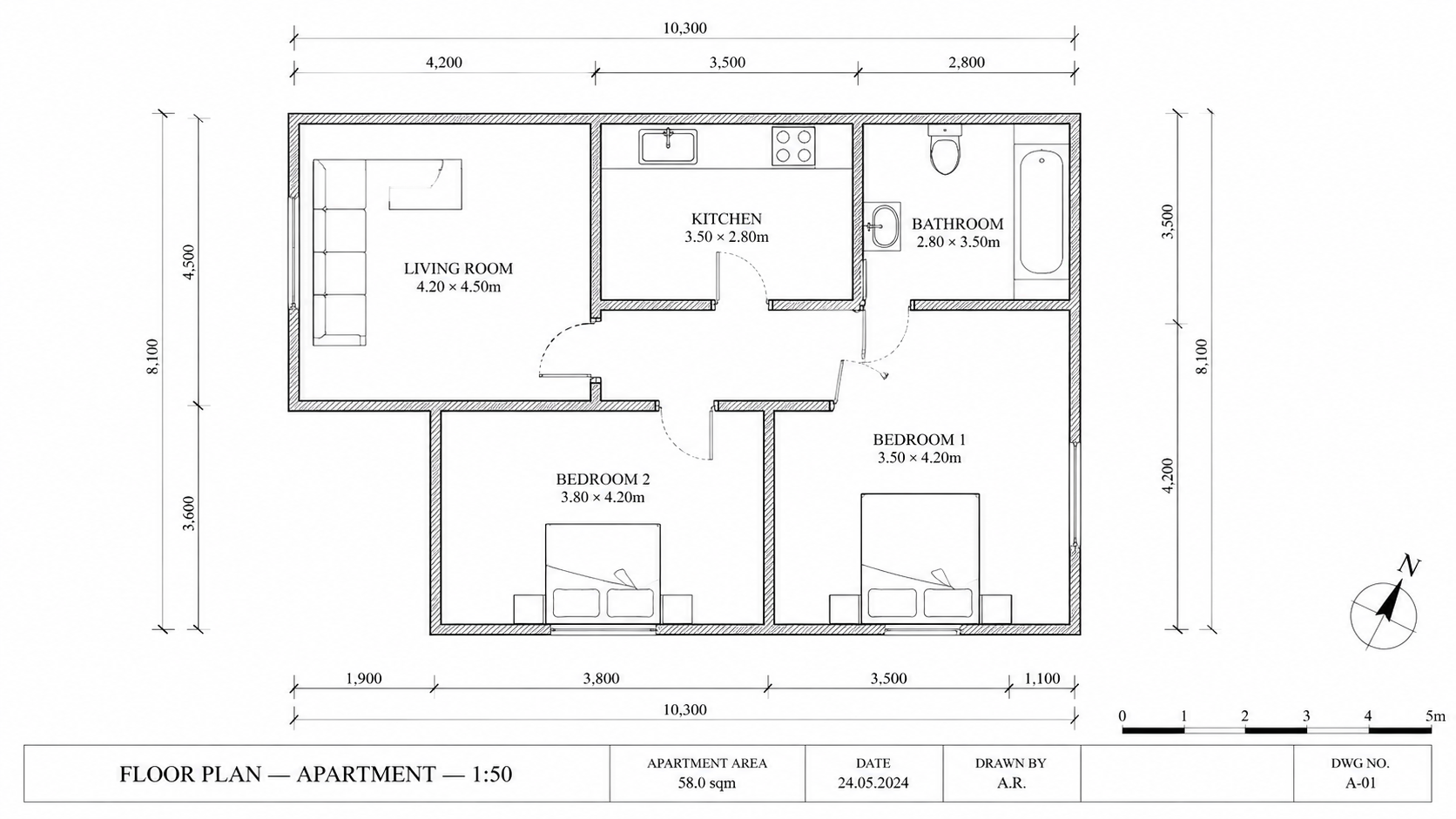
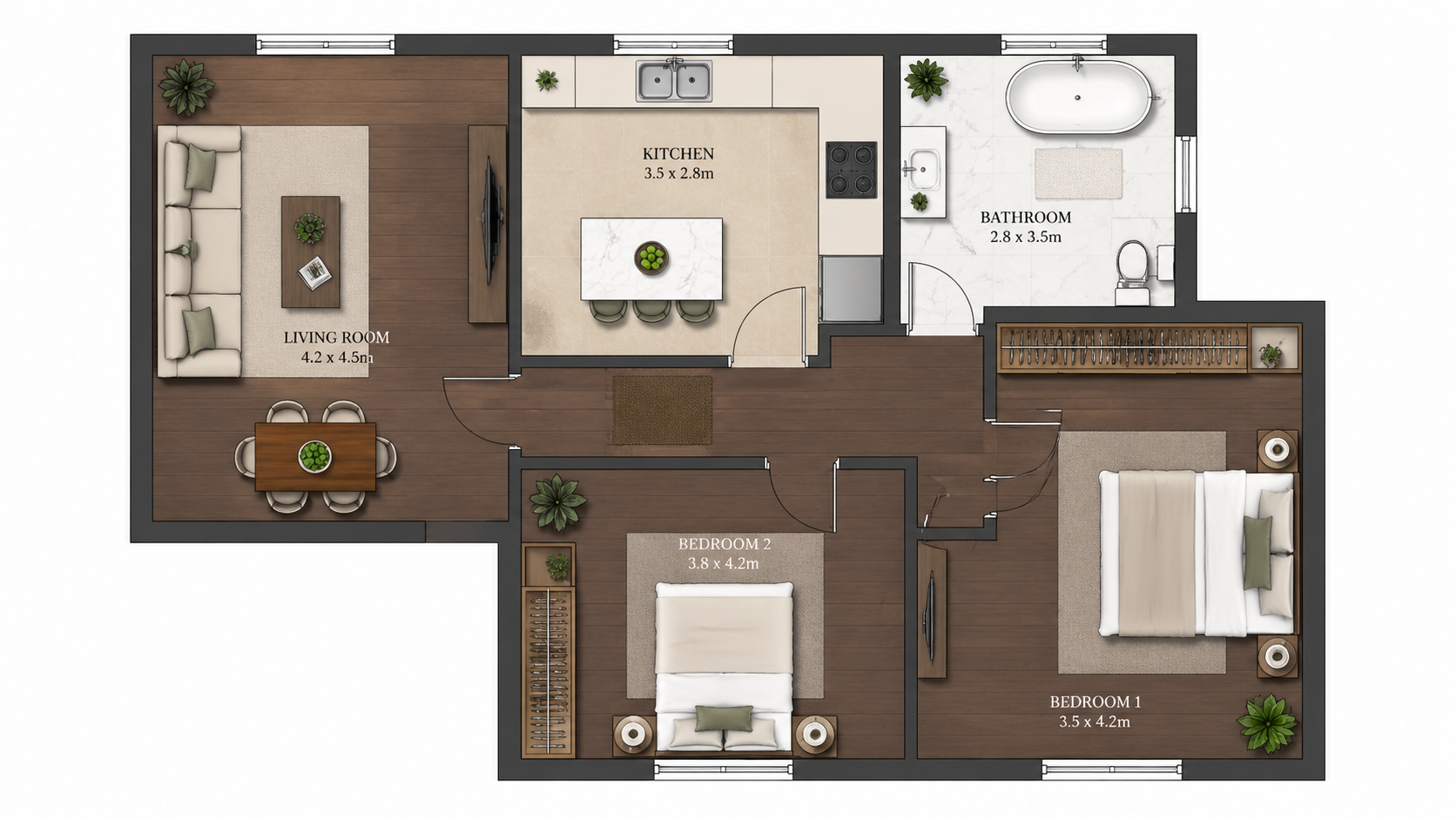
Demo example: the “Before” image was created with AI for this site; it is not a customer photo.
Features
Colorize floor plans online in your browser with AI. No install, no Photoshop, no Adobe subscription — upload a black-and-white plan, get a colored plan in one of four palettes in under 90 seconds on any device.
How Does an Online Floor Plan Colorizer Work?
Entirely browser-based floor plan coloring with no software install required — works on any modern device or operating system
What Browsers and Devices Support the Tool?
iPad and mobile compatible — same feature set and output quality as desktop, useful for on-site agent workflows
Why Choose Online Colorizing Over Desktop Software?
No Adobe Creative Cloud, no AutoCAD subscription — pay only per colorization at $0.23–$0.40, one of four palettes per run
How It Works
Get professional results in three simple steps
Drop your photos here
or browse files
Upload Your Photos
Drag and drop your photos or browse to upload them. Roomagen accepts JPEG, PNG and WebP files up to 50 MB each.
AI Processing
Our advanced AI analyzes your images and applies professional enhancements automatically. Choose from virtual staging, enhancement, object removal, or day-to-dusk conversion.
Download Results
Preview your transformed images and download high-resolution results ready for listings, marketing materials, social media, and more. No watermarks on premium plans.
Why Choose Roomagen
Upload, Process, Download — Entirely in the Browser
Entirely browser-based floor plan coloring with no software install required — works on any modern device or operating system
Mac, Windows, iPad, and Android Compatible
iPad and mobile compatible — same feature set and output quality as desktop, useful for on-site agent workflows
No Photoshop, No CAD, No Software Subscriptions
No Adobe Creative Cloud, no AutoCAD subscription — pay only per colorization at $0.23–$0.40, one of four palettes per run
Who Is It For?
iPad-First Agents
Colorize floor plans during property showings or while traveling — no laptop required, runs in mobile Safari or Chrome with the same output quality as desktop.
Casual Users
One-off projects do not justify a $240/yr Photoshop license. Open the browser, upload a plan, download the colored version, pay only $0.29 per plan.
Cross-Platform Teams
Mixed Mac/Windows/Linux teams work in the same online tool without compatibility issues. Output is consistent regardless of which device produced it.
Adobe Photoshop costs $240/yr plus a 45–90 minute manual coloring workflow. Desktop CAD plug-ins cost $50–$200/yr and require professional training. Roomagen is browser-based, requires no install, and produces a colored plan in one of four palettes for $0.23–$0.40 in under 90 seconds.
| Roomagen Online | Photoshop Desktop | AutoCAD Plug-ins | |
|---|---|---|---|
| Cost per plan | $0.23–$0.40 | $240/yr Adobe + 45–90 min | $1,865/yr AutoCAD + plug-in $50–$200/yr |
| Install required | No — browser only | Yes — Adobe Creative Cloud | Yes — AutoCAD desktop |
| Mobile / iPad | Yes — full feature set | iPad limited features | No mobile support |
| Cross-platform | Mac, Windows, Linux, iOS, Android | Mac and Windows only | Windows primarily |
| Learning curve | Upload and download | Photoshop expertise | CAD professional training |
Frequently Asked Questions
Everything you need to know about Roomagen
Yes. Roomagen runs in mobile Safari and Chrome on iPad, iPhone, and Android. Upload from your camera roll or files, output downloads to the device. The full feature set is available on mobile.
Yes. A free account gives you starter credits to test the tool before paying. Account is required to save and download colorized plans across sessions.
Yes. Uploaded plans and results are stored in your Library, and each image is sent to our AI provider, Google, for processing. Results are kept for your plan's retention period (3 days on Free, 30 on Starter, 180 on Pro, no time limit on Business); see the Privacy Policy for details.
Upload takes 2–10 seconds depending on file size. AI processing takes 60–90 seconds. Download is instant. End-to-end under 90 seconds even on slow connections.
JPEG, PNG and WebP images up to 50 MB — photos, scans or image exports of the plan. PDF and HEIC files are not accepted, so export or convert them to JPEG or PNG first.
No. The AI runs on Roomagen cloud GPUs — internet connection is required for processing. Uploads and downloads need stable connection.
That is the entire point. No Adobe Creative Cloud, no AutoCAD, no specialty CAD plug-ins. Just a browser and a floor plan image. The AI handles all coloring.
Faster. Desktop Photoshop coloring is manual and takes 45–90 minutes. Roomagen's browser tool delivers a colored plan in under 90 seconds — desktop AI tools have similar speed but require install.
Roomagen has no team seats, shared credit pool or shared project library — an account has a single login. The Business plan ($79/month) gives one account 700 credits a month and keeps up to 2,000 results with no time limit.
Online: $0.23–$0.40 per colorization, no upfront software cost. Desktop alternative: $240/yr Photoshop + 45–90 min per plan. The browser tool wins on time and money for any volume.
Part of
Floor Plan ColorizeMore From This Family
- How to Colorize a Floor Plan
- Free Floor Plan Coloring Tool
- Colorize House Floor Plans
- Colorize Apartment Floor Plans
- Colorize Office Floor Plans
- Colorize Restaurant Floor Plans
- Colorize Hotel Floor Plans
- Colorize Retail Floor Plans
- Colorize Clinic Floor Plans
- Colorize Warehouse Floor Plans
- Floor Plan Colorize for Real Estate Agents
- Floor Plan Colorize for Architects
Explore Related Tools
Discover more AI-powered tools to enhance your visual content
Floor Plan Colorize — AI Color for Black-and-White Plans in Under a Minute
Colorize black-and-white floor plans with AI. Four designer palettes, auto-detected rooms, output ready in under 90 seconds for real estate, architecture, and interior design — no Photoshop or design skills required.
Learn moreProfessional 2D & 3D Floor Plans — AI-Generated in Under a Minute
Turn a sketch, scan or old plan into a clean 2D floor plan or a 3D view. Keep or remove measurements and room names, and pick one of four drawing styles.
Learn moreFree Floor Plan Coloring Tool — Try AI Colorize With Starter Credits
Colorize floor plans with AI using 6 free credits — enough for 3 plans, each in one of four palettes. Afterwards $0.23–$0.40 per plan on monthly plans, no hidden fees. Free results carry a watermark.
Learn moreHow to Colorize a Floor Plan — Step-by-Step Guide With AI
Step-by-step guide to colorize any floor plan with AI in three steps. Upload, pick one of four palettes, download the colored plan — total time under 2 minutes including learning the workflow for the first time.
Learn moreFloor Plan Visualize — AI 3D Renders From 2D Plans in Under a Minute
Visualize 2D floor plans as 3D renders with AI. Photoreal, architectural sketch, stylized, and monochrome styles, furnished or unfurnished, output in under 90 seconds for $0.23–$0.40 per render — no 3ds Max, Lumion, or Twinmotion required.
Learn more