Floor Plan Colorize — AI Color for Black-and-White Plans in Under a Minute
Roomagen Floor Plan Colorize transforms black-and-white floor plans into colored versions with four designer-curated palettes, auto-detected room boundaries, and 90-second output — used by real estate agents, architects, and designers.
Black-and-white floor plans look unfinished in MLS listings, dull in client presentations, and amateurish in marketing brochures. Coloring a plan manually in Photoshop takes 45–90 minutes per plan and requires design skill most agents and architects do not have. Outsourcing to a graphic designer costs $40–$200 per plan with 1–3 day turnaround. Roomagen colorizes a floor plan in under 90 seconds for $0.23–$0.40 in one of four palettes, so you can pick the one that fits your audience and brand — another palette is one more run.
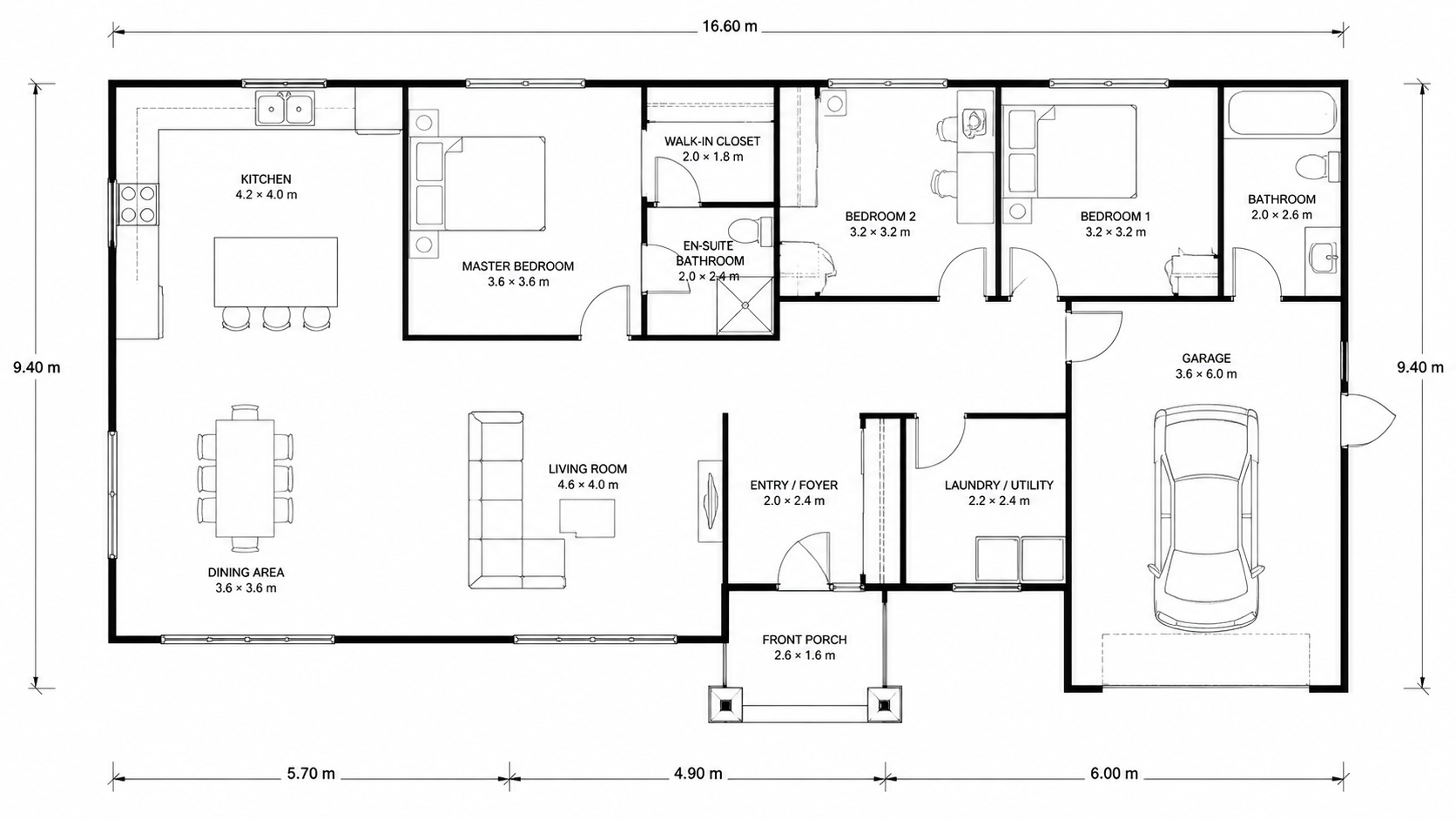
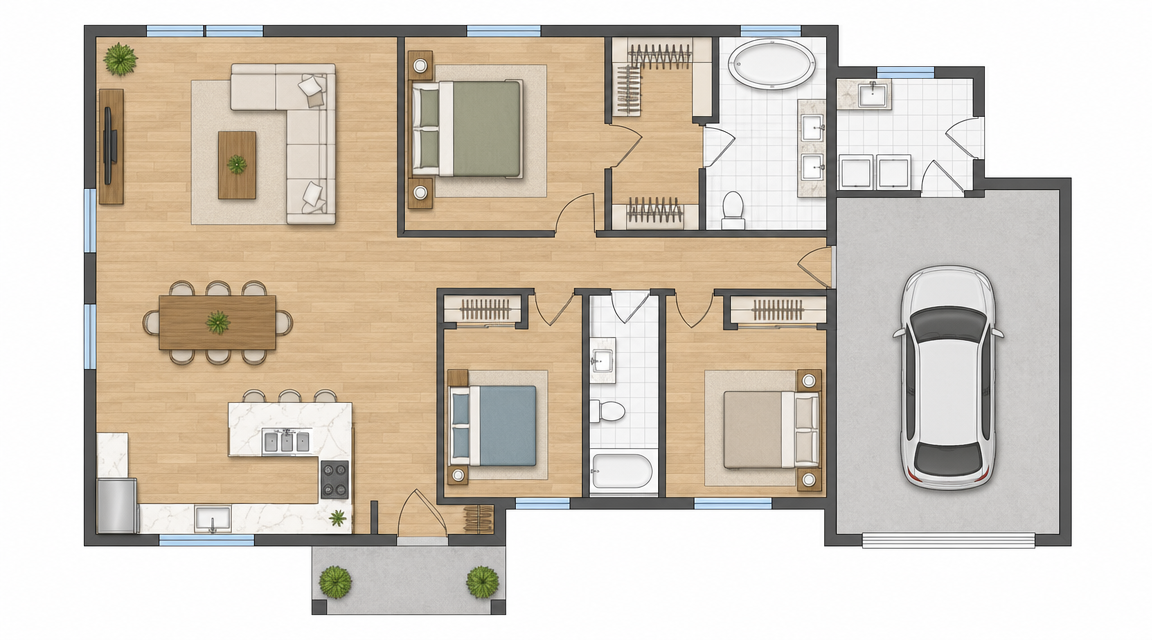
Demo example: the “Before” image was created with AI for this site; it is not a customer photo.
Features
Colorize black-and-white floor plans with AI. Four designer palettes, auto-detected rooms, output ready in under 90 seconds for real estate, architecture, and interior design — no Photoshop or design skills required.
How Does AI Add Color to Black-and-White Floor Plans?
Black-and-white floor plans colorized in under 90 seconds, in one of four designer-curated palettes
What Color Palettes Are Available for Floor Plans?
AI detects rooms, walls, and labels — applies room-appropriate colors automatically without manual masking or selection
Why Colorize Floor Plans Instead of Using Plain Drawings?
Output at HD resolution ready for MLS listings, client presentations, and print marketing — no design skills required
How It Works
Get professional results in three simple steps
Drop your photos here
or browse files
Upload Your Photos
Drag and drop your photos or browse to upload them. Roomagen accepts JPEG, PNG and WebP files up to 50 MB each.
AI Processing
Our advanced AI analyzes your images and applies professional enhancements automatically. Choose from virtual staging, enhancement, object removal, or day-to-dusk conversion.
Download Results
Preview your transformed images and download high-resolution results ready for listings, marketing materials, social media, and more. No watermarks on premium plans.
Why Choose Roomagen
Designer-Curated Palettes for Any Property Type
Black-and-white floor plans colorized in under 90 seconds, in one of four designer-curated palettes
Auto-Detected Rooms with Consistent Color Mapping
AI detects rooms, walls, and labels — applies room-appropriate colors automatically without manual masking or selection
Listings, Presentations, and Marketing Materials Ready in 90 Seconds
Output at HD resolution ready for MLS listings, client presentations, and print marketing — no design skills required
Who Is It For?
Real Estate Agents
Add colored floor plans to every MLS listing for a fraction of the cost of Photoshop or designer fees. Listings with colored plans get 30–40% more saves and inquiries.
Architects
Colorize schematic floor plans for client presentations and marketing portfolios in under a minute — skip the manual rendering step for early-phase concept reviews.
Interior Designers
Show clients colored floor plans during the design consultation. Color helps non-designer clients visualize layouts faster than line drawings.
Photoshop coloring requires $240/yr Adobe Creative Cloud plus 45–90 minutes of trained design work per plan. Hiring a graphic designer costs $80–$200 per plan with 1–3 day turnaround. Roomagen colorizes the plan in one of four palettes in under 90 seconds for $0.23–$0.40, with no design skills required; each extra palette is another run.
| Roomagen AI | Photoshop / Designer | DIY Coloring Software | |
|---|---|---|---|
| Cost per plan | $0.23–$0.40 | $40–$200 designer / $20+ Photoshop license/mo | $0–$30/yr + 1–3 hours |
| Turnaround | Under 90 seconds | 45–90 min Photoshop / 1–3 days designer | 1–3 hours manual |
| Input | Photo, scan or image export of the plan | Plan + brief + designer skill | Manual click-by-click coloring |
| Skill required | None | Adobe expertise OR design budget | Software learning curve |
| Output styles available | 4 palettes to choose from, listing-ready | 1 style per session, custom only | 1 style, depends on tool |
Frequently Asked Questions
Everything you need to know about Roomagen
The AI detects room types from labels and layout patterns — bedrooms, kitchens, bathrooms, living rooms — then applies room-appropriate colors from your selected palette. Each palette has consistent room-color mapping so output looks professionally designed.
Four built-in palettes: Real Estate Pastel (warm and broad-appeal), Watercolor (artistic and hand-painted look), Minimalist Nordic (clean grays and whites), and Asian Compact (efficient warm tones for small spaces). Pick the one that fits your audience.
Labels improve accuracy but are not required. The AI also infers room types from layout features — plumbing fixtures suggest bathrooms, counters suggest kitchens. Plans with clear labels produce the most consistent results.
Yes, as long as the plan is an image: photos of paper plans, scanned blueprints, screenshots from CAD software or sketch-tool exports in JPEG, PNG or WebP. Export PDF plans as an image first. Anything that shows wall lines and room layout works.
Yes. Output is HD resolution suitable for MLS listings, client presentations, and print brochures up to letter size. For poster-scale prints or large-format marketing, request the highest available resolution.
Submit each floor as a separate plan. The AI colorizes each independently. Use the same palette across all floors for consistency in your listing or presentation document.
Choose from four built-in palettes or use the colored output as a base and adjust in Canva or Photoshop. Most users find one of the four palettes matches their brand within acceptable range.
Usually under a minute from upload to result. Each run produces one palette; to compare palettes, run the plan again with another one for 2 credits.
Yes. The AI adds color as a layer over the existing line drawing. Walls, doors, room boundaries, and labels remain intact. The colored version is the original plan with palette applied.
Each colorization costs 2 credits ($0.23–$0.40). The starter plan ($12/month) includes 60 credits — enough for 30 plans monthly. Pro plans scale up to 200 credits for $29/month.
Browse the Full Collection
Every room, style, and use case in this tool family — each with its own dedicated tool.
Colorization Styles(28)
- Online Floor Plan Colorizer
- How to Colorize a Floor Plan
- Free Floor Plan Coloring Tool
- Colorize House Floor Plans
- Colorize Apartment Floor Plans
- Colorize Office Floor Plans
- Colorize Restaurant Floor Plans
- Colorize Hotel Floor Plans
- Colorize Retail Floor Plans
- Colorize Clinic Floor Plans
- Colorize Warehouse Floor Plans
- Floor Plan Colorize for Real Estate Agents
- Floor Plan Colorize for Architects
- Floor Plan Colorize for Interior Designers
- Floor Plan Colorize for Homeowners
- Watercolor Floor Plan
- Pastel Floor Plan Coloring
- Minimalist Floor Plan Color
- Architectural Floor Plan Coloring
- CAD Floor Plan Colorize
- DWG Floor Plan Colorize
- Blueprint Coloring Tool
- Marketing Floor Plan Coloring
- Presentation Floor Plan Coloring
- Print-Ready Floor Plan Color
- Floor Plan Colorize vs Photoshop
- Floor Plan Colorize vs Illustrator
- AI Floor Plan Coloring vs Manual
Explore Related Tools
Discover more AI-powered tools to enhance your visual content
Professional 2D & 3D Floor Plans — AI-Generated in Under a Minute
Turn a sketch, scan or old plan into a clean 2D floor plan or a 3D view. Keep or remove measurements and room names, and pick one of four drawing styles.
Learn moreFloor Plan Visualize — AI 3D Renders From 2D Plans in Under a Minute
Visualize 2D floor plans as 3D renders with AI. Photoreal, architectural sketch, stylized, and monochrome styles, furnished or unfurnished, output in under 90 seconds for $0.23–$0.40 per render — no 3ds Max, Lumion, or Twinmotion required.
Learn moreFloor Plan to 3D — AI Dollhouse View Generator
Convert 2D floor plans into isometric 3D dollhouse views with AI. Upload any floor plan and get a furnished 3D visualization showing room layouts, furniture placement, and spatial relationships — perfect for listings, presentations, and design proposals.
Learn moreSketch to Floor Plan — Convert Hand Drawings to Digital in Under a Minute
Turn a rough hand sketch into a clean 2D floor plan with AI. For architects, designers and realtors who need fast layout visualisation. 6 free credits when you sign up.
Learn moreHand-Drawn Floor Plan to Digital — AI Digitization From Any Paper Plan
Convert any hand-drawn floor plan to a clean digital version with AI. Pencil sketches, pen drawings, whiteboard layouts — all transformed into professional digital floor plans in under 90 seconds.
Learn more