Floor Plan Colorize for Interior Designers — Concept and Client Review
Roomagen Floor Plan Colorize for interior designers supports concept reviews, client consultations, and mood board integration with pastel and watercolor palettes — clients sign projects faster when colored plans illustrate design intent during first meetings.
Interior designers communicate spatial concepts to clients during consultations — but black-and-white plans fail to convey mood, color story, or design intent. Coloring plans for every consultation in Photoshop takes 30–60 minutes — time better spent on design work. Hiring renderers costs $50–$200 per plan, eating into project margins. Most designers skip colored plans and rely on mood boards and 3D renders. Roomagen colorizes plans in 90 seconds for $0.29, making colored plans economically viable for every consultation. Three out of five designers report higher first-meeting conversion when showing colored layouts.
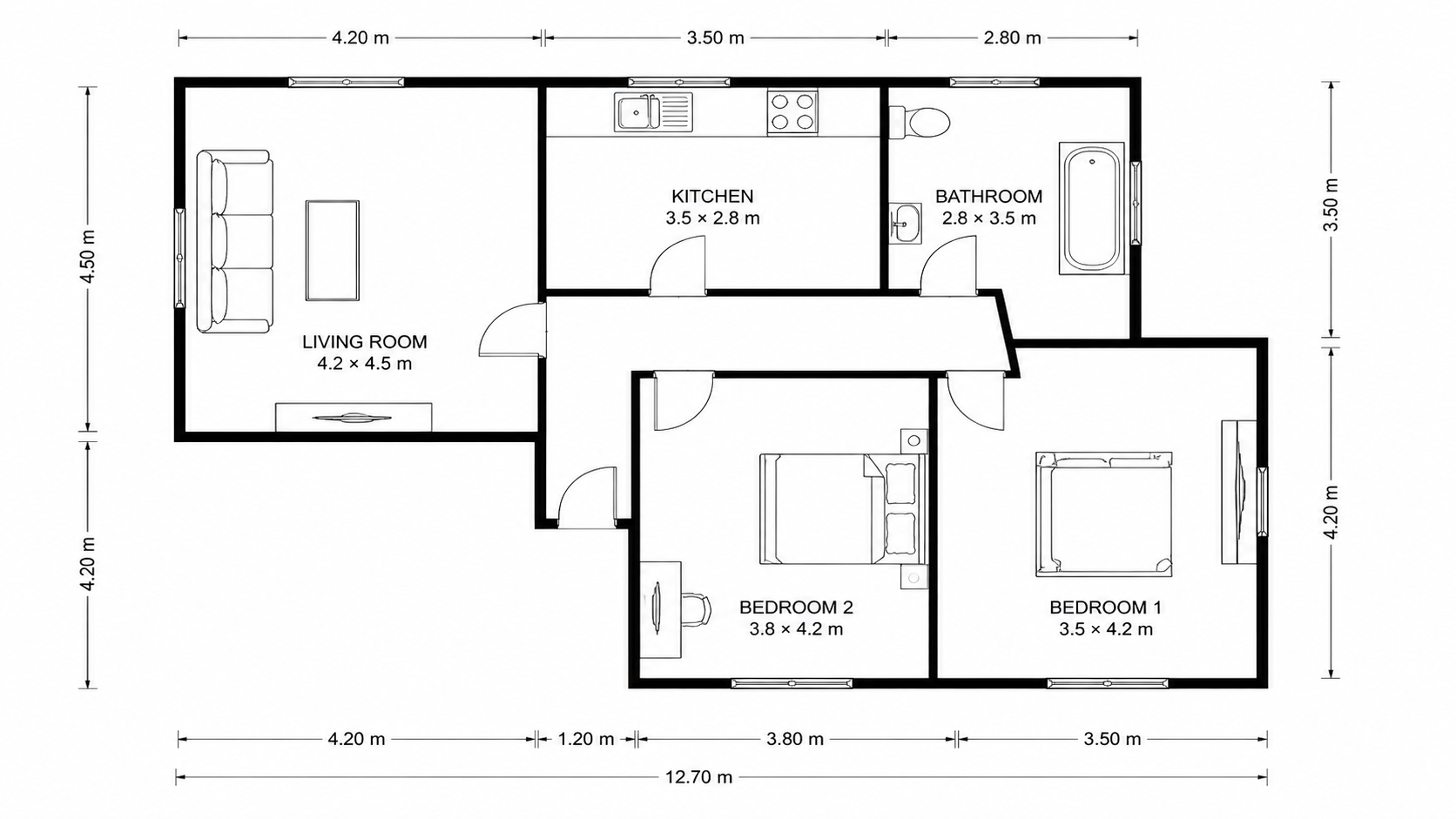
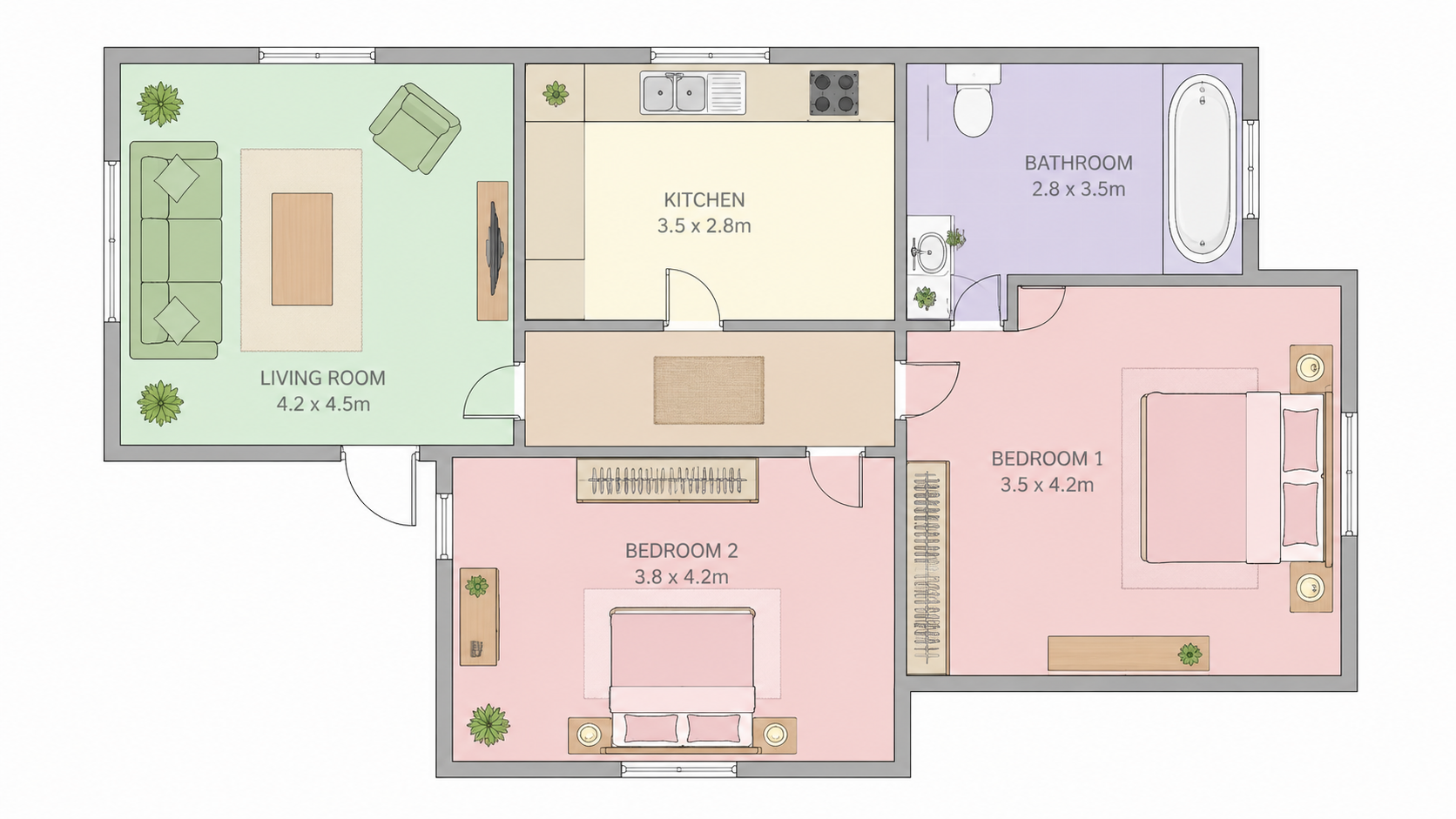
Demo example: the “Before” image was created with AI for this site; it is not a customer photo.
Features
Floor plan coloring for interior designers — concept reviews, client consultations, mood board integration, and project presentations. Pastel and watercolor palettes suited to interior design aesthetics.
How Does Coloring Help Interior Design Client Conversations?
Pastel and watercolor palettes designed for interior aesthetics — align with mood boards, fabric samples, and finish selections
What Palettes Suit Interior Design Concept Phases?
Client consultations show four palette options live — decisions on color direction happen in real time, not multiple follow-up meetings
Why Show Colored Plans During Initial Consultations?
Conversion rate uplift — 3 out of 5 first meetings sign when colored plans visualize layout intent versus 1 out of 5 with line drawings
How It Works
Get professional results in three simple steps
Drop your photos here
or browse files
Upload Your Photos
Drag and drop your photos or browse to upload them. Roomagen accepts JPEG, PNG and WebP files up to 50 MB each.
AI Processing
Our advanced AI analyzes your images and applies professional enhancements automatically. Choose from virtual staging, enhancement, object removal, or day-to-dusk conversion.
Download Results
Preview your transformed images and download high-resolution results ready for listings, marketing materials, social media, and more. No watermarks on premium plans.
Why Choose Roomagen
Concept Communication — Color Helps Clients Visualize Layout Quickly
Pastel and watercolor palettes designed for interior aesthetics — align with mood boards, fabric samples, and finish selections
Mood Board Integration — Colored Plans in Project Presentations
Client consultations show four palette options live — decisions on color direction happen in real time, not multiple follow-up meetings
Client Conversion — Colored Plans Sign Projects Faster
Conversion rate uplift — 3 out of 5 first meetings sign when colored plans visualize layout intent versus 1 out of 5 with line drawings
Who Is It For?
Residential Interior Designers
Show clients colored floor plans during consultation — pastel and watercolor palettes align with interior design mood boards and accelerate creative direction conversations.
Commercial Interior Designers
Colorize commercial project plans for client presentations to executives and committees. Color helps non-design stakeholders engage with layout decisions.
Boutique Design Studios
Premium client presentations require premium materials. Colored floor plans complement mood boards and 3D renders at fraction of the rendering cost.
Photoshop coloring of design plans costs $240/yr Adobe + 30–60 minutes per plan. Renderer fees run $50–$200 per plan. Roomagen produces palette-aligned colored plans for $0.23–$0.40 in 90 seconds — designer time stays on design.
| Roomagen for Designers | Renderer / Designer Fees | Photoshop Self-Coloring | |
|---|---|---|---|
| Cost per plan | $0.23–$0.40 | $50–$200 per plan | $240/yr Adobe + 30–60 min |
| Turnaround | Under 90 seconds | 1–3 days | 30–60 min manual |
| Aesthetic alignment | Pastel, watercolor palettes | Custom by renderer | Designer-driven |
| Client consultation use | Live during meeting | Pre-prepared only | Pre-prepared only |
| Per-project budget impact | Negligible | Margin-eating | Designer time cost |
Frequently Asked Questions
Everything you need to know about Roomagen
Show clients four palette options during the consultation — pastel for residential, watercolor for premium concepts, minimalist Nordic for modern aesthetics. Decisions on color direction happen in real time instead of follow-up rounds.
Watercolor palette gives a hand-painted aesthetic that integrates with traditional mood boards. Pastel palette suits residential and lifestyle projects. Both produce visually warm output that complements fabric and finish samples.
Yes. Output is HD resolution and integrates into Keynote, PowerPoint, and Adobe InDesign decks. Many designers use colored plans as the central layout visualization in client presentations.
No — different communication tools. Colored 2D plans show layout, flow, and zoning. 3D renders show finish, lighting, and atmosphere. Use both: colored plan for layout review, 3D render for final concept approval.
Designers report 3 out of 5 projects sign during the first meeting when colored plans are shown — versus 1 out of 5 with line drawings. Color helps clients visualize design intent immediately.
Pick the palette closest to your mood board direction. For exact matching, adjust the dominant color in Photoshop or Canva over the Roomagen output — typically 5 minutes of work versus 30–60 minutes of full coloring.
Usually. Set furniture symbols to "Only what's drawn" to keep just the furniture your plan shows, and the AI is asked to leave the plan's text as it is. Because it redraws the plan, check symbols, zone labels and numbers before you share it.
Yes for many projects, though there are no team seats or shared credit pools — an account has a single login. Library folders help keep each project's results apart.
Colorize commercial concept plans for executive committee approvals. Color makes layout decisions accessible to non-design committee members — accelerates approval cycles in commercial design projects.
Each plan is 2 credits ($0.23–$0.40). A designer running 8–12 client consultations monthly spends $4–$6 in colorization. The Starter plan ($12/month for 60 credits) covers 30 consultations.
Part of
Floor Plan ColorizeMore From This Family
- Online Floor Plan Colorizer
- How to Colorize a Floor Plan
- Free Floor Plan Coloring Tool
- Colorize House Floor Plans
- Colorize Apartment Floor Plans
- Colorize Office Floor Plans
- Colorize Restaurant Floor Plans
- Colorize Hotel Floor Plans
- Colorize Retail Floor Plans
- Colorize Clinic Floor Plans
- Colorize Warehouse Floor Plans
- Floor Plan Colorize for Real Estate Agents
Explore Related Tools
Discover more AI-powered tools to enhance your visual content
Floor Plan Colorize — AI Color for Black-and-White Plans in Under a Minute
Colorize black-and-white floor plans with AI. Four designer palettes, auto-detected rooms, output ready in under 90 seconds for real estate, architecture, and interior design — no Photoshop or design skills required.
Learn morePastel Floor Plan Coloring — Soft Real Estate Aesthetic
Pastel-style floor plan coloring with AI — soft warm tones for real estate listings and interior design presentations. Broad appeal, no bold colors, output suited to listing photos in under 90 seconds.
Learn moreWatercolor Floor Plan — AI Hand-Painted Look Without Brushes
Watercolor-style floor plan coloring with AI — hand-painted texture, soft color bleeds, and premium aesthetic without brushes or hours of painting. Ideal for luxury listings, boutique hotels, and portfolio presentations.
Learn moreProfessional 2D & 3D Floor Plans — AI-Generated in Under a Minute
Turn a sketch, scan or old plan into a clean 2D floor plan or a 3D view. Keep or remove measurements and room names, and pick one of four drawing styles.
Learn moreFloor Plan to 3D — AI Dollhouse View Generator
Convert 2D floor plans into isometric 3D dollhouse views with AI. Upload any floor plan and get a furnished 3D visualization showing room layouts, furniture placement, and spatial relationships — perfect for listings, presentations, and design proposals.
Learn more