
AI Landscaping Chat — Type the Garden You Want, See It on Your Photo
Roomagen AI Landscaping Chat renders outdoor design ideas from plain language: describe plants, paths, water features or structures and the AI shows them on a photo of your own yard or property.
Landscape design software requires learning complex tools, selecting from plant databases, and manually placing elements. Professional landscape designers charge $500-$5,000 for concept visualizations. Chat-based landscaping lets you describe your vision in everyday language and see it on your actual property in 90 seconds.
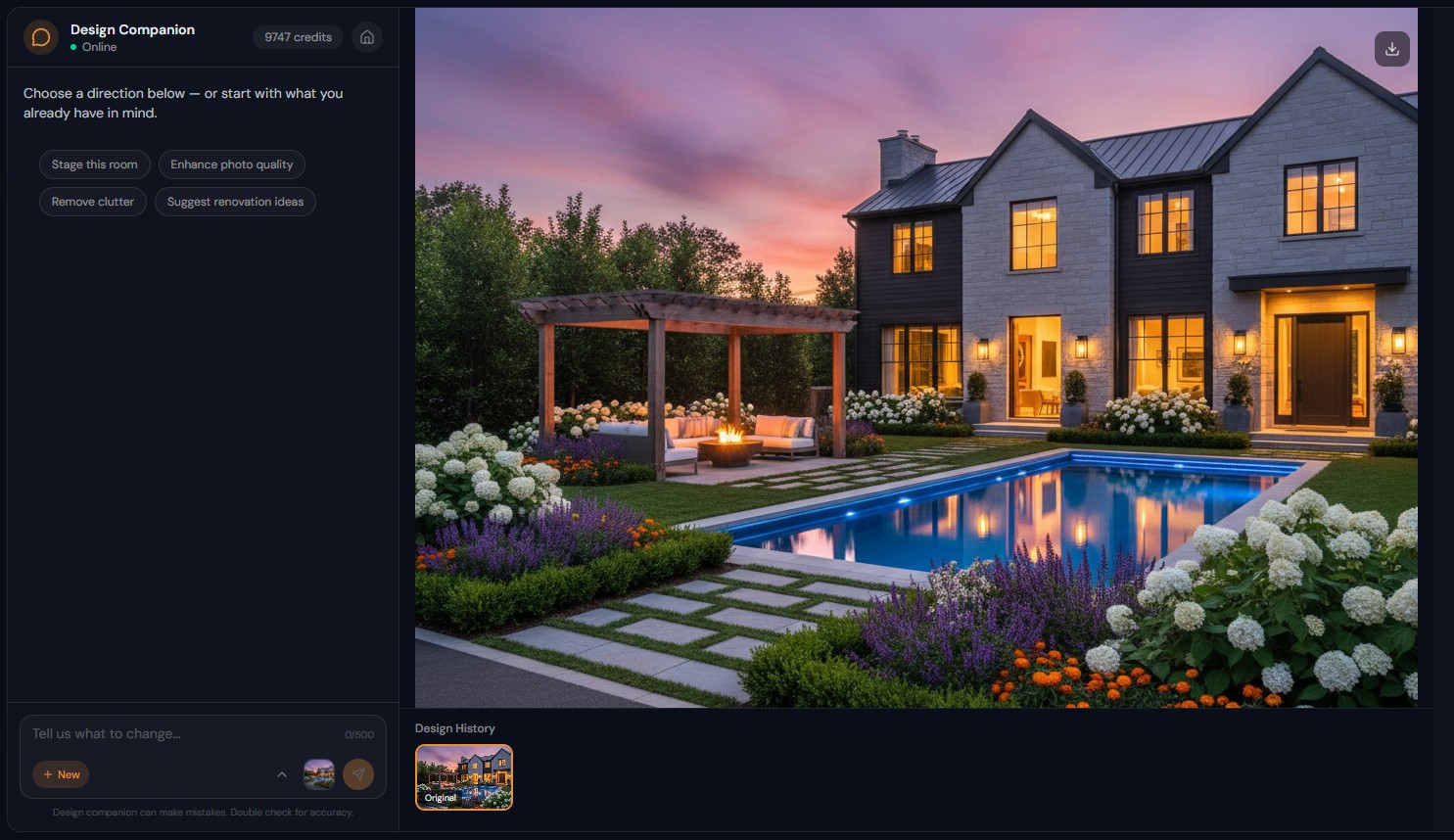
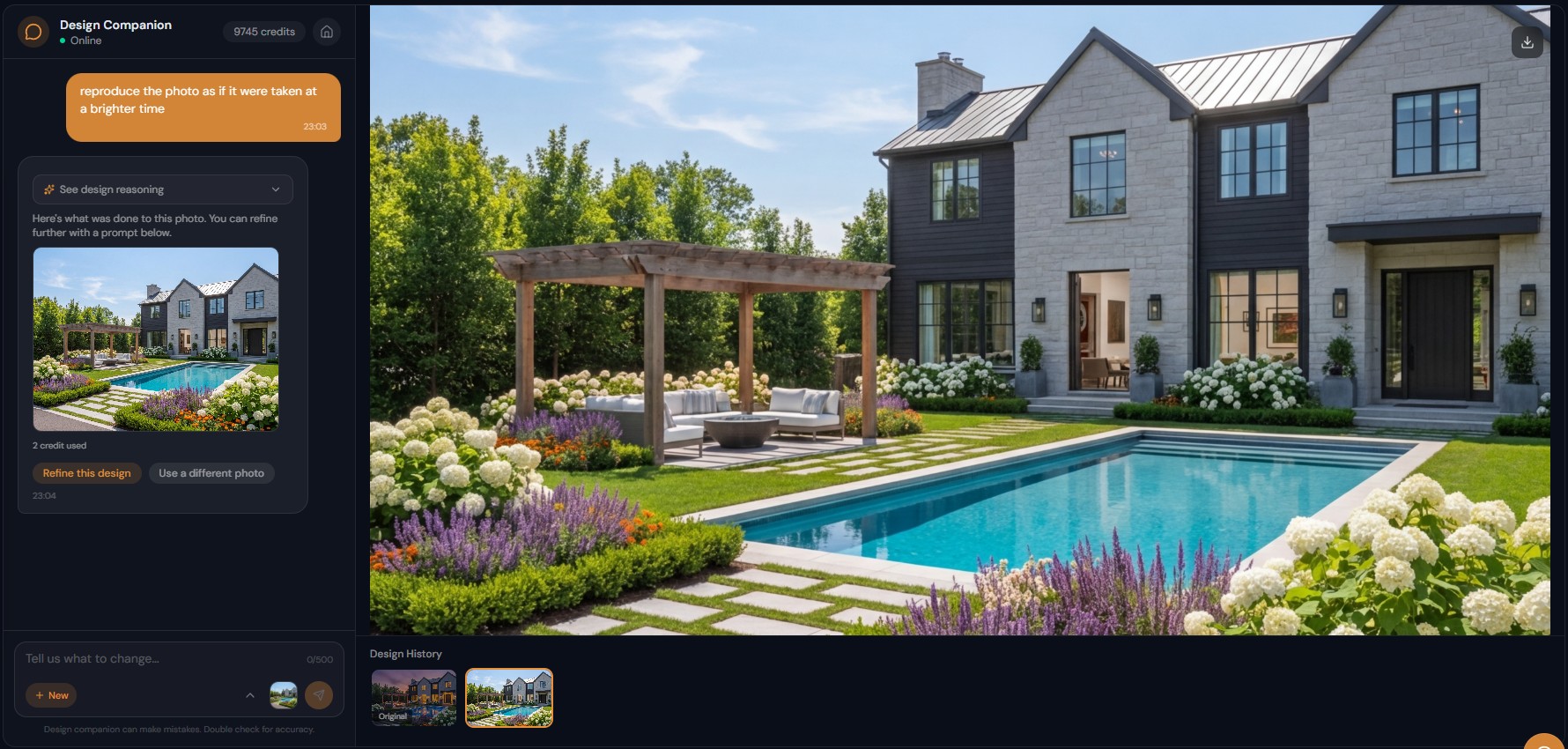
Features
Design a garden or yard by typing it, such as "add mature trees, a stone path and flower beds along the fence", and see it on your own outdoor photo.
How Does Chat-Based Landscape Design Work?
Describe outdoor designs in natural language — "add a stone patio with fire pit and native plantings" — rendered on your actual property photo
What Outdoor Changes Can You Describe?
Access pools, hardscaping, planting, structures, and lighting through one conversation — no switching between specialized tools
Why Is Conversational Landscaping Design More Creative?
Iterate on garden designs — "more tropical plants" or "swap the concrete for natural stone" — each building on the previous version
How It Works
Get professional results in three simple steps
Drop your photos here
or browse files
Upload Your Photos
Drag and drop your photos or browse to upload them. Roomagen accepts JPEG, PNG and WebP files up to 50 MB each.
AI Processing
Our advanced AI analyzes your images and applies professional enhancements automatically. Choose from virtual staging, enhancement, object removal, or day-to-dusk conversion.
Download Results
Preview your transformed images and download high-resolution results ready for listings, marketing materials, social media, and more. No watermarks on premium plans.
Why Choose Roomagen
Describe Your Dream Yard and See It Rendered
Describe outdoor designs in natural language — "add a stone patio with fire pit and native plantings" — rendered on your actual property photo
Plants, Hardscape, Water Features, Structures — All Through Text
Access pools, hardscaping, planting, structures, and lighting through one conversation — no switching between specialized tools
Iterate on Garden Designs Without Re-Uploading
Iterate on garden designs — "more tropical plants" or "swap the concrete for natural stone" — each building on the previous version
Who Is It For?
Homeowners Planning Landscaping
See what a new garden, patio, or pool would look like on your actual property — "add a stone patio with pergola and outdoor dining" visualized before hiring a landscaper.
Landscaping Companies
Generate design concepts for client proposals using their property photos — describe the design vision and present photorealistic previews that close deals faster.
Real Estate Agents
Show buyers the potential of bare-yard properties — "add mature landscaping, green lawn, and a garden path" transforms empty lots into appealing outdoor spaces.
Landscape design apps require selecting individual plants from menus and placing them manually on a plan view. Design Companion interprets "lush tropical garden with palm trees, bird of paradise, and a stone pathway" and renders the complete scene photorealistically on your actual yard photo.
| Chat Landscaping | Landscape Design Software | Professional Designer | |
|---|---|---|---|
| Input | Describe in text | Manual plant placement | Brief + site visit |
| Learning curve | Zero | Weeks-months | N/A (hired) |
| Visualization | Photorealistic on actual property | 3D model | Hand-drawn or 3D |
| Turnaround | 90 seconds | Hours-days | 1-4 weeks |
| Cost | 2 credits ($0.23-$0.40) | $50-500/year software | $500-5,000 |
Frequently Asked Questions
Everything you need to know about Roomagen
Upload an exterior photo and describe what you want — "add a Japanese garden with a koi pond, stone path, and bamboo fence" or "plant mature oak trees along the property line." The AI renders the design on your actual property.
Yes. "Add a rectangular pool with a stone deck and lounge chairs" or "add an infinity pool overlooking the valley." The AI renders pools with realistic water, decking, and surrounding landscaping.
Yes. Request specific plants — "Japanese maple, lavender border, boxwood hedges" — or describe the desired look — "Mediterranean garden with drought-tolerant plants" — and the AI selects appropriate species.
Yes. Patios, walkways, retaining walls, pergolas, fire pits, outdoor kitchens, driveways, fences, and decks. Describe materials — "bluestone patio with cedar pergola" — for specific results.
Yes. Upload the front yard photo, design it, then upload the back yard and continue the conversation. Style preferences carry over between photos within the same session.
The AI generates photorealistic results that match lighting conditions, shadows, and perspective from the original photo. Plants show natural variation and seasonal-appropriate foliage.
Yes. "Show this garden in spring bloom" or "what does the yard look like in autumn." The AI adjusts foliage colors, blooms, and lighting to match the requested season.
Yes. "Add path lighting, uplighting on the trees, and string lights on the pergola" — the AI renders outdoor lighting with realistic glow effects, especially effective in dusk settings.
Each rendering costs 2 credits. Test 5 different garden concepts for 10 credits ($1.15-$2.00) — far less than a single landscape designer consultation fee.
Yes. Many landscaping professionals use AI-generated previews in proposals. Download any rendering from your chat session and include it in presentation materials.
Part of
AI Chat Photo EditorMore From This Family
- AI Virtual Staging by Chat
- AI Room Redesign Chat
- Enhance Photo Quality by Chat
- AI Home Remodel Visualizer Chat
- AI Room Cleaner Chat
- Change Room Colors by Chat
- AI Real Estate Photo Editing Chat
- AI Design Chat for Interior Designers
- AI Home Design Assistant for Homeowners
- AI Airbnb Listing Photo Editor
- AI Photo Editor Chat for Photographers
- AI Visualization Chat for Architects
Explore Related Tools
Discover more AI-powered tools to enhance your visual content
AI Chat Photo Editor — Edit Any Photo by Typing What You Want
Type what you want changed and the Design Companion edits your interior or exterior photo: stage, recolor, remove objects. 2 credits per edit, under 90 seconds.
Learn moreVirtual Landscaping Design — 12 Garden Styles Added to Your Yard Photo
Add plants, trees, gardens and outdoor features to a photo of any yard or property in 12 landscaping styles, without breaking ground. 2 credits per image.
Learn moreAI Grass Replacement — Add Grass to Real Estate and Yard Photos Online
Replace dead, brown or patchy grass with a lush green lawn in property photos, so homes look cared for in any season. Usually under a minute, 2 credits per image.
Learn morePatio and Hardscape Design — Add Decks, Walkways and Driveways to a Photo
See patios, decks, driveways, walkways and retaining walls on your own exterior photo before construction, with realistic materials. 2 credits per image.
Learn morePool Addition Visualizer — 10 Pool Shapes and 8 Deck Materials
Visualize a pool on your backyard photo with 10 pool shapes and 8 deck materials, or turn an existing pool into a new design. 2 credits per image.
Learn more