
Unfinished Dining Room Virtual Staging — From Open Framing to Dining Space
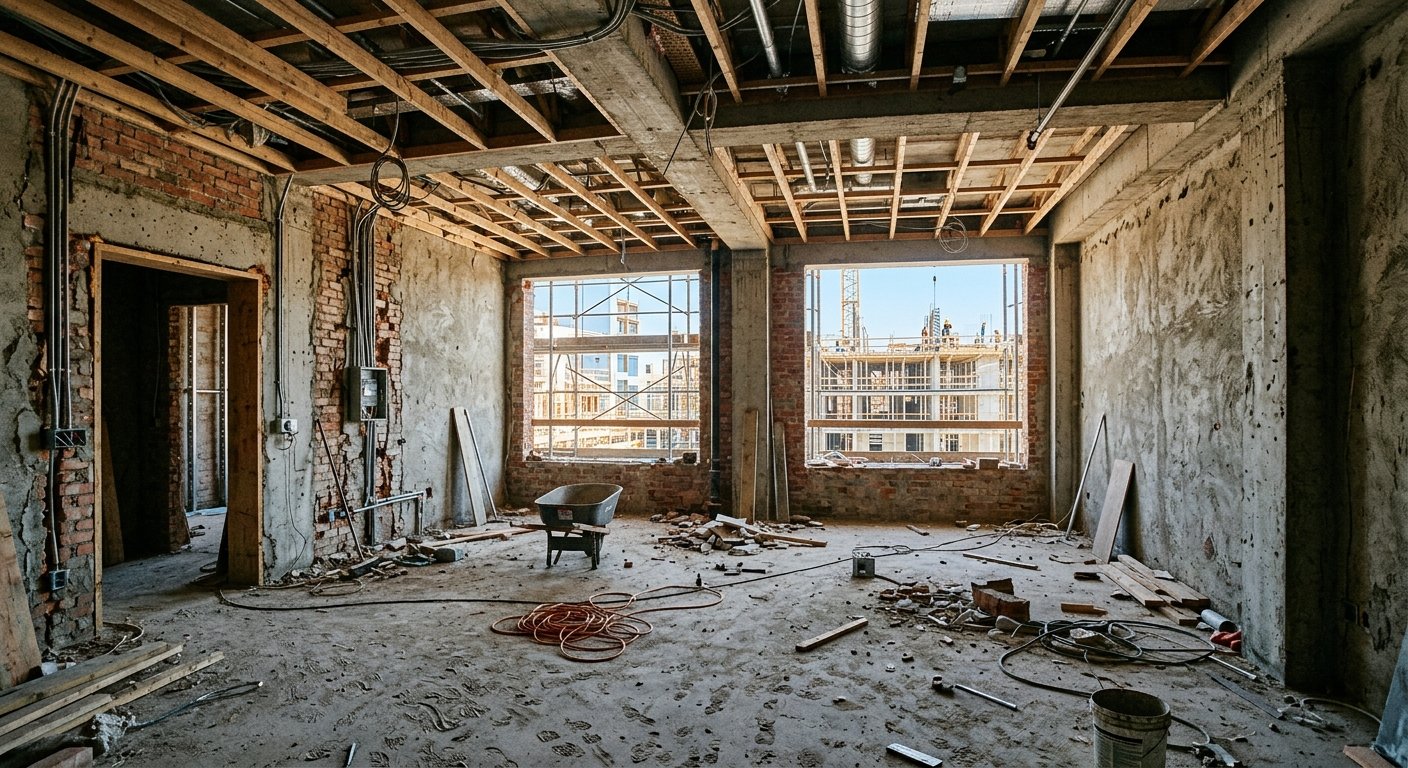
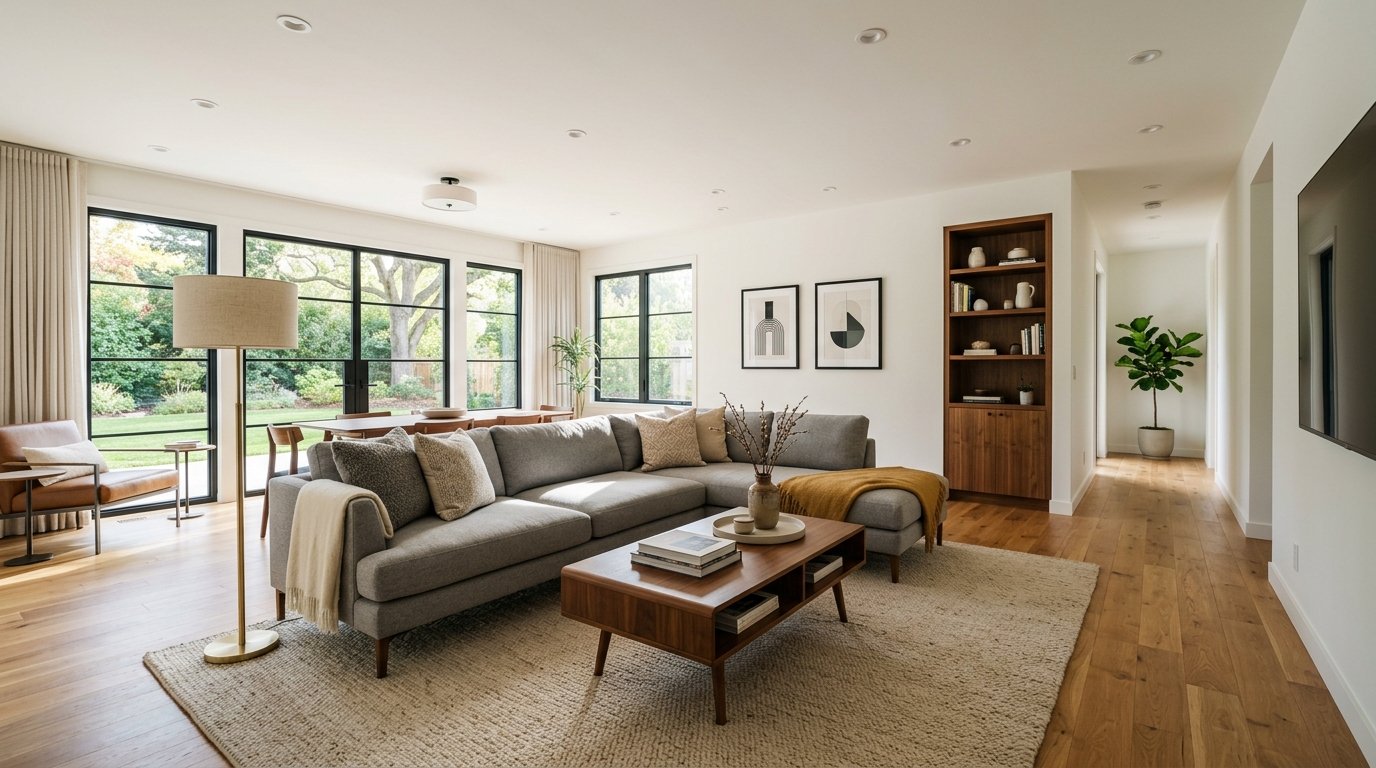
Roomagen Construction Interior for dining rooms turns photos of an unfinished dining area — open framing, subfloor, loose wires — into photorealistic finished dining spaces with table, chairs and statement lighting for pre-sale marketing.
Dining rooms in open-plan homes are especially difficult to visualize during construction — there are no walls defining the space, just continuous flooring and ceiling framing. Buyers cannot determine where the dining zone ends and the living area begins. Formal dining rooms in construction stage show no hint of the elegant dinner parties they will host. Roomagen defines dining spaces with furniture and lighting for 2 credits, helping buyers understand both room boundaries and entertaining potential.
Features
Turn a framing or drywall photo of a dining room into a finished dining space with table, chairs, lighting and decor in under 90 seconds — open plans included.
How Does AI Create Finished Dining Rooms From Construction Photos?
Transform open-framing dining areas into elegant finished spaces with tables, chairs, and chandeliers
What Dining Room Styles Can Be Visualized During Building?
Define dining zones within open-plan layouts using AI-placed furniture and lighting boundaries
Why Dining Room Visualization Helps Sell Open-Plan Homes?
Formal dining and casual breakfast nook options from the same construction photo
How It Works
Get professional results in three simple steps
Drop your photos here
or browse files
Upload Your Photos
Drag and drop your photos or browse to upload them. Roomagen accepts JPEG, PNG and WebP files up to 50 MB each.
AI Processing
Our advanced AI analyzes your images and applies professional enhancements automatically. Choose from virtual staging, enhancement, object removal, or day-to-dusk conversion.
Download Results
Preview your transformed images and download high-resolution results ready for listings, marketing materials, social media, and more. No watermarks on premium plans.
Why Choose Roomagen
Bare Walls to Dinner-Ready Dining Areas
Transform open-framing dining areas into elegant finished spaces with tables, chairs, and chandeliers
Tables, Chairs, and Ambient Lighting Previewed
Define dining zones within open-plan layouts using AI-placed furniture and lighting boundaries
Defining the Dining Zone in Open-Concept Layouts
Formal dining and casual breakfast nook options from the same construction photo
Who Is It For?
Open-Plan Home Builders
Define the dining zone within open-concept spaces — show buyers where the dining table goes and how it flows with kitchen and living areas.
Luxury Home Developers
Showcase formal dining rooms with statement chandeliers, premium furniture, and elegant table settings that justify premium property pricing.
Entertaining-Focused Buyers
Visualize dinner party setups, holiday gatherings, and daily family meal spaces in the actual room dimensions before construction completion.
Physical dining room staging requires completed construction plus $1,000–$3,000 for table, chairs, and accessories rental. Professional renderings cost $300–$800. Roomagen generates photorealistic finished dining rooms from construction photos for $0.23–$0.40 in under 90 seconds.
| Roomagen AI | Physical Staging | Professional Rendering | |
|---|---|---|---|
| Cost | $0.23–$0.40 per image | $1,000–$3,000 rental | $300–$800 per room |
| Turnaround | Under 90 seconds | 1–2 weeks after completion | 5–10 days |
| Open-plan definition | AI defines dining zone | Physical furniture placement | Manual zone design |
| Style options | Unlimited at 2 credits | One setup per rental | $200–$400 per revision |
| Emotional impact | High — see dinner parties | Highest — tactile | High — photorealistic |
Frequently Asked Questions
Everything you need to know about Roomagen
The AI uses rug placement, chandelier or pendant positioning, and table-chair arrangement to visually define the dining zone within continuous open-plan spaces. This helps buyers understand spatial boundaries.
Table size is proportional to room dimensions — rectangular 6-8 seaters for standard dining rooms, round 4-seaters for breakfast nooks, and large 10+ seaters for formal dining spaces. The AI scales furniture to available space.
Yes. Statement chandeliers are a hallmark of formal dining visualization. The AI positions fixtures centrally above the dining table with appropriate scale for ceiling height.
Yes. Dining visualizations include appropriate table settings — placemats, centerpiece, and minimal tableware for staging appeal. Settings are tasteful without being distracting.
If both kitchen and dining areas are visible in the construction photo, the AI furnishes both zones with design continuity — matching materials, complementary styles, and clear spatial transitions.
Chandeliers, linear pendants, drum pendants, and multi-light fixtures — selected based on table shape and room style. Formal rooms get crystal or statement fixtures; modern rooms get sleek linear pendants.
Yes. Specify casual or breakfast nook and the AI renders a cozy eating area with bench seating, small round table, and warm pendant lighting — different from formal dining visualization.
Dining rooms communicate lifestyle and entertaining potential. Visualized dining spaces help buyers envision holiday dinners and gatherings, creating emotional connections that drive purchase decisions.
Yes. Larger dining rooms receive sideboards or buffet tables along walls. The AI adds these complementary pieces when room dimensions support them, completing the formal dining arrangement.
Each visualization uses 2 credits ($0.23–$0.40). Visualize formal and casual dining options from the same construction photo for under $0.55 total.
More From This Family
- Unfinished Living Room Virtual Staging
- Unfinished Bedroom Virtual Staging
- Unfinished Kitchen Virtual Staging
- Unfinished Bathroom Virtual Staging
- Unfinished Home Office Virtual Staging
- Unfinished Hallway Virtual Staging
- Unfinished Entryway Virtual Staging
- Modern New Construction Interior
- Luxury New Construction Interior
- Minimalist New Construction Interior
- Scandinavian New Construction Interior
- Industrial-Style New Construction Interior
Explore Related Tools
Discover more AI-powered tools to enhance your visual content
Virtual Staging for Apartments and Homes Still Under Construction
Marketing images of rooms still under construction: AI turns site photos with framing, pipes or drywall into finished, furnished interiors in under 90 seconds.
Learn moreDining Room Virtual Staging — Furnish an Empty Dining Room with AI
Stage empty dining rooms with AI: dining tables, chairs, chandeliers, buffets and table settings in 13 design styles, in under 90 seconds per image.
Learn moreUnfinished Kitchen Virtual Staging — From Rough-In to Finished Kitchen
Turn a photo of an unfinished kitchen at rough-in into a finished kitchen with cabinets, countertops, appliances and backsplash in under 90 seconds.
Learn moreModern New Construction Interior — Clean Lines on a Construction Photo
Show a construction site as a modern finished interior: AI adds clean-lined furniture, neutral palettes and contemporary finishes to the photo in under 90 seconds.
Learn moreModern Farmhouse New Construction Interior — Rustic Charm, Modern Comfort
Show a construction site as a modern farmhouse interior: AI adds shiplap walls, barn doors, apron sinks and warm wood tones in under 90 seconds.
Learn more