
Unfinished Kitchen Virtual Staging — From Rough-In to Finished Kitchen
Roomagen Construction Interior for kitchens turns photos of an unfinished kitchen — exposed plumbing, electrical rough-ins, bare subfloor — into photorealistic finished kitchens with cabinets, countertops and appliances for pre-sale marketing.
Kitchens are the most important room in buyer decision-making, yet kitchen construction sites look the most chaotic — tangled pipes, electrical boxes, and bare walls. The gap between construction reality and finished dream kitchen is the widest of any room. Professional kitchen renderings cost $500–$2,000 due to complexity of cabinets, countertops, and appliance placement. Roomagen closes this visualization gap for 2 credits in under 90 seconds.
Features
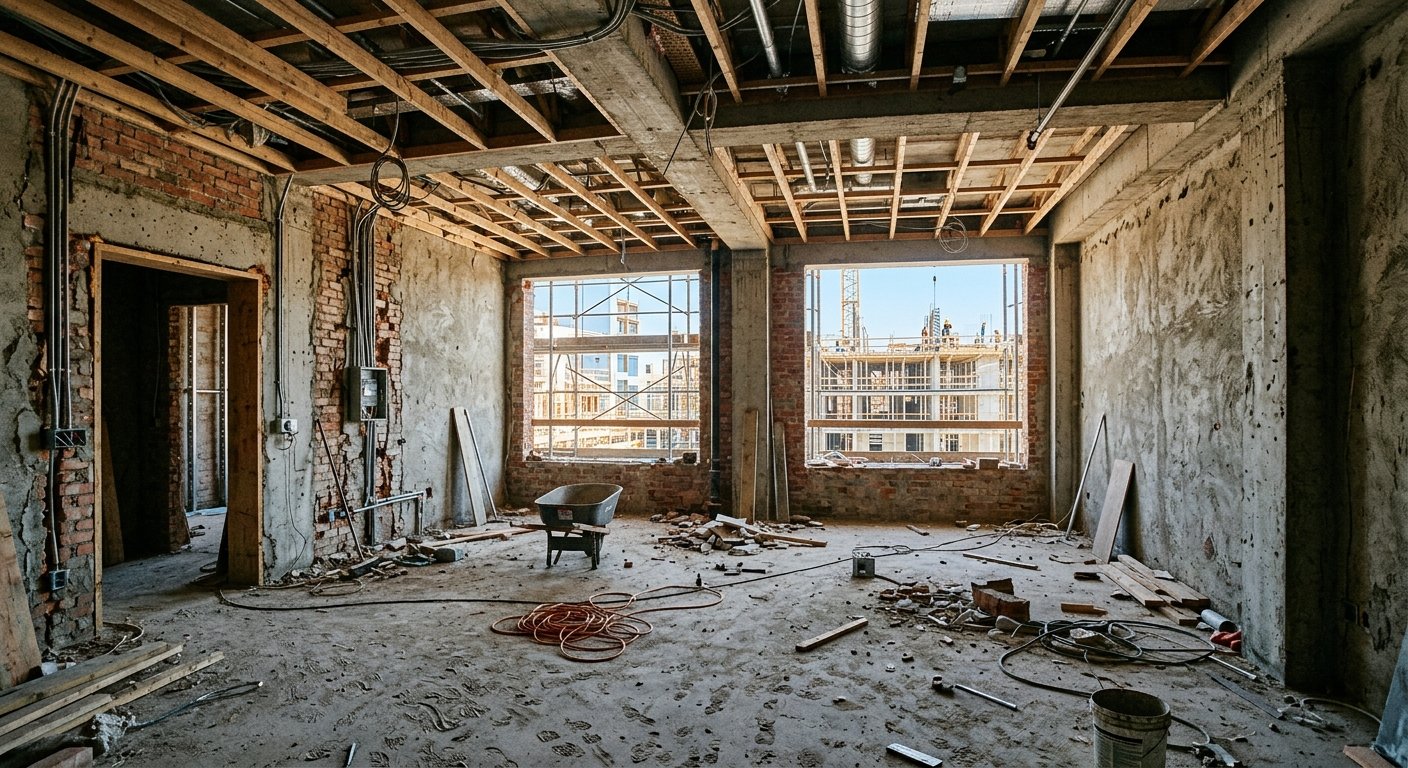
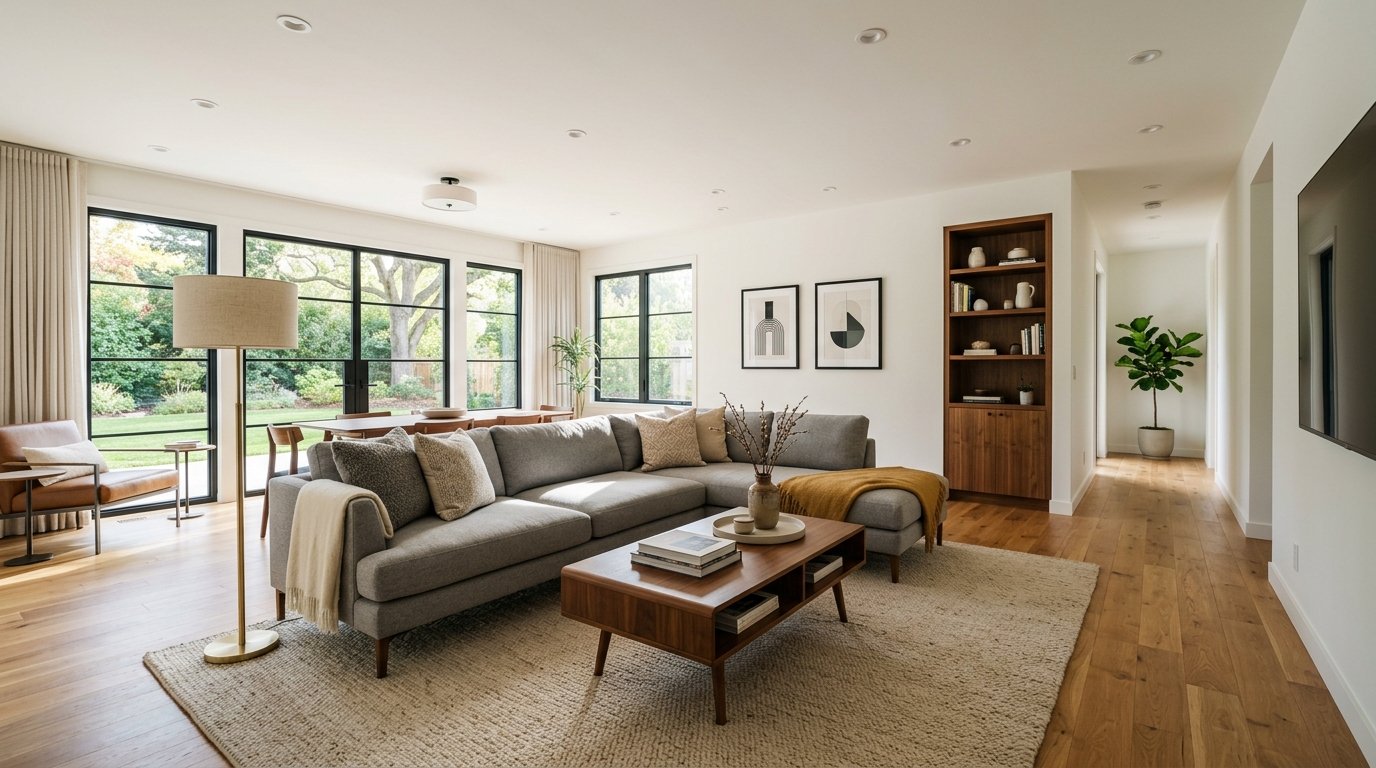
Turn a photo of an unfinished kitchen at rough-in into a finished kitchen with cabinets, countertops, appliances and backsplash in under 90 seconds.
How Does AI Turn Kitchen Construction Into Finished Culinary Spaces?
Transform chaotic kitchen construction sites into photorealistic finished kitchens with cabinets and countertops
What Kitchen Elements Can Be Previewed During Construction?
Preview appliance placement, backsplash materials, and island designs from rough plumbing photos
Why Kitchen Visualization Drives Pre-Construction Sales?
Compare standard vs premium kitchen packages from the same construction photo
How It Works
Get professional results in three simple steps
Drop your photos here
or browse files
Upload Your Photos
Drag and drop your photos or browse to upload them. Roomagen accepts JPEG, PNG and WebP files up to 50 MB each.
AI Processing
Our advanced AI analyzes your images and applies professional enhancements automatically. Choose from virtual staging, enhancement, object removal, or day-to-dusk conversion.
Download Results
Preview your transformed images and download high-resolution results ready for listings, marketing materials, social media, and more. No watermarks on premium plans.
Why Choose Roomagen
Raw Plumbing to Granite Countertops
Transform chaotic kitchen construction sites into photorealistic finished kitchens with cabinets and countertops
Cabinet Layouts and Appliance Placement Previewed
Preview appliance placement, backsplash materials, and island designs from rough plumbing photos
Kitchens Sell Homes — Show Them Finished
Compare standard vs premium kitchen packages from the same construction photo
Who Is It For?
Kitchen Renovation Contractors
Show clients their finished kitchen using photos from demolition day — cabinets, countertops, and appliances visualized in the actual space.
Home Builders
Market kitchen packages to pre-construction buyers with photorealistic finishes shown in the actual kitchen footprint, not generic catalog images.
Real Estate Developers
Differentiate unit tiers — standard, premium, luxury kitchen finishes — using construction photos with different visualization styles.
Professional kitchen renderings are the most expensive room to visualize at $500–$2,000 due to cabinet complexity. Kitchen design software (Home Depot, IKEA) requires manual room building. Roomagen generates photorealistic finished kitchens from construction photos for $0.23–$0.40 instantly.
| Roomagen AI | Kitchen Design Software | Professional Rendering | |
|---|---|---|---|
| Cost | $0.23–$0.40 per image | $0–$99/year + hours | $500–$2,000 per kitchen |
| Turnaround | Under 90 seconds | 2–5 hours manual work | 5–14 days |
| Input | Construction site photo | Manual room building | CAD + detailed specs |
| Photorealism | High | Medium (3D render look) | High |
| Cabinet accuracy | Style-level | Specification-level | Specification-level |
| Multiple options | Unlimited at 2 credits | Time-consuming to redo | $500+ per revision |
Frequently Asked Questions
Everything you need to know about Roomagen
Yes. Specify shaker, flat-panel, raised-panel, or open shelving preferences. The AI generates cabinets matching your style selection, properly scaled to the kitchen dimensions visible in the construction photo.
The AI renders countertop surfaces matching the selected style — granite, quartz, marble, butcher block, or concrete. Material appearance is photorealistic with appropriate veining, grain, and texture.
The AI places appliances based on visible plumbing and electrical rough-in locations. Standard kitchen appliance packages are included — refrigerator, range, dishwasher, and microwave in appropriate positions.
If island plumbing or electrical is visible in the construction photo, the AI renders a finished island with countertop, seating, and appropriate cabinetry. Island dimensions follow the footprint suggested by rough-in locations.
The AI works with whatever layout is visible in the construction framing. Open-plan kitchens are furnished with island seating and sightline-conscious arrangements. Closed kitchens receive traditional layouts.
The AI generates style-appropriate backsplash treatments — subway tile for modern, natural stone for farmhouse, glass mosaic for contemporary. Backsplash matches the overall kitchen design aesthetic.
Visualizations show design intent, not cabinet specifications. They are excellent for style decisions and buyer presentations but should not replace detailed cabinet shop drawings for manufacturing.
Yes. Generate one visualization with standard finishes and another with premium upgrades from the same construction photo. This helps buyers see exactly what they get for the upgrade price.
Kitchens are the #1 room influencing purchase decisions. Properties with visualized kitchens during pre-sale see 45–65% higher commitment rates than those showing only construction photos.
Each visualization uses 2 credits ($0.23–$0.40). Compare standard vs premium kitchen packages for under $0.55 total — versus $1,000–$4,000 for two professional kitchen renderings.
More From This Family
- Unfinished Living Room Virtual Staging
- Unfinished Bedroom Virtual Staging
- Unfinished Bathroom Virtual Staging
- Unfinished Home Office Virtual Staging
- Unfinished Hallway Virtual Staging
- Unfinished Entryway Virtual Staging
- Unfinished Dining Room Virtual Staging
- Modern New Construction Interior
- Luxury New Construction Interior
- Minimalist New Construction Interior
- Scandinavian New Construction Interior
- Industrial-Style New Construction Interior
Explore Related Tools
Discover more AI-powered tools to enhance your visual content
Virtual Staging for Apartments and Homes Still Under Construction
Marketing images of rooms still under construction: AI turns site photos with framing, pipes or drywall into finished, furnished interiors in under 90 seconds.
Learn moreVirtual Staging Kitchen Photos — Style an Empty Kitchen with AI
Stage empty kitchen photos with AI: bar stools, a dining table, pendant lights and countertop decor in 13 styles, in under 90 seconds, $0.23–$0.40 per image.
Learn moreModern New Construction Interior — Clean Lines on a Construction Photo
Show a construction site as a modern finished interior: AI adds clean-lined furniture, neutral palettes and contemporary finishes to the photo in under 90 seconds.
Learn moreFloor Plan AI — Turn a Sketch, Scan or Old Plan into a 2D or 3D Floor Plan
Turn a sketch, scan or old plan into a clean 2D floor plan or a 3D view. Keep or remove measurements and room names, and pick one of four drawing styles.
Learn more