
Natural Language Photo Editing — Describe the Change, AI Edits the Photo
Natural language photo editing on Roomagen lets users transform images by typing instructions in plain language — the AI parses intent, selects from 40+ specialized tools, and executes edits without requiring technical knowledge or form-based interfaces.
Every photo editing tool requires learning its specific interface — sliders, masks, layers, blend modes. Users spend more time figuring out HOW to make changes than deciding WHAT to change. Natural language editing removes the interface barrier entirely — describe the desired outcome and the AI handles the technical execution.
Features
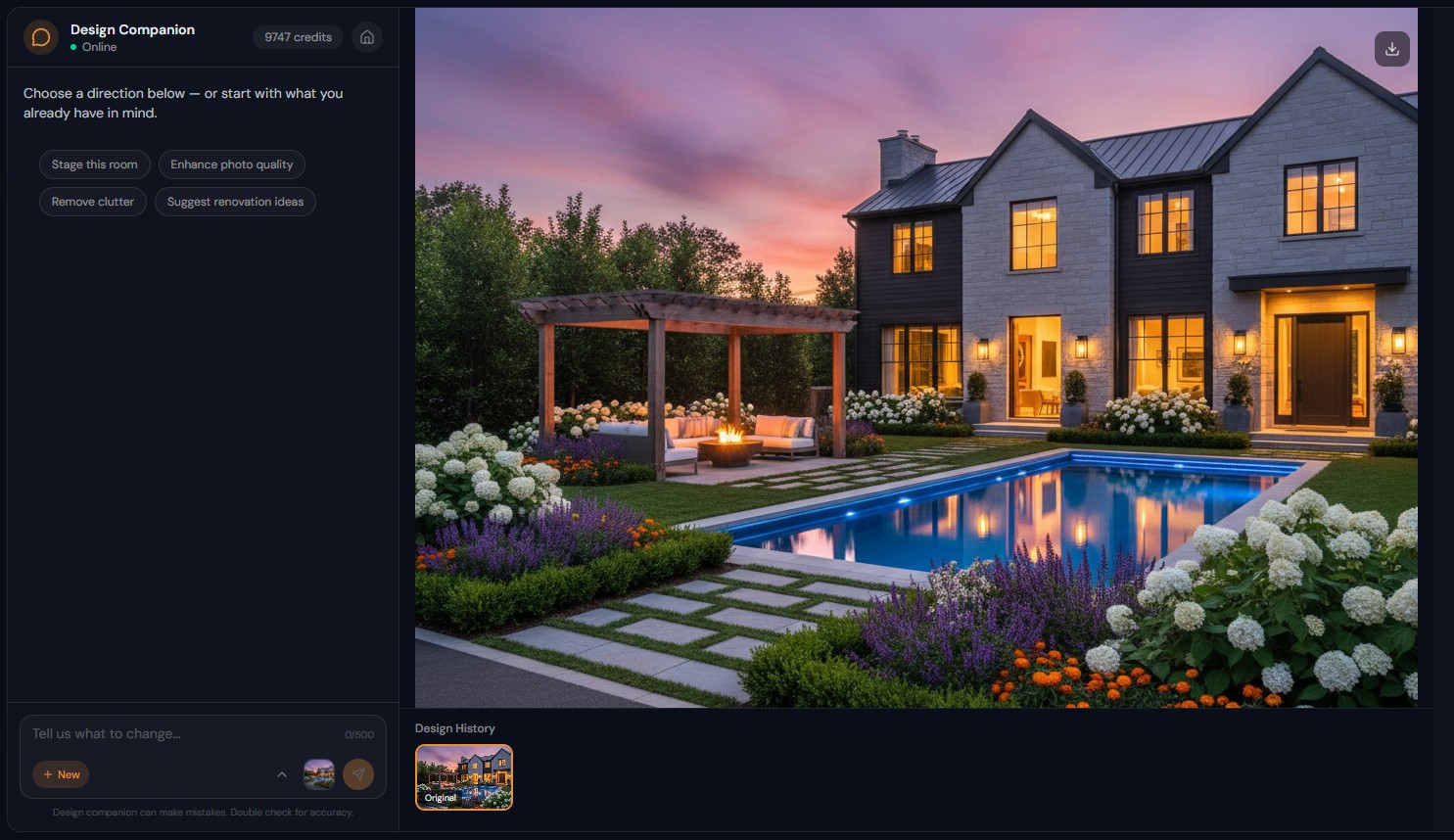
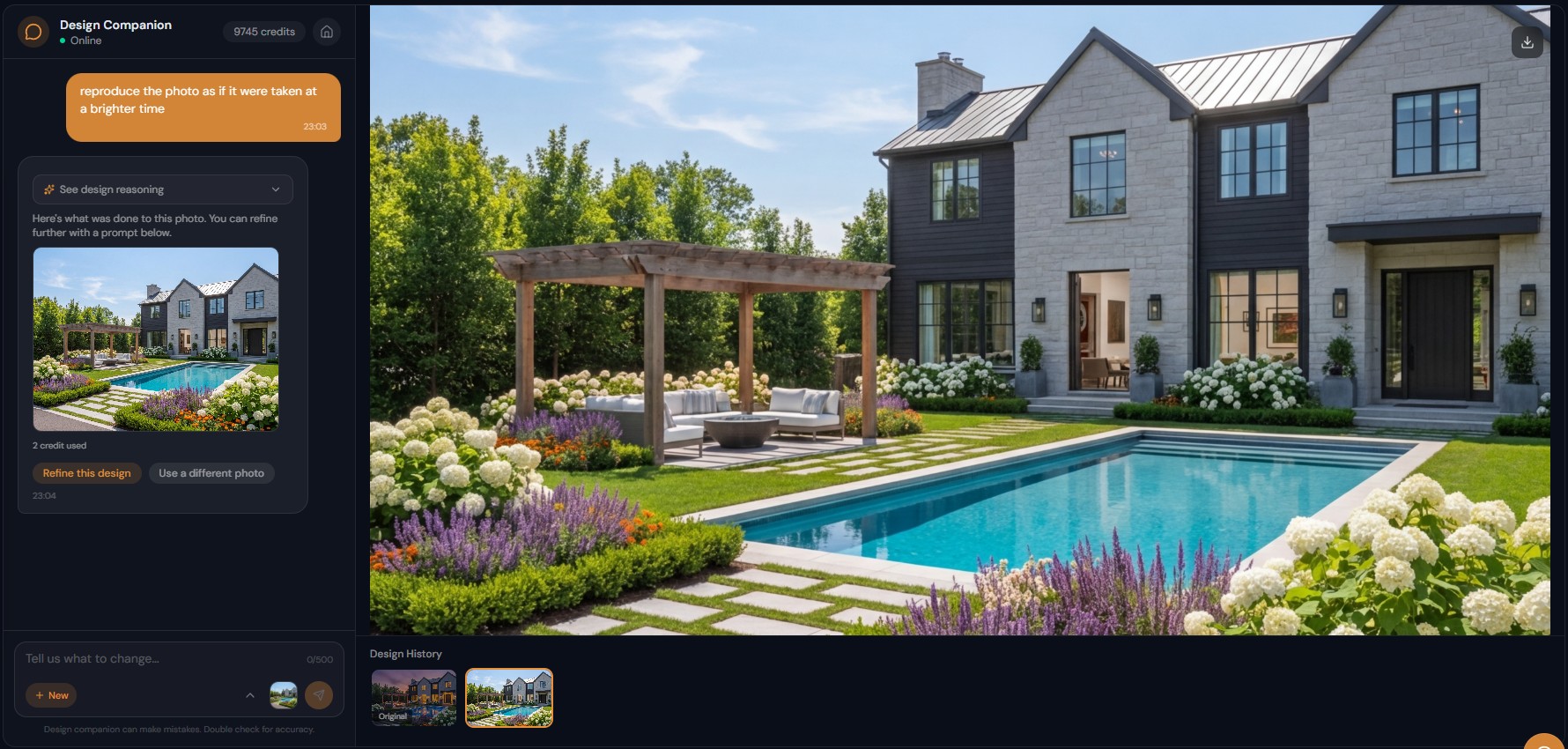
Edit photos by describing what you want in plain words, such as "remove the old sofa and add a modern one". The AI picks the right tool from 40+ and edits.
What Is Natural Language Photo Editing?
Zero learning curve — type instructions in everyday language instead of learning complex software interfaces
How Does Text-Based Image Editing Work Technically?
Automatic tool selection — the AI picks the right tool from 40+ options based on your description
What Edits Can Natural Language Handle?
9-language support — describe edits in English, Turkish, French, German, Spanish, Russian, Japanese, Chinese, or Portuguese
How It Works
Get professional results in three simple steps
Drop your photos here
or browse files
Upload Your Photos
Drag and drop your photos or browse to upload them. Roomagen accepts JPEG, PNG and WebP files up to 50 MB each.
AI Processing
Our advanced AI analyzes your images and applies professional enhancements automatically. Choose from virtual staging, enhancement, object removal, or day-to-dusk conversion.
Download Results
Preview your transformed images and download high-resolution results ready for listings, marketing materials, social media, and more. No watermarks on premium plans.
Why Choose Roomagen
Type Instructions in Everyday Language — No Tools or Sliders
Zero learning curve — type instructions in everyday language instead of learning complex software interfaces
AI Intent Parsing Selects the Right Tool Automatically
Automatic tool selection — the AI picks the right tool from 40+ options based on your description
From Simple Color Changes to Complex Multi-Element Transformations
9-language support — describe edits in English, Turkish, French, German, Spanish, Russian, Japanese, Chinese, or Portuguese
Who Is It For?
Non-Technical Users
Edit photos without any software knowledge — describe changes the way you would tell a friend, and see professional results without learning editing tools.
Busy Professionals
Skip the learning curve and configuration overhead — describe the end result you need and let AI handle tool selection and technical execution.
Creative Professionals
Focus on vision rather than execution — describe complex creative edits in natural language and iterate faster than clicking through interface elements.
Form-based AI tools require: 1) finding the right tool, 2) selecting options from dropdowns, 3) configuring parameters, 4) submitting. Natural language editing requires one step: describe what you want. "Paint the walls warm gray and replace the carpet with hardwood" does in one sentence what requires two separate tools and six configuration fields.
| Natural Language Editing | Form-Based AI Tools | Traditional Software | |
|---|---|---|---|
| Input method | Type what you want | Select from dropdowns | Sliders, masks, layers |
| Tool selection | Automatic (AI decides) | Manual (user selects) | Manual (user selects) |
| Learning curve | None | Per-tool configuration | Months-years |
| Multi-step edits | One conversation | Multiple tool sessions | Complex layer workflow |
| Languages | 9 supported | English UI only | English UI only |
| Cost | 2 credits per edit | 2 credits per edit | Software subscription |
Frequently Asked Questions
Everything you need to know about Roomagen
A method of editing images by typing instructions in everyday language instead of using traditional software tools. "Make the room brighter and remove the clutter" replaces manual slider adjustments and mask drawing.
The AI uses intent parsing to analyze your text, identify what needs to change, select the appropriate tool from 40+ options, and configure parameters automatically. It understands context, synonyms, and implied instructions.
Instructions work in 9 languages: English, Turkish, French, German, Spanish, Russian, Japanese, Chinese, and Portuguese. The AI processes your instruction and generates the edit regardless of input language.
As specific or general as you prefer. "Make this room look nice" works. "Paint the walls Benjamin Moore Simply White with an eggshell finish and replace the carpet with 5-inch white oak hardwood" also works.
The AI may ask a clarifying question before proceeding. If the result is not what you intended, describe the correction — "no, I meant the other wall" or "make it lighter than that." Iterative refinement through conversation.
Yes. "Remove all the old furniture, stage with modern scandinavian pieces, paint the walls warm white, and change the flooring to light oak" — the AI breaks this into steps and executes each one, maintaining context throughout.
For most users, significantly faster. Typing "brighten and straighten this photo" takes 5 seconds. Achieving the same result in Lightroom requires adjusting exposure, highlights, shadows, whites, blacks, and lens correction — 3-5 minutes minimum.
Interior rooms, exterior buildings, landscapes, portraits, property photos, commercial spaces, and more. The 40+ available tools cover virtual staging, enhancement, renovation preview, object removal, landscaping, and specialty edits.
No. The AI selects the appropriate tool based on your description. "Remove the stain on the wall" automatically uses the object removal tool. "Stage this room" selects virtual staging. Tool selection is invisible to you.
Each image edit costs 2 credits ($0.23-$0.40). Asking questions and getting design advice through chat is free — only actual image generation deducts credits.
Part of
AI Chat Photo EditorMore From This Family
- Iterative AI Photo Editing
- AI Design Reasoning
- Conversational AI Interior Design
- AI Virtual Staging by Chat
- AI Room Redesign Chat
- Enhance Photo Quality by Chat
- AI Home Remodel Visualizer Chat
- AI Room Cleaner Chat
- AI Landscaping Chat
- Change Room Colors by Chat
- AI Real Estate Photo Editing Chat
- AI Design Chat for Interior Designers
Explore Related Tools
Discover more AI-powered tools to enhance your visual content
AI Chat Photo Editor — Edit Any Photo by Typing What You Want
Type what you want changed and the Design Companion edits your interior or exterior photo: stage, recolor, remove objects. 2 credits per edit, under 90 seconds.
Learn moreAI Photo Enhancement — Enhance Real Estate, Hotel and Product Photos
Enhance any photo with AI: HDR, color correction, sharpening and lens fixes, usually in under a minute — for listings, hotel rooms, product shots and more.
Learn moreVirtual Home Renovation Service — AI Remodeling for Real Estate and More
Show a room after renovation: AI updates cabinets, countertops, flooring, tile and fixtures in one pass, in 20–40 seconds, before you sell, lease or redesign.
Learn moreFree AI Virtual Staging — Furnish Any Empty Room, Change Walls and Floors
Stage empty rooms online with AI, usually in under a minute: 13 design styles and 15 room types for listings, rentals and hotels. 6 free credits, no credit card.
Learn moreAI Object Removal Service — Remove Objects From Property and Product Photos
Erase unwanted objects from any photo — cars, signs, trash cans, clutter — and AI rebuilds the background, usually in under a minute, for listings and products.
Learn more