3D Model to Realistic Image — Turn Clay, Massing or Shaded Views Into Photos
Roomagen's 3D model to realistic image tool takes any view, from a white clay or massing model to a textured scene, from any program, and returns a photo-like picture with the same camera and design for 2 credits.
A 3D model holds the design, but a white clay or massing view does not tell a client what it will feel like to stand there. Turning it into a realistic image usually means a render engine and material work, or paying someone to do it. Roomagen takes the view as an image from any program, picks interior, exterior or a cutaway from above for you, gives plain surfaces the real material they most likely are, and adds the light and setting you choose. The camera and the design stay, and each image costs 2 credits.
No credit card required. Results usually in under a minute.
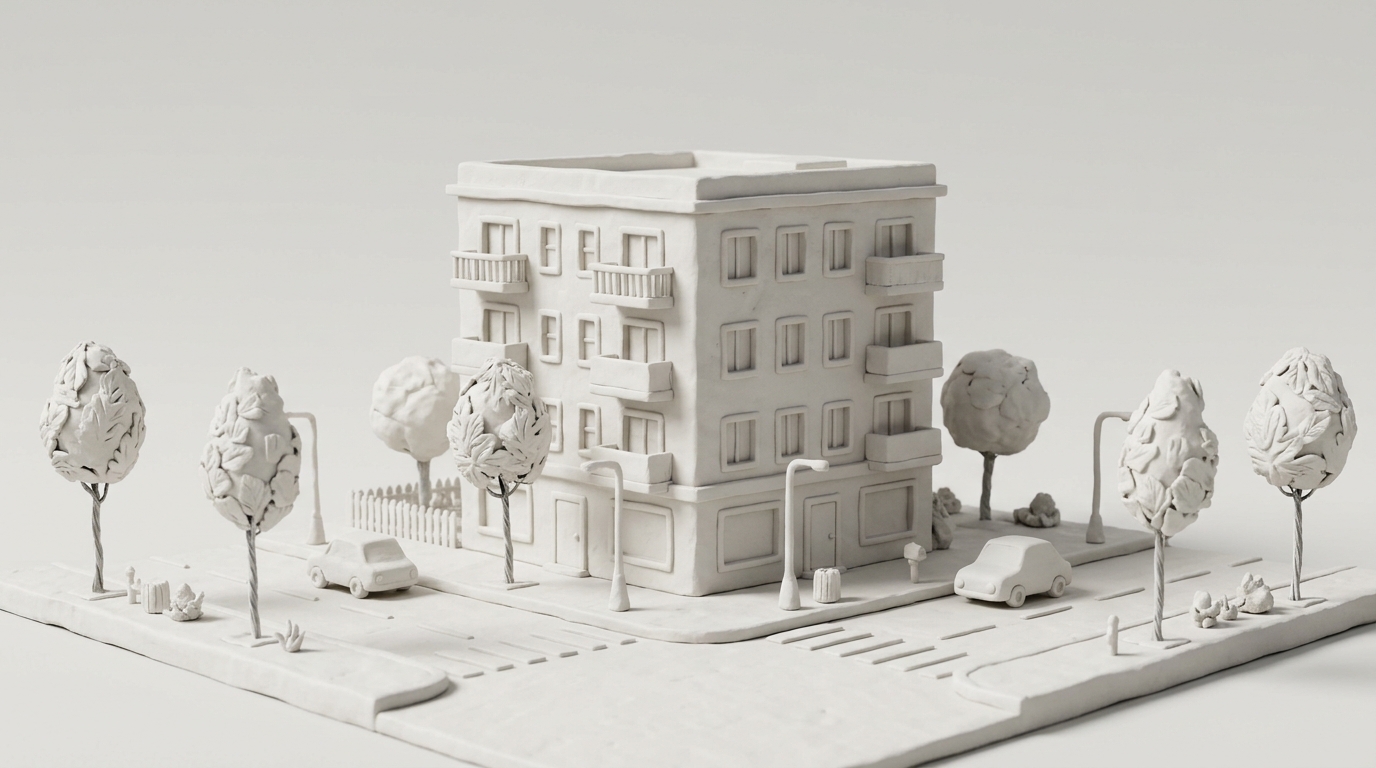
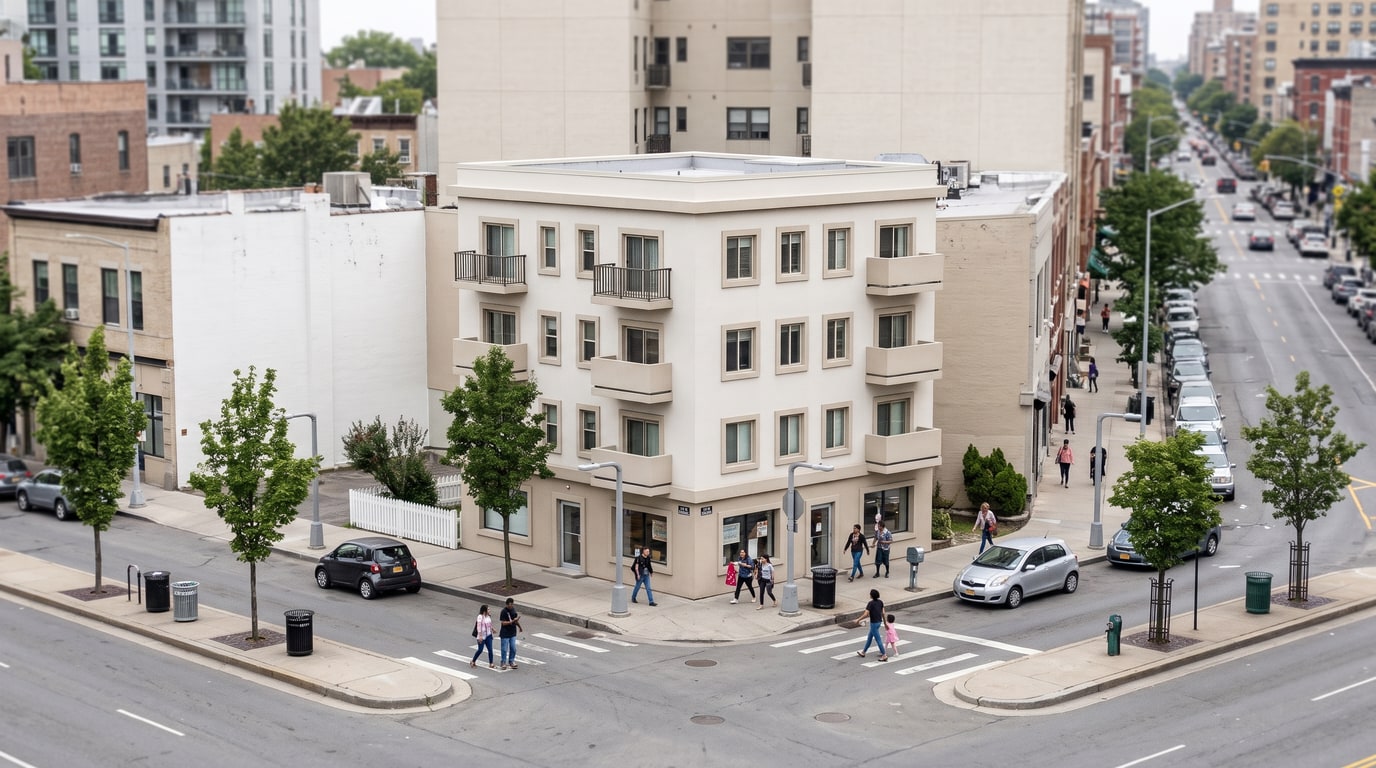
Demo example: the “Before” image was created with AI for this site; it is not a customer photo.
Features
Turn a 3D model into a realistic image with AI: upload a clay, massing, shaded or textured view from any program and get a photo-like result. 2 credits each.
How Does a 3D Model Become a Realistic Image?
Turns clay, massing, shaded or textured views from any 3D program into realistic images
Which 3D Views Can You Upload?
A free check picks interior, exterior or from above and catches floor plans and photos
What Changes and What Stays?
Same camera and design; you choose light, weather and materials; 2 credits per image
How It Works
Get professional results in three simple steps
Drop your photos here
or browse files
Upload Your Photos
Drag and drop your photos or browse to upload them. Roomagen accepts JPEG, PNG and WebP files up to 50 MB each.
AI Processing
Our advanced AI analyzes your images and applies professional enhancements automatically. Choose from virtual staging, enhancement, object removal, or day-to-dusk conversion.
Download Results
Preview your transformed images and download high-resolution results ready for listings, marketing materials, social media, and more. No watermarks on premium plans.
Why Choose Roomagen
Clay and Massing Models
Turns clay, massing, shaded or textured views from any 3D program into realistic images
Interior, Exterior or From Above
A free check picks interior, exterior or from above and catches floor plans and photos
Starting From a Floor Plan Instead
Same camera and design; you choose light, weather and materials; 2 credits per image
Who Is It For?
Architects at Concept Stage
Turn clay and massing studies into realistic images to discuss scale, light and atmosphere before the details are modeled.
Interior and Furniture Designers
Upload a room view from any modeling program and see it with natural light or lamps, with the layout and furniture kept.
Homeowners With an Architect's Model
Turn the 3D views your architect sends into realistic images to understand the design before it is built.
Render engines turn a model into a realistic image once materials, lights and settings are prepared, and a render studio does it for a fee per image. Several AI render tools work through plugins for specific programs. Roomagen takes a plain image of any 3D view, including clay and massing models, keeps the camera and design, and costs 2 credits per image, with a free check that sends floor plans and photos to the right tool.
| Roomagen | Render engine | Render studio | |
|---|---|---|---|
| Input | An image of any view | The model with materials and lights | Model files and a brief |
| Clay and massing models | Get real materials automatically | Need materials assigned | Depends on the brief |
| Programs | Any, via export or screenshot | Those the engine supports | Depends on the studio |
| Changing one part | Brush, 2 credits | Adjust and render again | A revision round |
| Cost | 2 credits per image ($0.23–$0.40) | A license and a capable computer | A fee per image |
Frequently Asked Questions
Everything you need to know about Roomagen
Export or screenshot the view from your 3D program and upload it as a JPG, PNG or WebP up to 50 MB. Choose the light and the setting, and Roomagen returns a photo-like image with the same camera and design.
It works with views from SketchUp, Revit, Archicad, Rhino, Blender, 3ds Max, Vectorworks or any other program you can export or screenshot from. Roomagen reads only the image, in the browser, so there is nothing to install.
Yes. Plain white or grey surfaces get the real material they most likely are, such as plaster, glass, paving or grass, and modeled trees and cars become real ones. The shapes, openings and camera stay as modeled.
Yes. Interior views get a choice of natural light, lamps or a mix, and an empty room can be furnished. For a cutaway seen from above, the From above space turns it into a real-looking image.
A free check looks at every upload first. If it is a floor plan or a photo, the studio tells you and points to the right tool, such as Floor Plan → 3D or the photo tools, and nothing is charged.
Yes, in two steps. Turn the plan into a 3D view with Floor Plan → 3D, then open 3D → Photoreal and pick the 3D result from the Library, or upload it. Each step costs 2 credits.
No. Walls, windows, the roof, furniture and their positions and sizes stay, and so does the camera angle. With Keep, the materials stay as modeled; with Renew, they change to one of seven styles while the shapes remain.
Turning a 3D view into a realistic image costs 2 credits at 2K, and the same 2 credits at 4K on the Pro and Business plans. New accounts get 6 free credits, and monthly plans come to $0.23–$0.40 per image.
Yes. With the brush, paint the part and describe the change, and only that area is redone for 2 credits. The eraser removes a painted object, and earlier versions are saved in your studio history and Library.
No. It is a visualization for presentations, decisions and marketing, and nothing in it is measured. Use the model and drawings for dimensions, and label the image as a visualization when you publish it.
Explore Related Tools
Discover more AI-powered tools to enhance your visual content
AI Architectural Rendering — Turn a 3D Model View into a Real-Looking Photo
Turn a view of your SketchUp, Revit, Archicad, Rhino or Blender model into a photoreal image with AI. Choose the light, weather and people; 2 credits per image.
Learn moreAI Render Enhancer — Make a Computer-Looking Render Realistic
Make a render realistic with AI: upload a render with flat light or plain materials and get a real-looking photo from the same camera. 2 credits each.
Learn moreBlender AI Render — Turn a Solid Viewport Into a Photoreal Image Without a Cycles Setup
Blender AI render in the browser: upload a Solid or Workbench view, skip Cycles, lights and materials, and get a photoreal image of the same scene. 2 credits.
Learn moreSketchUp Render AI — Turn Any SketchUp Scene Into a Photoreal Image
Render a SketchUp model with AI online: export a scene as an image, upload it and get a photoreal picture from the same camera. No install; 2 credits per image.
Learn moreAI Exterior Render — See a House or Building From Outside in Real Light and Weather
AI exterior render for houses and buildings: upload an outside 3D view, pick light, weather, people and surroundings, and get a real-looking photo. 2 credits.
Learn more