Revit Render AI — Turn a Revit 3D View Into a Real-Looking Image
Roomagen's Revit render AI turns an exported Revit 3D view (shaded, consistent colors or realistic) into a photoreal image with the same camera and design, plus the light, people and cars you pick, for 2 credits.
A Revit model carries the full design, but a Shaded or Consistent Colors view still looks like a model, and large buildings look empty without people, cars and street life. Rendering inside Revit means materials, lighting and render settings, and AI plugins add another install. With Roomagen you export the 3D view as an image, upload it in the browser, set the light, weather, people and vehicles, and get a real-looking image from the same camera for 2 credits. A spot that is off can be repainted with the brush.
No credit card required. Results usually in under a minute.
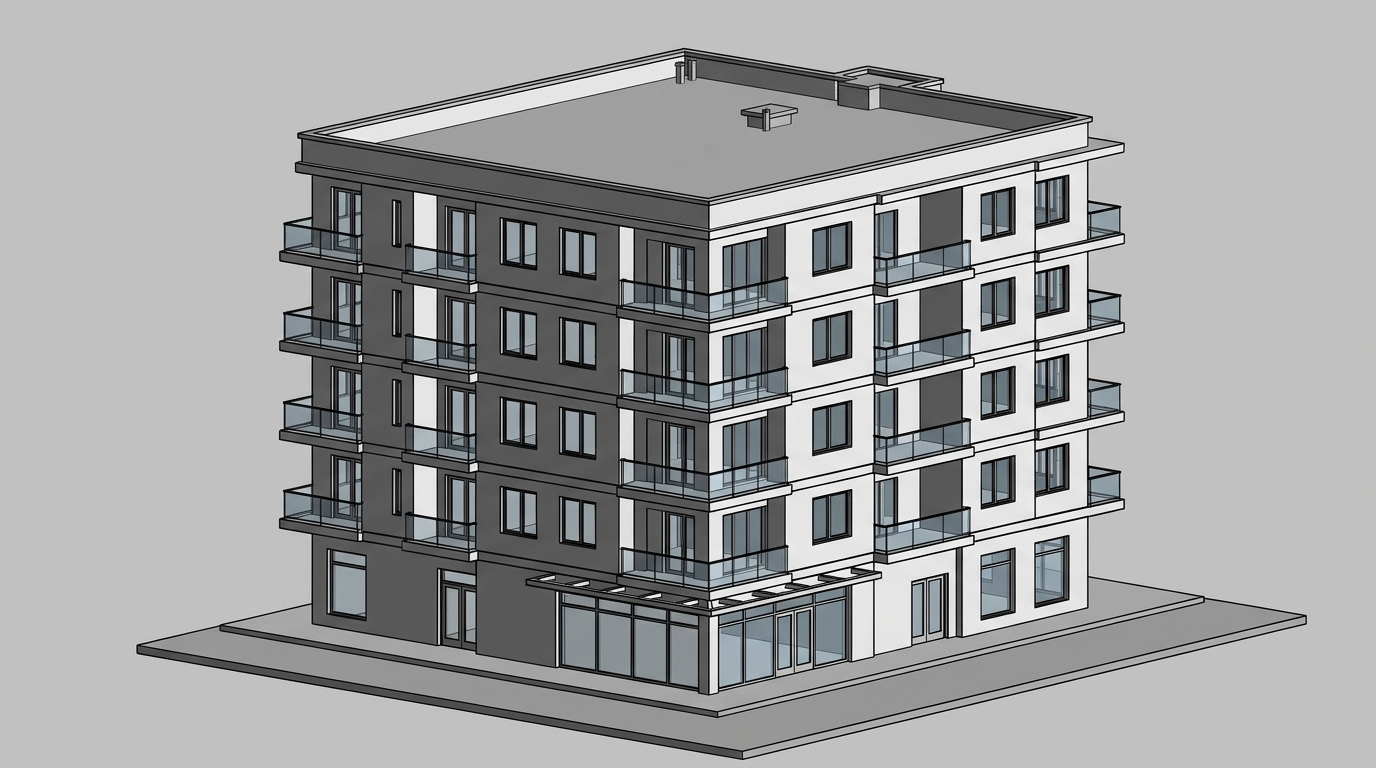
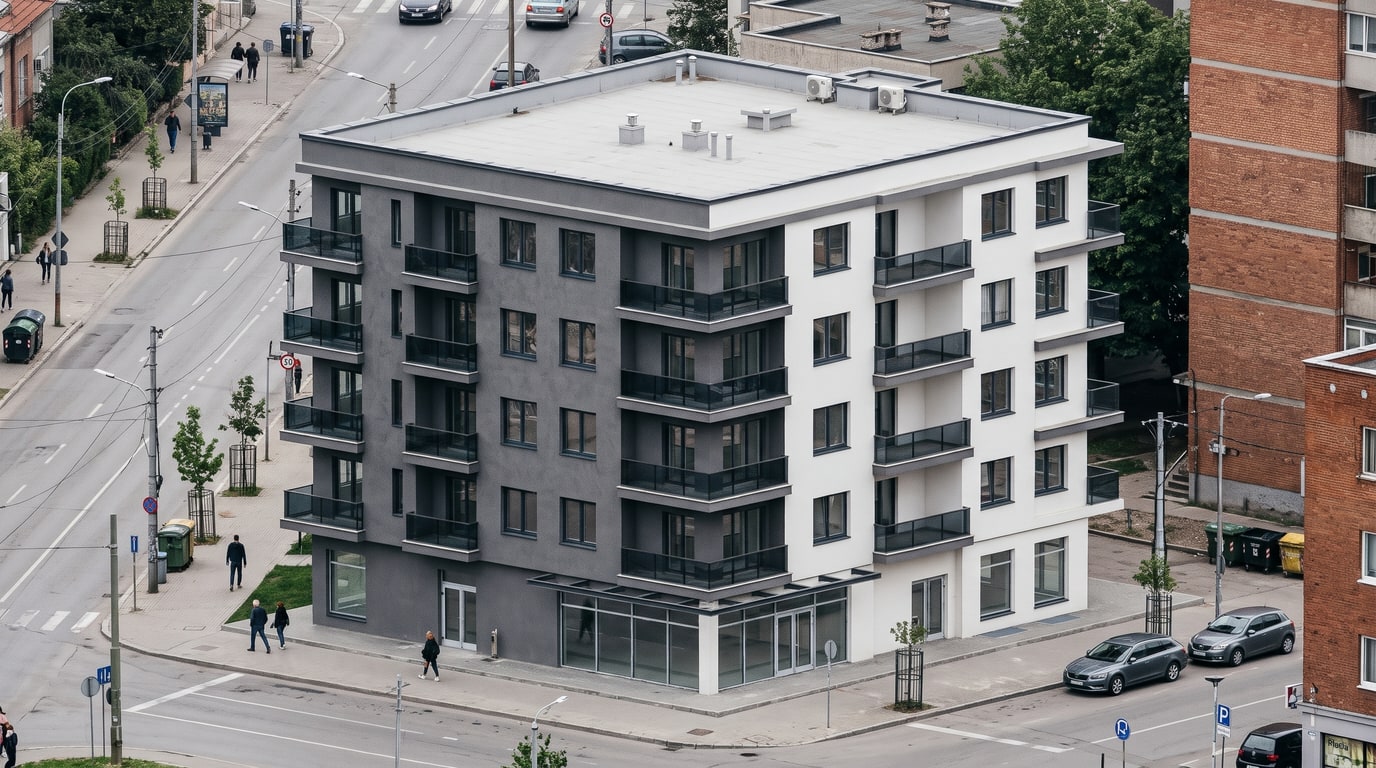
Demo example: the “Before” image was created with AI for this site; it is not a customer photo.
Features
Revit AI render: export a 3D view as an image, upload it in the browser and get a photoreal picture with people, cars and real light. 2 credits per image.
How Do You Render a Revit View With AI?
Turns a Revit 3D view (shaded, consistent colors or realistic) into a photoreal image
Which Revit Visual Styles Work?
Adds people, cars, surroundings and greenery to show large buildings in context
AI Render or Revit's Own Rendering?
A web app with nothing to install and no render settings; 2 credits per image
How It Works
Get professional results in three simple steps
Drop your photos here
or browse files
Upload Your Photos
Drag and drop your photos or browse to upload them. Roomagen accepts JPEG, PNG and WebP files up to 50 MB each.
AI Processing
Our advanced AI analyzes your images and applies professional enhancements automatically. Choose from virtual staging, enhancement, object removal, or day-to-dusk conversion.
Download Results
Preview your transformed images and download high-resolution results ready for listings, marketing materials, social media, and more. No watermarks on premium plans.
Why Choose Roomagen
Export the 3D View as an Image
Turns a Revit 3D view (shaded, consistent colors or realistic) into a photoreal image
Large Buildings, People and Cars
Adds people, cars, surroundings and greenery to show large buildings in context
Change One Area, Keep the Rest
A web app with nothing to install and no render settings; 2 credits per image
Who Is It For?
Architects
Turn the Revit views you already have into client presentation images without setting up materials and lighting for a render.
Design and Build Firms
Show large residential or commercial buildings with people, cars and street life around them, made from the Revit model the team already works in.
Project Managers
Turn views a colleague exports from Revit into images for meetings and reports, in the browser, without Revit or a render engine on your own computer.
Revit's own rendering uses the materials, lights and settings you prepare in the model. AI plugins such as Veras, ArkoAI or mnml.ai work inside Revit, and the ArkoAI and mnml.ai Revit plugins run on Windows. Roomagen is a web app that takes an exported view, keeps the camera and design, adds people, cars and surroundings on request, and costs 2 credits per image.
| Roomagen | Revit's own rendering | AI plugin inside Revit | |
|---|---|---|---|
| Where it runs | In the browser | In Revit | In Revit |
| Preparation | Upload an image of the view | Materials, lights and render settings | Install the plugin |
| People and cars | None, a few or many people; cars on or off | Placed in the model | Depends on the plugin |
| Changing one area | Brush, 2 credits | Edit the model and render again | Depends on the plugin |
| Cost | 2 credits per image ($0.23–$0.40) | Part of Revit | The plugin's plan |
Frequently Asked Questions
Everything you need to know about Roomagen
Open the 3D view you want, export it with File → Export → Images and Animations → Image or take a screenshot, and upload it to Roomagen. Choose the light, weather, people and cars, then create the image.
Shaded, Consistent Colors and Realistic views all work. Plain white or grey surfaces get the real material they most likely are, such as plaster or glass, and a Realistic view can keep its materials when you choose Keep.
Yes. Exterior views of large residential, office or public buildings work; choose city or suburban surroundings, many people and some vehicles to show the building in use. The massing, windows and camera stay as in the Revit view.
Yes. For exteriors, set People to none, a few or many and Vehicles to none or some. They are added around the building in the light you choose, which gives the view context.
No. Roomagen is a web app with nothing to install, and it does not need materials, lights or render settings in the model. You only upload an image of the view, so it also works on a computer without Revit.
Yes. Choose Interior and pick natural light, lamps or both; keep the furniture as modeled or let an empty room be furnished. Walls, windows and the camera stay as in your Revit view.
Every image is 2 credits at 2K, and also 2 credits at 4K, which comes with the Pro and Business plans. On monthly plans the price is $0.23–$0.40 per image, and new accounts get 6 free credits.
Yes. Paint the area with the brush and describe the change, such as another facade color or an extra tree, and only that area is redone for 2 credits. The eraser takes out a painted object, also for 2 credits.
Yes. From an exterior result, choose Place on my site, upload a photo of the plot and paint the ground where the building goes. It is set into the photo's angle and light for 3 credits, or 5 at 4K.
No. They are visualizations for presentations and decisions, not technical drawings, and sizes are not measured. Use your Revit documentation for anything that must be exact, and label the images as visualizations.
Explore Related Tools
Discover more AI-powered tools to enhance your visual content
AI Architectural Rendering — Turn a 3D Model View into a Real-Looking Photo
Turn a view of your SketchUp, Revit, Archicad, Rhino or Blender model into a photoreal image with AI. Choose the light, weather and people; 2 credits per image.
Learn moreSketchUp Render AI — Turn Any SketchUp Scene Into a Photoreal Image
Render a SketchUp model with AI online: export a scene as an image, upload it and get a photoreal picture from the same camera. No install; 2 credits per image.
Learn moreArchicad Render AI — Turn Your Archicad 3D View Into a Photoreal Image
Render an Archicad 3D view with AI in the browser: upload the view, keep its camera and design, and choose the light, weather and people. 2 credits per image.
Learn moreAI Exterior Render — See a House or Building From Outside in Real Light and Weather
AI exterior render for houses and buildings: upload an outside 3D view, pick light, weather, people and surroundings, and get a real-looking photo. 2 credits.
Learn moreAI Rendering for Architects — Concept, Client and Competition Images From Your Model
AI rendering for architects: turn concept, design and competition views into photoreal images with your chosen light and weather. Same camera, 2 credits each.
Learn more