SketchUp Render AI — Turn Any SketchUp Scene Into a Photoreal Image
Roomagen's SketchUp render AI turns a scene exported from SketchUp (white, shaded or textured) into a photoreal image with the same camera and design. It runs in the browser with nothing to install, for 2 credits per image.
A SketchUp model shows the design, but its scenes still look like a model: flat colors, edge lines and no real light. The usual next step is a render plugin such as V-Ray, Enscape or D5, which means a local install and a scene set up with materials, lights and render settings. With Roomagen you export the scene as an image (File → Export → 2D Graphic), upload it in the browser, choose the light, weather and people, and get a photoreal image of the same design from the same camera for 2 credits. If one spot needs changing, paint it with the brush instead of starting over.
No credit card required. Results usually in under a minute.
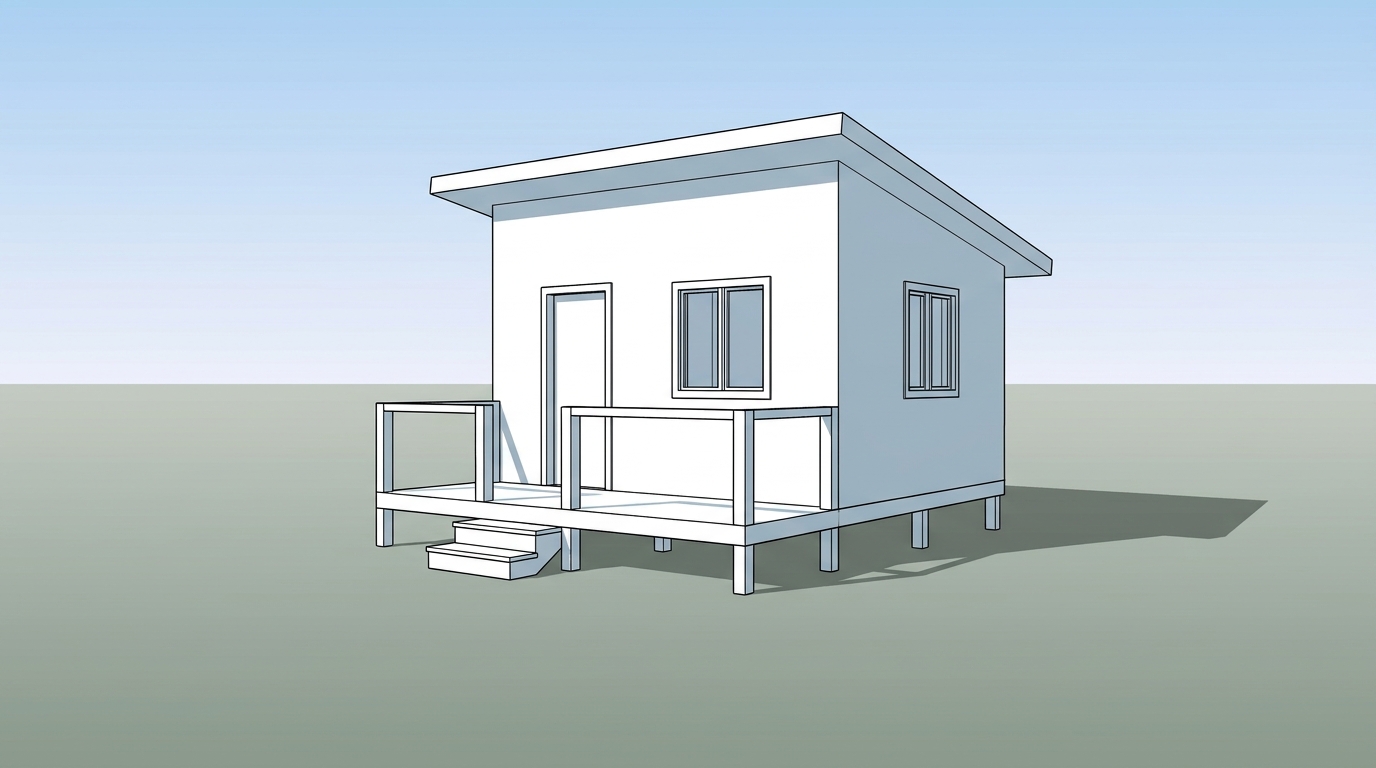
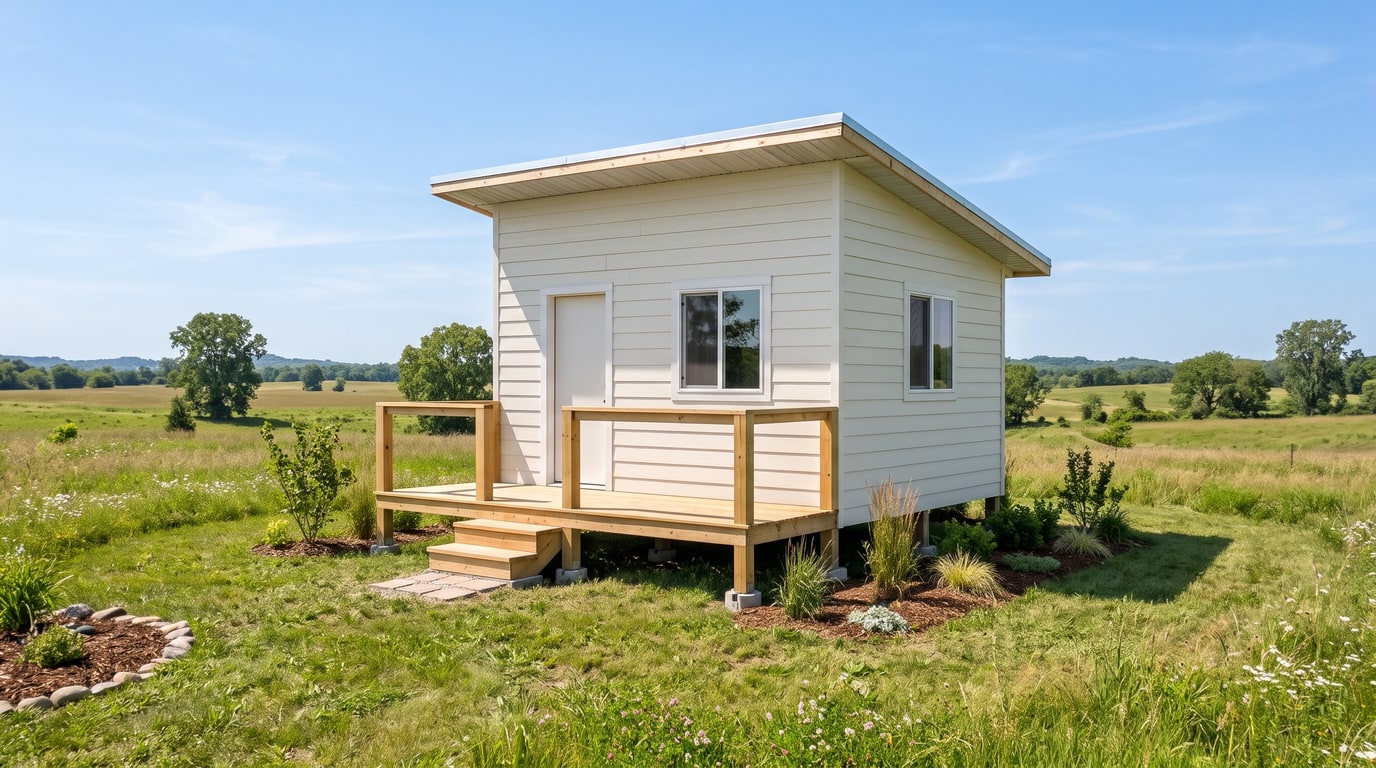
Demo example: the “Before” image was created with AI for this site; it is not a customer photo.
Features
Render a SketchUp model with AI online: export a scene as an image, upload it and get a photoreal picture from the same camera. No install; 2 credits per image.
How Do You Render a SketchUp Model With AI?
Turns a SketchUp scene exported as an image into a photoreal picture with the same camera
What Carries Over From Your SketchUp Scene?
White, shaded and textured styles all work; clay surfaces get real materials
AI Render or a SketchUp Render Plugin?
A web app with nothing to install and no render setup; 2 credits per image at 2K or 4K
How It Works
Get professional results in three simple steps
Drop your photos here
or browse files
Upload Your Photos
Drag and drop your photos or browse to upload them. Roomagen accepts JPEG, PNG and WebP files up to 50 MB each.
AI Processing
Our advanced AI analyzes your images and applies professional enhancements automatically. Choose from virtual staging, enhancement, object removal, or day-to-dusk conversion.
Download Results
Preview your transformed images and download high-resolution results ready for listings, marketing materials, social media, and more. No watermarks on premium plans.
Why Choose Roomagen
Export a Scene as a 2D Graphic
Turns a SketchUp scene exported as an image into a photoreal picture with the same camera
Edges, Textures and Clay Styles
White, shaded and textured styles all work; clay surfaces get real materials
Repaint One Spot With the Brush
A web app with nothing to install and no render setup; 2 credits per image at 2K or 4K
Who Is It For?
Architects
Turn the SketchUp scenes you already use for design reviews into client images, without setting up materials and lights for a render plugin.
Interior Designers
Export a furnished room from SketchUp and show it with natural light, lamps or both, or renew the materials in a style such as Japandi or Scandinavian.
Students and Small Studios
Make presentation images from a SketchUp model in the browser, without a render engine on your own computer, for 2 credits each.
Render plugins for SketchUp such as V-Ray, Enscape or D5 need a local install and a scene prepared with materials, lights and render settings. Roomagen is a web app: there is no plugin and nothing to install. You upload an exported scene, keep its camera and design, choose the light and the weather, and pay 2 credits per image, with a brush to change one spot.
| Roomagen | Render plugin (V-Ray, Enscape, D5) | Exported scene alone | |
|---|---|---|---|
| Install | Nothing; works in the browser | A local install | Nothing |
| Setup | Choose light, weather and people | Materials, lights and render settings | None |
| Look | Real-looking photo | Depends on the setup | Looks like a model |
| Changing one spot | Brush, 2 credits | Adjust the scene and render again | Edit the model |
| Cost | 2 credits per image ($0.23–$0.40) | The plugin's license or plan | Free |
Frequently Asked Questions
Everything you need to know about Roomagen
Open the scene you want in SketchUp, export it as an image with File → Export → 2D Graphic, and upload it to Roomagen. Choose the light, weather and people, then create the image; the camera and the design stay as modeled.
White or clay styles, shaded styles and textured styles all work as input, with or without edges. Clay surfaces get the real material they most likely are, such as plaster, glass or paving, and textured scenes keep their materials when you choose Keep.
The camera angle and the design: walls, windows, the roof, furniture, and their positions and sizes. You choose the light, weather, people and surroundings in Roomagen, and you can keep the modeled materials or renew them in one of seven styles.
No. Roomagen is a web app, so there is nothing to install in SketchUp or on your computer. You export the scene as an image and upload it in the browser.
Yes. Choose Interior, then pick natural light, lamps or a mix, and keep the furniture as it is or let an empty room be furnished. The layout and the camera of your SketchUp scene stay the same.
Yes. Choose Renew and pick Modern, Minimalist, Scandinavian, Japandi, Industrial, Classic or Mediterranean to see the design in other materials. Each version costs 2 credits and is saved in your history next to the others.
One image is 2 credits whether you choose 2K or 4K, and 4K comes with the Pro and Business plans. Monthly plans work out at $0.23–$0.40 per image, and a new account starts with 6 free credits.
Paint that spot with the brush and write what it should be; only the painted area changes, for 2 credits. The eraser removes a painted object the same way, and earlier versions are saved in your history and Library.
Yes. From an exterior result, choose Place on my site, upload a photo of the land and paint where the building stands. It is placed in the photo's angle and light for 3 credits, and you can then add landscaping or a fence.
No. The image is a visualization for design reviews, presentations and marketing, and sizes in it are not measured. Keep your SketchUp model and drawings as the reference, and label the images as visualizations when you publish them.
Explore Related Tools
Discover more AI-powered tools to enhance your visual content
AI Architectural Rendering — Turn a 3D Model View into a Real-Looking Photo
Turn a view of your SketchUp, Revit, Archicad, Rhino or Blender model into a photoreal image with AI. Choose the light, weather and people; 2 credits per image.
Learn moreRevit Render AI — Turn a Revit 3D View Into a Real-Looking Image
Revit AI render: export a 3D view as an image, upload it in the browser and get a photoreal picture with people, cars and real light. 2 credits per image.
Learn moreArchicad Render AI — Turn Your Archicad 3D View Into a Photoreal Image
Render an Archicad 3D view with AI in the browser: upload the view, keep its camera and design, and choose the light, weather and people. 2 credits per image.
Learn moreRhino Render AI — Turn a Rhino Viewport Into a Photoreal Image
Rhino AI rendering in the browser: capture an Arctic, Pen or Shaded viewport, upload it and get a photoreal image that keeps the form and camera. 2 credits.
Learn more3D Model to Realistic Image — Turn Clay, Massing or Shaded Views Into Photos
Turn a 3D model into a realistic image with AI: upload a clay, massing, shaded or textured view from any program and get a photo-like result. 2 credits each.
Learn more